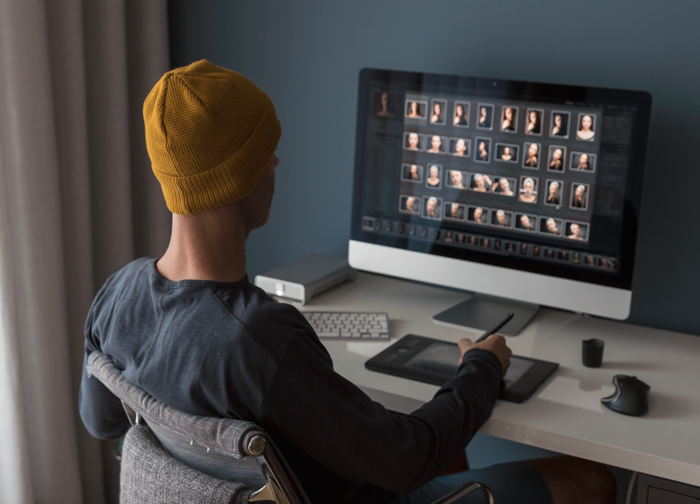
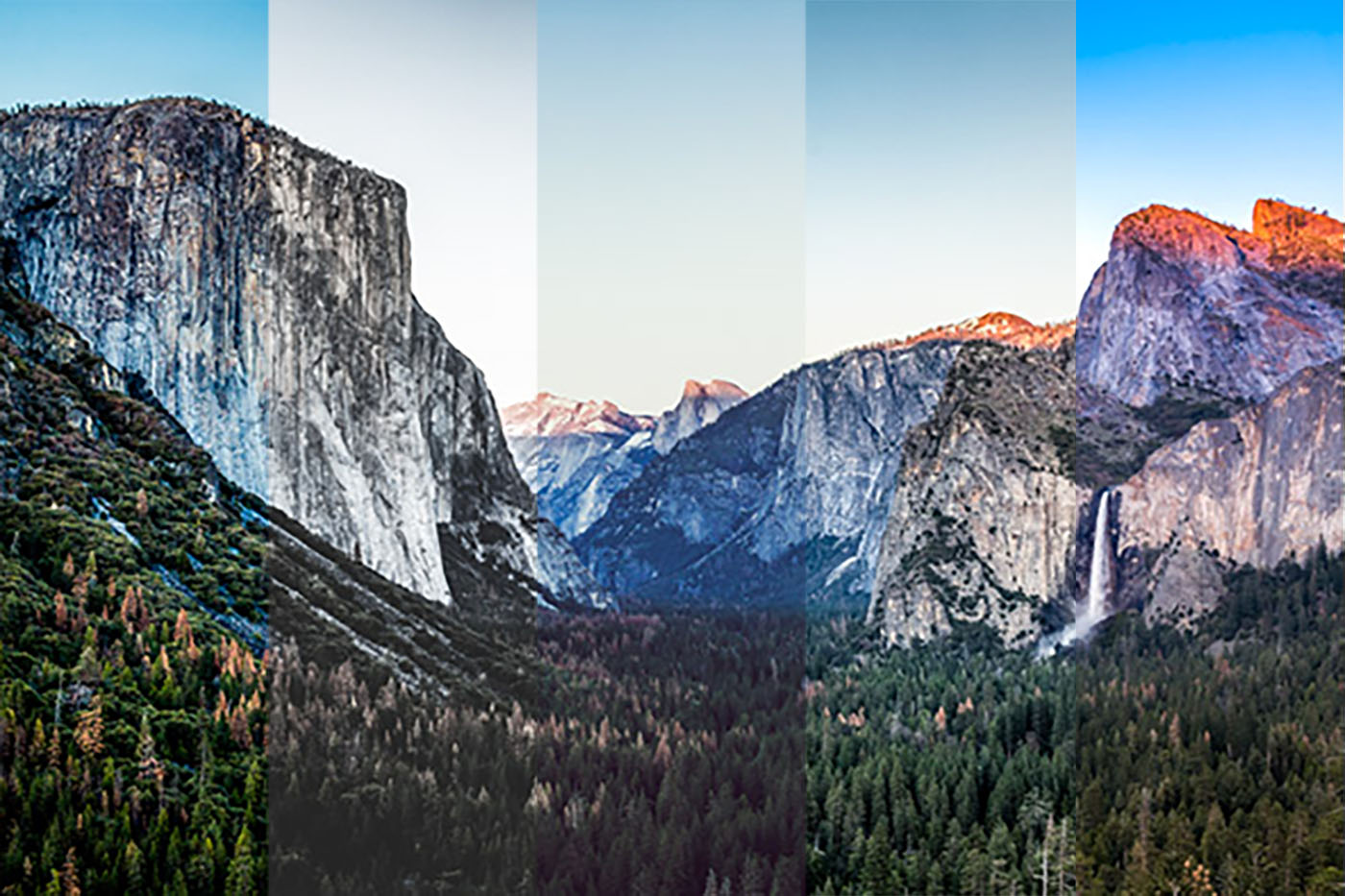
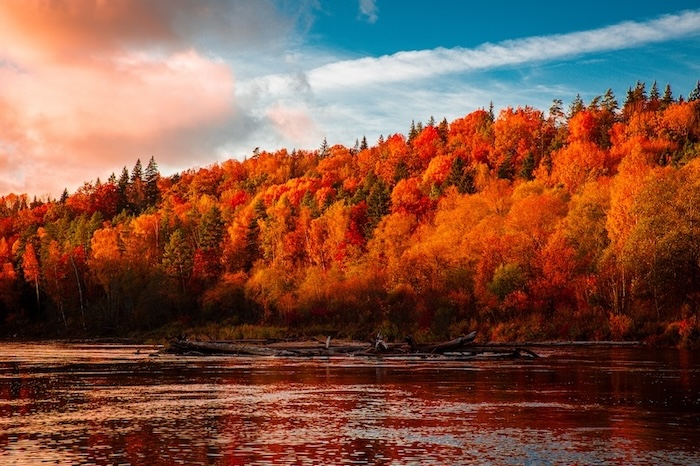
Lightroom presets for portraits can be extremely helpful when editing portraits in Lightroom. Adobe Lightroom comes with default presets. But they don’t always have the ones you need.
Thankfully, you can find tons of Lightroom presets online without paying for anything. And there are so many, there’s a preset for everyone, no matter the type of photography you shoot! Continue reading for the 25 best free Lightroom presets for portraits.
Using Lightroom Presets For Portraits: What Is a Lightroom Preset?
Before we dive in, let’s find out what a Lightroom preset is and what you can do with it.
You can think of Lightroom presets as filters. They change your image’s colors and other exposure settings for creative effects.
Lightroom presets create a mood to further improve your portraits. Not to mention that they give your images a coherent look.
So what’s the catch? A lot of photographers share them to help market their name. Meanwhile, others use them to introduce you to paid versions.
Most free Lightroom presets are easy to download. On the other hand, some require you to subscribe to the photographer’s website or social media channels.
Below are some of the best free Lightroom presets for portraits on the web.
Twenty-five is a lot to work through, so start from what your photo already is, rather than from the look you want. If it was shot in a studio or in soft, even light and only needs finishing, start with Clean Portrait or Fixthephoto’s Light and Airy. If it was shot outdoors in warm sun, try Morocco or Warm Retro. If it was shot in a city, at night, or in hard light, Urban Cool and Night Music Time are built for exactly that. And if you want a period look rather than a correction, go to Hollywood, Antique Bronze, or Grain It Up.
Best Free Lightroom Presets for Portraits
1. Fixthephoto’s Light and Airy Pastel
Fixthephoto’s preset collection is worth trying if you want to add subtle touches to your portraits.
This preset package creates a soft glow on the skin without changing the skin tone. At the same time, it makes the colors in the images look vibrant.
The effect it creates may be subtle. But you’ll definitely notice how it makes you feel: light and airy!
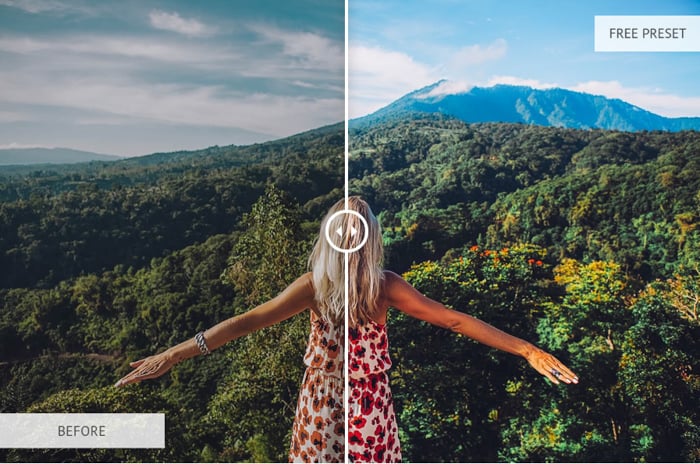
2. PresetLove’s Warm Cinematic
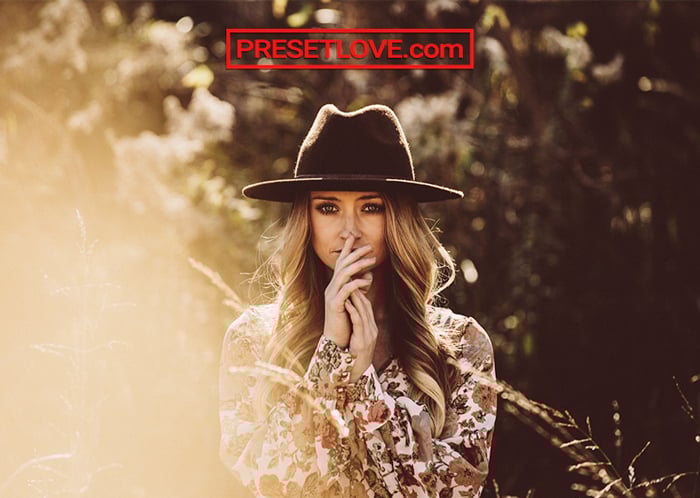
PresetLove’s Warm Cinematic is the best option for photographers who love that moody look in some movies.
Warm Cinematic deepens the shadows and creates beautiful contrasts. It also uses a warmer color temperature to produce a sunny atmosphere in your images.
This preset is perfect for photos with bright lighting. Using it on dimly lit images may produce dark and grainy results. So it tends to make some pictures look muddy. But you can easily fix all these issues with a few adjustments.
3. ON1’s Signature Collection Vol. 1
People like to use the term “professional” a lot these days to make their products seem legitimate. But more often than not, many of them fail to deliver quality results.
Thankfully, ON1 means what it says about its Signature Collection Vol. 1. It’s a set of 62 free presets from the team behind ON1 Photo RAW, and each one is built with Lightroom’s own adjustment tools rather than a heavy-handed filter.
The collection gives you various choices, from adding a soft look to creating realistic film effects. And each option produces vivid colors and beautiful contrasts that don’t scream, “It’s a filter.”
Sixty-two presets is a lot to work through. But that is the point of a starter library. You keep the handful that suit your portraits and ignore the rest. You need to give ON1 your email address to get the download link.
4. Clean Portrait Studio Preset
Most portrait presets sell you a mood. The Presets Room’s Clean Portrait does the opposite. It is the one to reach for when a photo is already right and only needs finishing.
It lowers the contrast, lifts the overall lighting, and raises clarity and color saturation a little. Skin comes out smoother and facial features come out sharper, which is the trade-off studio portraits actually need. Eyes gain definition without the whole frame turning crunchy.
The download includes both .xmp and .dng files, so the same look works in Lightroom Classic, Lightroom CC, and Lightroom Mobile on iOS and Android. It also loads into Adobe Camera Raw, Capture One, and Luminar. And there is no email form. The download button hands you the file.
It was built for indoor studio lighting, so it is the wrong starting point for a harsh outdoor portrait or a deliberately dark scene. Lifting the shadows on a photo that was meant to be moody only flattens it. Use one of the moody presets below for those.
5. Cinemora’s Forest Presets
Cinemora’s free forest presets cover your photos in a beautiful, cool, hazy look. We recommend using them on portrait photos with neutral, warm, or soft light.
The pack holds three files. Dark Forest deepens the shadows and cleans the yellow cast out of green foliage. Foggy Mountain softens harsh highlights so mist and morning haze read the way you saw them. Autumn Woods pushes the same greens toward warm golden brown instead.
They are built for the neon-green tint digital cameras give leaves. So they work best on portraits shot under a tree canopy or on an overcast trail. But you can use them in any environment.
The download is a plain ZIP of XMP files, so it works on desktop and mobile. And you don’t need to hand over your email address to get it.
6. Altphotos’ 10 Free Presets Pack
Altphotos has created a pack of 10 free Lightroom presets for portraits. Nine of them are color presets, and one is black and white.
The color presets have a variety of effects. You can use them to either warm the colors of your portraits or cool them down.
These free Lightroom presets also enhance your portraits’ browns or blues. The result creates a subtle retro look.
A nice thing about this pack is that you can find descriptions on its website. This way, you know what effects each preset creates before you use them.
And the best part is you can download these Lightroom presets without needing to submit your email address.
7. Warm Retro Preset
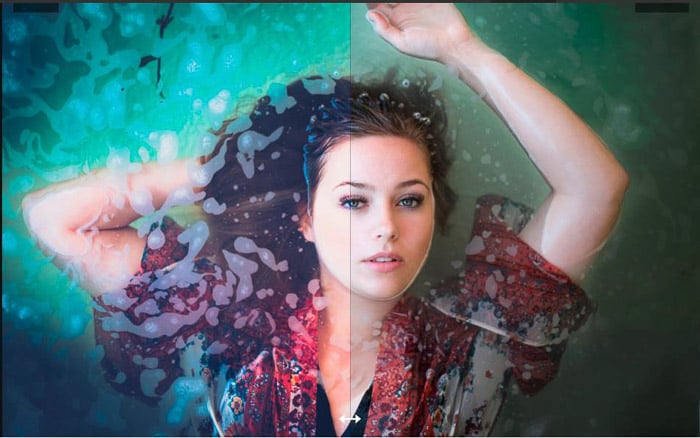
PresetLove offers many free Lightroom presets for portraits. And the Warm Retro Preset is one of its top vintage presets.
Warm Retro gives your portraits a soft vintage look. It increases both warmth and brightness and mutes the colors slightly.
The difference with other muted presets is that Warm Retro enhances the portrait’s sharpness. It’s crisp and detailed. I recommend this preset for a charming retro look that still looks natural.
If you prefer, you can also download a bundle of 290 Lightroom presets from the website. The catch is that it’s not free. But in my opinion, Warm Retro would be enough for most of your photos.
8. Urban Cool Lightroom Preset
This is another one of the free Lightroom presets for portraits from Presetlove. But it’s different from Warm Retro.
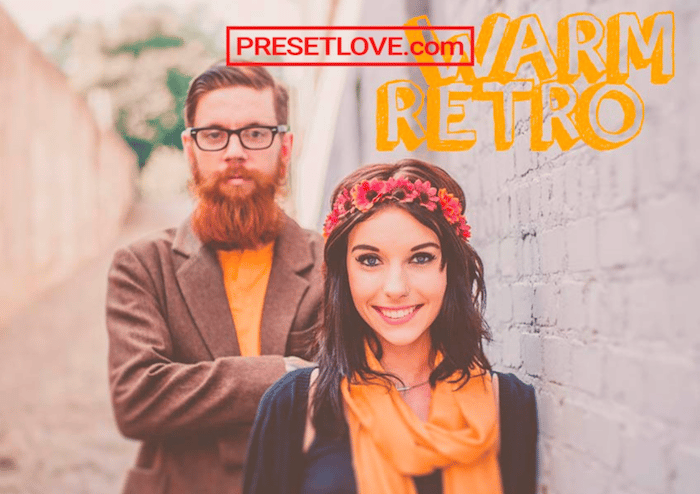
The Urban Cool preset is perfect for urban and street portraits. It enhances the cool colors by adding greens, blues, and violets to the shadows.
To balance the cool colors, it saturates the warm tones. It also increases the clarity and sharpening, giving a pop to your photos.
The great thing about this preset is that it adds a film look to the urban backgrounds of your portraits. At the same time, the skin color remains natural.
9. Free Lightroom Shadow Crusher Preset
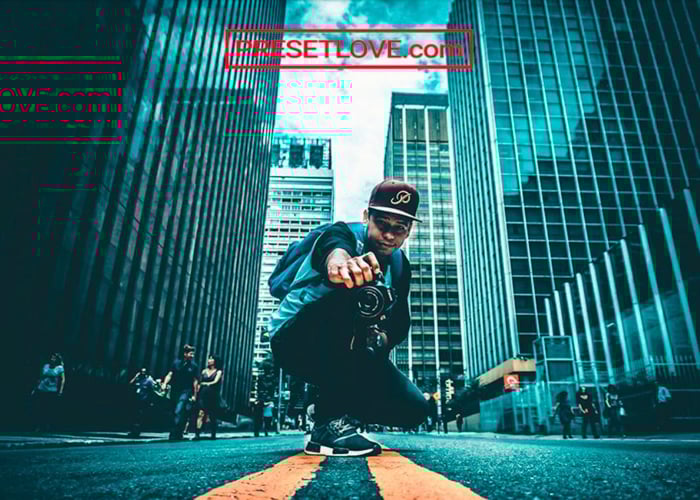
Presetlove’s Shadow Crusher preset saturates a portrait with intense tones. It boosts the exposure and contrast but pulls down the highlights, shadows, whites and blacks, and adds a dark vignette. All of these adjustments result in dramatically dark photos.
The “tough and dangerous” look it creates makes it perfect for urban photos. It’s also perfect for competitive or extreme sports photographers.
When you use this preset, keep in mind that it pulls the midtones toward the extremes (especially dark). It also creates a tint of magenta in the image.
This Lightroom preset for portraits is perfect for photos with a widespread histogram. But you should also ensure your photo doesn’t have too many purples and magenta.
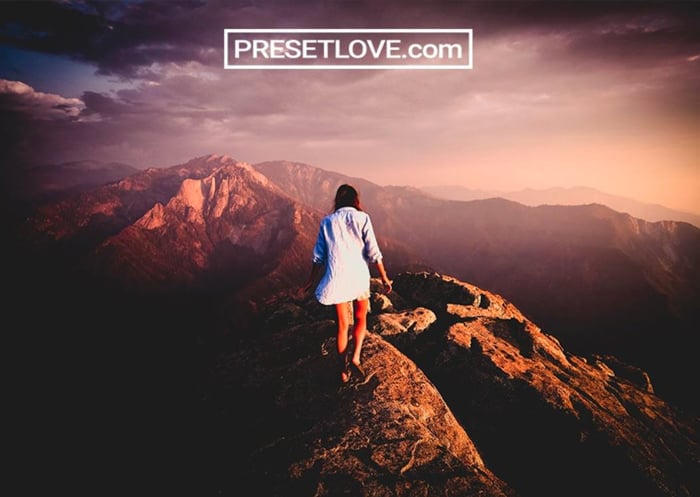
10. All Gold Everything Preset
If you want to give your portraits an ’80s twist, check out Presetlove’s All Gold Everything preset. This is one of the free Lightroom presets nostalgic millennials will love.
All Gold Everything brings out your images’ warm tones and gives them a yellow cast. It will make them look like they were captured on a Kodak Gold film.
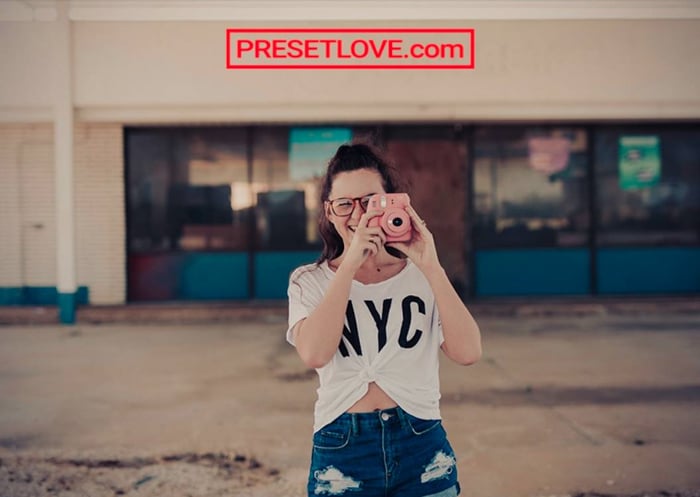
11. Antique Bronze Free Lightroom Preset
PresetLove’s Antique Bronze preset for portraits is an awesome sepia preset with a grainy effect. It adds intense tones and a subtle vignette to photos.
This is yet another one of the free Lightroom presets for portraits that creates a beautiful vintage look. But it keeps and even enhances the details and sharpness of the image.
Unlike black-and-white monochromatic presets, this preset’s sepia tone lets the viewer see more hues. It completes the effect by increasing clarity and whites.
This free Lightroom preset for portraits works well in a variety of scenarios. It performs well in almost any scene, from nature and the outdoors to urban environments.
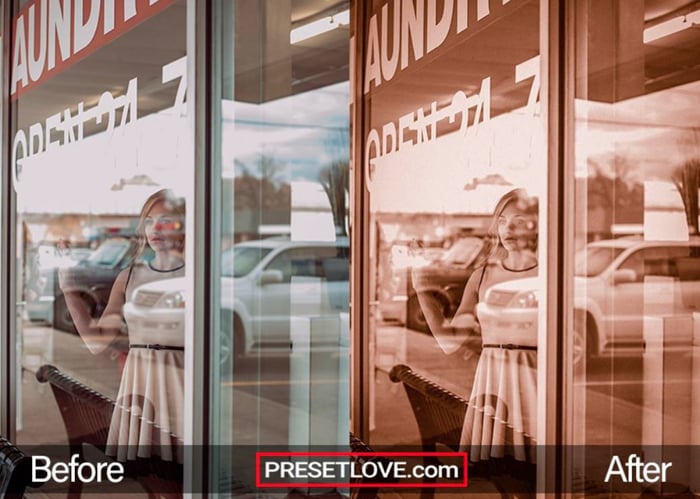
12. Movie Vibe Cinematic Portrait Preset
Presetpro’s Movie Vibe is my favorite free cinematic preset. Its contrast curve is shaped to make a still frame feel like it was lifted out of a film.
This wonderful Lightroom preset cools the environment toward teal while holding your subject’s skin warm and believable. It is at its best in mixed lighting and moody close-ups.
And if you’re fond of grain, it is one of the free Lightroom presets for portraits that delivers. The grain structure is subtle rather than heavy, so it reads as texture and not as noise.
13. Downtown Urban Portrait Preset
Dramatic color and lighting are trendy looks these days. And PresetLove’s Downtown preset is one of the best free Lightroom presets for portraits to achieve that edgy look.
This preset will help you to get a gritty street photo look that works well for dark and intense portraits.
I don’t recommend it if you want to soften the skin of your models. This Lightroom preset does precisely the opposite.
It sharpens your image quite a lot. It increases clarity and contrast, deepens the shadows, and pulls the saturation out of greens and aquas so the background sits back. In other words, this makes skin imperfections and textures stand out more.
So, if you’re looking for free Lightroom presets for newborns or beauty shoots, this is not for you. But it costs nothing and needs no email address, so it’s an easy one to try.
14. PhotoTraces’ Free Travel Collection
To get this free portrait preset pack, you must sign up to PhotoTraces and register your email. But that’s a small price for what you get from the website.
The most interesting thing is that the site is a working photographer’s own library. You can find tutorials, editing walkthroughs and other resources here, like eBooks.
This pack consists of 12 Lightroom presets split across four groups. Three are built for portraits (Clearface, In Style, and Coffee Time), two more are black and white, and the rest cover landscapes and cityscapes. They have straightforward names, so it’s easy to know what effects they will produce.
These free Lightroom presets for portraits are versatile and subtle. They give a wide range of skin tones a natural look.
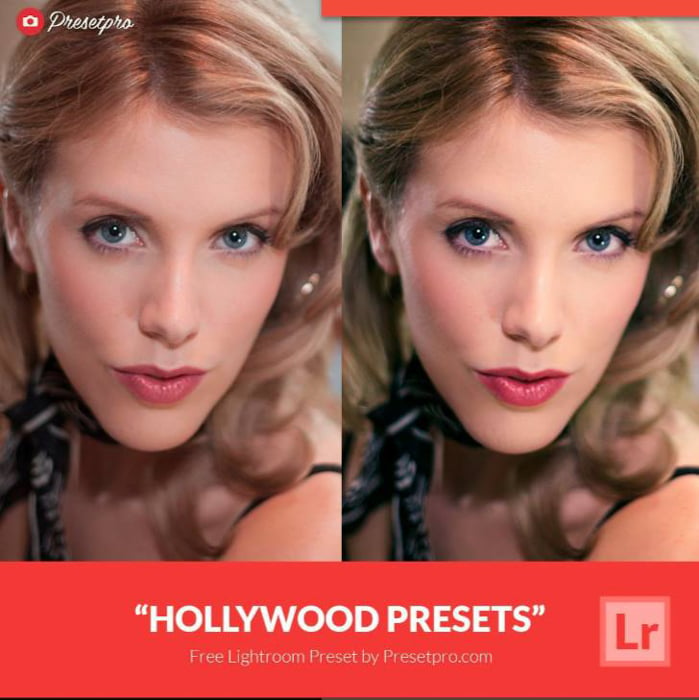
15. Hollywood Preset
If you want to put glamor into your portraits, check out Presetpro’s Hollywood free Lightroom preset. It has been downloaded more than 218,000 times, which tells you how well that golden-era look still lands.
It separates the colors so the frame reads like a classic film still. It also rolls the highlights off gently, so bright skin keeps its detail, and it lifts the shadows a little for a soft, faded finish. The result is warm and elegant rather than obviously filtered.
You get one .xmp file that works in Lightroom Classic, Lightroom CC, and Adobe Camera Raw, on RAW files and JPEGs alike. And you don’t need to give them your email address.
Those lifted shadows are the catch. On a low-key or backlit portrait, the faded finish reads as washed out rather than cinematic. Save this one for well-lit portraits, classic wedding shots, and stylized fashion work.
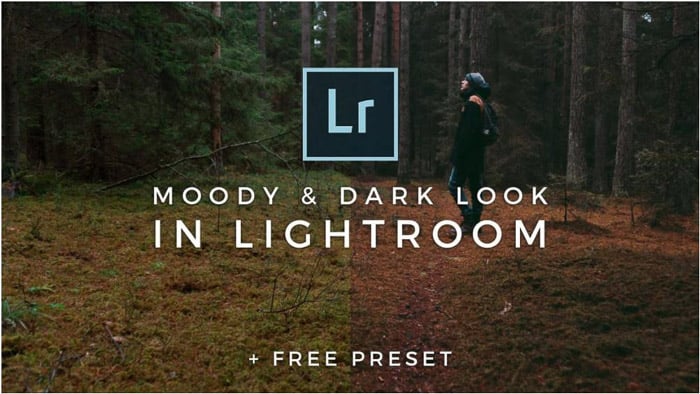
16. Dark Moody Lightroom Preset
Signature Edits is one of the best sources for free Lightroom presets for portraits.
The great thing about it is its tutorial explaining exactly how the preset was created. The tutorial is helpful if you want to adapt the preset to your own style.
The Moody Lightroom Preset itself lives in the Signature Edits store. It costs nothing, but you check out for it, so you do have to hand over an email address. It adds a bit of contrast to your portrait with a dark, faded mood. Be aware that it gives the shadows a cooler, greener tone. At the same time, it warms the yellows and greens and desaturates the picture.
As the last step, this preset adds an orange coloring to the image using the Calibration panel. This really contributes to the dark mood.
The preset works great to give your photos an autumn or winter feel. As the author says, it might not work with all your portraits. But it gives you a nice start.
17. Morocco Free Portrait Preset
Presetpro is a website that offers you a lot of well-designed free Lightroom presets for portraits. One of my favorites is Morocco.
As the name suggests, this preset adds a beautiful, warm glow to photos. It’s perfect for portraits shot during golden hour when the sun is low on the horizon.
The natural warm colors pop while keeping skin tones natural. It also reins in the deep shadows and blown highlights you get in strong sun, so you keep detail at both ends.
You can use it in wedding, travel, and urban photography, and many more. And it costs nothing to download.
18. Rustic Marriage Wedding Preset
The Presets Room’s Rustic Marriage is one of the better free Lightroom presets for weddings, and it is built for ceremonies shot outdoors in the late afternoon. It leans on warm tones to give a countryside wedding the cozy look people remember it having.
Those warm tones do a specific job. They pick out natural elements like wood, straw, and autumn foliage, so a barn or a garden setting stops reading as flat and brown. It holds up on couple and group photos too, which is where a lot of portrait presets fall apart.
The download is free and includes both .xmp and .dng files, so it runs in Lightroom Classic, Lightroom CC, and Lightroom Mobile. There is no email form to fill in first.
The warmth is also the limit. On a winter ceremony, an overcast day, or an indoor shoot lit with daylight-balanced flash, it pushes skin further orange than you want. Use the Elegant Wedding preset below for those.
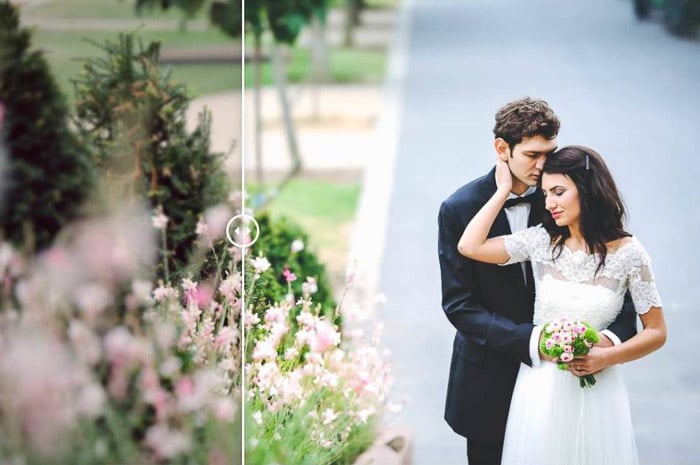
19. Elegant Wedding Preset
Chicpreset’s Elegant Wedding is one of those free Lightroom presets for portraits that improve bland wedding photos. It keeps a classic look that makes your snapshot look timeless.
The Elegant Wedding preset brightens your photos. It enhances the contrast and vibrance and sharpens the details.
This free Lightroom preset for portraits is perfect for photos taken on cloudy and grey days if you want to give them a bit of extra light.
This preset is especially useful for weddings because it keeps the photo’s original colors. You don’t need to worry about changing the colors of the wedding guests’ clothes or the flower decorations.
20. Free Night Music Time Lightroom Preset
If you are a night portrait photographer, you will love this free Lightroom preset by PresetLove.
It is perfect for nightclubs, concerts, and street photos. You can also use it for your wedding photography and party photos. This preset lifts the exposure slightly and boosts contrast, so night lights pop without turning to mush.
It warms the overall temperature, drops brown tones into the shadows, and cools the highlights toward blue. It also sharpens the image and cleans up noise, which matters a lot in low light.
This is one of the best presets if you are just starting with night photography. It gives you a starting point to experiment with the colors of your portraits and night shots.
21. Grain It Up Portrait Preset
You should check out PresetLove’s Grain It Up preset to give your photos a nostalgic, vintage effect.
As the name suggests, it increases the amount of grain (noise) in your images. But it also mutes the colors, lays a classic brown tint over the frame and adds a vignette, the washed effect you usually see in old photos.
It deepens the blacks and lifts the highlights at the same time, so the result is faded without going flat. Skin tones end up warm and slightly desaturated.
As with all presets, you might need to adjust it to fit your portrait and taste. But this free preset gives you a good starting point, and it needs no email address.
22. Color Pop Preset
The Color Pop Preset lives up to its name. It’s a vibrant preset that makes your photos pop. Its specialty is livening up photos taken on a cloudy day or in bad lighting conditions. It’s excellent for portraits in the city or nature.
You can create an impressive effect by converting the image to black and white and then combining the free preset with a mask to have only one item in color.
Remember that this preset also decreases the luminance of blue and aqua colors. So, it might not be the best choice for seaside photography.
23. Sun Flares Preset
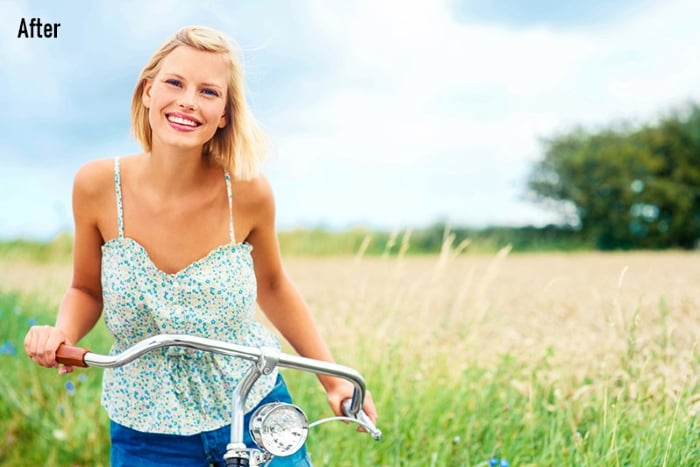
Sun Flares is one of the best free Lightroom presets for outdoor photos, travel photography, or weddings.
Unlike most presets on this list, you must provide an email address to download it. But it’s worth it, especially if you like taking sunny photos a lot.
The free preset works perfectly for outdoor portraits. It gives your photos warmth and clarity and creates an awesome sunny effect.
24. Black & White Bundle
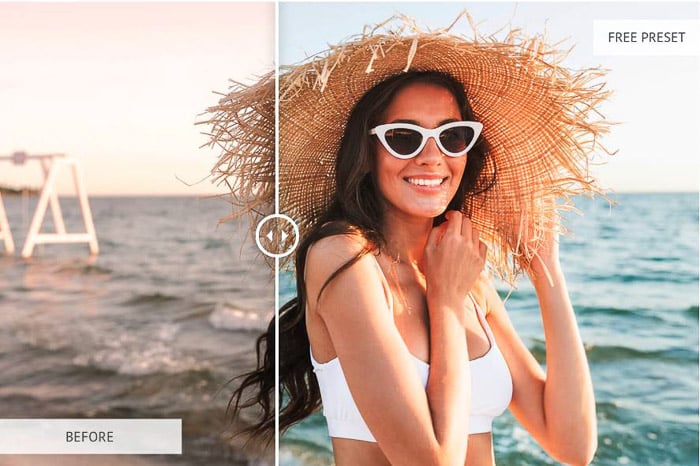
Fix The Photo has loads of fantastic free Lightroom presets if you like black-and-white photography. This bundle covers a lot of the needs of a portrait photographer.
The Soft and Soft Skin presets make your subject’s skin look softer. The second preset in the bundle even applies a skin color correction.
You will also find presets to soften your portraits, adding an elegant pinkish tone or a matte effect. Others add drama, create an HDR effect, or enhance photos taken in harsh light.
You even have Lightroom presets, such as Chocolate or Old Film, for elegant and artistic effects.
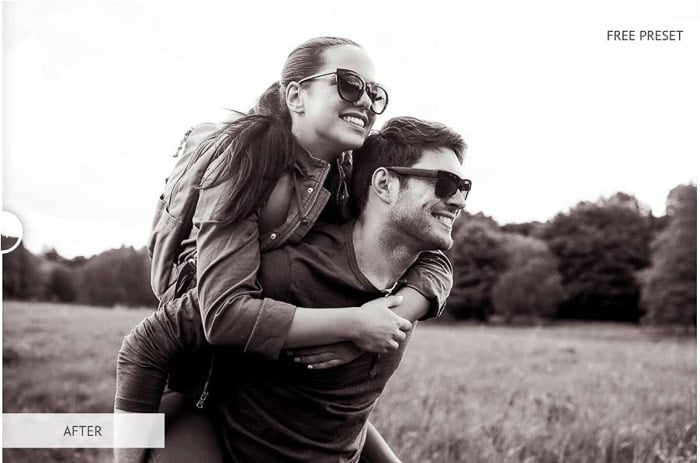
25. Teal and Orange Preset
Teal and orange photos are very popular these days. They work well with landscapes such as the sea or a mountain ridge with a lot of sky.
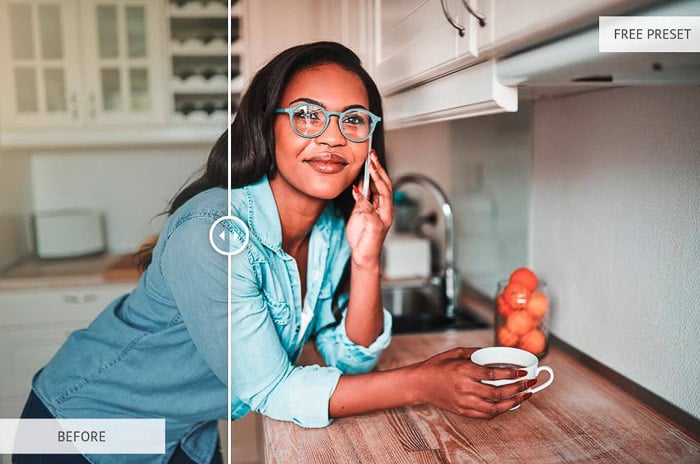
If you want to try the orange and teal look, then this Teal and Orange preset is for you. As you would expect, it uses contrasting oranges and blues with high exposure and sharpness.
These help you to give more life to your portraits. But you may have to make a few adjustments to keep skin tones accurate.
Best Lightroom Portrait Presets (FAQs)
These are answers to frequently asked questions about how to use Lightroom portrait presets.
How Do I Download Lightroom Presets?
When you find a preset you like online, download it into a folder on your computer. If the file is zipped, unzip it.
Then open Adobe Lightroom and find the Presets panel under the Develop module. Click the plus sign (+) and then click Import Preset.
Next, navigate to the folder where you saved the downloaded presets and press Import. After that, the downloaded presets will appear in the Preset panel.
Follow our in-depth walkthrough here.
How Do I Download Lightroom Presets for Free?
There are many sources online that offer free Lightroom presets. Search for “free Lightroom presets.” Then, follow the steps above to download them.
Can I Apply a Single Preset to All of My Images?
Technically, you can. But some presets work better than others for certain photos. For instance, some options may be better for portraits, while other presets perform well with landscapes.
You may have to use a variety of presets to achieve the best results. And you may need to get preset bundles if you want a coherent look. That way, you have better options for different types of images.
Can I Use My Presets on Lightroom Mobile?
Yes. Your Lightroom desktop version syncs with Lightroom Mobile. After you add the preset to Lightroom, you should see it in both versions.
Conclusion: Best Lightroom Portrait Presets
Presets are a great tool to make your editing workflow quicker. You can use them as a base for editing your portraits and adapt them to your photos and personal style.
These 25 best free Lightroom presets for portraits suit almost any portrait scenario. Many of them download straight away. And the rest only ask for your email address.
If you only download one, make it Clean Portrait. Most portraits need finishing rather than a mood, and it does that job without asking for your email or committing you to a look.
Decide which amazing, free Lightroom presets for portraits you want. You can also check out our post on importing and installing Lightroom presets or Lightroom Mobile presets.