For planning a Milky Way photograph, we recommend PhotoPills. It brings the galactic core’s position, moon timing and exposure tools together. Stellarium Mobile is a good free starting point for finding the Milky Way, while The Weather Channel helps you check the forecast before travelling.
These apps help you plan astrophotography. They do not turn your phone into a long-exposure camera. Choose a planner or sky map for the job you need, then check the weather separately.
Which Milky Way App Should You Choose?
A Milky Way shoot needs three questions answered before you leave the house. Where will the galactic core sit at the hour you plan to shoot? Will the moon be up and washing out the sky? And will it be clear?
For a planned composition above a tree, mountain or building, start with PhotoPills or Sun Surveyor. To learn the sky and preview it at a chosen date and location, start with Stellarium Mobile. Sky Guide is another useful sky-identification option on iPhone. You do not need all ten apps.
For strong contrast in the Milky Way, choose dark hours with the moon below the horizon. A date near new moon is a useful starting point, but the moonrise and moonset times matter too. A full moon can illuminate a landscape; it is not the default choice for a dark-sky Milky Way photograph.
10 Apps for Planning Milky Way Photography
The tools below cover different parts of a shoot: finding the core, checking moonlight, timing darkness and reviewing the weather. Use our guide to locate the Milky Way alongside your chosen app.





1. Deluxe Moon Pro
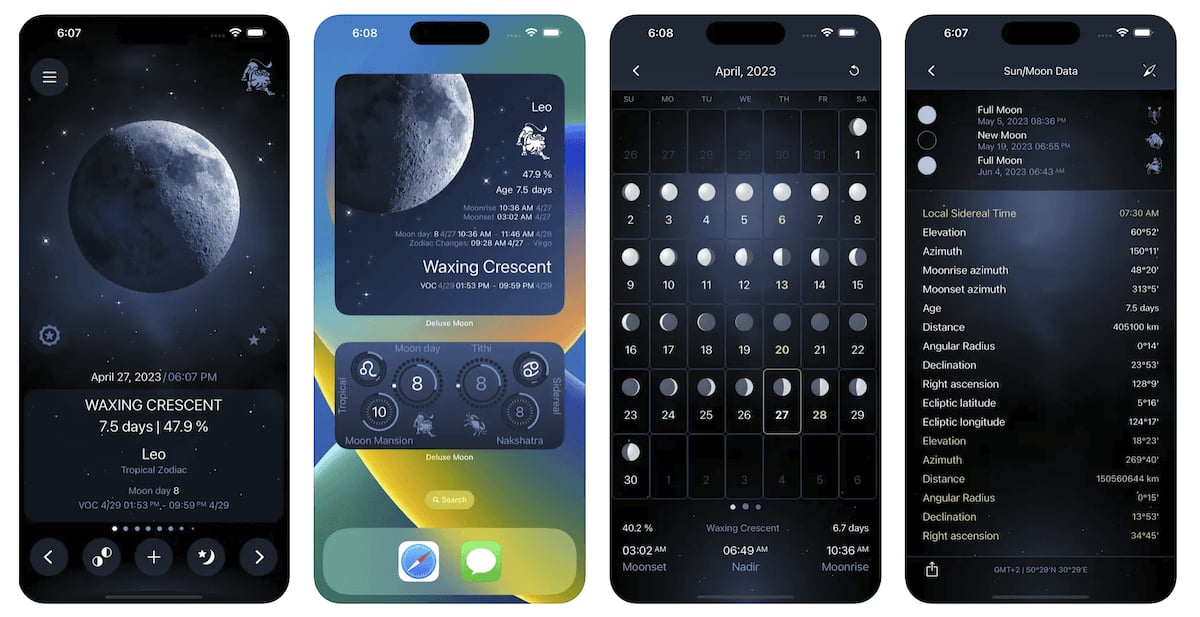
Deluxe Moon Pro is our favorite moon application. Its useful information for Milky Way photography is the moon’s phase, illuminated fraction, and rise and set times for your location.
Use those times to find a moonless part of the night. For example, if the moon sets before your chosen shooting window, you can plan to photograph the core after it has gone below the horizon. You still need a sky planner to establish whether the core will be visible then.
The phase display does not measure the actual brightness of your sky. Clouds, nearby lighting and the moon’s position also affect what you see. Treat Deluxe Moon as a moon-timing tool, not a cloud forecast or a Milky Way composition planner.
The Android app linked above is called Deluxe Moon. It comes from the same developer, but it is a separate app from Deluxe Moon Pro on iOS.
2. Stellarium Mobile
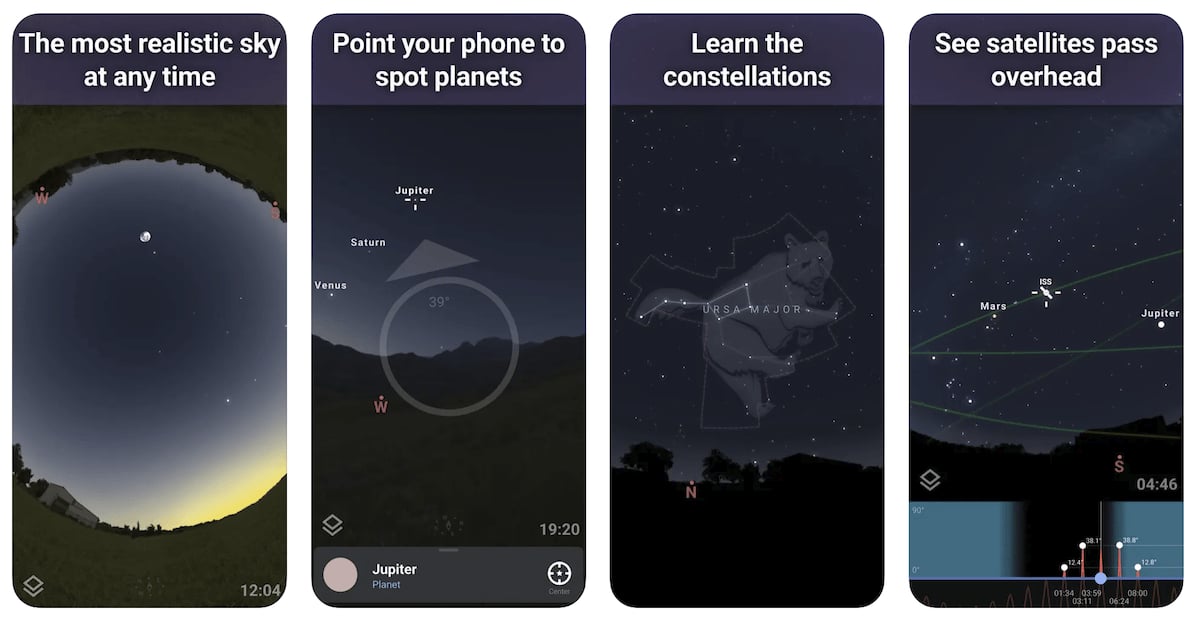
The Stellarium Mobile app gives you a virtual planetarium. Set your location, date and time to see the sky you can expect, or point your phone upwards to identify stars and constellations.
For a Milky Way shoot, this is a useful way to learn where to look before you reach a dark site. Move through the night to see how the band changes position. Use the night mode when you are outside so the display is less intrusive.
The base app is free with optional upgrades on iOS and Android. Its sky simulation and Milky Way imagery make it a practical place to begin; you do not need telescope-control features just to identify the galaxy.
Stellarium Plus adds advanced observing tools, a deeper catalogue and telescope control. Those are useful for broader astronomy work. A sky simulation still does not tell you whether clouds will block your view at the chosen time.
3. The Photographer’s Ephemeris (TPE)

Download: iOS or TPE Web in a desktop browser
The Photographer’s Ephemeris (TPE) app helps you plan how natural light falls on a location. Its map-based sun and moon directions are useful when you want some moonlight on a foreground as well as stars above it.
Its night-planning tools include galactic-centre rise and set information and a visualization of the Milky Way’s orientation. The iOS app also has an augmented-reality view. Use these tools to check how the sky lines up with a foreground, not just whether the moon is new.
You can explore TPE for free via its website, with additional web features offered through paid plans. TPE’s current site lists an iOS app and a desktop web app; do not assume that the web and mobile editions include identical tools.
For an Android planning alternative, Planit: Photo Planner offers a Pro upgrade with Milky Way and ephemeris tools. Those tools are not included in its free version.
4. The Weather Channel
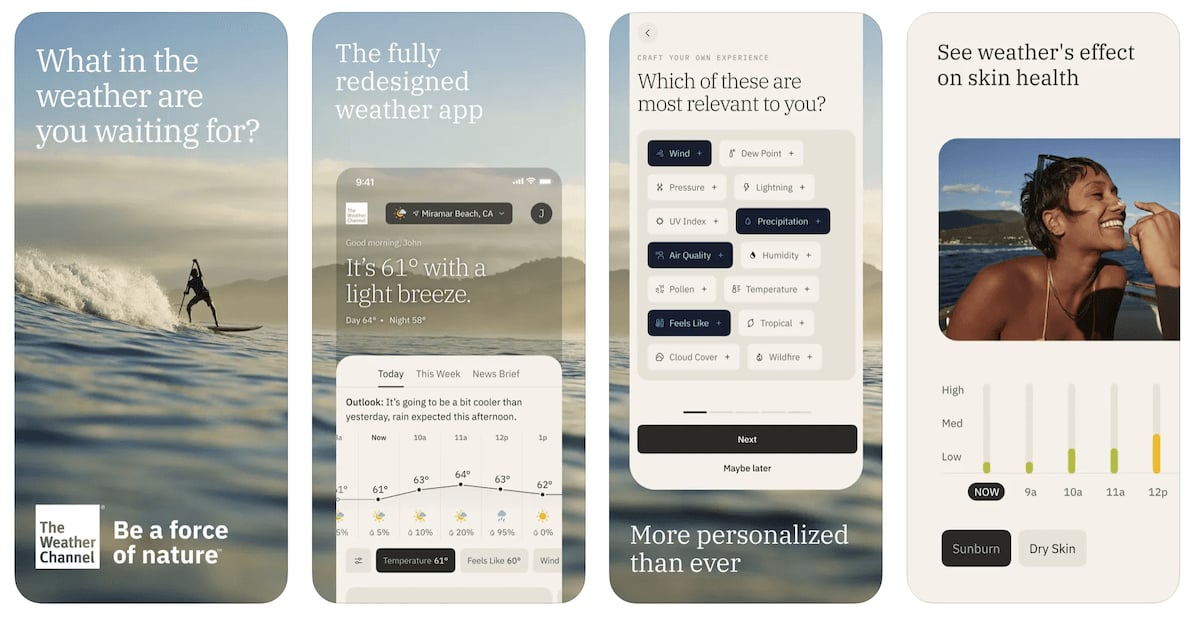
The Weather Channel app covers the weather part of the plan. Its hourly forecasts, radar and alerts help you review conditions for the place where you intend to photograph.
Look at the forecast for the shooting hours, not only the daily weather symbol. A clear afternoon does not establish that the sky will remain clear after midnight. Check again before leaving, particularly if your journey is long.
We recommend using the forecast alongside a sky-planning app. The Weather Channel cannot choose your composition or establish the galactic core’s position above a ridge. Equally, a correct astronomical prediction is not a promise of a clear view.
The app has a free download and optional paid features. Choose it if you want general weather information in the same place as radar and alerts. Keep the moon and core calculations in your astronomy app.
5. PhotoPills
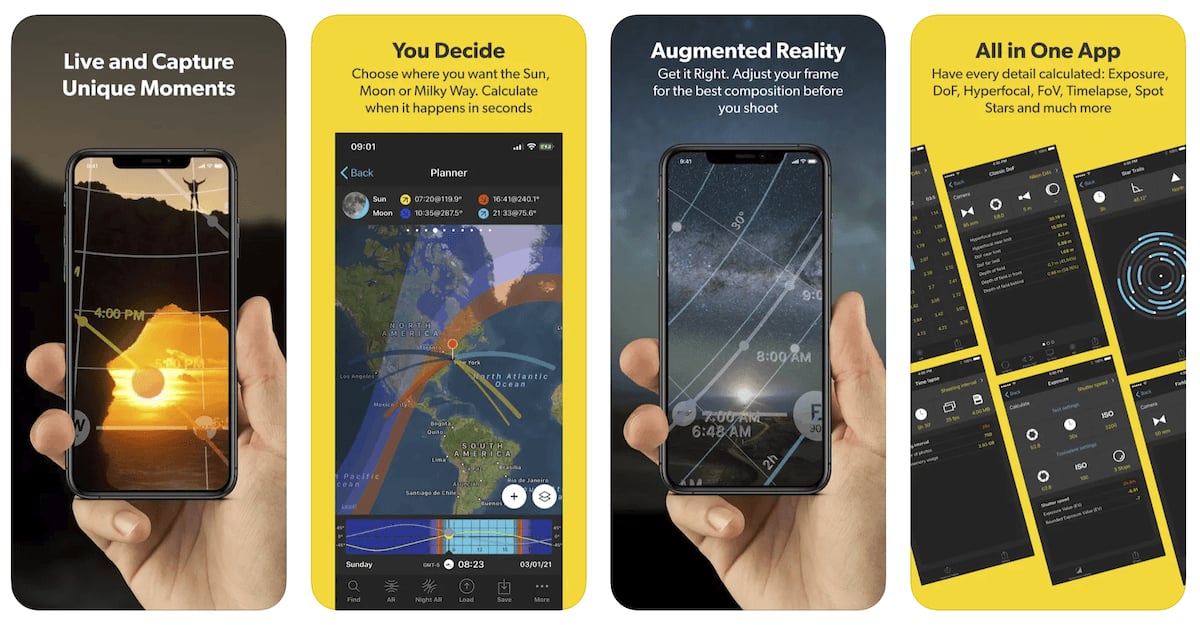
We recommend PhotoPills when you want to plan the photograph as well as find the Milky Way. The Planner combines a map with the core’s direction and visibility information for your chosen date and place.
Its Night AR view shows the Milky Way over the scene through your phone. This is useful when scouting a foreground during daylight: you can explore how the galaxy will line up later without waiting for darkness to begin planning.
PhotoPills also includes moon information and exposure tools. Its Spot Stars calculator helps estimate an exposure time for stars that appear as points. Use the result to guide a test frame, then inspect the stars in your actual image.
The app brings many tools together, so learn the Planner and Night AR first. You still need a weather forecast and a suitable dark location. Read our full review of PhotoPills for a closer look at how it works.
6. Sol: Sun Clock
Download: iOS
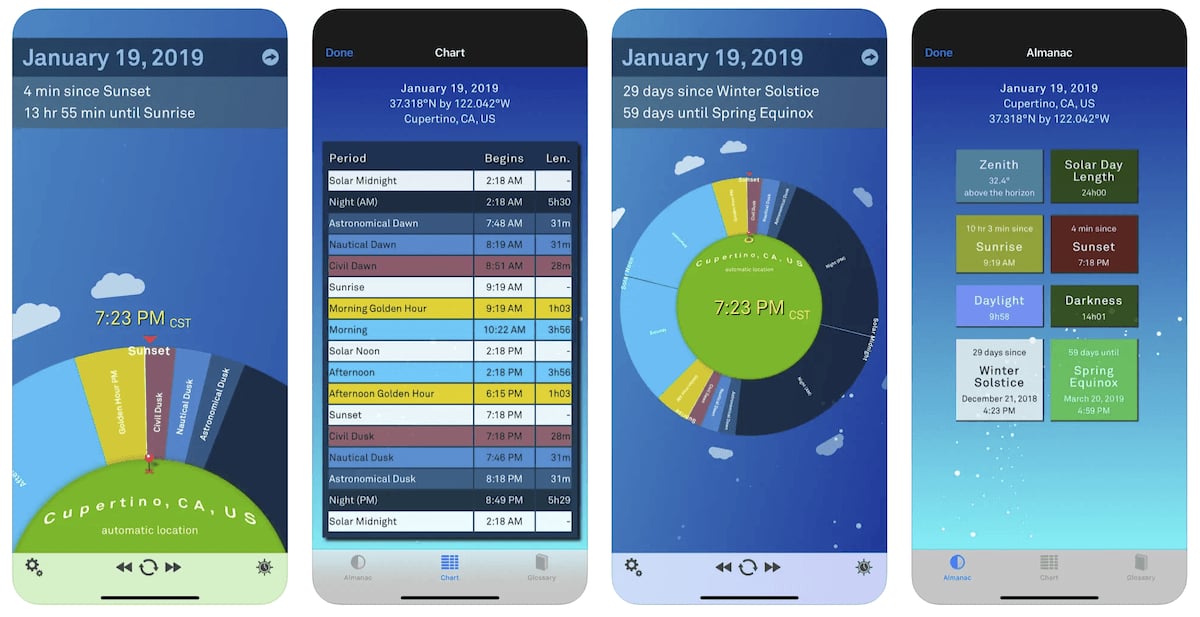
Sol: Sun Clock shows how daylight and twilight change for a chosen location and date. Its circular display makes it easy to distinguish sunset from the later end of astronomical twilight.
For a Milky Way shoot, that distinction matters: sunset is the start of the transition to night, not an immediate switch to a dark sky. Use Sol to plan when to arrive and when to begin checking the scene for your night exposure.
The app includes civil, nautical and astronomical twilight, plus alarms tied to solar events. We recommend it for photographers who want a focused light-timing tool rather than a detailed star atlas.
Sol is an iOS app. On Android, Sunclock is a separate alternative with sunrise, sunset, twilight and moon information. Neither choice removes the need to locate the galactic core in a sky planner.
7. Sky Guide
Download: iOS
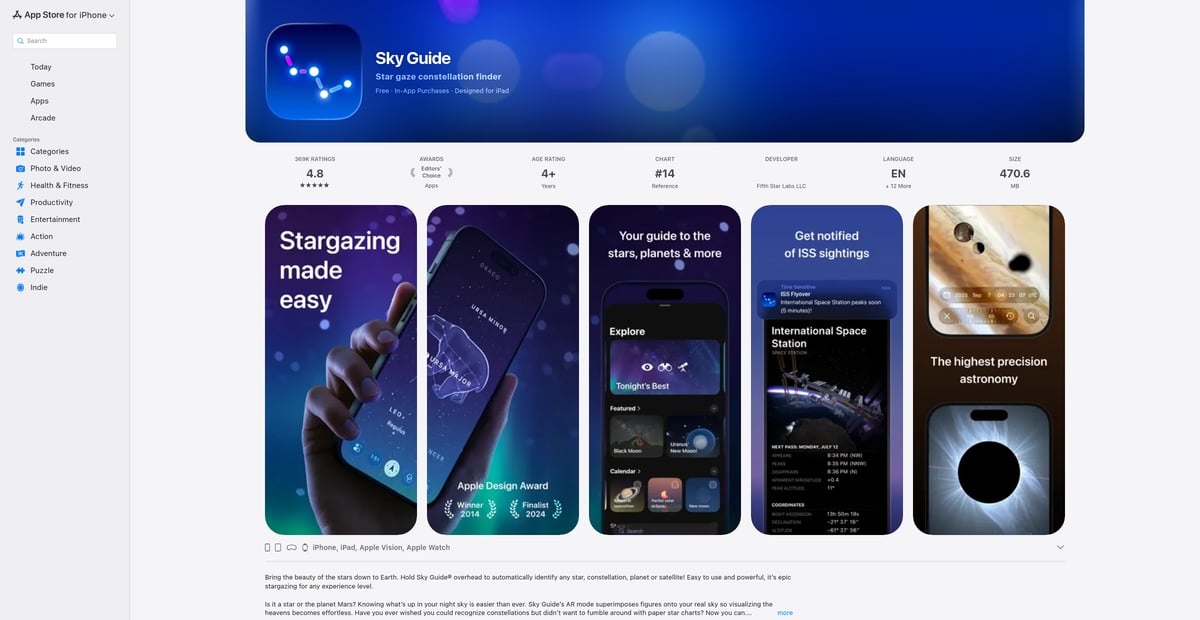
Sky Guide is useful when you arrive at a dark site and want to identify what you are looking at. Hold your iPhone up and its augmented-reality view overlays stars and constellation figures on the sky.
The time controls let you move forwards or backwards to explore the sky at another hour. That helps you learn the constellations around your intended subject before the shoot. Compare the view with the landscape in front of you rather than assuming every object above the app’s horizon will clear a real hill or tree.
Sky Guide can work without Wi-Fi, cellular service or GPS. Set the correct location and time before using it at a remote site. The app also offers satellite notifications and a calendar of astronomical events.
It is a free download with in-app purchases on Apple devices. We recommend it for sky identification; choose PhotoPills when your main need is a photography planner with exposure tools.
8. SkySafari
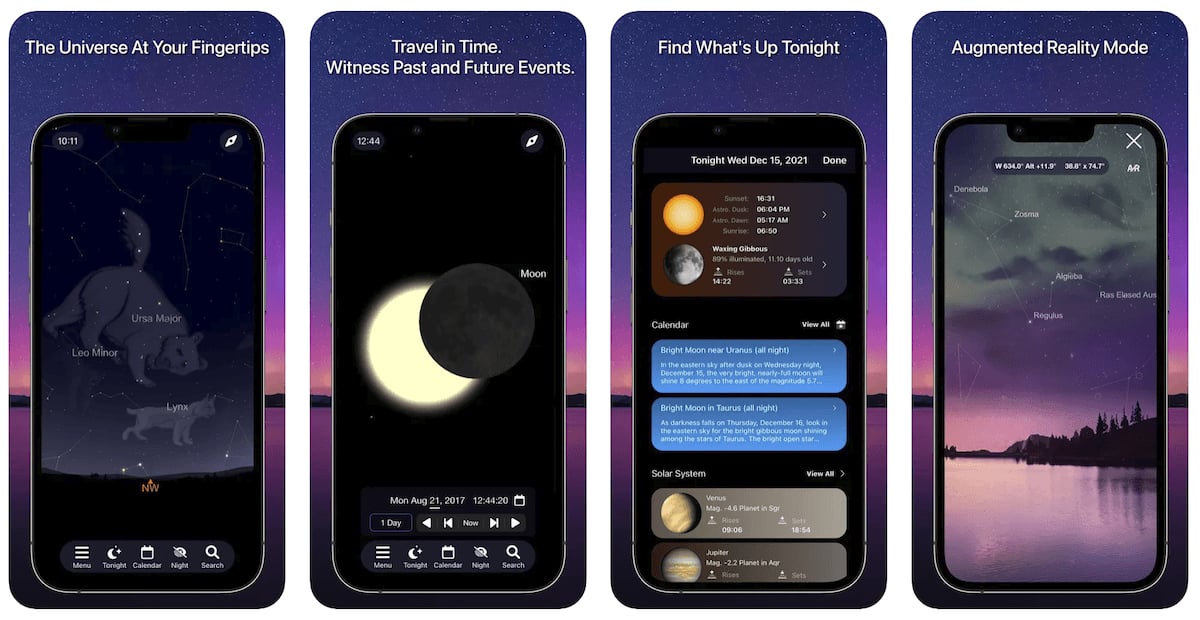
SkySafari is a detailed star atlas for photographers who also enjoy observing the night sky. Its simulation tools let you explore objects and change the date, time and location before a session.
Use it to understand the stars around your intended Milky Way composition. A larger catalogue is helpful when you also photograph or observe smaller targets, but it does not improve the weather or make a bright location dark.
SkySafari is offered in different editions. The iOS and Android download links above point to different editions, so they should not be read as an identical feature comparison. A basic sky atlas is enough if your only aim is to identify the Milky Way.
Both Plus and Pro offer telescope control. Pro is not required simply because you own a compatible go-to telescope. The developer’s SkySafari 8 comparison chart is useful for choosing between the editions if you also need observing or equipment features.
9. SkyView
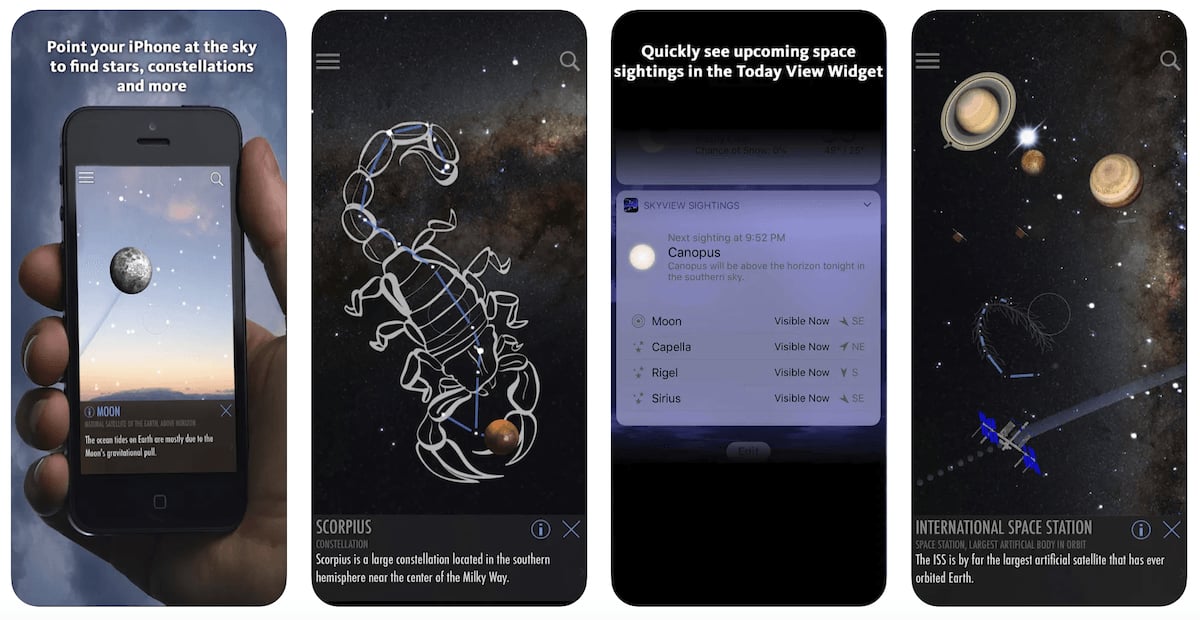
SkyView is the app we use for identifying stars in the sky, such as Polaris (The North Star). Point your phone at the sky to see an overlay identifying stars, planets and constellations.
This makes it useful for learning your way around the sky during a shoot. The date controls and object paths let you explore how the view changes, instead of only identifying what is overhead now.
On iOS, SkyView Lite gives you a free starting point before choosing the full app. The full iOS edition includes all 88 constellations. The linked Android Lite edition is separate; the features described here refer to iOS.
We recommend SkyView for identification. For a precise foreground-and-core composition, use a photography planner alongside it. Learning a constellation’s name is useful, but you also need the core’s position at your chosen shooting time.
10. Sun Surveyor (Sun & Moon)

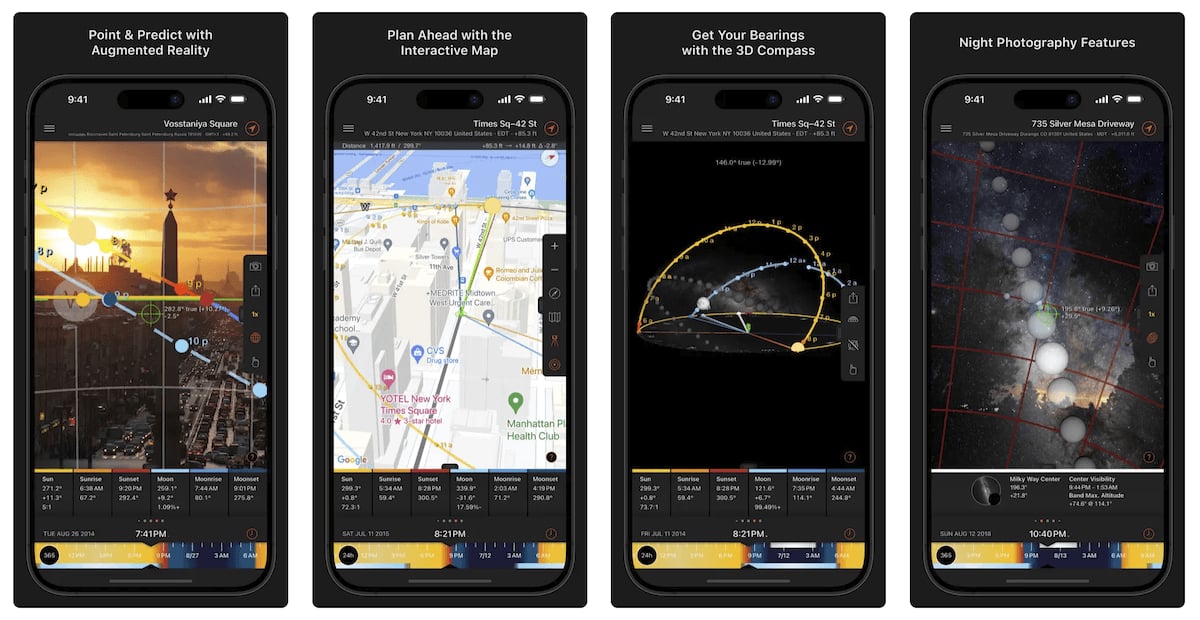
The Sun Surveyor app combines light planning with a live camera view, an interactive map and Street View panoramas where available. It is useful when the relationship between a foreground and the sky determines your shot.
The full app includes Milky Way centre visibility and a live view of its path. It also predicts golden hour and blue hour, which helps you plan foreground photographs before the night-sky session.
Use the map to explore a location, then compare the live view with the actual scene when you arrive. Street View coverage is not a guarantee of current access or an unobstructed view from the exact spot where you will put your tripod.
The free Sun Surveyor (Lite) version for iOS or Android is a way to try its sun-planning tools. For Milky Way and moon planning, choose the full version. Lite is not a free substitute for those features.
Plan Your First Milky Way Shoot
Pick one planner or sky map and practise with it before travelling. Set the shooting location, date and local time. Find a window when the core is above the horizon, twilight has ended and moonlight will not wash out your subject.
For example, a core that appears in the app at 9 pm is not enough on its own. Your useful window might begin later, after twilight or moonset. It may end earlier than expected if a mountain blocks the view. Work through those limits before choosing where to put the tripod.
Then check the weather for that window and review it again before you leave. Keep your chosen location and plan available on the phone. Practising the controls at home is easier than learning them for the first time in the dark.
Photography of the Milky Way takes practice, but you do not need every app on this list. Start with the tool that answers your main question, then use our guide to gear for photographing the Milky Way to prepare the camera side of the shoot.
Check out our Milky Way Mastery course to take out-of-this-world photos!