Start with the presets already included in Luminar Neo. If you want more styles, the collections below cover portraits, landscapes, film effects and architecture. We also explain which entries are sky images or LUTs, because they work differently from presets.
For a free download, photographer Tim Daniels offers a collection of Luminar Neo presets. Kathrin Federer's Mangrove D'or preset, covered below, is free with membership of her site. Check each creator's download instructions and license before using the files.
Skylum now calls the current desktop app Luminar. Its August 2026 update changed the interface, while many packs and help pages still use Luminar Neo. This guide covers that desktop app. Pack contents and compatibility below come from current creator listings. The editing examples are from our original article.
What Are Luminar Neo Presets?
A preset is a saved set of editing adjustments. Apply one to give a photo a starting look, then adjust its strength and individual settings to suit the image. A preset can change color, contrast or grain, but it will not suit every exposure or subject without further work.
Presets can help you build a faster editing workflow. Use them to explore a black-and-white conversion, a warmer landscape or a film-inspired color treatment. Check skin tones, highlights and shadows before calling the edit finished.
There are three different kinds of asset in this guide:
- Presets and templates store editing adjustments for the app they were made for.
- LUTs apply a color treatment. They can work in several photo and video apps, depending on file support.
- Sky images are photographs used for sky replacement. They are not preset collections.
For a broader look at the editor, read our Luminar Neo review.
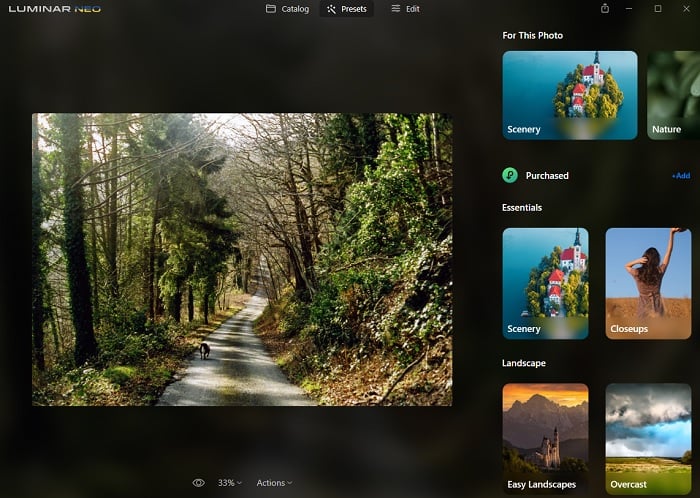
Original Luminar Neo interface shown in this article. In Luminar 1.28, Presets is in the right sidebar.
How to Apply Luminar Presets
Open a photo and select Presets. In Luminar 1.28's redesigned interface, Presets, Tools and Edit share the panel on the right. Older Luminar Neo versions use a Presets tab at the top.
Browse a collection and select a preset to preview it on the photo. Reduce the Amount if the effect is too strong, then fine-tune settings such as exposure or white balance. Save useful presets to Favorites so you can find them again.
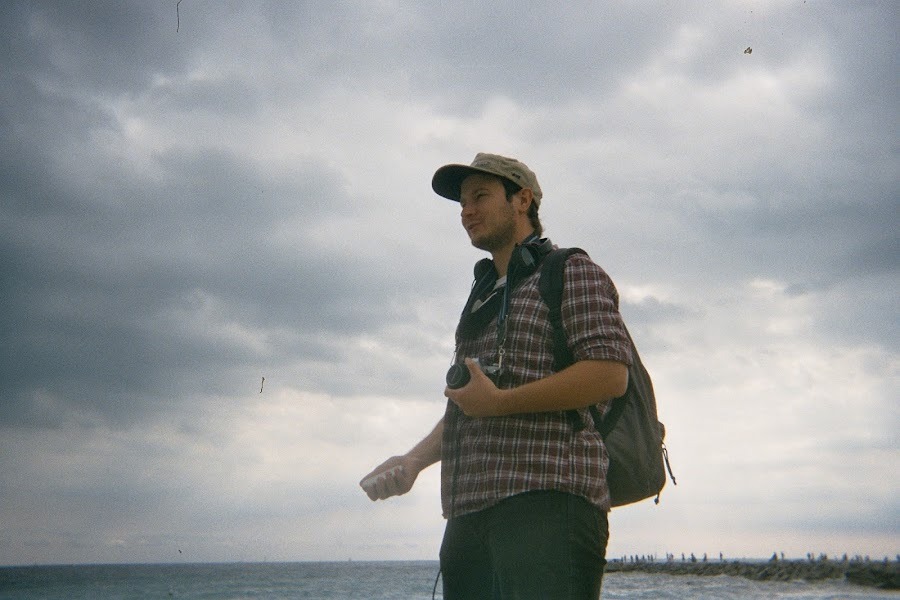
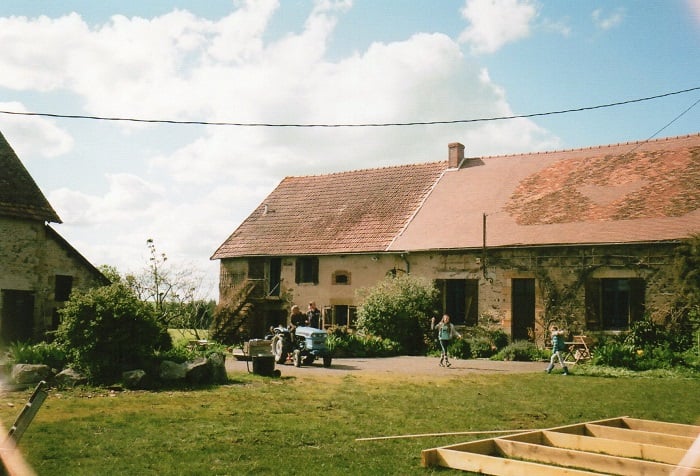
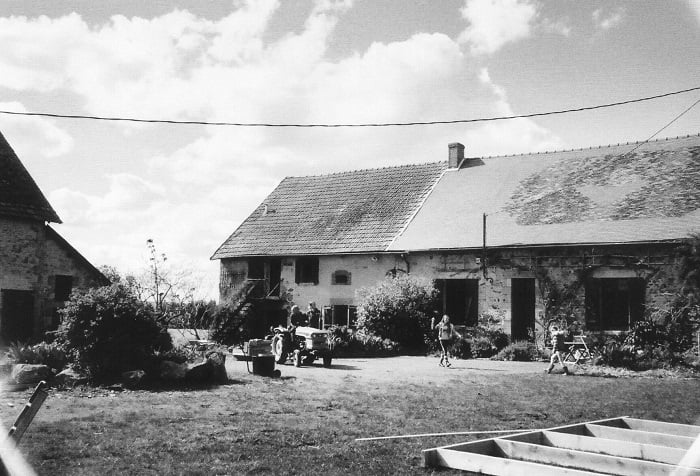
The original comparison below shows a color image and a black-and-white treatment. It illustrates the type of change a preset can make; the result still depends on the starting photo.
How to Install Luminar Presets
Check the file type and the app named by the creator before importing a download. A Luminar Neo preset collection uses the .lnpc extension. Extract a downloaded ZIP first if it contains the collection file.
Skylum's preset installation guide describes these routes:
- For a downloaded collection, choose File > Add Luminar Neo Preset Collection. On Windows, open the Luminar menu first if that is where your version places File.
- Select the .lnpc file and add it.
- Find the collection under Purchased in Presets. Versions with a + Add button there can import the same file directly.
The support guide also describes installing Marketplace purchases from the app's Marketplace area. Luminar 1.28 adds a full-screen Creative Library, so the asset-browsing layout differs from older screenshots. Use the instructions supplied with your purchase if its screens differ.
Do not import LUTs or JPEG skies as .lnpc collections. Those belong in the app's LUT or sky controls. Skylum's guide to presets and Mood LUTs explains the distinction.
You can also save your own adjustments as a preset. Skylum's guide uses Save as Preset from the editing menu, then lists saved looks under My Presets. This is useful when you want to reuse an edit across similar photographs.
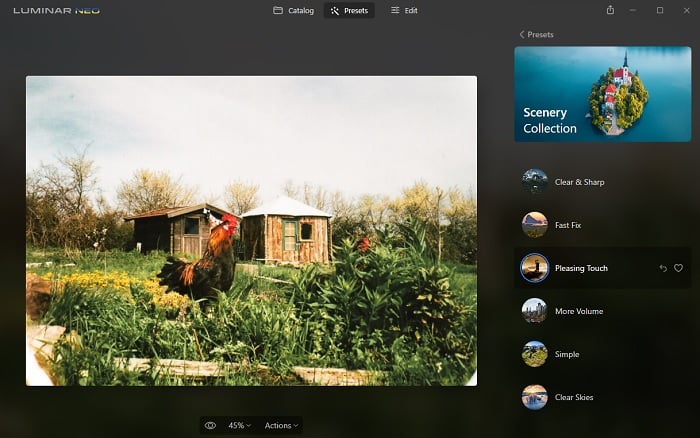
Original editing example from the article. Menu positions can differ in the current app.
13 Luminar Preset Collections and Creative Packs
The best Luminar Neo presets for your photos depend on the subject and the look you want. A collection made for studio portraits does a different job from a sky pack or a set of landscape looks.
Most current Marketplace pages label compatibility simply Luminar. Do not take that badge as proof of support for every older Luminar version. Check the exact pack's listing; the Environmental Portraiture Kit, for example, still explicitly lists both Luminar AI and Luminar Neo.
Built-in presets, individual Marketplace purchases and membership assets are separate. A pack with an individual purchase option does not require an asset subscription. Luminar Prime is an additional membership, and Skylum's current Max offer includes a year before renewal. Review the terms of the option you choose.
1. Luminar Neo's Built-In Presets
- App: Luminar desktop / Luminar Neo
- Creator: Team Skylum
- Asset type: Presets included in the editor
Start with the collections in Luminar Neo before adding more. Try a few looks on the kinds of photographs you take, then reduce the Amount or adjust the individual tools where needed.
The built-in collection is separate from the additional asset library offered through Luminar Prime. Do not assume that every preset shown in a membership promotion comes with the base editor.
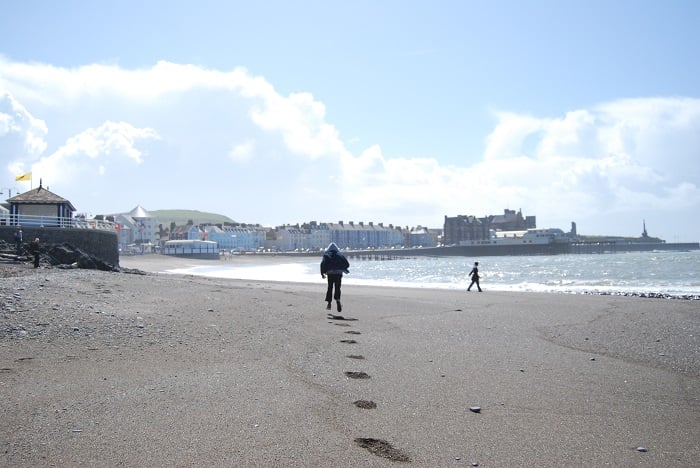
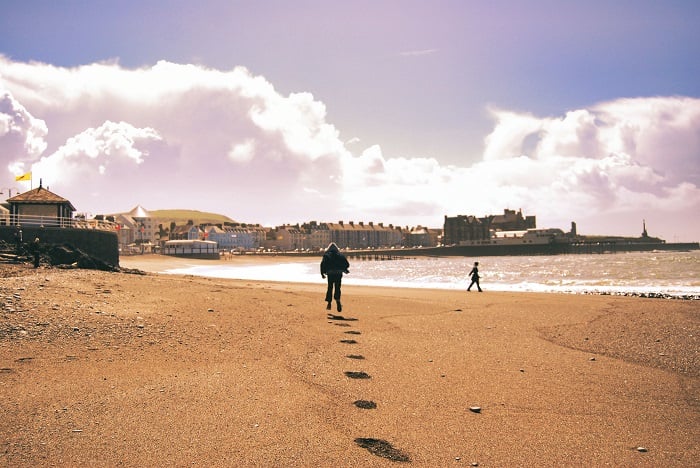
The original beach comparison below shows how a film-style treatment can change color and contrast. Use a lighter touch when the full effect overwhelms the photograph.
2. Experimental B&W
- Listed compatibility: Luminar
- Creator: Team Skylum
- Contents: 10 black-and-white presets
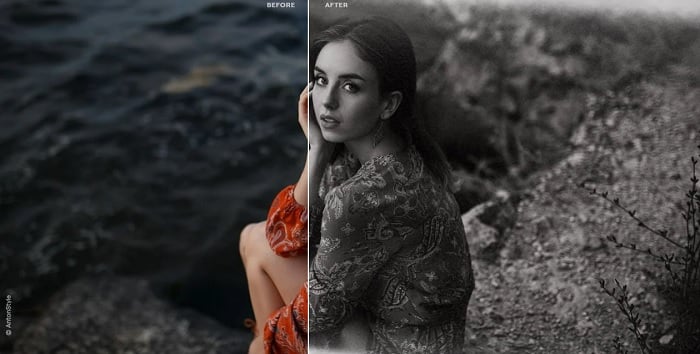
Experimental B&W combines monochrome treatments with overlays that add grain and shadows. It is a collection for exploring stylized black-and-white work rather than maintaining neutral color.
Look at how each preset treats the subject's skin and the background. The added shadows and grain are part of the look, so lower the effect if they distract from the portrait.
3. Ultimate Autumn Collection
- Listed compatibility: Luminar
- Creator: Max Rive
- Contents: 10 templates for JPEG and RAW images
The Ultimate Autumn Collection concentrates on the warm reds, yellows and oranges of autumn landscapes. It is a relevant option when those colors are central to the photograph.
Use the collection as a starting treatment and check that the foliage still looks believable. A stronger autumn palette is a creative choice, not evidence that a preset restores the scene's original colors.
4. Environmental Portraiture Kit
- Listed compatibility: Luminar Neo and Luminar AI
- Creator: Team Skylum
- Contents: Five presets/templates, five light-flare overlays, five film-noise overlays and a written editing guide
The Environmental Portraiture Kit combines several kinds of asset for photographs that show people in their surroundings. The overlays and guide make it broader than a five-preset collection.
Use the templates for the initial edit, then decide whether a flare or grain overlay helps the scene. In an environmental portrait, the setting should help explain the subject rather than compete with them.

5. Film Look
- Listed compatibility: Luminar
- Creator: Marina Liashchuk, Team Skylum
- Contents: 11 presets
Film Look uses effects such as grain, warm light burns and lomo-style color shifts. The collection offers several interpretations of an analog look rather than promising an exact match to a particular film stock.
Try it when you want a stylized result. Check whether the added highlights or color shifts support the image, especially on skin tones and bright areas.
6. Universal Horizons
- Listed compatibility: Luminar, Photoshop, Affinity Photo, ON1 and Evoto
- Creator: Edin Chavez
- Contents: 10 sky photographs in JPEG format
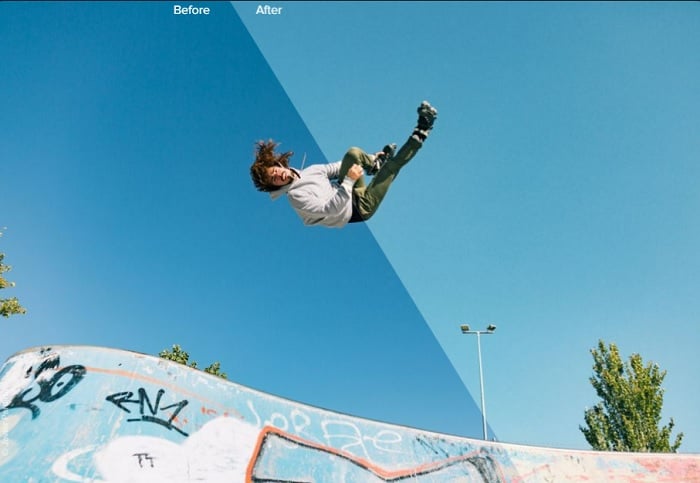
Universal Horizons is a sky pack, not a preset collection. Its files include blue skies, clouds, twilight and sunset options for use in sky-replacement tools.
Choose a sky whose light direction, horizon and color suit the foreground. Inspect the edges and reflections after replacement. Adding a sky does not complete the rest of the edit, and it changes what the photograph depicts.
7. Seaside Artistic Collection
- Listed compatibility: Luminar
- Creator: Team Skylum
- Contents: 10 templates/presets for JPEG and RAW images
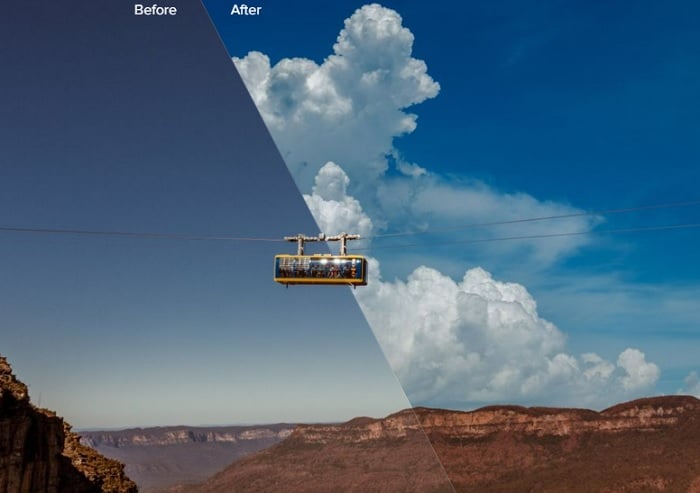
The Seaside Artistic Collection takes inspiration from seascape paintings. Its looks range from calm blue tones to warm sunsets and more dramatic shadows.
Treat these as creative interpretations of the coast. Skylum recommends reducing the Amount when a template's default effect is too strong. They are preset treatments, not the JPEG sky collection described above.
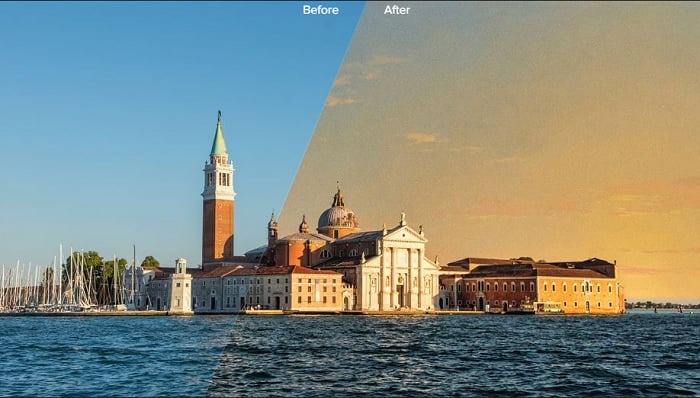
8. Studio Portraits
- Listed compatibility: Luminar
- Creator: Irene Rudnyk
- Contents: 25 templates/presets
Studio Portraits offers looks for studio and indoor photographs, ranging from subdued tones to stronger, more vibrant treatments.
The listing supports JPEG and RAW images, but Rudnyk says she designed the templates to work best with JPEGs. She also recommends adjusting white balance where necessary. Check skin tones after applying a look rather than expecting the same result under every light source.
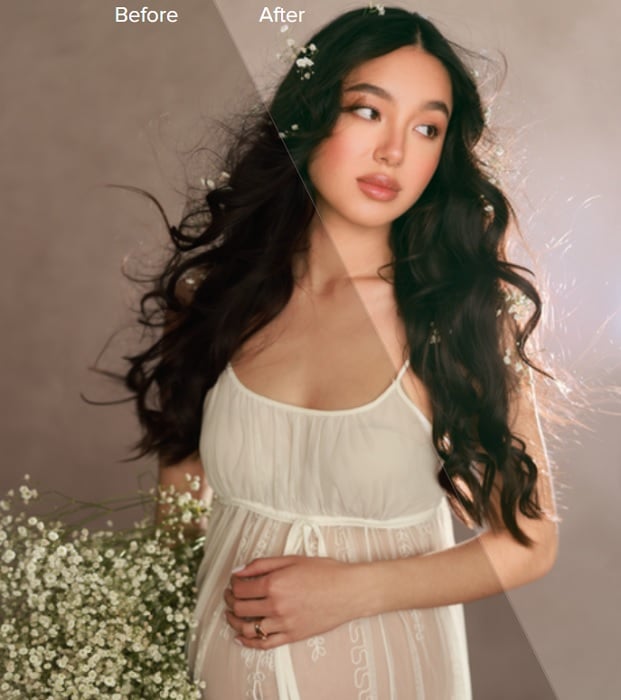
9. Complete Magical Forests Bundle
- Listed compatibility: Luminar
- Creator: Albert Dros
- Contents: Magical Forests Part I and Part II
The Complete Magical Forests Bundle combines two collections for woodland photographs. The creator describes looks ranging from dreamy and colorful to darker and more mysterious.
Choose a treatment that supports the light already in the scene. Watch shadow detail and foliage color as you adjust the strength.
10. Influencer Vlog LUTs
- Listed compatibility: Luminar, Photoshop, Aperty, Affinity Photo, ON1, Premiere Pro, DaVinci Resolve, After Effects and Photomator
- Creator: Team Skylum
- Contents: 10 LUTs
Influencer Vlog LUTs applies color treatments to photos and video. The files work in several supported editors, including Luminar Neo and Adobe Photoshop.
A shared LUT can help give photographs and video a related look, but different exposures and white balance can still need adjustment. LUTs do not provide a full portrait-retouching workflow or replace a sky.
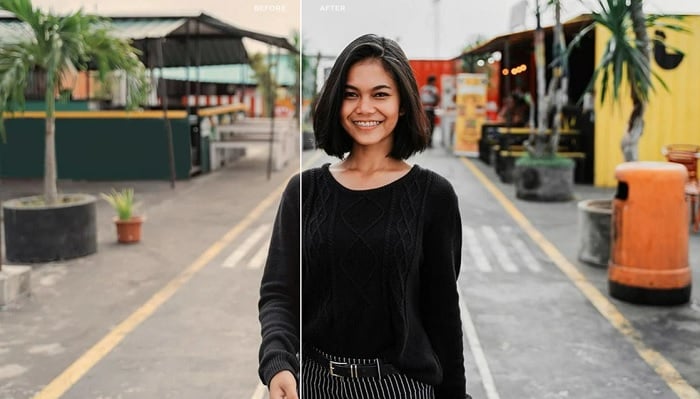
11. Creating the Wow Factor
- Listed compatibility: Luminar
- Creator: Elia Locardi
- Contents: 11 templates for JPEG and RAW images
Creating the Wow Factor is aimed at landscapes and cityscapes. Its templates use contrast, color separation and texture detail, with treatments of different strengths.
Locardi's instructions recommend checking exposure and white balance, then using Amount to tune the result. That makes this a set of starting edits rather than a promise that one click will finish every landscape.
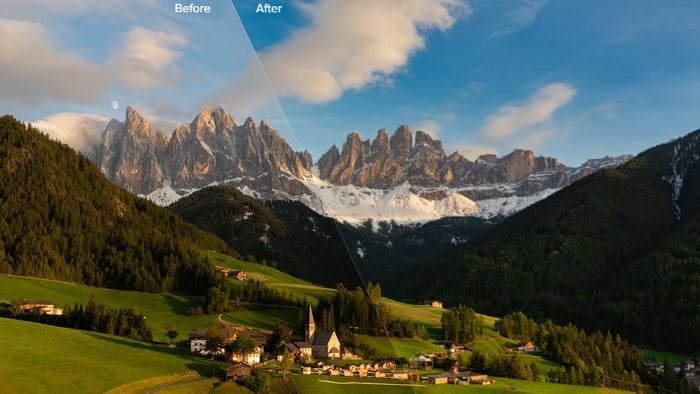
12. Unique Architecture
- Listed compatibility: Luminar
- Creator: Nancy Da Campo
- Contents: 10 templates
Unique Architecture is designed for buildings and streets. Its treatments emphasize color, clarity and contrast to bring attention to architectural detail.
Check bright facades and deep shadows after applying a template. A preset can change the treatment of recorded detail, but it cannot guarantee recovery of information that was lost in the original exposure.
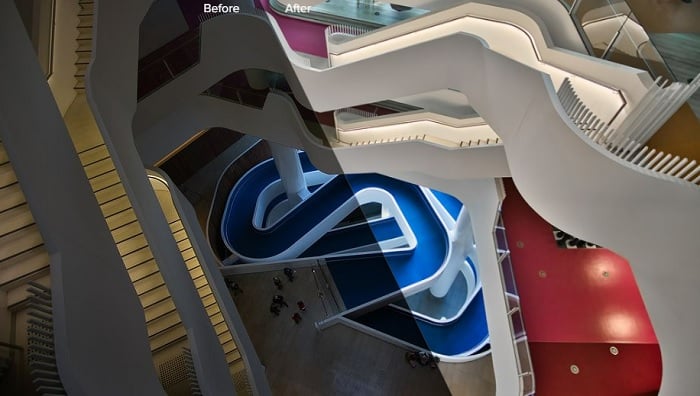
13. The Cinematographer
- Listed compatibility: Luminar
- Creator: Justin Lim
- Contents: 12 looks
The Cinematographer contains classic and vintage treatments inspired by cinema and analog film. Use it to explore a different color mood in an existing photograph.
The preset changes the edit. Your choice of light, composition and subject still determines the photograph's story.
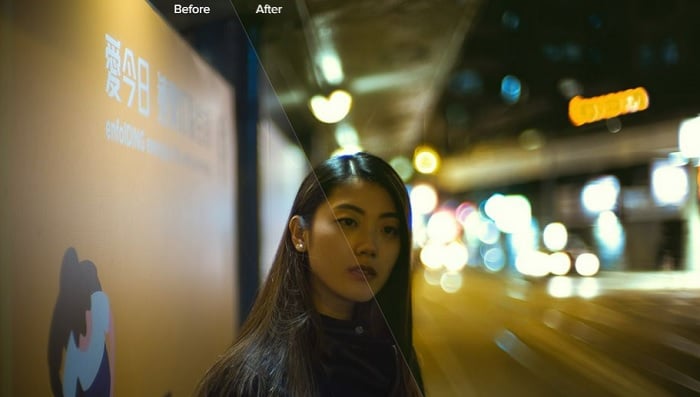
Third-Party Luminar Neo Presets
Photographers also distribute presets from their own websites. Use the creator's instructions and check the supported app, file type and usage terms before downloading.
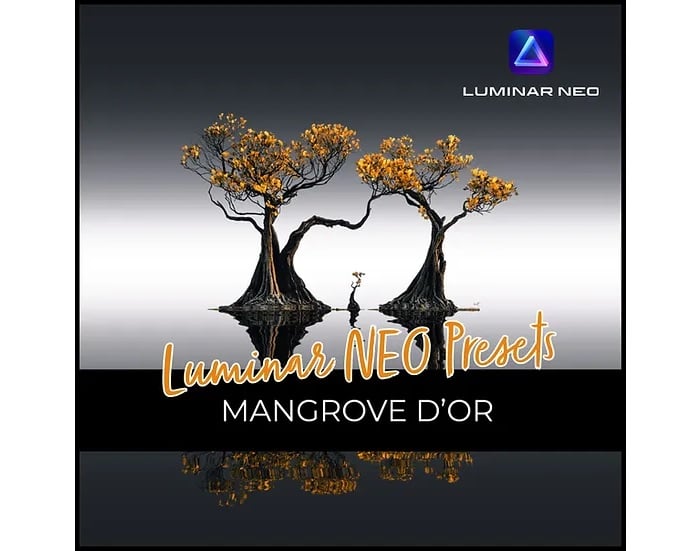
Kat's Mangrove D'or
- Listed compatibility: Luminar Neo
- Creator: Kathrin Federer
- Access: Free with membership of the creator's site; a separate purchase option is also listed
Kathrin Federer offers Mangrove D'or for a warm, detailed landscape treatment. Her product page says that site members can get the preset free. That is a membership condition, rather than an unrestricted download link.
The stated license permits commercial and non-commercial use of the resulting work, but does not permit resale or transfer of the preset. Review the current terms on the product page before use.
Frequently Asked Questions
Do Luminar Presets Work in Luminar 4 or Luminar AI?
Check the exact pack. A current “Luminar” compatibility badge is not a guarantee of support for every older version. Some packs still explicitly support older apps: the Environmental Portraiture Kit lists both Luminar AI and Luminar Neo. Follow the creator's stated compatibility and supplied file format.
What Is the Difference Between a Preset and a Template?
Skylum's Marketplace descriptions use both terms for saved editing looks. The name alone does not tell you which app can open the file. For Luminar Neo preset collections, look for .lnpc and follow the pack's import instructions. A LUT or JPEG sky is a different asset type.
Do I Need a Subscription to Use Presets?
Not for every option. The editor has built-in presets, and Marketplace packs can have individual purchase options. Luminar Prime is a separate membership for additional benefits and assets. Skylum's current Max offer includes one year of Prime before renewal; check your chosen plan and purchase terms.
Are There Free Luminar Neo Presets?
Yes. Tim Daniels offers a free Luminar Neo preset collection through Lapse of the Shutter. Kathrin Federer offers Mangrove D'or free with site membership. These have different access conditions. Presets included with a paid copy of Luminar are included assets, rather than a free copy of the software.
How Do I Install a Downloaded Preset Pack?
Extract the download if needed and find the .lnpc collection file. Skylum's instructions use File > Add Luminar Neo Preset Collection, or the Add option under Purchased in Presets. Follow the creator's instructions for your app version; do not import LUTs or sky JPEGs through the preset-collection command.
Conclusion: Choosing Luminar Presets
Begin with the collections already inside Luminar Neo. Then choose an additional pack for a specific need: monochrome treatments, indoor portraits, architecture or a landscape style you want to explore.
Check the asset type before buying. Universal Horizons supplies sky photographs, and Influencer Vlog LUTs supplies color treatments for supported photo and video apps. They do different jobs from the preset collections.
Apply a look, adjust its strength and inspect the result. A useful preset gives you a starting point that fits the photo, while leaving room for your own decisions.
If you don’t have Luminar editing software but want to try presets, check out our Preset Collection for Lightroom!