Neither Nikon nor Canon is the best choice for every photographer. Start with the lenses you need, then compare camera bodies within your budget. If you already own compatible lenses, staying with that system can save you the cost of replacing them.
Both camera brands offer options for beginners, enthusiasts and professionals. The differences that matter are specific: a screen that faces you, autofocus for your subject, stabilization for handheld work, or an adapter that keeps your old lenses working.
This Nikon vs Canon comparison explains those trade-offs through the cameras below. It includes older models as well as newer generations, so treat them as examples of each system rather than a complete list of the latest releases.
© Fallon Michael
The Nikon vs Canon Debate
Choosing a brand means choosing a lens mount and a path for future purchases. A camera body is only part of that decision. The lens you can afford and the controls you enjoy using can matter more than a small difference in a specification sheet.
For a first system, compare the total cost of a body, everyday lens and any specialist lens you need. For an upgrade, first identify what your present camera cannot do. Switching brands makes sense when it solves that problem well enough to justify replacing equipment.
Nikon vs Canon: The Cameras
Canon calls its current interchangeable-lens mirrorless system EOS R. Nikon calls its system Z. Both include APS-C and full frame cameras, but the features differ between models and generations within each brand.
The sections below keep beginner, intermediate and professional examples separate. Those labels describe the intended use, not a rule about who can use each camera.
Sensors
Canon and Nikon both have crop frame (APS-C) and full frame camera models. Sensor size and resolution are different measurements: APS-C describes physical dimensions, while megapixels describe the number of pixels in an image.
A larger sensor size does not automatically mean more megapixels. Compare the actual resolution of the two cameras. For example, the APS-C Canon EOS 90D has more pixels than the full frame Nikon Z5, even though its sensor is smaller.
You also need to account for crop factor. Nikon DX cameras use an approximately 1.5x factor, while Canon's APS-C cameras use approximately 1.6x. These describe field of view relative to full frame; they do not change a lens's focal length.
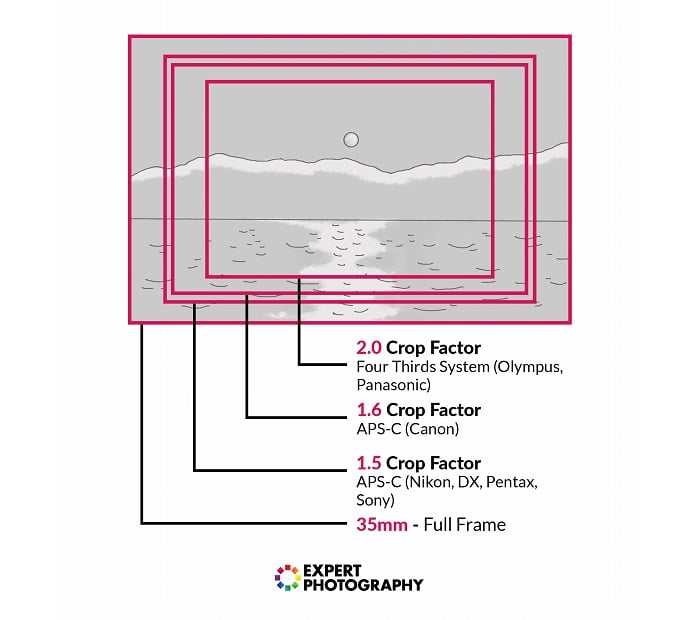
If you are a sports photographer, a 100mm lens gives a field of view like a 150mm lens on full frame when used on Nikon DX, or like a 160mm lens on full frame when used on Canon APS-C. This tighter framing can help with distant subjects, but it is not optical magnification.
For portraits, travel or landscapes, choose the sensor format alongside your lens and carrying budget. A smaller body loses its size advantage if you pair it with a large lens. Full frame is an option, not a requirement for serious photography.
For color, compare sample images with equivalent white balance and picture settings. Canon Picture Styles and Nikon Picture Controls let you change the appearance of in-camera images. A preferred JPEG look can be a reason to choose a camera, but it does not establish a brand-wide winner for color accuracy.
Mirrorless Cameras
Mirrorless cameras use the imaging sensor to provide the live view on the screen or electronic viewfinder. That makes features such as subject detection and exposure previews central to the buying decision.
Check the exact model's controls, recording modes and lens compatibility. A feature on a professional body does not necessarily appear on the beginner camera from the same brand.
Entry-Level Mirrorless Cameras
The Nikon Z50 II pairs a 20.9 MP APS-C sensor with EXPEED 7 processing and detection for nine subject types. Its side-opening vari-angle touchscreen can face forward for filming yourself.
It records 4K at up to 30p using oversampling from 5.6K, with an additional crop at 4K/60p. That crop makes your framing tighter, so check that your lens is wide enough for a handheld vlog. Nikon's Z50 II specifications explain the recording options.
The Canon EOS R50 is another compact APS-C option. It has a 24.2 MP sensor, Dual Pixel CMOS AF II and a vari-angle touchscreen. Its uncropped 4K/30p video is oversampled from 6K.
The R50's electronic shutter reaches up to 15 fps. That makes it worth considering for moving subjects as well as everyday pictures, although a maximum burst rate alone does not tell you how many sharp frames you will keep.
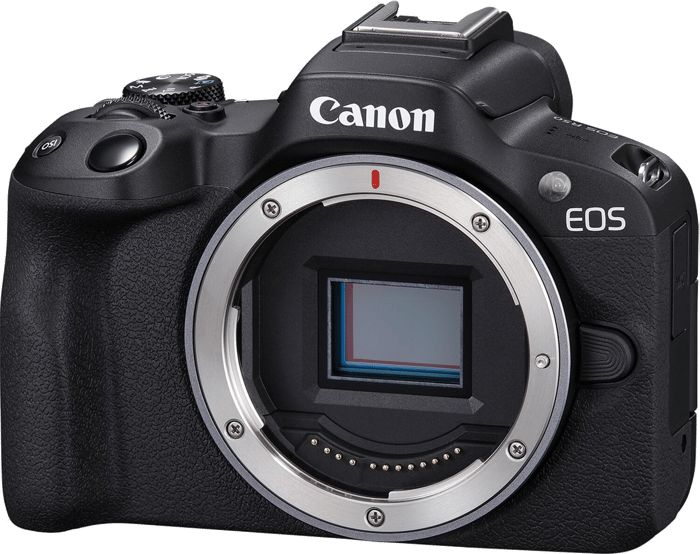
The Canon EOS R100 is the simpler Canon option here. Its 24.1 MP APS-C sensor and human eye-detection autofocus suit learning still photography. The screen is fixed and has no touch controls.
Video is the main compromise. Its 4K mode is cropped and reaches approximately 24p in NTSC or 25p in PAL. It also uses contrast-detection autofocus in 4K, rather than the Dual Pixel system used for stills and ordinary Full HD recording. For filming yourself or tracking movement in 4K, the R50 and Z50 II offer fewer compromises.
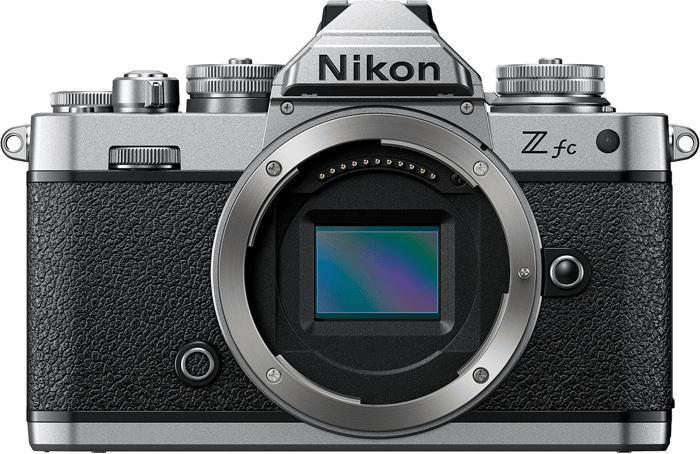
The Nikon Z fc combines a 20.9 MP APS-C sensor and 4K/30p video with traditional top dials. Its appeal is the way you set exposure as much as its retro appearance. Handle it with your chosen lens before deciding whether you prefer those dials to a more conventional grip and control layout.
© Steve Giampa
Intermediate Mirrorless Cameras
The original Nikon Z5 has a 24.3 MP full frame sensor, eye-detection autofocus and in-body stabilization. It is a stills-focused example in this comparison, rather than Nikon's newest full frame model.
It records 4K at up to 30p, but with a substantial crop. If video is a main reason for buying, account for that narrower view before choosing a lens. Do not assume that all full frame cameras use the full sensor width in every recording mode.
The Nikon Z6 III is the more capable hybrid example here. Its 24.5 MP partially stacked sensor supports internal 6K/60p N-RAW recording and 4K at up to 120p. The 4K/120p mode uses a DX crop, so it has a narrower field of view. The higher frame rates and RAW formats bring different storage and editing demands, so choose a recording mode your computer and cards can support.
Its in-body stabilization helps reduce camera shake. It does not replace a camera stabilizer for every walking shot or camera move. Choose stabilization around the movement you need, rather than treating a still-photo rating as a promise of smooth video.
© Jan Kopriva
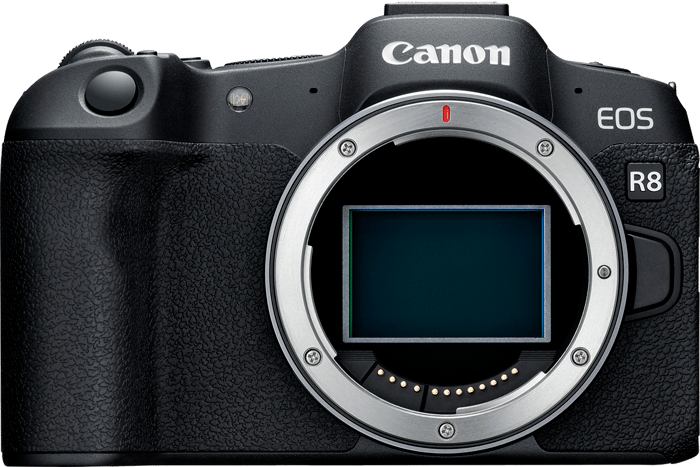
The Canon EOS R8 offers a 24.2 MP full frame sensor, Dual Pixel CMOS AF II and uncropped 4K at up to 60p in a compact body. It is a useful option when you want full frame photo and video features without a larger camera.
The R8 has no sensor-shift in-body stabilization. It relies on stabilization in a compatible lens and offers digital stabilization for movies. If handheld work matters to you, include the lens and support equipment in the comparison. Canon's R8 specifications distinguish its stabilization and shutter modes.
Professional Mirrorless Cameras
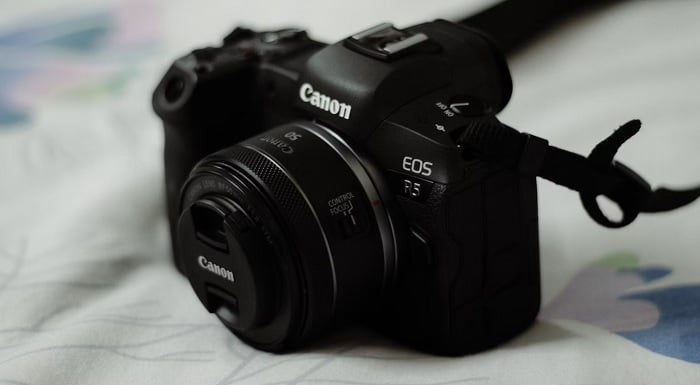
The Canon EOS R5 Mark II has a 45 MP stacked, back-illuminated full frame sensor. It has the same pixel count as the original R5, but the sensor design is different. It can shoot up to 30 fps with its electronic shutter in RAW, JPEG or HEIF.
It also offers 8K RAW video and in-body stabilization. Those are capabilities to match to a job, not a guarantee that every recording mode will run indefinitely. Check the card requirements and recording-time limits for the resolution and frame rate you plan to use.
© Dollar Gill
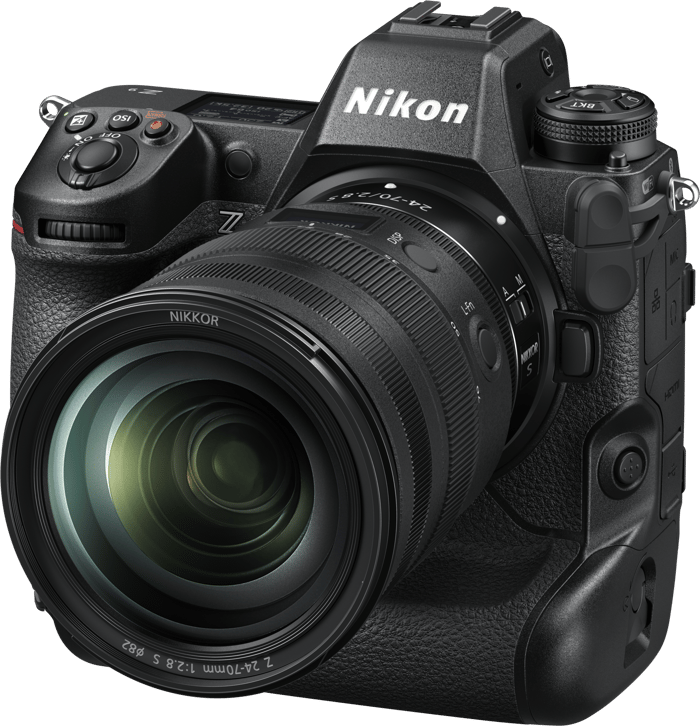
The Nikon Z9 has a 45.7 MP full frame sensor and an integrated vertical grip. Its full-resolution burst reaches 20 fps in RAW or 30 fps in JPEG. The distinction matters if you need RAW files for editing: a shared “30 fps” headline does not make its burst mode identical to the R5 Mark II's.
The Z9 also records 8K video and 4K at up to 120p. Its larger body and built-in grip suit a different handling preference from a smaller camera with an optional grip.
The Nikon Z9 can therefore make sense for a photographer who wants that integrated design. Choose between these bodies using your lenses, file needs and handling preferences, rather than the 0.7 MP difference in resolution.
Key Camera Features
Use the following checks to compare two particular bodies. Brand-wide rankings can hide larger differences between an older and newer camera within the same system.
Autofocus
Canon's Dual Pixel name covers different generations and implementations. Nikon's subject-detection options also vary by model. The Z50 II's nine subject types are one reason a beginner should not judge Nikon only by an older Z camera.
Check whether the camera recognizes what you photograph: people, animals or vehicles. Then check whether that detection works in your intended stills and video modes. The R100's switch to contrast AF in 4K is an example of a limitation that a general claim about Canon autofocus would miss.
For a hands-on comparison, use the lens you expect to buy. Follow a person or pet moving toward the camera and review the sequence at high magnification.
Burst Mode
Compare burst speeds using the same file type and resolution. Also check the shutter mode, autofocus behavior and how long the camera can hold that speed before its buffer fills.
| Camera | Example maximum burst | What to check |
|---|---|---|
| Nikon Z50 II | 11 fps mechanical; 30 fps electronic JPEG | File format and high-speed capture settings |
| Canon EOS R50 | 15 fps electronic | Electronic shutter settings and buffer |
| Canon EOS R100 | 6.5 fps with One-Shot AF | Around 3.5 fps when following focus with Servo AF |
| Nikon Z6 III | 14 fps mechanical; 20 fps electronic RAW | Higher JPEG-only capture modes are separate |
| Canon EOS R8 | 6 fps electronic first curtain; 40 fps electronic | No fully mechanical first-curtain mode |
| Canon EOS R5 Mark II | 30 fps electronic RAW, JPEG or HEIF | Lens, battery, card and shooting settings |
| Nikon Z9 | 20 fps RAW; 30 fps JPEG at full resolution | 120 fps mode uses reduced-resolution JPEGs |
These are manufacturer maxima under specified conditions. The fastest advertised number is not a measured keeper rate. Nikon's Z9 specifications make its RAW, JPEG and reduced-resolution modes explicit.
Video Recording
The “4K” label leaves out several important details. Check the frame rate, additional crop, autofocus mode, stabilization and recording limit. For interviews, sound input and monitoring can matter more than slow motion.
Among the beginner examples, the R50's uncropped 4K/30p and the Z50 II's cropped 4K/60p offer different benefits. The R100's cropped 4K and contrast AF make it less flexible for moving subjects. That does not give either brand an advantage across its entire range.
The original Canon EOS R5 is a separate camera from the R5 Mark II. Its review explains the older body's video strengths and limitations; do not assume the two generations have identical recording behavior.
For the R5 Mark II and Z9, compare the exact codec and mode you will use. Bit depth, color sampling and RAW recording describe file characteristics, not a guarantee of accurate color or a finished cinematic look. Exposure, white balance, lighting and editing still matter.
Connectivity and Wi-Fi
The Canon Camera Connect App and Nikon's SnapBridge support image transfer and remote shooting with compatible cameras. Available controls and transfer options depend on the camera, phone and software versions.
Before buying for a phone-based workflow, check support for your phone's operating system and the files you need to transfer. Try the pairing and transfer process if you have access to the camera. Neither app's reputation is a sound reason on its own to choose a lens system.
For large video files or a full shoot, a card reader is another option. Keep that transfer method in mind when judging how much the phone app matters to your work.
Camera Design
Try the camera with a lens attached. Can you reach the focus controls without shifting your grip? Can you change exposure while looking through the viewfinder? A body that feels comfortable for five minutes may feel different with a telephoto lens.
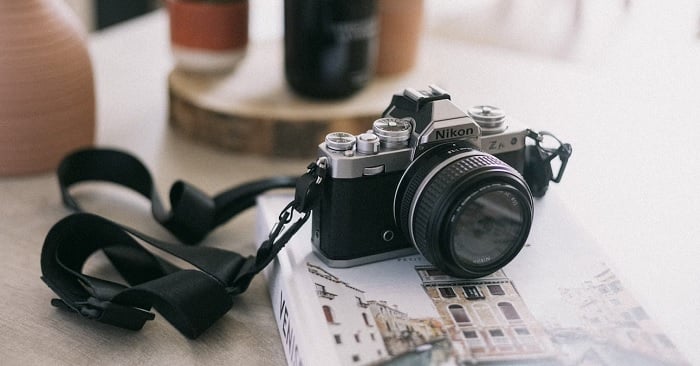
The Nikon Z fc offers traditional top dials in an APS-C body. The Nikon Z f offers that style of control with a full frame sensor. They are separate models, not different names for the same camera.
Screen movement also deserves a check. A side-opening screen can help when filming yourself, while a tilting screen may suit low-angle stills. Choose the control layout and screen that fit the pictures you make.
© Howard Bouchevereau
DSLR Cameras
A working DSLR does not become less capable because mirrorless cameras receive more attention. If you like an optical viewfinder and already own suitable lenses, keeping your DSLR may be the most economical choice.
Read our guide on whether manufacturers have stopped developing new DSLRs if future development concerns you. Development plans, production status and a retailer's remaining stock are separate questions. Do not assume that a listing is new, used or refurbished from the model name alone.
The Nikon D3500 remains an example of a straightforward APS-C DSLR with a Guide mode for learning. Judge any offered kit by its condition, included lens and return terms.
The Canon EOS Rebel T8i, also called the EOS 850D, is another APS-C DSLR example. Compare the exact item and its condition with a mirrorless kit you can afford, rather than assuming the older body is automatically the better deal.
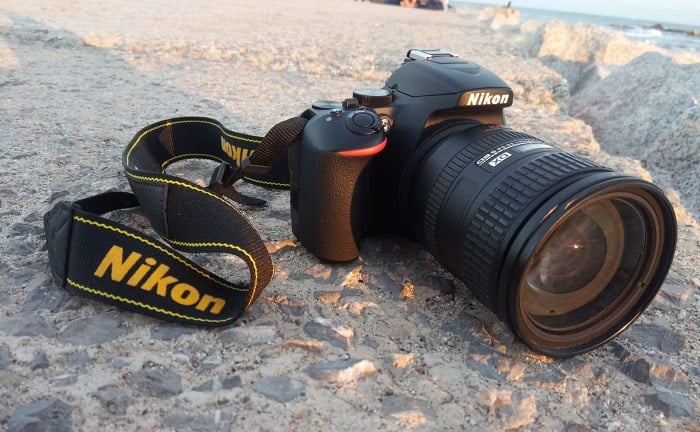
Nikon D3500
The Canon EOS 90D has a 32.5 MP APS-C sensor and 4K recording. It illustrates why sensor size alone cannot tell you a camera's resolution.
The Nikon D850 is a 45.7 MP full frame DSLR. The Canon EOS 6D Mark II is a 26.2 MP full frame DSLR. They belong to different performance classes, so they are not a closely matched pair simply because they are full frame.
If you are starting without lenses, compare a DSLR kit with a mirrorless kit at the same total cost. If you already have a DSLR system, a new body only needs to earn its cost by solving a real limitation.
Nikon vs Canon—Lens Mounts and Lenses
Choose lenses before settling on a body. Write down the focal lengths, maximum apertures, size and stabilization you need. Then compare the cost of building that kit in each mount.
Lenses for DSLR Cameras
Canon DSLRs use EF or EF-S lenses, depending on the body. Full frame Canon DSLRs do not accept EF-S lenses. Nikon DSLRs use the F mount, but sharing a mount does not make every old lens fully compatible with every body.
Nikon autofocus is a particular point to check. Some older AF and AF-D lenses need a focus motor in the body. Entry-level bodies such as the D3500 do not provide that motor, so those combinations require manual focus. Check the camera's compatibility list before buying an older lens.
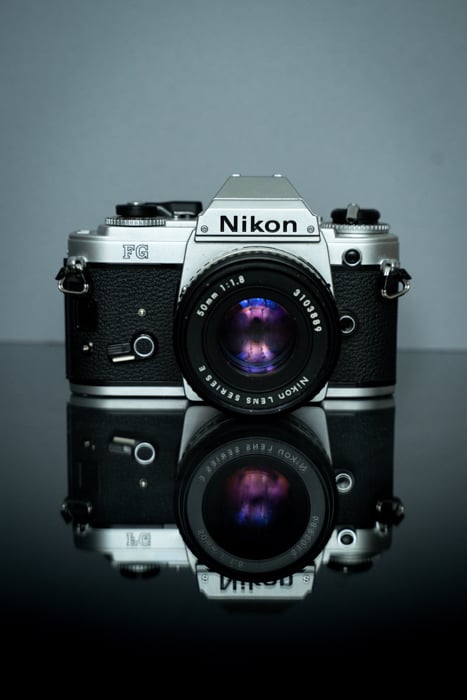
Canon's STM and USM labels describe focus-motor technologies; they are not a simple budget-versus-professional grading system. Performance depends on the lens design as well as the camera. Our guide to Canon USM vs STM lenses explains the distinctions.
Lenses for Mirrorless Cameras
The two systems use different mirrorless lenses. Canon EOS R bodies take RF-mount lenses, while Nikon Z bodies take Z-mount lenses. These native lenses do not fit directly on the other brand's mount.
Also check sensor coverage. Canon RF-S and Nikon Z DX lenses are designed for APS-C coverage. A lens fitting a full frame mirrorless body does not mean it will use the whole sensor at full resolution.
Check the exact camera-and-lens combination, especially if you plan to move from APS-C to full frame. You can build around full frame lenses from the start, but weigh their size and cost against the camera you use today.
Lens Adaptors
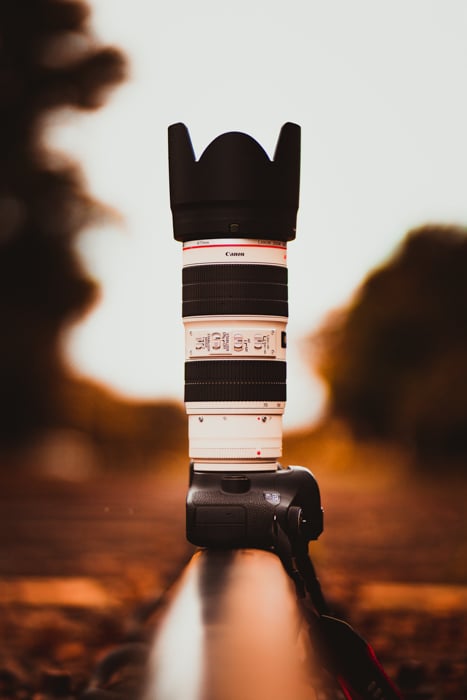
Moving from a DSLR to mirrorless within one brand can let you keep compatible lenses. The adapter bridges the different mounts; it does not make every lens function identical to a native mirrorless lens.
The Canon EF – RF adaptor accepts EF and EF-S lenses on EOS R bodies, but not EF-M lenses. The Nikon FTZ II adaptor takes supported F-mount lenses on Z bodies.
The Nikon adapter retains autofocus with supported AF-S, AF-P and AF-I lenses. It does not add autofocus to screw-drive AF or AF-D lenses. Nikon's FTZ compatibility chart lists the supported functions and restrictions.
Adaptors between brands need a separate compatibility check. Confirm the exact body, lens, adapter and firmware combination, especially if continuous autofocus or video tracking matters. Do not build a new system around an assumed compatibility promise.
Third-Party Lenses
A lens maker's name is not enough to establish compatibility. Check the exact mount version, sensor coverage and autofocus support. A lens sold for Canon EF is not the same purchase as one sold for Canon RF.
Sigma lenses include APS-C mirrorless options for both Canon RF and Nikon Z. That does not mean every Sigma lens comes in both mounts, or that an APS-C lens becomes a full frame lens on a larger camera.
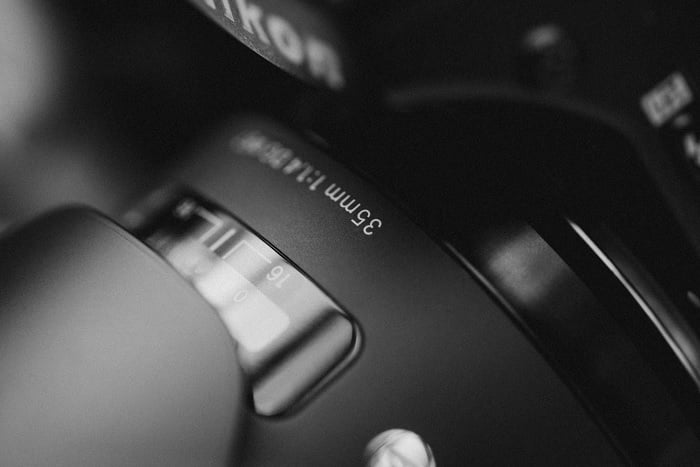
Third-party support also differs by manufacturer. Tamron, for example, lists native Nikon Z lenses for both APS-C and full frame. Compare the actual lenses you want instead of relying on a claim that one brand always has more third-party choices.
© Constantin Panagopoulos
The Best Nikon and Canon Lenses
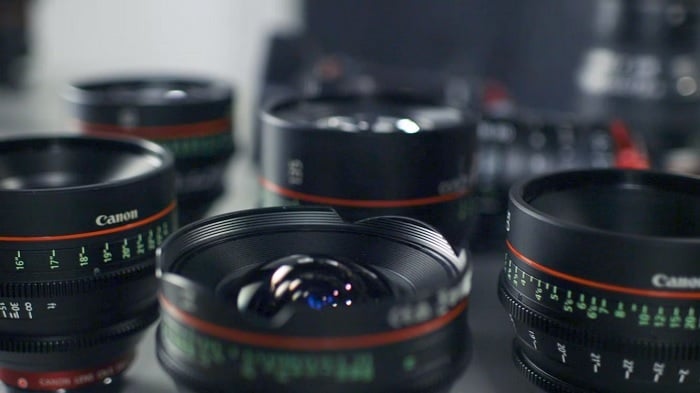
Both systems offer lenses for everyday photography and specialist work. Your strongest reason to favor one may be a particular lens you can afford and are willing to carry, rather than a general verdict about the whole catalog.
Canon identifies its premium L-series lenses with an L after the maximum aperture in the name. Nikon uses the S-Line designation for a group of Z lenses built to its higher performance standards. Neither label means that every other lens is unsuitable for professional use.
Compare lenses at the focal length and aperture you need. Check weight, stabilization, close-focusing ability and the filters or accessories you already own. A premium label cannot answer those questions for you.
If you want to go deeper on glass for either system, Best Nikon S Lenses rounds up Nikon’s pro-grade Z-mount picks, and Best Macro Lens for Canon and Best Wide-Angle Lens for Canon cover two of the most popular Canon lens categories.
© Share Grid
Frequently Asked Questions
Is Canon or Nikon better for beginners?
Both make entry-level mirrorless cameras that let you learn the same photography skills. Among the examples above, compare the R50 and Z50 II for a mix of stills and video. Consider the simpler R100 when its limitations are acceptable and it leaves more of your budget for lenses. Try the controls before choosing.
Which brand has better autofocus?
Compare two models and the modes you need. Canon's Dual Pixel systems and Nikon's subject detection vary by generation and camera. Check support for your subject, continuous tracking and the intended video resolution. A blanket winner would hide differences such as the R100's autofocus change in 4K.
Is Canon or Nikon better for video?
Neither wins at every level. Compare the recording mode, crop, autofocus, stabilization, audio connections and heat limits you will actually use. The R50 and Z50 II offer different beginner-video trade-offs, while the R5 Mark II and Z9 serve more demanding work. A higher resolution alone does not decide the better camera for a shoot.
Can I use my old Canon or Nikon lenses on a mirrorless body?
Often, with the right adapter. The Canon EF – RF adaptor supports EF and EF-S lenses, not EF-M. The Nikon FTZ II adaptor supports many F lenses, but screw-drive AF and AF-D lenses require manual focus. Check your exact lens before budgeting for an upgrade.
Should I buy a DSLR instead of a mirrorless camera in 2026?
A DSLR can make sense if its condition, lens and total cost suit you, or if you already own compatible lenses. There is no need to replace a working kit just to follow a trend. For a first system, compare both options with the lenses you need and check the seller's condition and warranty terms.
Which brand has more lens options?
Separate native mirrorless lenses from DSLR lenses used through an adapter. Then compare the focal lengths, apertures and sensor coverage you need. Both systems have first-party and third-party choices, but not every lens is offered for every mount. The more useful question is which system has the right lenses for your kit.
Conclusion
Choose Nikon or Canon by the complete kit you will use. If you already own lenses, check how well they work with a possible upgrade before paying to switch systems. If you are starting fresh, compare two bodies with suitable lenses at the same total budget.
For the cameras in this comparison, the R50 and Z50 II are sensible starting points for mixed photo and video use. The Z6 III and R8 show why stabilization and recording modes need a closer look. At the professional end, the R5 Mark II and Z9 show why RAW burst speed matters more than an unqualified fps headline.
Buy the system that meets those needs and feels comfortable in your hands. A small difference on a specification sheet is rarely a good reason to replace a kit that already does the job.