

Looking for Photoshop artists to inspire your next project? Start with surreal photographers such as Flóra Borsi and Erik Johansson, or explore the Photoshop videos from Benny Productions, Phase Runner and Ali Khalid. This collection brings together 29 artists with different approaches to portraits, fantasy scenes and digital storytelling.
The selection is a starting point for exploring their work, rather than a ranking by popularity. Follow the links to their portfolios and channels, and look for an idea you can develop with your own photographs. Some social posts may require you to sign in to view them.
What is Photoshop Art?
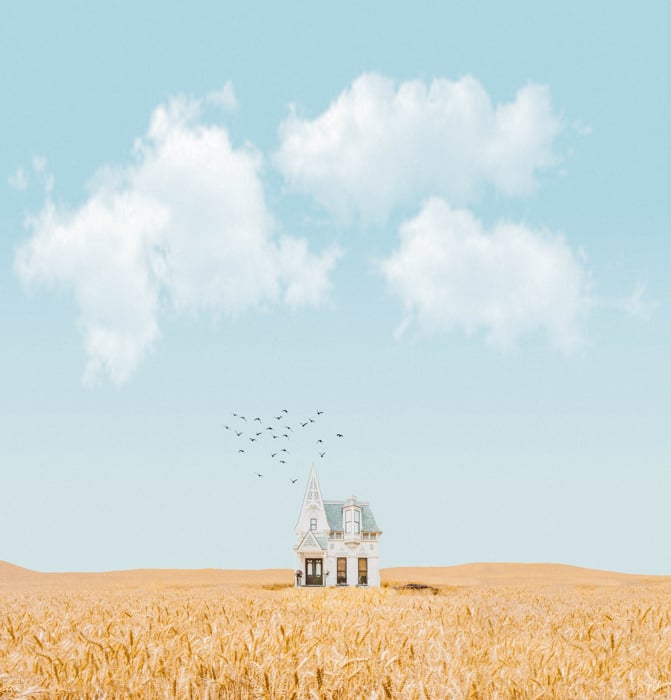
Photoshop art is artwork made or developed in Adobe Photoshop. It can include photo manipulation, digital painting, illustration and combinations of these approaches. For photo composites, Photoshop artists combine their photos with digital elements. A composite does not have to include drawing.
A Photoshop artist might create an impossible landscape, turn a portrait into a fictional character or build a scene around a personal idea. The software is a tool: the subject, composition and story give the image its purpose.
29 Photoshop Artists to Explore
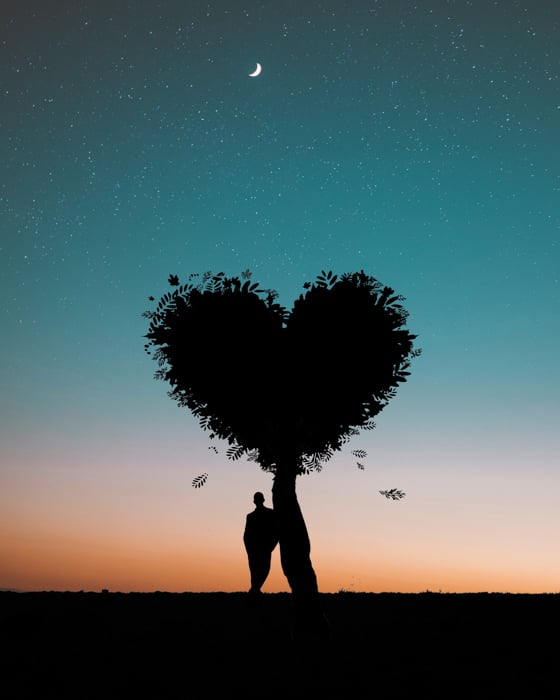
These 29 artists offer different kinds of inspiration. Use the list to find a style that interests you, then explore the artist’s own portfolio. A finished image can suggest what to study, but it does not reveal every step or tool used to make it.
Flóra Borsi
Flóra Borsi’s portfolio combines portraits with surreal visual elements, including birds, flowers and butterflies. Her work is a useful starting point for exploring how a simple portrait can carry an unexpected idea. Look at the relationship between the face, the added element and the background, rather than the effect alone.
Vanessa Rivera
Vanessa Rivera creates whimsical art with her family under the name The Life of AIVAX. Her portfolio turns family photographs into storybook scenes. For inspiration, think about how a familiar person or place could become part of a fictional setting.
View original artwork on Instagram
A post shared by Vanessa Rivera (@the_life_of_aivax)
Erik Johansson
Erik Johansson is a Swedish photographer and visual artist who combines photographs into surreal scenes. His own process description gives planning, lighting and perspective as much weight as post-production. His behind-the-scenes work is useful if you want to understand how an impossible idea can be photographed in separate parts.
View original artwork on Instagram
A post shared by Erik Johansson (@erik.joh)
Dylan Bolívar
Dylan Bolívar’s portfolio spans photography, retouching, illustration and design. Projects such as Nymphs and The Cave of the Storm Nymphs are worth exploring for their connection between portraiture and imagined stories. Study how the subject and setting work together before thinking about individual effects.
Max Asabin
Max Asabin works under the name Asabin Art. On his own channel, he describes drawing and combining photographic elements in Photoshop, alongside work in Blender. His process videos offer a way to study how separate elements become one image; they also show why digital artwork should not automatically be described as Photoshop alone.
View original artwork on Instagram
A post shared by Max Asabin / Asabin Art (@asabinart)
Kevin Carden
Kevin Carden’s ChristianPhotoshops site presents artwork built around Biblical Christian themes. The images use visual storytelling to express an idea or message. Explore how a recognisable object, a figure or a change in scale can carry meaning without a long explanation.
View original artwork on Instagram
A post shared by Christian Photoshop Art (@christianpsart)
Benjamin van Valen
Benjamin van Valen is the digital artist behind Benny Productions. His videos include creative challenges, photo edits and reworked movie posters. He describes the channel’s purpose as entertainment and inspiration, so approach it as a source of ideas rather than a structured Photoshop course.
View original artwork on Instagram
A post shared by Benny Productions (@benny_productions)
Aronvisuals
Aronvisuals combines nature, night skies and imagined worlds in his digital art. His gallery includes luminous moons, reflected landscapes and scenes with fantastical figures. Look at how small areas of light lead the eye through a dark composition.
View original artwork on Instagram
A post shared by A R O N V I S U A L S (@aronvisuals)
Karen Cantú
Karen Cantú’s surreal collage work brings nature and animals into imagined settings. In her published artist statement, she identifies those subjects as sources of inspiration. Her work is a useful prompt for pairing two familiar elements in an unfamiliar way.
Ramón Laguía
Ramón Laguía shares his work through the ramonlaasc Instagram profile. For a portrait study, look at how the subject’s pose relates to the surrounding light. In your own experiments with sparkles, keep the portrait as the focal point so the added effects support it.
View original artwork on Instagram
A post shared by Ramón Laguía | Visual Artist (@ramonlaasc)
Calob Castellon
Calob Castellon shares work under the name Calop. For a portrait study of your own, compare the light on the subject with the light in the background. Decide how colour could connect the two before adding more effects.
View original artwork on Instagram
A post shared by Calob Castellon (@calop_)
Germán Benito
Germán Benito’s Gervisuals site brings together illustration, photography and digital retouching. He identifies photomontage as the basis of his Instagram work. Explore how changes in scale and setting can turn familiar subjects into a fairytale scene.
View original artwork on Instagram
A post shared by G E R V I S U A L S (@gervisuals)
Phase Runner
Phase Runner’s channel focuses on movie-poster artwork and digital art. It is a useful place to explore cinematic composition: the main character, the surrounding world and the direction of light all have a role. Watch a process video to study the sequence of decisions, then try a different subject of your own.
View original artwork on Instagram
A post shared by P h a s e R u n n e r (@phase_runner)
Pulkit Kudiwal
Pulkit Kudiwal describes himself as a digital artist and graphic designer on his channel, where he shares design tips and tutorials. His Behance portfolio lists projects including Destroying Philadelphia for a comicverse and Baby Yoda Animation. Use a fictional subject as a starting point, then ask which details make its setting readable.
View original artwork on Instagram
A post shared by Pulkit | Digital Artist (@pulkit_kudiwal)
Farelyph
Farelyph, whose channel uses the name Farely, shares Photoshop artwork and discusses creativity in Russian. Her channel also mentions learning 3D modelling. Explore the relationship between the subject, contrast and surrounding world, while keeping in mind that an artist’s work can involve more than one medium.
View original artwork on Instagram
A post shared by Фарели – Photoshop creator ? (@farelyph)
Pavel Bond
Pavel Bond creates work under the name BONDARTS. His channel describes a combination of Photoshop, drawing and photobashing, which brings photographic elements into an image. His work is a useful starting point for studying how painted and photographed details can belong to the same scene.
View original artwork on Instagram
A post shared by P A V Ξ L ╳ B O N D (@bondarts)
Pascal Wagner
Pascal Wagner identifies himself as the digital artist behind pmw_psd in his Displate biography. He describes making photo composites and photo manipulations. The linked profile hub provides routes to his social accounts. When exploring a composite, identify its main idea before looking at the smaller details.
View original artwork on Instagram
A post shared by Pascal Wagner (@pmw_psd)
Bishal Roy
Bishal Roy shares work under the name Visualsoptimist. In a 2021 interview published by Crypto.com NFT, he described building his Bewitching Halloween scenes around an imagined character and setting. For your own study, balance a dark background with enough light to keep the subject clear.
View original artwork on Instagram
A post shared by Bishal Roy | Photoshop (@visualsoptimist)
Kellan Hendry
Kellan Hendry’s portfolio includes surreal landscapes, reflections and imaginative changes in scale. Rather than judging an artist by follower counts, look at how a scene holds together. A reflection, shadow or consistent direction of light can connect an unusual idea to a recognisable world.
View original artwork on Instagram
A post shared by Kellan Hendry (@kellansworld)
Ali Khalid
Ali Khalid’s Photoshop Hustler channel shares Photoshop tutorials for different experience levels. It offers a route into photo manipulation if you want to see a process alongside a finished image. Pause at each stage and identify what changed in the composition before copying an effect.
View original artwork on Instagram
A post shared by Ali Khalid (@photoshop_hustler)
Sony Jackson
Sony Jackson’s channel covers Photoshop tutorials, movie posters and creative photo manipulation. Explore it for ideas about turning a subject into part of a larger fictional scene. For a first project, keep the number of elements small enough that you can judge how well they fit together.
View original artwork on Instagram
A post shared by Sony Jackson | S . J (@sonyjackson775)
justin_designs
Justin, who shares work as justin_designs, describes himself as a digital artist and photo manipulator. His channel focuses on sharing what he has learned through working in Photoshop. Use a process video to choose one skill to practise, rather than trying to reproduce an entire artwork at once.
View original artwork on Instagram
A post shared by JUSTIN || PHOTOSHOP ARTIST (@justin_designs)
Brooke Shaden
Brooke Shaden’s conceptual photography explores stories and emotions through staged imagery. Her portfolio is a useful place to study how a pose, a prop and a setting can suggest a narrative. Consider the idea you want an image to express before deciding which digital effects it needs.
View original artwork on Instagram
A post shared by Brooke Shaden | creative soul (@brookeshaden)
Joel Robison
Joel Robison describes his work as conceptual photography that blends surreal ideas with storytelling. His biography explains that he often uses self-portraits to put himself at the centre of the story. Sketch an idea for a self-portrait, then decide how your pose and setting could express it.
View original artwork on Instagram
A post shared by Joel Robison (@joelrobison)
Alexandria
Alexandria’s Lens presents fantasy photography. In a 2020 PHLEARN interview, Alexandria describes making story-based images with her family, using photographed props and Photoshop. She explains that she tries to photograph as much as possible herself. For your own scene, plan the costume, pose and props before you start editing.
View original artwork on Instagram
A post shared by Alexandria (@alexandriaslens)
Danielle
Danielle shares creative photography through Sienna and I. In her first-person interview, she describes learning photography while making images of her daughter. Her work offers inspiration for finding a story in everyday family activities, with a touch of visual imagination.
View original artwork on Instagram
A post shared by ???????? | Content Creator (@sienna.and.i)
Rostislav Demchuk
The linked ArtStation page identifies its creator as Rostislav Demchuk. As a study exercise, look at how outlines, colour and background lighting can separate a subject from its setting. Explore a finished image for ideas while remembering that it does not reveal every tool used to make it.
View original artwork on Instagram
A post shared by D E M C H U K ❖ R (@demchukrostislav)
Marischa Becker
Marischa Becker’s own channel describes a move from portrait photography into photo manipulation, followed by work that combines 2D and 3D tools. She uses digital art to tell both light and darker stories. Her changing practice is a reminder to explore an artist’s wider body of work, not just one image or technique.
Batyr
Batyr shares work through the batyr_arts profile. For a composition study of your own, choose a clear focal point before adding a complex setting. Decide which element tells the story, then let the remaining details support it.
View original artwork on Instagram
A post shared by Batyr – Photoshop artist (@batyr_arts)
How to Learn from Photoshop Artists
Choose one image and identify what interests you: the idea, lighting, colour, scale or placement of the subject. Make a small study using your own photographs, with a different subject and story. These are practice suggestions, not claims about how each artist made their work.
For a simple composite, place two photographs on separate layers and add a layer mask to the upper layer. Paint on the mask with black to hide parts of that layer and white to reveal them. Adobe’s layer-mask guide explains the masking controls.
Check the edges and the relationship between the two images before adding extra effects. A clear idea with a few well-matched elements can be more effective than a crowded scene. For a project starting point, explore our photo manipulation ideas.
Conclusion
These Photoshop artists show different ways to connect photography with imagination. Explore a few portfolios, choose one visual idea to study and develop it into a project of your own. You do not need to match every artist’s style to learn something useful from their work.
We are always on the lookout for exciting new Photoshop artists. If you are a Photoshop artist, and you feel like you should be considered for this list, make sure to drop us an email at emma@expertphotography.com with your bio, website, and Instagram link!