Good photography isn’t only about your camera equipment. You also need a great eye, technical skill, and practice. With those three things, you’ll be able to master photography composition.
The composition of a photo can make or break your image. With the right knowledge and practice, you can make a shot of a common subject look unique.
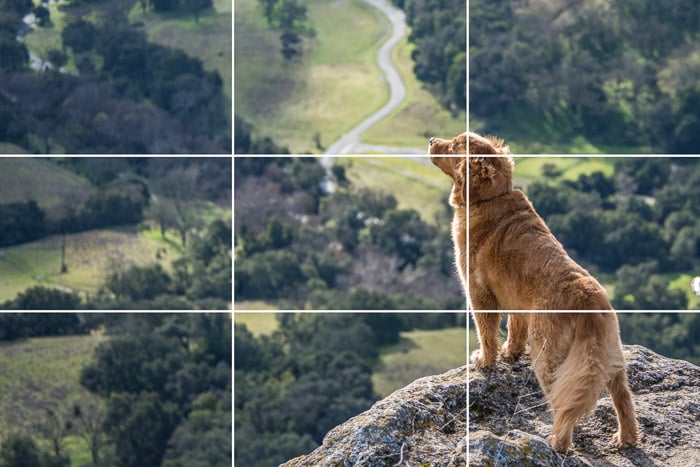
A rule of thirds overlay
What Is the Rule of Thirds in Photography Composition?
The composition is how you arrange the subject and objects within your frame.
The rule of thirds effectively divides your frame into nine equal rectangles. You can do this by creating two vertical and two horizontal lines. The four lines will intersect at four points. These are where your point of interest(s) should be.
You can do this mentally, or you can change the settings on your camera. Most digital cameras can add the rule of thirds grid to the screen.
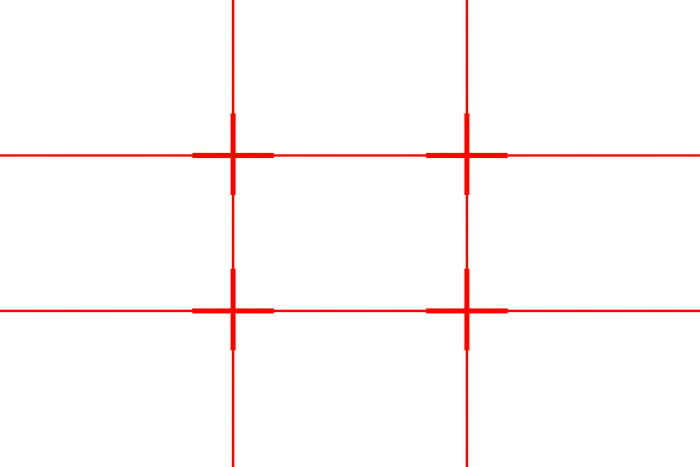
A rule of thirds grid
How to Use Points of Interest
The relationship between negative space and the subject creates a natural focal point. By default, the viewer looks at the intersection points. Placing points of interest at one of these points balances your image. This also creates more tension, energy, and interest in the photograph.
The subject or other main points, like the subject’s eyes, are important in a portrait. Place these elements on one of the intersections. For example, the subject in the photo below is on one of the intersections.
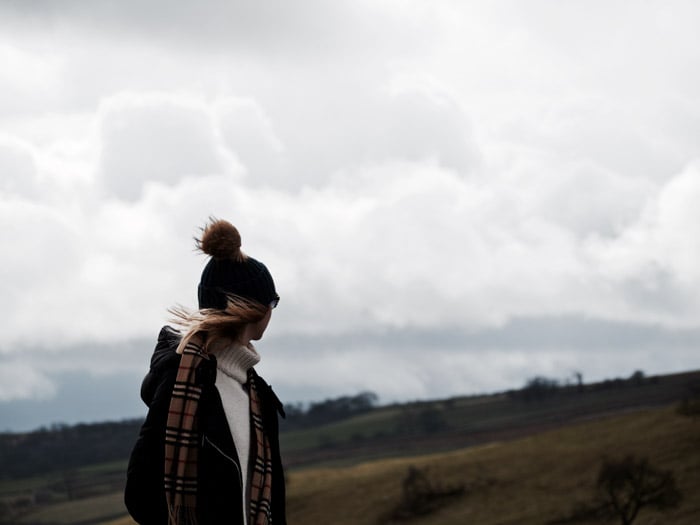
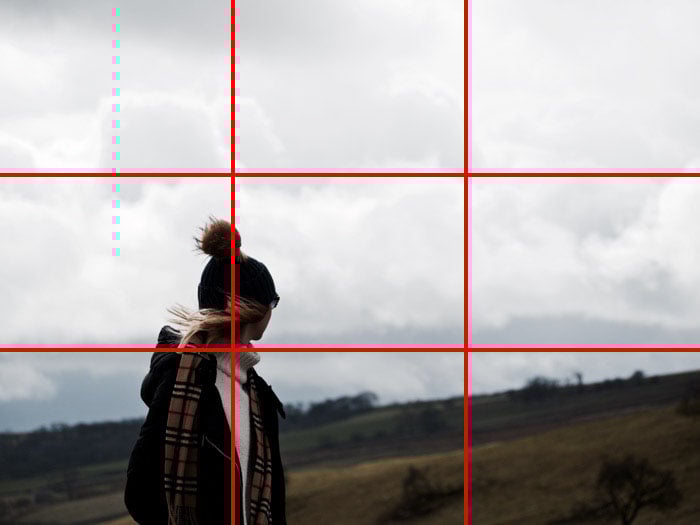
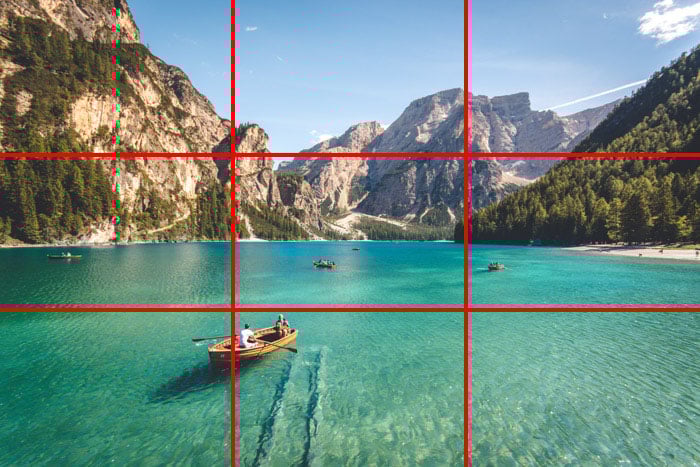
The same goes for landscape photography, like in the image below. Using the rule of thirds, the photographer placed key elements on the intersections. The rule of thirds grid shows this better. The boat and mountain lie close to the two intersecting points.

Important Compositional Elements
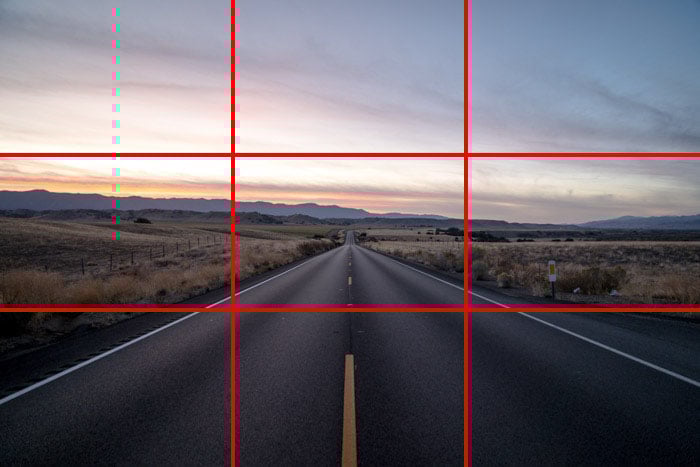
Some images, like landscapes, seascapes, and cityscapes, don’t have one point of interest. Aim to divide the image into one-third and two-thirds. For example, when capturing a landscape, use the rule of thirds to place the horizon on a horizontal line.
For instance, take this photo of a road scene below. This image isn’t very dynamic, as the horizon falls in the middle of the shot.

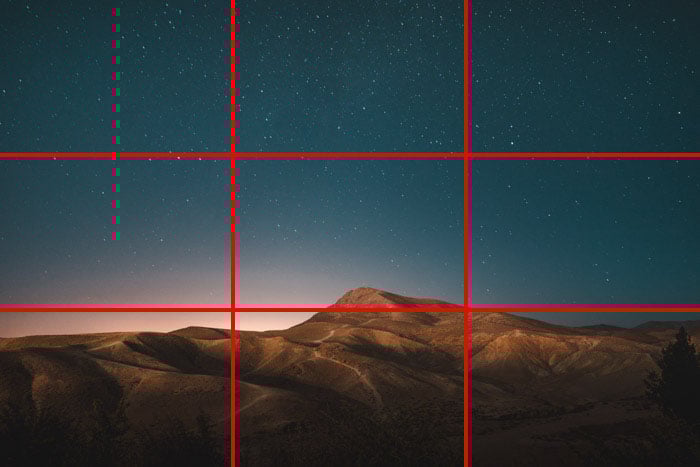
This photo below is more interesting. The landscape occupies one-third of the image, whereas the sky occupies two-thirds.
This is an effective way to show two elements and which one is more important than the other. This image would not be as dynamic if the sky occupied one-third of the image.
Can You Break the Rule of Thirds?
Of course, you can break the rule of thirds. But it is important to learn the rule before breaking it. In general, only break the rule for a specific reason.
The photo below, for example, won Coco Amerdeil 2nd place in the 2017 LensCulture Portrait Award. The subject doesn’t fall on any of the intersections. Nor are any of the key elements (eyes, lips, etc.) on the grid lines.
The story behind the image was strong enough to justify breaking the rule. The concept behind a picture will always outweigh the composition. But the composition can make your photo more interesting if the content is lacking.

© Coco Amardeil
Rule of Thirds in Post-Processing
You can also apply the rule of thirds in post-processing. With software like Lightroom or Photoshop, you can crop your images to remove distracting elements. A tighter crop helps the viewer focus on your composition.
The rule of thirds grid can help you achieve a better crop so the subjects fall on the intersections. In Adobe Lightroom, press “R” on your keyboard to toggle the rule of thirds grid on your image. Clicking on the Crop tool will also activate this overlay.
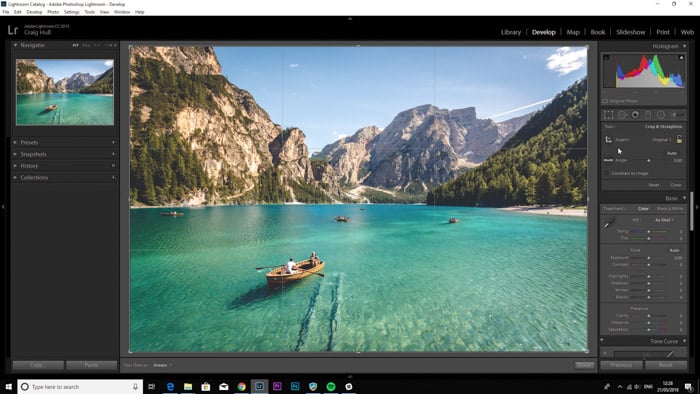
In Photoshop, there is no such command. You can make grids in Photoshop using guides, which can be found in View > New Guide.
Conclusion: Using the Rule of Thirds Grid
Utilizing the rule of thirds is an essential composition technique that can add balance and harmony to your image. We recommend you practice this using the grid of your camera’s Live View.
Eventually, you guide your viewer’s eyes better and make your images even more engaging! You can compare approaches between the rule of thirds with the golden ratio next.
Check out our Intuitive Composition eBook to better capture everyday photos!