This article looks at the best free photo storage apps. Our smartphones have become our pocket cameras, allowing us to take pictures whenever and wherever we feel like it. But as every trigger happy iPhone photographer knows, space is limited and runs out fast. Thankfully, these handy free photo storage apps can help!
Having 24-7 access to a camera has its benefits. We can photograph everything! The downside? What do we do with all those images? This article gives you our picks for the best free photo storage app.

What is the Best Free Storage App?
The best storage apps give you ample storage for photos, videos, and other files without you having to pay for a subscription.
Storage is usually limited on free apps, but all the apps on this list have space for hundreds if not thousands of images. Many apps also offer upgrades with higher storage levels. You will have to pay for the upgraded accounts, but prices can be reasonable.
You should also look for apps that allow you to access the files from other devices. Your smartphone might be your main tool, but being able to access the same photos from a tablet or laptop is really helpful.
Data and file security are also important, which is why we’ve prioritized those features in this list. Organization and editing tools are other handy features you might want in your free storage app.
Here’s a quick rundown of the best free storage apps. We look at each app in more detail below, so keep scrolling to see more.







10 Best Free Photo Storage Apps
We take a look at the ten best storage apps out there. There’s something for every photographer, whether you want to share your images with others or have a trusty online backup!
Since its inception, the Dropbox app has been the go-to choice for many people. They offer free cloud storage, so it doesn’t matter if you have a tight budget.
As well as the free option, they have paid plans that offer more storage capacity. The Dropbox Plus and Dropbox Professional plans give you 2 TB and 3 TB respectively.
The higher plans also offer more interactive features, allowing you and clients to interact with the files while still inside Dropbox. That means you don’t have to waste time sending emails back and forth.
Dropbox is a simple platform that’s perfect for avoiding confusion. Using a straightforward filing system, it’s easy to find photos and folders even if you have a large media library. Photographers who already use folder-based filing systems will take to Dropbox like a duck to water.
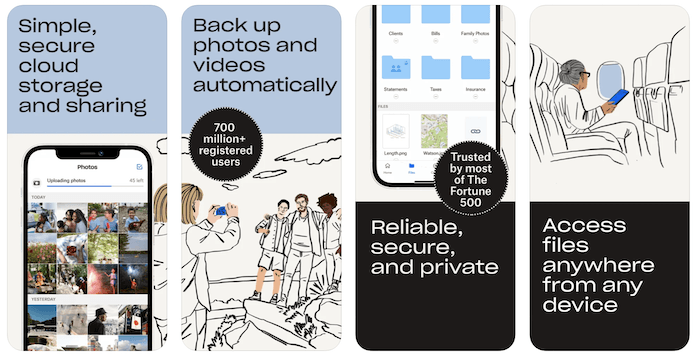
Although it is a phone app, you can download the program for your tablet, desktop computer, or laptop. This means easy accessibility across all devices, allowing you to access phone images on your laptop or vice versa. That makes it easy to edit phone images in Lightroom or share computer-based images on social media.
As a desktop app, it couldn’t be easier to use. You can simply drag and drop images and files into Dropbox. Of course, you can organize everything within at a later point, but it makes it easy to share between devices if you’re in a hurry.
It’s a great way to back up your iPhone photos and connect with other devices. For the best online storage, look no further.
Available for iOS and Android.
What makes the Google Photos storage app so great? You can upload your images and videos automatically. That means you don’t have to worry if your pictures are saved and there’s no wasted time moving files into the app.
This is a tremendous advantage for photo storage, especially if you shoot a lot. You can even download the app to your computer, streamlining the process of uploading and saving photos.
The app also includes handy editing tools for touch-ups and enhancements. It’s no Lightroom mobile, but the tool set is useful for minor adjustments and getting your images ready for social media.
Finding old photos and videos is quick and easy thanks to the organization system. You can search using different types of criteria, so you don’t have to spend hours scrolling through image folders.
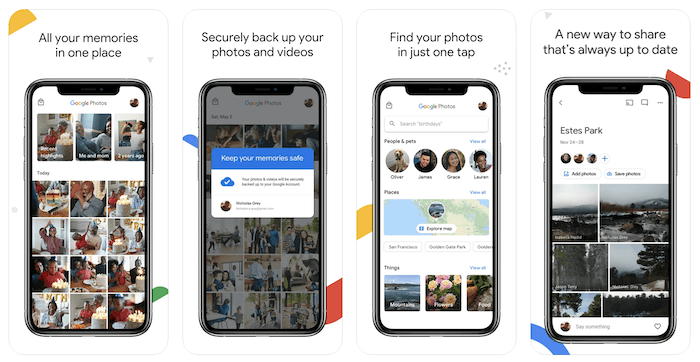
Google Photos is one of the best online storage facilities, but there are some limitations. The Storage saver setting resizes any photo larger than 16 MP to 16 MP. Original quality keeps the full resolution.
Resizing can have a negative effect on image quality, but you’ll still have Instagram-worthy photos for social media.
Another issue is the 15 GB storage limit in the free app. It’s far less space than most iPhone and Android phones have built in, and busy photographers can fill it up fairly quickly.
It’s a substantial downgrade from “unlimited”, but US users can upgrade to 100 GB for a small monthly fee. It’s worth it if you have photos and videos you’re scared of losing for professional or personal reasons.
Google Photos might not be the best photo storage for a professional photographer. But it’s great free storage app for casual iPhone photography enthusiasts. It’s simple, easy to use, and makes your life easier.
Available for iOS and Android.
Another app for storing photos is the one that’s standard on iOS platforms. Whether we want it or not, the iCloud app is already on our iPhones and iPads.
Most of the time, this app works in the background. It tells us when we no longer have space to back up our iPhone photos. Some of us forget it’s one of the best free cloud storage options.
The biggest benefit of this app and service is how easy it is to keep all your devices connected. The cloud can pull images from your desktop, phone, or iPad, allowing you to retrieve media from other devices.
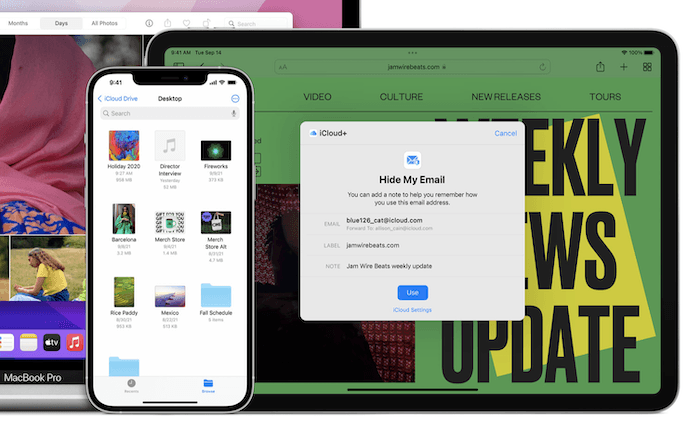
This makes it the best way to store photos when using multiple camera phones to take photographs. Getting messages to know when your iPhone storage is full is also beneficial, so you know when to transfer your keepers to iCloud.
Paid iCloud+ plans come in 50 GB, 200 GB, 2 TB, 6 TB and 12 TB sizes, billed monthly. You can even tag your images with names and locations, making them easy to find using the search tools. iCloud is basic, but it keeps your devices connected and provides you with the extra storage you need.
Internxt is a cloud storage service designed to protect users’ privacy. It’s open-source and built on blockchain. It is an easy-to-use and ethical alternative to similar services Big Tech offers.
All photos uploaded to this cloud photo service are end-to-end encrypted before they leave your device. It’s perfect for those who work with confidential or sensitive images. It keeps your work safe and reassures clients.
You can also send images and files to clients securely. Military-grade encryption and password-protected links ensure the wrong eyes never see your work without authorization.
This makes Internxt the best service for anyone worried about unauthorized access to personal information and data breaches. If you need security, Internxt is one of the best free photo storage apps.
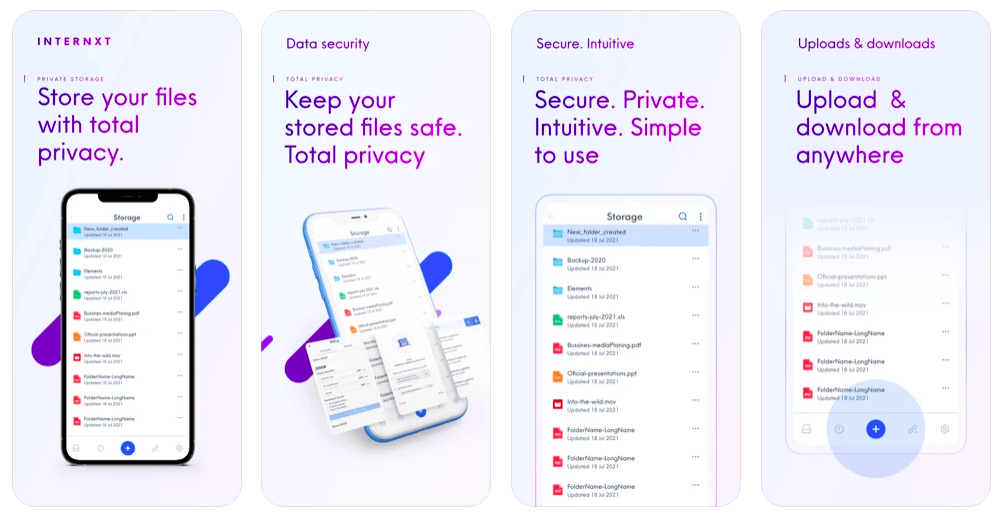
Internxt has a clean and simple interface that allows users to upload photos easily. The free plan gives you 1 GB of storage with all features included.
They also have affordable 1 TB, 3 TB, and 5 TB paid plans if you need to upgrade. The prices are also reasonable, so upgrading won’t eat up too much of your budget.
Internxt Photos comes with privacy and peace of mind. They are likely the most ethical and trustworthy photo storage app available.
Available for iOS and Android.
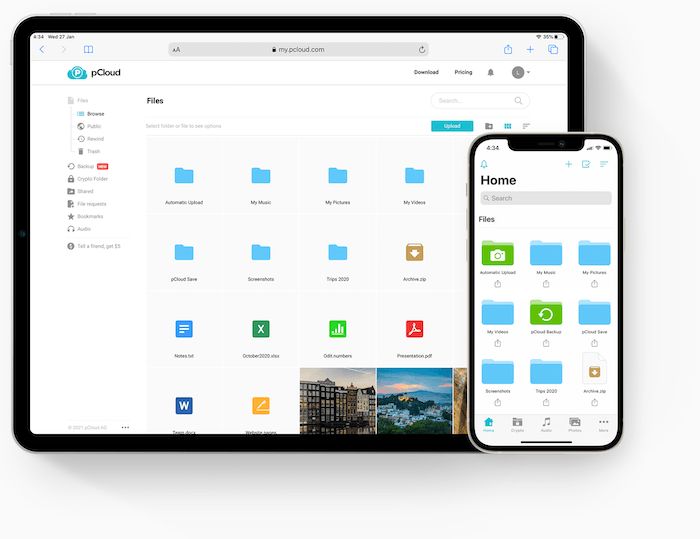
pCloud is a great file storage service that protects users’ data. The company is based in Switzerland and therefore follows the strict personal data laws that are in place there.
You can access your files on any device that connects to the internet. And you can also use this service to share big files with people who don’t use the pCloud application.
I’m a big fan of their interface and design. pCloud provides a simplistic way to sort and share all the files in their cloud drive.
Available for iOS and Android.
Sync was founded in 2011 with the goal of providing secure online storage that could be shared via the cloud. Now it has more than 2 million registered users and nearly a million business accounts.
Among those businesses are big tech names like TripAdvisor, Remax, and The New Yorker. But they also focus on the low-volume individual user as well. Sync offers a range of plans from free-for-life to tailored enterprise accounts for high-volume businesses.
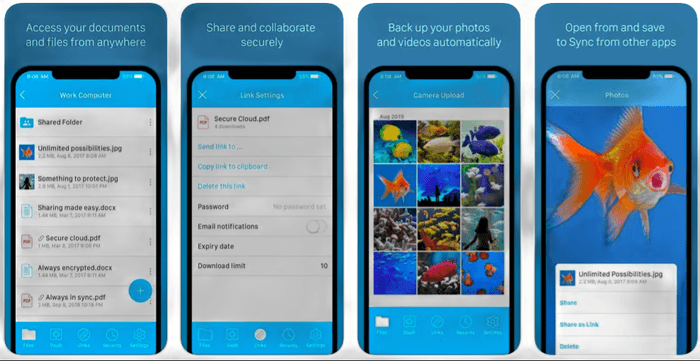
The free plan provides 5 GB of storage and access to their desktop and mobile apps. The desktop apps are available for macOS and Windows.
Mobile apps come in iPhone, iPad, and Android options. Installation of the Mac and iOS versions is a breeze.
Sync works seamlessly. On Mac, it appears in the menu bar and as a folder in Finder. Files you want to store in the cloud (but not locally) can be put in the Vault. Sync is simple and almost infinitely expandable if you want to start paying.
Flickr was bought by SmugMug in 2018. But the latter is more of a portfolio builder.
Flickr is a photography social media page with a large community of photographers. But it can be used as a site to back up photos. Unfortunately, it doesn’t support RAW files.
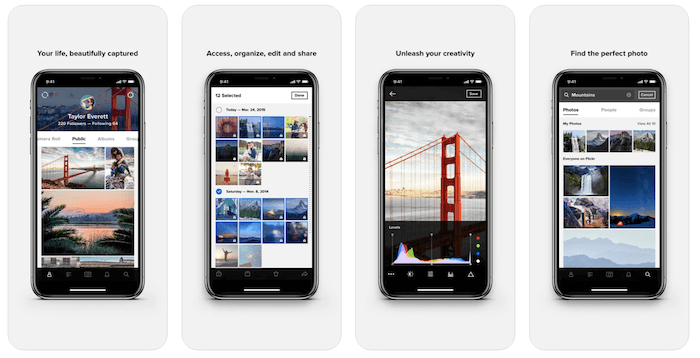
What we like about this photo storage is the space for 1,000 photos and videos combined, whatever their size. Once you hit that limit, you’ll need to delete older files or upgrade to keep uploading. Free accounts also can’t download their own photos at full resolution anymore, so treat it as a backup with limits, not your only copy.
You need to download a different app for automatic uploading. But Flickr Pro’s unlimited storage comes at reasonable monthly and yearly rates, and removes the 1,000-item cap. So it’s a viable option for online photo storage.
Available for iOS and Android.
If you like Amazon and pay for an Amazon Prime membership, Amazon Photos is cloud storage that comes with your membership. It’s one of the best ways to back up photos if you’re on the go.
It will hold unlimited amounts of images of your family and friends. Here, you can store your pictures in a “family vault” that everyone can access.
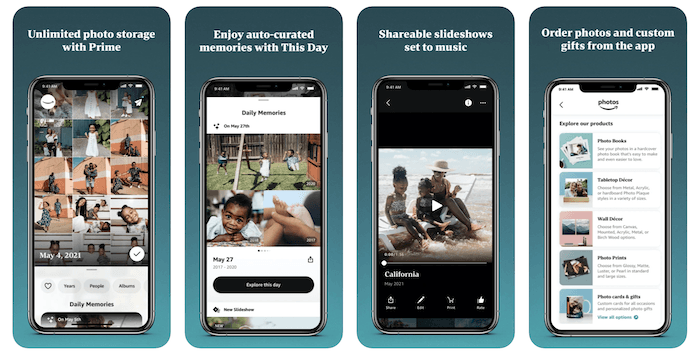
Amazon is a perfect option for family and friends who live abroad. And only one person needs to have a Prime Membership. You can even use “invite-only groups” for a wider audience.
It’s one of my favorite ways to back up smartphone photos. And you can order prints, calendars, and more from the Amazon Photos storage app.
Available for iOS and Android.
Although this is a Microsoft product, it is available for iPhone users looking for free cloud options. The Microsoft OneDrive app gives you 5 GB for free.
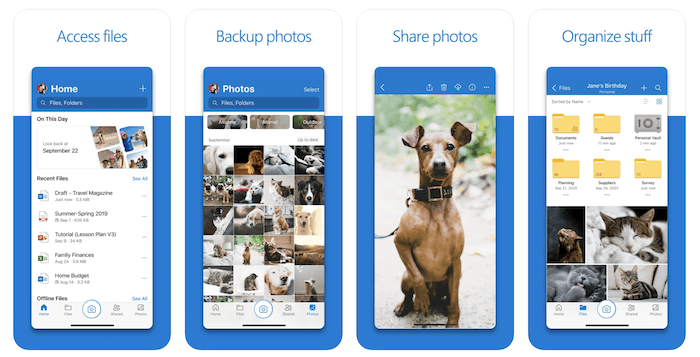
It’s great for picture storage and lets you store and share any other types of files you wish. You can upgrade the space, but you need to pay for it.
Automatic uploading is available, which makes it easy. It’s one of the best free cloud storage options. You can also use metadata on this app to organize photos as you see fit.
Available for iOS and Android.

10. Mylio
| Operating Systems |
Operating Systems
iOS and Android
|
| Free Storage Level |
Free Storage Level
Unlimited images, single device only
|
| Key Features |
Key Features
One-device storage, automatic duplicate detection, face tagging feature
|
| Best For |
Best For
Single-Device storage
|
The Mylio app takes a different approach to photo storage. Instead of storing your photos on the cloud, Mylio keeps your full-resolution library on the primary device you set up in the Mylio app, with no cap on the number of images.
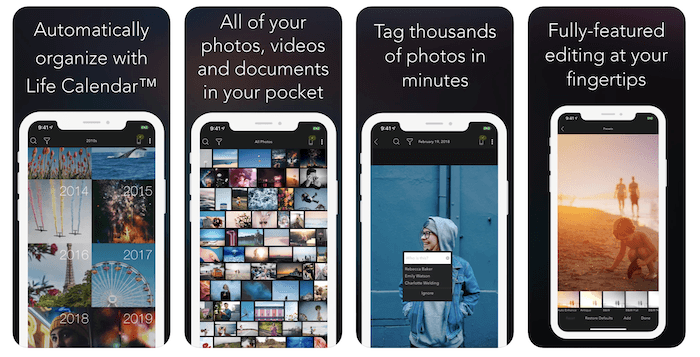
Syncing that library to a second device, or reaching it from your phone and laptop at once, needs the paid Mylio+ subscription. On the free plan, your photos stay on that one device. I am also a big fan of the other features that Mylio provides, like face and geo-tagging features.
These small features change how I browse my digital images. And I like how they’re incorporated right into the app. Mylio+ adds device syncing and cloud backup if you need your library everywhere.
Available for iOS and Android.
Conclusion: Best Free Photo Storage Apps
It’s easier and quicker than ever to store your photos. Cameras in our back pockets and enough online storage for all our photos have been game-changing advancements.
These free photo storage apps are similar in that they simplify your photo process. You don’t have to worry about hard drives or archives.
Some are also excellent for sharing your work, whether you take them with a phone or digital camera. Whichever you choose, these photo storage apps will make your life easier!