ShootProof is a popular gallery-sharing and business management tool for photographers. But with so many free gallery-sharing options, is it worth paying for ShootProof? The short answer is—it depends.
The interface observations and remaining screenshots below come from our original review. The plan sections have been checked against the providers’ October 2026 information. They do not represent a new hands-on test.
How do you want to use it? Do you need to share your images with clients, or are you looking to sell prints of your work? Do you want access to other tools that can help you brand your photography business? This review will help you decide if this popular tool is for you.

ShootProof Review: The Interface
When navigating any software program, you should look for ease of use. You want a simple but appealing interface that’s easy to navigate. ShootProof achieves this.
Navigating the site is pretty intuitive. And there are instructional videos for almost every feature. The interface in the software is organized, so it’s easy to find what you need.
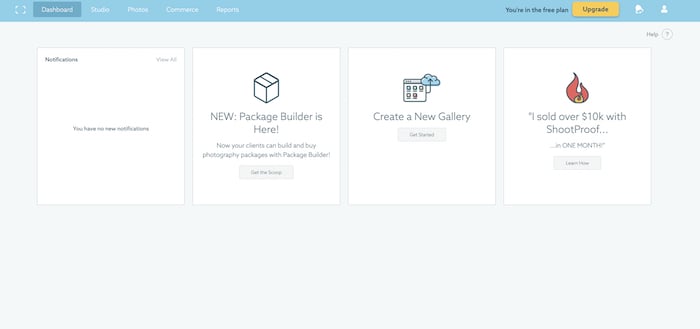
The first ShootProof menu tab is for the “Dashboard.” This records your recent activities, like sales history or lab orders. You can also see notifications there. This tells you when clients have finished selecting their favorite images from their gallery. This is also where you go to create a new gallery.
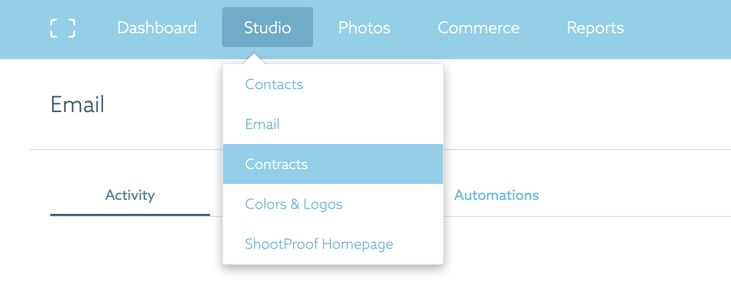
The second menu is a dropdown tab called “Studio.” It contains all global settings and many features. This includes automatic emails or templates, contracts, and interface styling options.
The next dropdown menu is “Photos.” It’s where you find all the different possibilities to showcase your images to your clients.
You can find all the information related to your sales in the second-to-last dropdown, “Commerce.” The final tab is for “Reports.” You’ll find information on your gallery visitors, sales, orders, and invoice payments.
The user interface is clean, well-designed, and efficient.
There is also a free ShootProof Lightroom Plugin. This lets you create galleries and album structures and upload photos to ShootProof from Adobe Lightroom.
The plugin keeps your work in sync. Edit or remove a file from a gallery in Lightroom, and it publishes the update on ShootProof.
Galleries
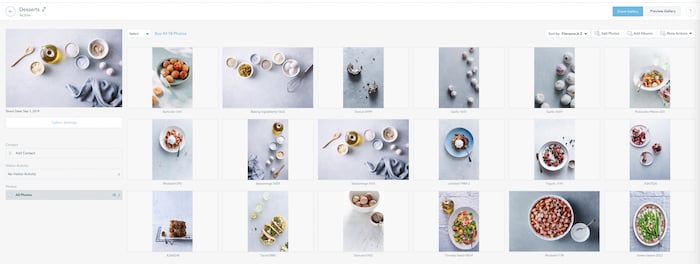
The main feature of ShootProof is the gallery proofing feature—hence the name. When you create a gallery, it gives you a lot of flexibility in laying it out. This is a helpful feature that other free gallery apps don’t have.

When you click on the “Layout” tab in Gallery Settings, ShootProof shows you how your various pages look on desktop or mobile. There are several choices for your Intro page to your gallery.
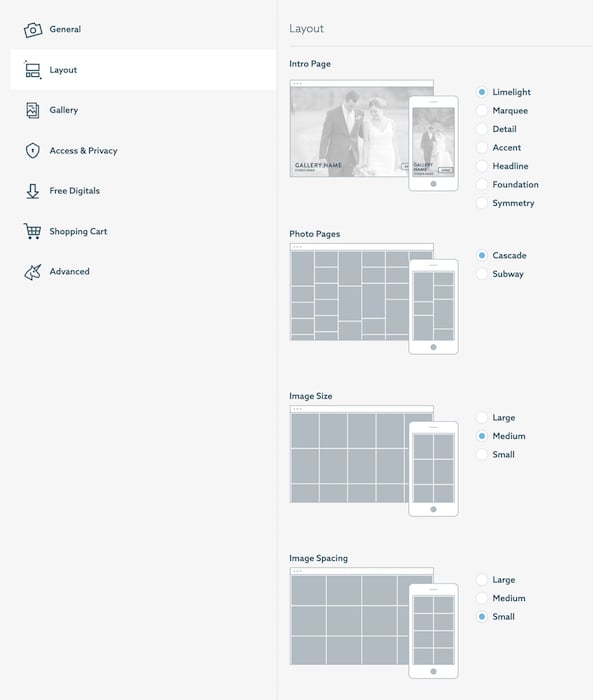
There are several other options to tweak your ShootProof galleries and share them. You can password-protect your galleries so they cannot be shared without a PIN.
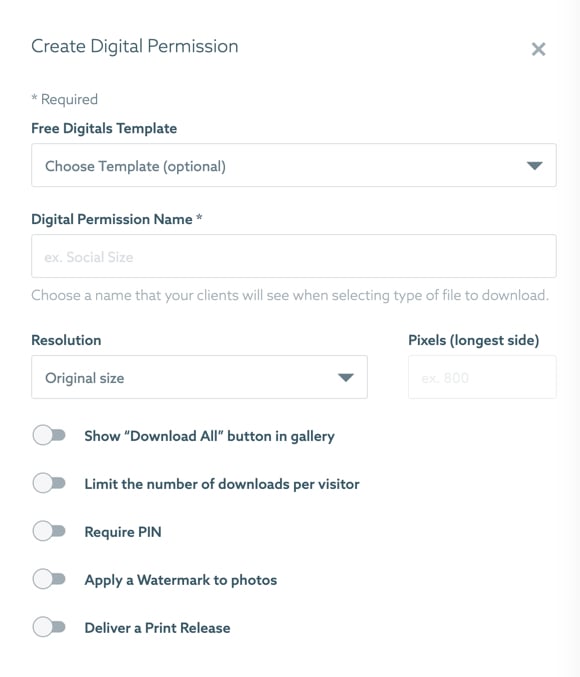
There is also a “Free Digitals” tab where clients can download the images. You can create a print release or watermark your photos. And you can limit the number of downloads per visitor.
You can even show a “Download All” button.
One of the software’s bonus features is the ability to add music. This could be a nice touch for a longer gallery that takes more time to look at, like a wedding album.
Music can also add energy and emotion to the gallery viewing experience. But music can be tricky because of licensing and copyright issues, so always be careful.
ShootProof integrates with Triple Scoop Music’s extensive catalog of songs. You must pay extra for this feature.
Contracts and Invoicing
If you don’t already have a business management system, ShootProof provides a simple solution. But if you’re a commercial photographer, then this may be a little too simple for your needs.
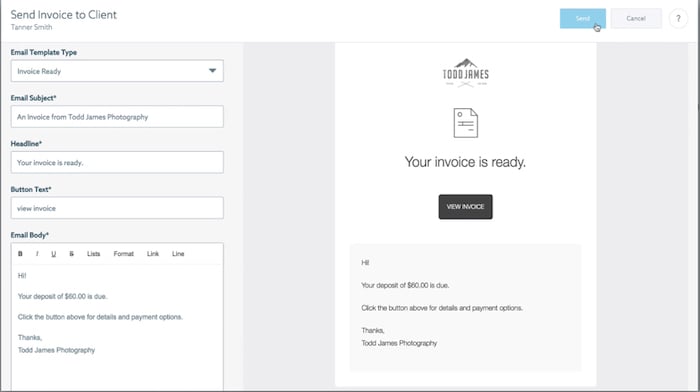
ShootProof is best for retail photographers, like wedding and portrait photographers. It lets you invoice and send contracts. And if you already have a contract template or buy one online, you can import it.
Contracts can be signed on a phone or a computer with a mouse. This is especially useful if you do in-person meetings or need a last-minute model or property release.
You can also add a logo to your invoice, which gives a professional touch to your brand.
eCommerce
You can create price sheets, discounts, and packages with ShootProof. There is also a self-fulfillment option if you don’t want to make your own prints.
ShootProof works with a wide choice of printers for the US, including BlackRiver, Miller’s, and ProDPI. There are also a couple of options for Canadian and Australian photographers. In Europe, ShootProof works with LoxleyLab.
When using a partner lab, set your pricing and enable the print order on the gallery of your choice. Orders are manually approved, so they must be perfectly retouched to go to the lab.
ShootProof says it does not take a commission on your sales. Review payment-processing and lab charges separately.
Pricing
ShootProof offers a range of plans. Its current public plans are Free, Starter, Standard, Professional and Premium, with different photo and video storage allowances.
Paid plans include galleries, contracts and invoices. Check current storage, archiving and optional add-ons before choosing a plan. Compare monthly and annual billing on the provider’s page.
Conclusion: ShootProof Review
One of the biggest factors when choosing ShootProof is the amount you actually shoot. If you’re a low-volume shooter, it may not be the best option for you. But it may be good if you want to sell prints or use other features besides the gallery display, like the invoicing feature.
The ease of use and the customer interface are the big benefits of ShootProof. This is a great program for retail photographers. But it may not be the best option for a commercial photography studio.