The best flash drive for iPhone should have enough space for your needs. Plus, it should be certified, and you may want it to be password-protected. But don’t worry, we’ve got you covered. We rounded up the top flash drives to back up photos and more from your iPhone!
We’ve got something for everyone. Our top pick is this iDiskk photo stick. It connects to almost any iPhone, has 256 GB of storage, and makes file transfer a breeze. But keep reading to find out which flash drive best suits your needs.
What Is the Best Flash Drive for iPhone?
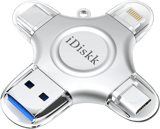
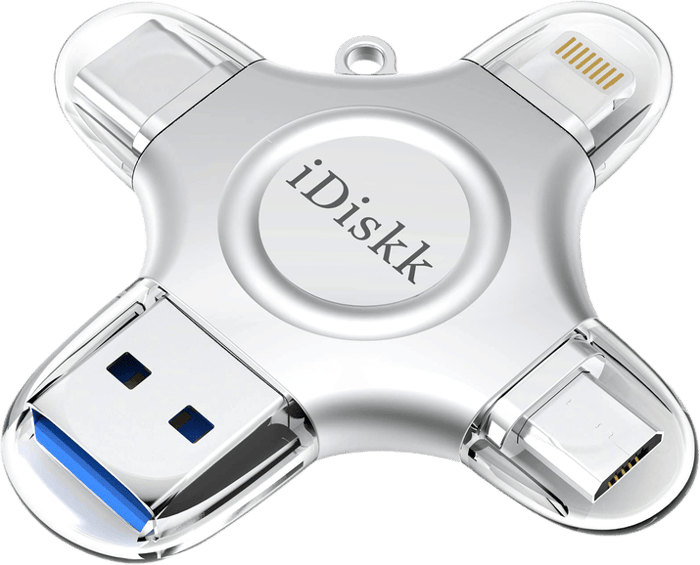
The iDiskk 256 GB Photo Stick is the best flash drive for iPhone. It has Lightning, USB-C, USB-A, and micro-USB ports, so it works on both older Lightning iPhones and the iPhone 15 or later.
We list options with features like encryption and easy file management to suit your needs. After summarizing our top picks, we’ll review our recommendations more thoroughly.
- Reversible USB-C on one end, full-size USB-A on the other, no adapter needed
- No proprietary app required, the iOS Files app reads it directly
- SDDDC2 models are listed in 32, 64, 128, and 256 GB capacities
- SanDisk has shipped this line since 2016, so the reliability record is long
- Lightning connection for iPhones supported by the current SANDISK app
- Swivel cover protects the Lightning and USB-A connectors
- Use the current SANDISK app for compatible iXpand Go backups
- The right pick specifically for iPhone 14 and earlier (Lightning port)

6 Best iPhone Flash Drives in Detail
1. iDiskk Photo Stick 256 GB
| Brand |
Brand
iDiskk
|
| Capacity |
Capacity
128, 256, 512 GB or 1 TB
|
| Connections |
Connections
USB, Lightning, micro USB, USB-C
|
| Key Features |
Key Features
MFI certified, easy plug and play
|
| Best For |
Best For
Using across a range of old and new devices
|
For us, the iDiskk photo stick is the ultimate Lightning flash drive for iPhone. And it’s compatible with Android phones as well.
The iDiskk has four ports. Of course, it includes the iPhone USB Lightning port. But it also features a micro USB for older Android smartphones and cameras and USB-C for newer devices. Finally, it has a USB 3.0 port to plug into your computer.
The iDiskk is most helpful if you want to transfer files from an iOS device to an Android or vice versa. Typically, moving data can be frustrating. You need to connect two devices either using a cable or via Wi-Fi.
With the iDiskk, you don’t need the other phone to move all your photos and videos. Just plug in the iDiskk, and you’re ready to transfer! There are many iPhone flash units out there with questionable quality. But the iDiskk is MFI certified.
MFI stands for “Made For iPhone, iPod, and iPad.” That means Apple approved this flash drive for use on their devices. So you can be certain that using it will be safe for your files and smartphone.
There is a cheaper 128 GB version. And there are 512 GB and 1 TB iDiskk options if you need more space.
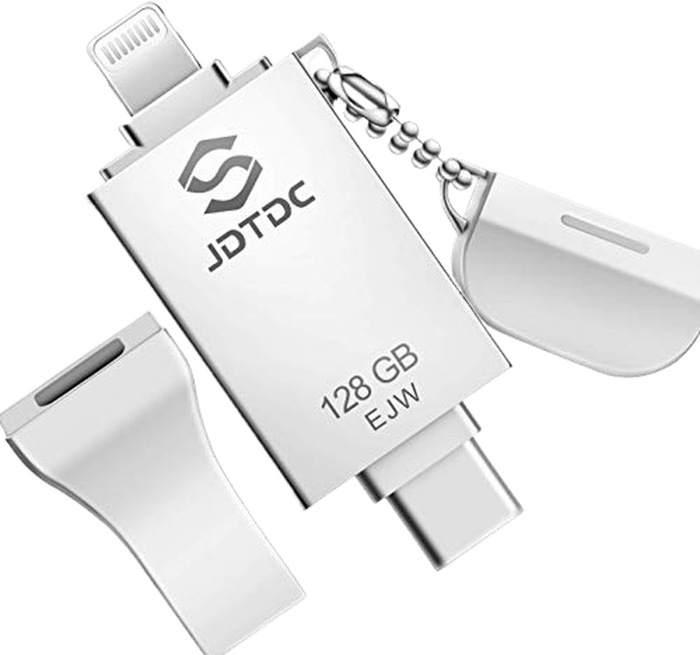
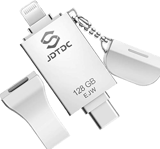
If you want a flash drive for iPhone with a lot of storage space, you need to look at the JSL JDTDC photo stick. It comes in 128, 256, and 512 GB options. That’s a lot of storage if you have lots of files to transfer.
This flash drive has an app that lets you back up all your data with password protection. You can use it to transfer your photos and videos to the Cloud. So you won’t lose your files even if you lose your flash drive!
As it says in its product name, it’s MFI-certified. That means Apple has inspected and approved all the hardware in this flash drive. So you can be confident that it’s fully compatible with iOS devices.
The JDTDC photo stick has a USB 3.0 connector. It lets you seamlessly transfer files from your phone to your computer. It’s quick and safe. And it comes with a hinged cover to ensure the USB connector stays clean when unused.
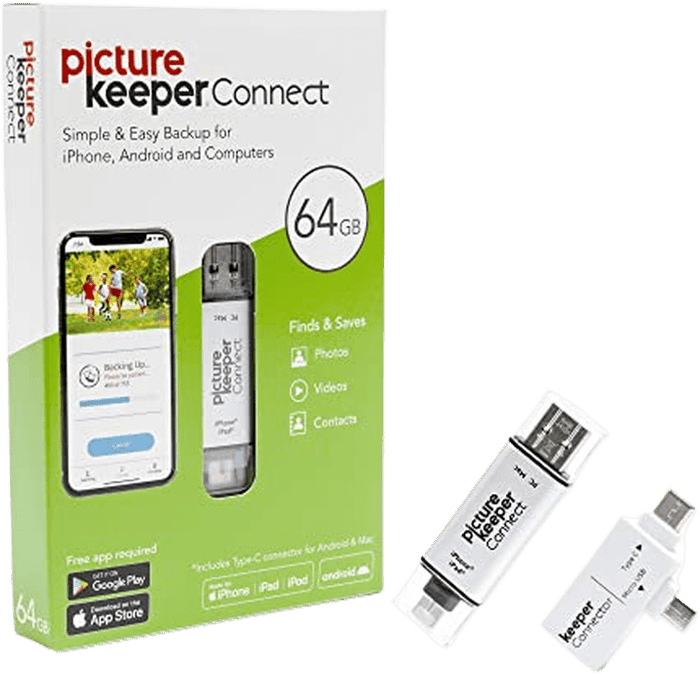
3. Picture Keeper Connect 64 GB
| Brand |
Brand
Picture Keeper
|
| Capacity |
Capacity
16, 32, 64, or 256 GB
|
| Connections |
Connections
USB, Lightning, USB-C, Micro USB
|
| Key Features |
Key Features
Simple backup process via the free app
|
| Best For |
Best For
Backing up files from a variety of sources
|
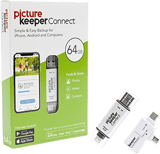
This is one of the most popular and well-reviewed flash drives for a good reason. People like using it because of its simple design and ease of use. The Picture Keeper Connect flash drive looks like any other. That’s what makes it appealing.
Its clear lids protect the USB. And Lightning ports let people quickly see which end of the stick they need. This nifty gadget has a built-in Lightning connector for your iPhone or iPad. But it also has a USB-C and micro USB attachment if you need to transfer data to an Android device.
The Picture Keeper Connect has several options, including 16, 64, and 256 GB. But the most popular is the 32 GB. It may seem inadequate compared to the 1 TB versions on this list. But it’s enough to store up to 16,000 pictures. And that’s more images than an average person takes on an iPhone!
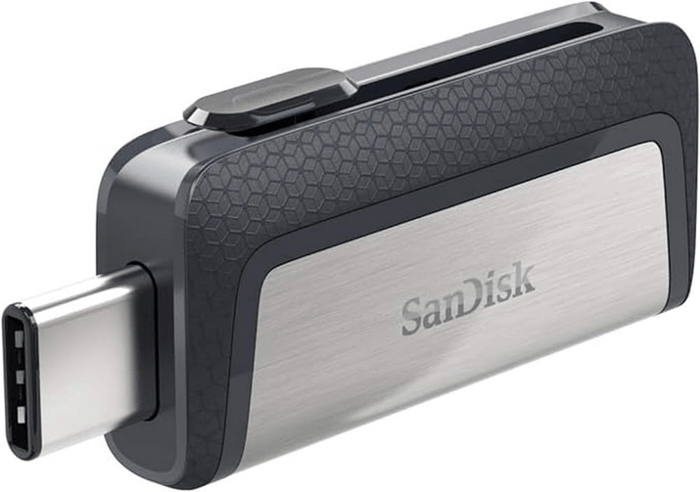
4. SanDisk Ultra Dual Drive USB-C
| Brand |
Brand
SanDisk
|
| Capacity |
Capacity
32 GB to 1 TB
|
| Connections |
Connections
USB-C, USB-A
|
| Key Features |
Key Features
Reversible USB-C, no adapter, SanDisk Memory Zone app
|
| Best For |
Best For
iPhone 15 and later, and anyone who also uses a USB-C laptop
|
The SanDisk Ultra Dual Drive USB-C is the pick if your iPhone has a USB-C port, which means the iPhone 15 or anything newer. It plugs straight in with no adapter and no MFi dongle in the middle.
It is a plain, boring, reliable drive, and that is the point. USB-C on one end, full-size USB-A on the other, so the same stick moves files between your phone and almost any laptop made in the last decade. There is no proprietary app you are forced to use; the Files app on iOS reads it directly.
At around $30 for 128 GB it is the cheapest thing on this list by a wide margin, and SanDisk has been shipping this line since 2016, so the reliability record is long rather than promising.
The honest caveats. It is not an iPhone-specific product, so you get no Lightning connector at all. If your iPhone is a 14 or older, this drive will not fit it, and you want the iXpand below instead. Read speeds are good rather than exceptional, and there is no hardware encryption, only SanDisk's software.
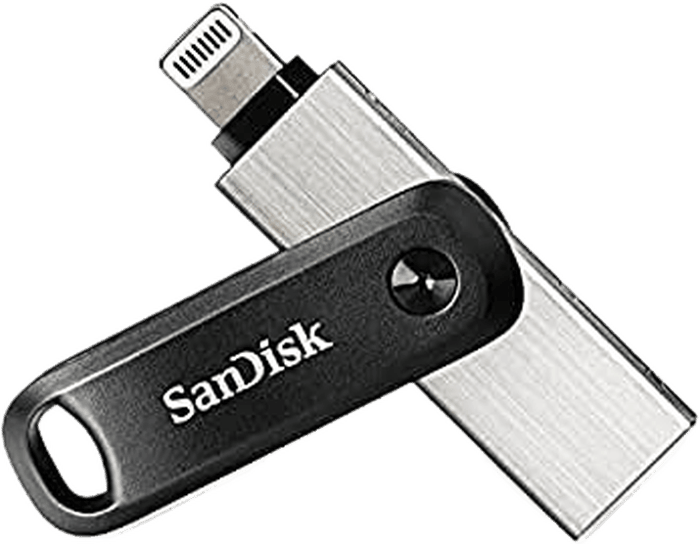
The SanDisk iXpand Flash Drive is the opposite choice: this is the one to buy if your iPhone still has a Lightning port, so an iPhone 14 or older.
The connector sits on a short flexible arm, which sounds like a gimmick until you try plugging a rigid drive into a phone still wearing a thick case. It bends around the case instead of forcing you to take it off.
It is MFi certified, so iOS treats it as a first-class device rather than warning you about an unsupported accessory, and the iXpand app can back up your camera roll automatically whenever you plug it in.
The caveats are real. At roughly $98 it is the most expensive drive here, and you are paying a premium for the Lightning licence rather than for speed. If you have an iPhone 15 or newer this is the wrong product: the SanDisk Ultra Dual Drive USB-C above does the same job for a third of the price.
6. LEFUQ MFi 3-in-1 Flash Drive
| Brand |
Brand
LEFUQ
|
| Capacity |
Capacity
256 GB
|
| Connections |
Connections
Lightning, USB-C, and USB-A in one body
|
| Key Features |
Key Features
MFi certified, one-tap backup app, Touch ID or passcode encryption
|
| Best For |
Best For
An MFi-certified budget pick that still plugs into any iPhone
|
The LEFUQ MFi 3-in-1 Flash Drive is the budget option, and unlike some cheap multi-connector sticks it is actually MFi certified for iPhone: the drive itself has a genuine Lightning connector built in alongside USB-C and USB-A, not just a generic USB-A tip you need an adapter for.
At $29.99 for 256GB it undercuts every other pick here on a per-gigabyte basis, and for occasional use (clearing a full camera roll before a trip, handing photos to a relative) that is often all you need. A free companion app handles one-tap backup and can lock the whole drive behind Touch ID or a passcode.
Be realistic about what a cheap drive is. This is an Amazon-native brand with no track record like SanDisk or iDiskk, so treat the "up to $20 off" pricing as ordinary rather than a real discount, and don't expect the read/write speeds of the pricier picks. Backup and encryption both live behind that companion app rather than working natively through the Files app.
Check the connector on the listing before you order. Multi-connector drives are sold in several configurations, and plenty of budget sticks skip the Lightning pin entirely despite photos that make them look interchangeable. If a listing's title doesn't say MFi certified, assume it won't work with an older Lightning iPhone at all. If you want certainty, the two SanDisk drives above each state their connector plainly.
5 iPhone Flash Drive Features
What should you look for in an iPhone flash drive? Here are five things to consider.
1. MFI Certification
MFI stands for “Made for iPhone, iPod, and iPad.” Apple products tend to have more proprietary features than Android devices. For instance, iPhones up to the iPhone 14 use a Lightning cable. They don’t use universal USB-C, so third-party products are likelier to fail with those iPhones.
The MFI certification ensures third-party products follow Apple’s strict criteria. This is done so that they don’t fail when people use them. Check if your flash drive for your iPhone says it’s MFI-certified. That way, you can be confident that it’s compatible with your Apple devices.
2. Ample Storage
Before buying a flash drive for your iPhone, find out how much memory your phone has. It helps you narrow down the flash drives you need to consider.
If your phone can store lots of files, it’s best to get a flash drive that can hold just as much data, if not more. Remember that not all iPhones have the same storage space.
The iPhone 15 and iPhone 15 Plus have 128, 256, or 512 GB storage space. The iPhone 15 Pro or Pro Max also has a 1 TB version. Meanwhile, you may only have 64 GB if you have an iPhone SE.
Research the storage space of your specific device. Ensure your flash drive has enough memory to handle all your photos and videos.
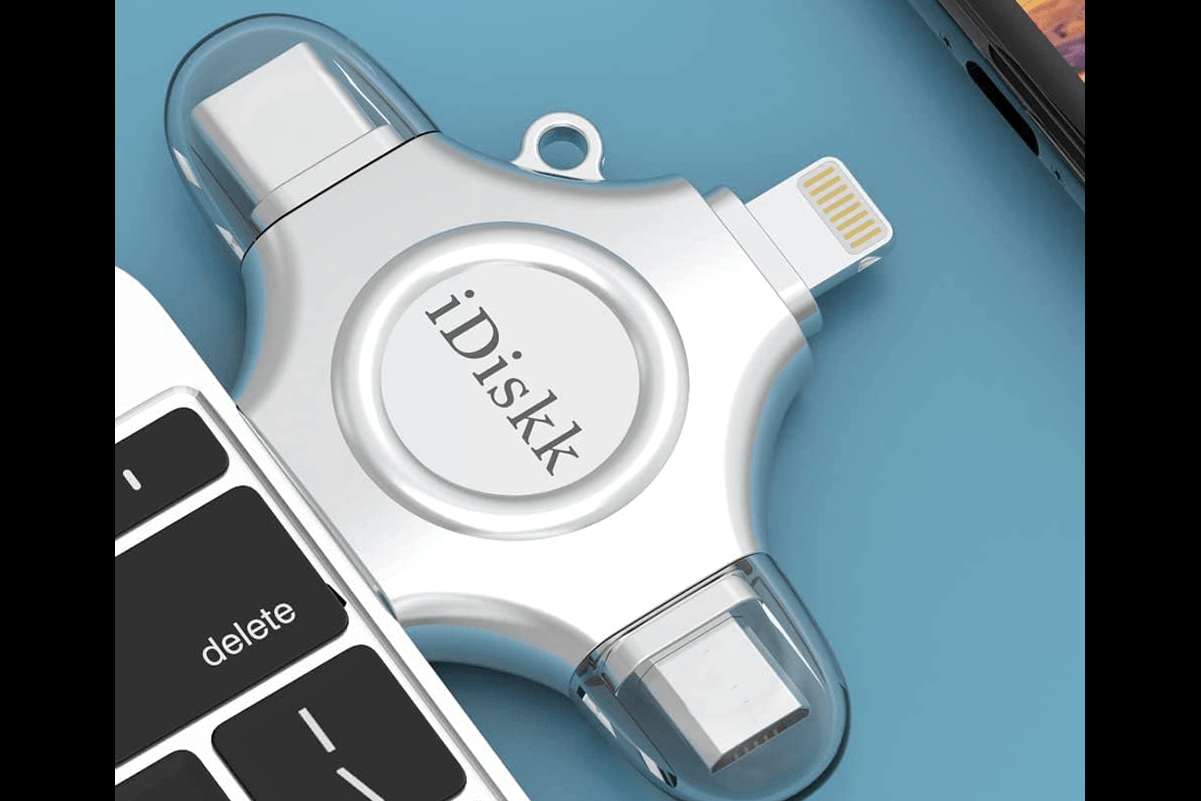
Our top choice for the best flash drive for iPhone, the MFi-certified iDiskk
3. Cloud Storage
Redundancy is crucial when it comes to storing your files securely. You need to back up all your photos and videos. That way, you don’t have to worry when accidentally deleting an image on your device.
Apart from storing your files physically in your flash drive, you can also upload them to the Cloud for redundancy. Thankfully, some drives, like the JSL JDTDC on this list, offer Cloud storage services through their companion app. They sync with your iPhone and flash drive.
But be aware that not all flash drives offer Cloud storage. To use this feature, buy a brand with this service.
4. USB and Lightning vs USB-C Connectors
Look for flash drives that have a fast USB connector. By “fast,” we mean it should be capable of transferring files quickly without losing all your data. Look for at least USB 3.0, which is fast enough for a flash drive, although newer standards such as USB 3.2 and USB4 are faster still.
USB 2.0’s transfer rate is about 480 Mbps, while USB 3.0 is 5,000 Mbps. It’s the perfect option, especially if you need to transfer large files to your computer.
Also check which port your iPhone actually has before you buy. Apple used Lightning on every iPhone through the 14, then switched the entire line to USB-C starting with the iPhone 15 in 2023. A Lightning-only drive won’t plug into an iPhone 15 or later, and a USB-C-only drive won’t plug into an older Lightning iPhone. The iDiskk, JSL JDTDC and LEFUQ drives solve that problem by building in both a Lightning and a USB-C connector, so the same drive works whichever iPhone you own. The Picture Keeper Connect adds USB-C through an attachment, while each SanDisk drive has only one of the two.
5. Password Protection
Nobody wants other people to steal their data. That’s why it’s essential to have a storage device with password protection. This ensures no one can easily access your files.
But not all flash drives have password protection. Do your research and determine if the device you want has this feature.
Flash Drive for iPhone Recommendations
The iDiskk may be our favorite, but that isn’t the only option. We all know it depends on your needs and preferences. That’s why we’re listing a few alternatives below for you!
Budget Pick
If you don’t want to spend much on a flash drive, the Picture Keeper Connect is an excellent option. It starts at just 16 GB and tops out at 256 GB, so you only pay for the storage you actually need.
Most Storage
iDiskk has a whopping 1 TB of storage, which is more than most users need. But if you have a lot of files to transfer or video backups, this is the one we recommend.

Best for Pros
For demanding workflows, the JSL JDTDC is the pick. It’s MFI-certified, scales up to 512 GB, and adds password-protected backups so client files stay secure on the go.
Frequently Asked Questions
Will a Lightning flash drive work with an iPhone 15 or later?
No. Apple switched the entire iPhone line to USB-C starting with the iPhone 15 in 2023, so a Lightning-only flash drive has no port to plug into on an iPhone 15, 16, or 17. If you own one of these models, look for a drive with a USB-C connector, like the SanDisk Ultra Dual Drive USB-C above, or a multi-connector drive that includes both Lightning and USB-C.
Does my iPhone flash drive need to be MFi certified?
Yes, if it uses a Lightning connector. MFi (Made for iPhone, iPod, and iPad) means Apple has approved the hardware, so iOS recognizes the drive instead of warning you about an unsupported accessory. A plain USB-C drive like the SanDisk Ultra Dual Drive doesn’t need MFi certification, because it relies on the same USB standard your iPhone already supports rather than Apple’s proprietary Lightning protocol.
How much storage do I actually need on a flash drive for my iPhone?
That depends on how many photos and videos you’re backing up. A 32 GB drive holds around 16,000 photos, which is more than most people take on their phone. If you shoot a lot of video or want to clear years of backlog in one go, a 256 GB or 1 TB drive gives you more room to work with, though you’ll pay more for the extra capacity.
Conclusion: Best Flash or Pen Drive for iPhone
The best flash drive for iPhone is the iDiskk 256 GB photo stick. This flash drive is great for backing up photos, videos, and other files quickly and efficiently.
It is also reliable and durable. This makes it the perfect choice as a reliable and secure way to back up your data. With its large storage capacity, it is sure to meet the needs of any user!