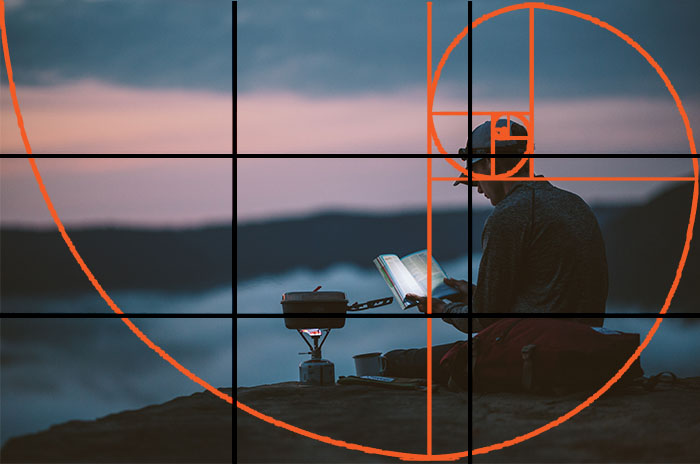
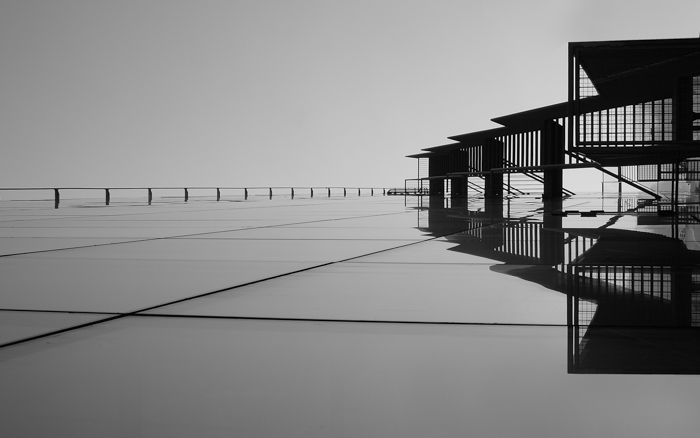
The golden ratio in photography gives you two ways to arrange a frame: place your subject on a Phi grid intersection, or use a golden spiral to connect it with the surrounding scene. Start with the subject, then choose the guide that fits the lines and shapes around it.
You don't need to calculate ratios while you shoot. Here's how the two guides differ, when to try each one, and how to refine your composition afterward.
What Is the Golden Ratio in Photography?
The golden ratio is a mathematical proportion of approximately 1.618:1. It is also called the golden mean or divine proportion. In photography, it is a composition guide for placing subjects and arranging the space around them.
The ratio describes two lengths: the larger divided by the smaller equals their combined length divided by the larger. Photographers can use grids and spirals based on this relationship without doing the math themselves.

A guide can help you create an aesthetically pleasing composition, but matching it does not guarantee a better photograph. Light, expression, background, and the relationship between subjects still matter.
You also don't need to prove that a wave or shell follows an exact mathematical pattern. A curve can be a starting point for your composition without being a true golden spiral.

The Phi grid is the simpler guide for subject placement. The spiral helps you think about a route through the frame.
What Is the Phi Grid?
The Phi grid looks like the rule of thirds, but its lines sit closer to the center. Instead of three equal bands, each dimension is split into approximately 1:0.618:1.
The two vertical lines fall about 38.2% and 61.8% of the way across the frame. The horizontal lines sit at the same percentages from the top. On a photo 1,000 pixels wide, that puts the vertical guides near 382 and 618 pixels.
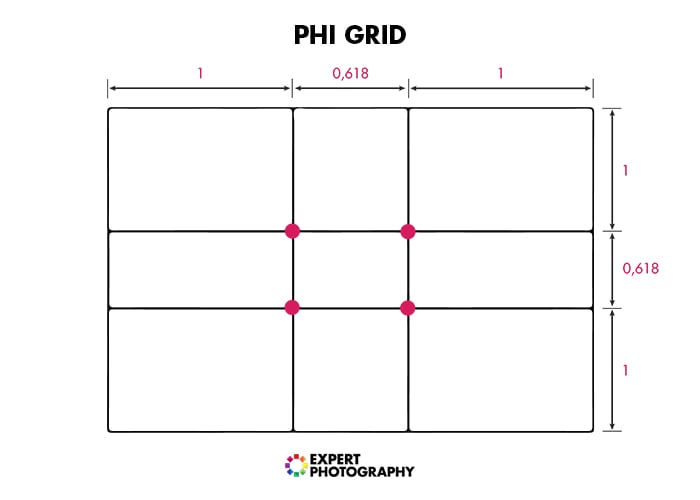
Place a focal detail near one of the four intersections. For a portrait, try an eye; for a landscape, try a tree or building. A horizon can follow one of the horizontal lines.
Compared with thirds, the Phi grid moves these placements slightly inward. Try it when a thirds composition leaves your subject too close to the edge. There is no need to move a subject that already sits well in the frame.
What Is the Fibonacci Spiral?
The familiar Fibonacci spiral diagram starts with adjoining squares whose sides follow the numbers 1, 1, 2, 3, 5, 8, and so on. Drawing a quarter-circle inside each square produces the curling shape shown below.
This construction approximates a golden spiral. The true golden spiral is a logarithmic curve, so the terms are related but do not describe exactly the same shape. For composition, the main idea is a broad curve that winds toward a small focal area.
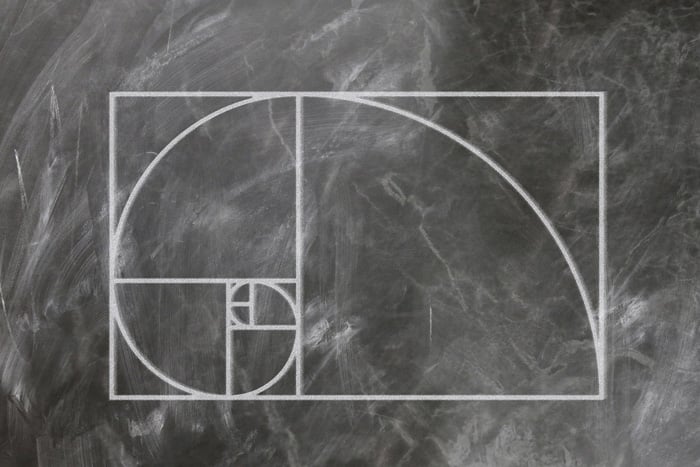
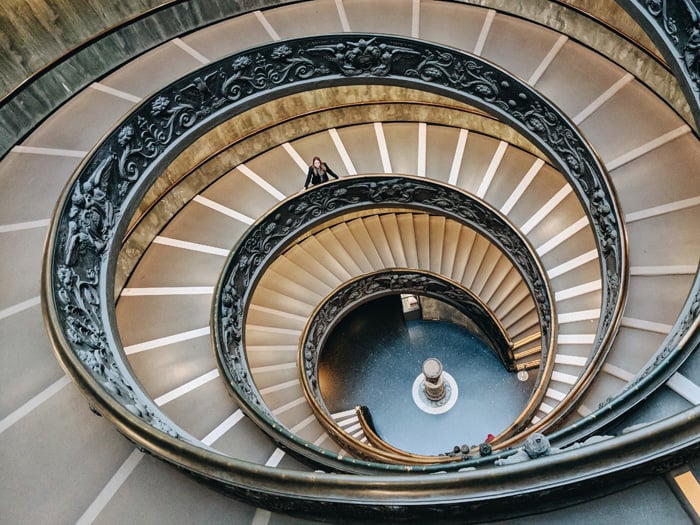
Place the detail you want viewers to notice near the tight part of the spiral. Then look for a curve or arrangement of shapes that connects it with the rest of the picture. A staircase, a shoreline, or the outline of a leaf can give you something to work with.
Try a different orientation if the curve runs the other way. The focal area does not have to sit in a particular corner, and every object does not need to touch the line.
As with different composition guidelines, look beyond the subject's position. Check how the background and other subjects support it, too.

Experiment with different composition methods and see which technique works for you. There is no right answer when it comes to creative composition. Let the subject and its surroundings help you choose.
How to Apply the Golden Ratio to Your Photos
Use the grid to test placement and the spiral to test how the parts of the scene connect. These four steps work as a shooting exercise or as a way to review an existing photo.
Step 1. Check the Scene
How you use the golden ratio depends on the scene in front of you. Composition techniques are there to help you think about the scene. Before taking the shot, take a minute and decide which composition is best for this scene.
To do that, ask yourself questions about the potential image in front of you.
What is the main subject of the photo? That's where you'll want to lead the viewer's eye.
What other elements can you include? Check whether they distract from the subject or help explain it. A bright object at the edge may pull attention away even when your subject sits on a grid intersection.
Are there any leading lines or curves in the image? Trace where they take your eye. A line that leads away from the subject may need a different camera position.
Step 2. Determine Which Composition Method You Want to Use
Try the Phi grid when you want to place a subject off-center or balance a horizon with a foreground detail. Try the spiral when a curve connects the foreground with the main subject.
For example, you could place a distant tree near a Phi intersection, then compare it with a slightly wider thirds composition. With a spiral staircase, look for a viewpoint where the steps curve toward the opening or another focal detail.
The golden ratio is an alternative to the rule of thirds. If thirds suits the scene, use it. A centered subject or a symmetrical frame can also be the stronger choice.
Step 3. Imagine the Overlay and Shoot
Check your camera's display settings for a grid option. If it offers a thirds grid, use that as a starting point: imagine moving each line a little toward the center to estimate the Phi grid.
If the viewfinder does not show a guide, check the Live View options on the rear screen. You can also estimate the placement without a displayed grid.
With the Phi grid, choose an intersection and place your focal detail near it. With the spiral, start with the focal detail and imagine the wider curve connecting it to the surrounding shapes.
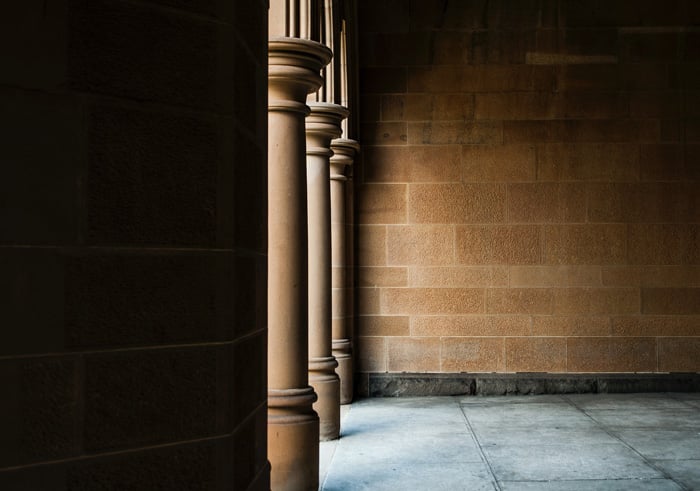
Adjust your position before relying on a crop. Move to one side or change your shooting height to see how the lines and overlaps change. Keep enough space around the subject for the framing you want.
The goal is to make the scene's elements work together. A horizon or vertical edge may sit along an unused Phi grid line; a curved railing may connect the edge of the frame with the spiral's focal area.
Take a few variations if you're unsure. Compare a grid placement with a centered or thirds version. For a moving subject, capture the moment first; precise alignment can wait.
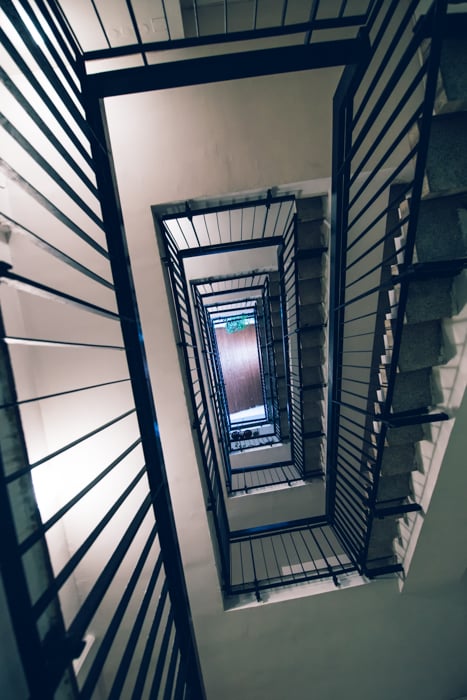
Step 4. Refine the Composition With a Crop Overlay
You can refine the framing in Photoshop or another photo editor after the shoot. Keep the original so you can compare the crop with the full image.
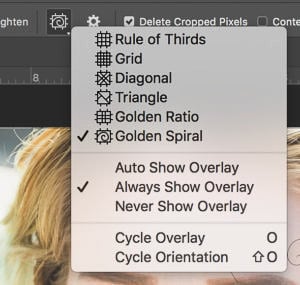
Open the image in desktop Photoshop and select the Crop tool. Draw or adjust the crop box around the area you want to keep.
If your editor provides composition overlays, choose a Phi grid or golden spiral. Try the available spiral orientations to find one that follows the scene. The screenshot above shows an older Photoshop overlay menu; the controls in your version may look different.
Adjust the crop to bring the subject toward a grid intersection or the spiral's focal area. Then judge the image with the guide hidden. Keep the crop only if the subject, spacing, and edges work better.
A Phi grid does not require a 1.618:1 image shape. It marks proportions within the frame. Choose your final crop shape for the photograph and its intended use, rather than cutting away essential detail to make a golden rectangle.
Conclusion—How to Use the Golden Ratio
Start with one subject and try placing it near a Phi grid intersection. If the scene has a curve that connects its parts, try a golden spiral instead. Change your viewpoint or compare crops to see what each guide adds.
Keep the version that gives the subject the right space and keeps distractions under control. A photograph should work when the overlay is gone.