For most photographers, the best photo printer is the Epson EcoTank Photo ET-8550. It prints borderless up to 13 x 19 inches and refills from bottles instead of cartridges. It also scans and copies like an office all-in-one. No other printer here combines that print size with such low running costs and everyday use.
Not everyone needs the same machine. Some photographers want the lowest cost per print at letter size. Others want pigment inks for matte fine art paper, or a 17-inch printer for exhibition work. Some just want one compact box for photos and paperwork. The picks below cover each of those needs. If you only print from your phone now and then, a photo printing service or our guide to printing iPhone photos may suit you better.
The Best Photo Printers for Home and Studio Prints
Start with print size. Letter-size printers (8.5 x 11 inches) are compact and cost the least to buy. A 13 x 19-inch printer makes the larger prints most photographers frame, hang or sell. A 17-inch printer is for exhibition work. Then choose the ink. Dye inks give rich color on glossy paper and suit everyday printers. Pigment inks suit matte fine art paper and last longer on display. Tank printers cost more up front but much less per print, so they pay off when you print often. Use the table to match size and ink to your work, then read the reviews for the trade-offs.


The 7 Best Photo Printers Reviewed
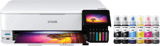
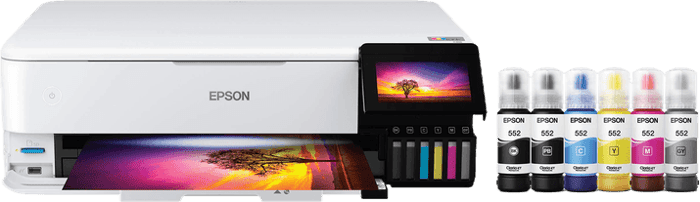
The Epson EcoTank Photo ET-8550 is the printer most photographers should buy first. It prints borderless at sizes from 4 x 6 up to 13 x 19 inches. One machine covers holiday prints and the larger frames you hang on a wall. It uses six Claria ET Premium inks that you refill from bottles. Epson claims savings of up to 80 percent on ink with its replacement bottles. That matters most if you print every week.
Paper handling is the other reason it ranks first. The trays take photo paper up to 300 gsm. A rear straight-through path takes stock up to 1.3 mm thick, which opens up heavy fine art paper and card. Two paper trays mean you can keep plain and photo paper loaded at the same time. The 4.3-inch touchscreen, SD card slot, Wi-Fi and Ethernet make it easy to share and easy to use without a computer. The flatbed scanner handles copies and scans of old prints.
The ET-8550 costs more up front than any other all-in-one here, and it is a big machine. It also has six inks where the Canon PRO-310 has nine pigment inks plus a Chroma Optimizer. Choose the Canon if you print mostly on matte fine art paper for sale or display. If you only print at letter size, the Canon PIXMA G620 gives you the same tank savings in a smaller, cheaper box.
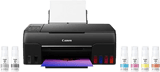
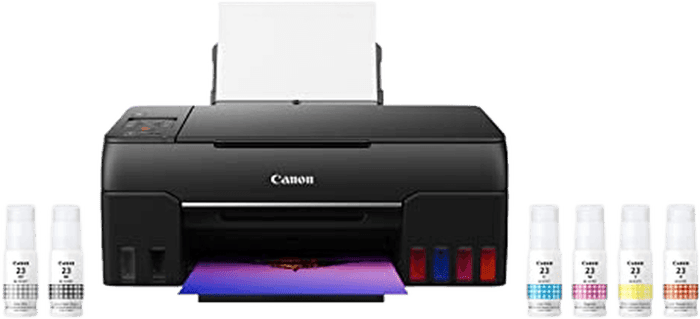
The Canon PIXMA G620 MegaTank is the cheapest way here to print a lot of photos at letter size. It refills from 57 ml GI-23 bottles. Canon rates one full set of ink at up to 3,800 color 4 x 6 photos. If you print family albums, proof sheets or school projects every week, that low cost per print matters more than any other spec.
Its six dye inks add red and gray to the usual cyan, magenta, yellow and black. The gray ink helps black-and-white prints stay neutral. Print quality is very good, especially on glossy paper. Refilling is clean. Each bottle only fits its own tank and stops flowing when the tank is full.
The limits come from its size. Standard sheets top out at legal size, 8.5 x 14 inches. Custom lengths up to 47 inches allow long panoramas, but only 8.5 inches wide. Paper loads from one rear tray, so you cannot keep plain and photo paper loaded together as you can on the XP-8800. There is a flatbed scanner but no touchscreen, just a small LCD and buttons. Choose the ET-8550 instead if you want prints larger than letter size with the same tank savings.
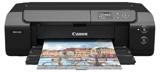
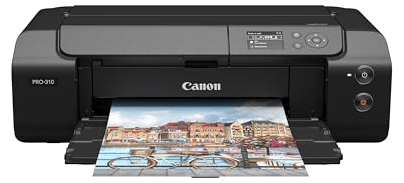
The Canon imagePROGRAF PRO-310 is the pick for photographers who print to sell, exhibit or keep for years. It uses Canon's LUCIA PRO II system: nine pigment inks plus a Chroma Optimizer. The optimizer evens out gloss and reduces bronzing on glossy and luster paper. Pigment inks are the usual choice for fine art prints because they hold up better on display than dye inks. It prints up to 13 x 19 inches, with custom lengths up to 70 inches for panoramas.
Its paper handling suits fine art work. The top feed takes everyday photo paper. The rear manual feed slot takes stock of about 380 gsm and from 0.1 to 0.6 mm thick, which covers heavy fine art papers. Ethernet, dual-band Wi-Fi and USB are built in, and the 3-inch color screen shows ink levels at a glance.
It is a dedicated printer with no scanner or copy function, and it weighs 31.6 lb. It uses individual ink cartridges rather than refillable tanks, so each print costs more than on the EcoTank. If you print mostly on glossy paper, the dye-based PRO-200S is the alternative to consider. Choose the PRO-310 when matte fine art paper and print life matter most.
The Canon PIXMA PRO-200S is the 13-inch printer for photographers who print mostly on glossy and luster paper. It is a dye-based printer with eight inks. Two of them are grays beside the black, which is why its black-and-white glossy prints look so smooth. It prints up to 13 x 19 inches, with custom sizes up to 13 x 39 inches for panoramas.
It feeds paper three ways: a top tray for everyday sheets, a manual slot for thick fine art stock and a multi-purpose tray. The manual slot takes paper of about 380 gsm, the same as the PRO-310. Canon also publishes ICC profiles for a range of specialty papers, so you are not limited to Canon's own stock. Ethernet, dual-band Wi-Fi and USB are all built in.
What you don't get is a scanner, pigment ink or anything wider than 13 inches. Pigment ink suits matte fine art paper better, so choose the PRO-310 if most of your work goes on matte stock or into galleries. If you need one machine for prints and paperwork, the ET-8550 is the better fit. For glossy color and monochrome at 13 x 19 inches, the PRO-200S is the one to buy.
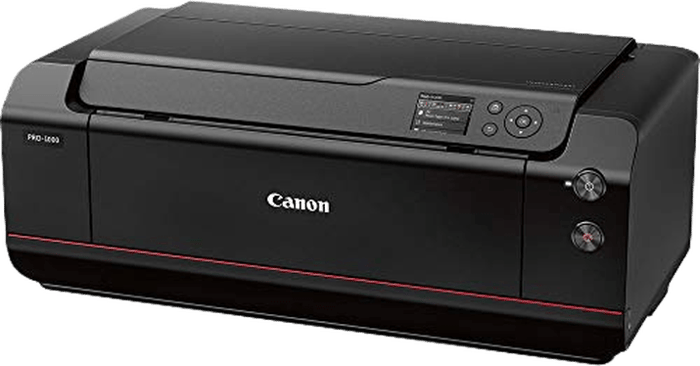
The Canon imagePROGRAF PRO-1100 is the printer for exhibition-size work. It takes cut sheets up to 17 x 22 inches. The manual feed accepts lengths up to 129 inches, which covers the widest landscape prints most photographers sell. Like the PRO-310, it uses Canon's LUCIA PRO II pigment system, here with 11 inks plus a Chroma Optimizer.
A vacuum system holds the paper flat on the platen, which overcomes slight curl in heavier media. The manual feed slot takes stock from 0.1 to 0.7 mm thick. Wired Ethernet and Wi-Fi make it easy to share across a studio network.
Size is the main drawback. It weighs 71.4 lb, so it needs a sturdy table. It takes twelve separate PFI-4100 ink tanks, so a full set of ink is a large outlay. A small amount of ink goes on maintenance after each print, whatever its size, so it is wasteful for runs of small prints. A smaller printer such as the PRO-310 or ET-8550 is better for that work, and it makes sense to run one beside the PRO-1100. Choose the PRO-310 if 13 x 19 inches is big enough for you.
The Epson Expression Photo XP-8800 is a letter-size all-in-one built around photos rather than paperwork. It is compact enough to sit on a shelf. It still has a flatbed scanner, a copier and a six-color photo ink set. The six Claria Photo HD inks include light cyan and light magenta, which keep subtle highlight detail from flattening out.
Paper handling is why it earns its place. Separate trays hold plain paper and photo paper at the same time, and a rear feed takes specialty stock. You do not have to reload every time you switch between a letter and a print. Borderless prints go up to 8.5 x 11 inches, and a 4 x 6 photo can print in as little as 10 seconds. The 4.3-inch touchscreen with Easy Mode makes it simple to use without a computer, and Wi-Fi Direct prints from a phone with no router.
The limits are size and running costs. Letter is as big as it gets, so larger prints have to come from another printer on this list. There is no Ethernet port. One black cartridge does both photos and text, and the standard 340 black is rated at 240 pages. Heavy document printing will have you buying XL refills often. If you print more letters than photos, the G620 tank printer will cost you less over time.
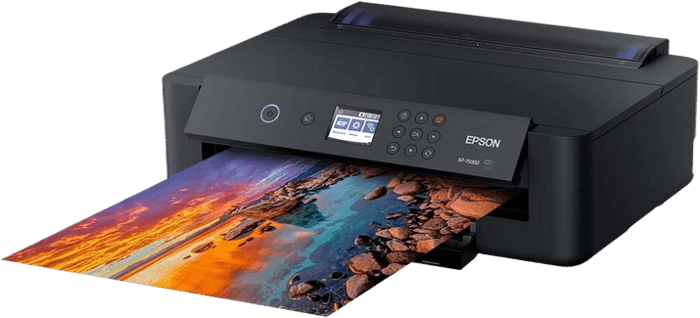
The Epson Expression Photo HD XP-15000 is the lowest-cost way here to make 13 x 19-inch prints. It prints borderless from 4 x 6 up to 13 x 19 inches. Sheets up to 44 inches long feed for panoramas. Its six Claria Photo HD cartridges add gray and red to black, cyan, magenta and yellow. Color is very good, and black-and-white prints are good after some tweaking.
It suits a photographer who wants one printer for occasional large prints and everyday pages. An internal cassette holds plain paper while the rear tray takes photo paper, so both stay loaded. It prints on both sides of a sheet automatically. Ethernet, Wi-Fi and Wi-Fi Direct are all built in, which makes it easy to share on a home network.
As with all cartridge printers, running costs are higher than on a tank model. The 2.4-inch screen is small, and there is no scanner. If you print large photos often, the ET-8550 costs more to buy but much less to run, and it adds a scanner. If you want pigment inks for fine art paper, step up to the PRO-310.
How to Choose a Photo Printer
Tank or Cartridge?
Ink is where photo printing costs add up. I have an aging Canon PIXMA photo printer, and its XL cartridge holds 21 ml of ink. Each GI-23 bottle for Canon's MegaTank printers holds 57 ml. Tank printers like the ET-8550 and G620 cost more to buy, but you pay much less for each print. Choose a tank if you print every week. If you print a few times a month, a cartridge printer like the XP-8800 or XP-15000 costs less to buy, and the higher ink cost matters less. For a handful of prints a year, a printing service is cheaper still.
Dye or Pigment Ink?
Dye inks give rich, glossy color and are what most home photo printers use. The PRO-310 and PRO-1100 are the pigment printers here. Pigment inks sit on the paper surface. They suit matte and cotton rag papers and hold up better on display, so they are the choice for prints you sell or exhibit. Both pigment Canons add a Chroma Optimizer, which evens out the gloss of pigment ink on glossy paper. Gray inks help black-and-white prints stay neutral. The G620, XP-15000 and PRO-200S have them, as do both pigment Canons.
Paper Size and Thickness
Check the thickest paper path as well as the largest sheet. Fine art papers often weigh 300 gsm or more and need a manual or straight-through feed. The PRO-200S and PRO-310 take about 380 gsm through their manual slots. The ET-8550's rear path takes media up to 1.3 mm thick, and the PRO-1100 takes up to 0.7 mm. Our guide to the best photo papers helps you choose stock for each printer. For prints larger than your printer allows, see how to enlarge photos for printing and use a lab.
Getting Prints That Match Your Screen
A better printer will not fix colors that are wrong on your monitor. Calibrate your monitor first, then print with the paper maker's ICC profile for your printer. Canon and Epson both publish profiles for their own papers, and many fine art paper makers publish them too. Check that your paper has a profile for your printer before you buy a box. For more on file size, see what resolution you need for each print size.
Conclusion
The Epson EcoTank Photo ET-8550 is the best photo printer for most photographers. It makes 13 x 19-inch borderless prints, costs little to run and still scans and copies. If you print mostly at letter size and want the lowest cost per print, the Canon PIXMA G620 is the better buy. For fine art prints on matte paper that you sell or exhibit, choose the Canon imagePROGRAF PRO-310.