The best drawing tablet for you depends first on where you want to draw. A pen tablet uses your computer’s monitor, a pen display lets you draw on a connected screen, and a tablet computer runs drawing apps on its own. That difference matters more than a long list of pen specifications.
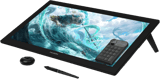
Our top pick for a large desk setup is the Huion Kamvas Pro 24 (Gen 3). Its 23.8-inch 4K display gives you room for artwork and tool panels. Below, we compare nine options, including smaller pen displays, a screenless Wacom, iPads, a Windows tablet, and a children’s tablet. Start by deciding whether you need a computer-free setup.
What Is the Best Drawing Tablet?
The Huion suits a dedicated drawing desk. The Wacom Intuos Pro suits someone who already has a monitor and wants pen input. The iPads and Surface suit people who want to draw away from a computer. Here’s the full selection before we look at each option.



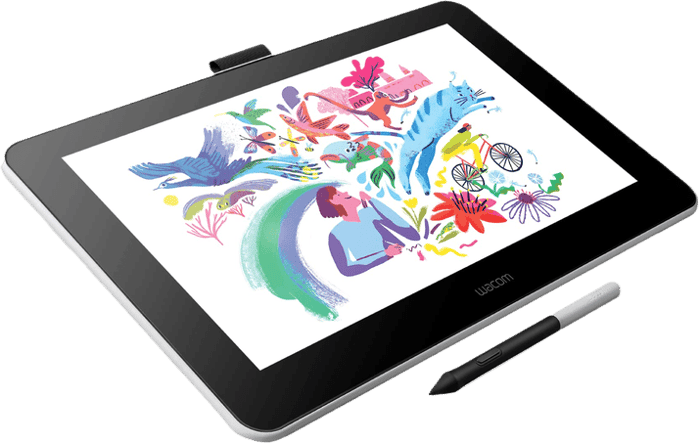
1. Huion Kamvas Pro 24 (Gen 3)
| Brand |
Brand
HUION
|
| Type |
Type
Pen display
|
| Connectivity |
Connectivity
HDMI 2.0, DisplayPort 1.4, and USB-C
|
| Drawing Area |
Drawing Area
23.8-inch screen
|
| Resolution |
Resolution
3840 x 2160 pixels
|
| Pressure Sensitivity |
Pressure Sensitivity
16,384 levels
|
| Size / Weight |
Size / Weight
58.9 x 36.4 x 2.3 cm / 6,365 g
|
| Key Features |
Key Features
4K UHD screen, 99% Adobe RGB, and 10-point multi-touch
|
| Best For |
Best For
Professionals who want a 24-inch 4K display for far less than a Cintiq
|
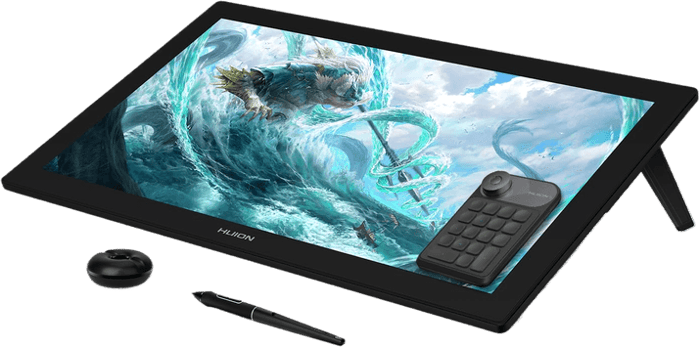
The Huion Kamvas Pro 24 (Gen 3) is our pick for artists who want a large pen display. Like the Wacom Cintiq Pro 24, it belongs on a desk and needs a connected computer or compatible host device. It is not a standalone tablet.
Huion specifies a 3840 x 2160 IPS panel with laminated, etched glass. It lists 99% sRGB, 99% Adobe RGB, and 98% DCI-P3 coverage. Those are manufacturer specifications, not a guarantee that a print will match the screen without color management.
The PenTech 4.0 pen supports 16,384 pressure levels and 60-degree tilt. Ten-point touch lets you use gestures in supported software. The built-in stand sets the display at 20 degrees. At 6.365 kg and nearly 59 cm wide, it needs desk space. Choose it for the large canvas; a smaller display is easier to fit beside a keyboard or pack away after use.
2. Wacom Intuos Pro Tablet
| Brand |
Brand
Wacom
|
| Type |
Type
Pen tablet
|
| Connectivity |
Connectivity
Bluetooth or USB cable
|
| Drawing Area |
Drawing Area
34.9 x 19.5 cm
|
| Resolution |
Resolution
N/A
|
| Pressure Sensitivity |
Pressure Sensitivity
8,192 levels
|
| Size / Weight |
Size / Weight
37.7 x 25.3 x 0.7 cm / 660 g
|
| Key Features |
Key Features
Available in three sizes, ships with the Wacom Pro Pen 3
|
| Best For |
Best For
Professionals with a generous budget
|
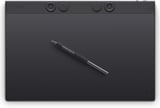
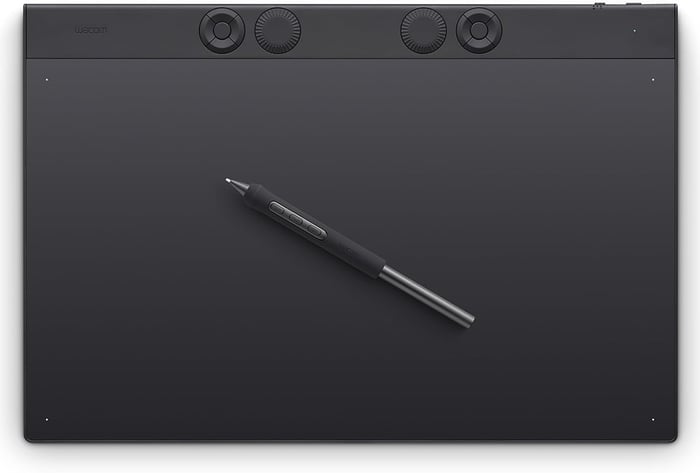
The Wacom Intuos Pro is the screenless option in this selection. You draw on its surface while watching your computer monitor. We recommend the Large for broad drawing movements, but the Small and Medium take up less desk space.
The 2025 Large has a 34.9 x 19.5 cm active area and includes Wacom’s battery-free Pro Pen 3. The grip and balance weight are adjustable. Wacom’s current box contents list five standard, three felt, and two rubber replacement nibs. It connects over USB or Bluetooth.
The ExpressKeys and mechanical dials sit above the drawing area. This generation has no finger-touch input, so it cannot serve as a trackpad. Choose it if you want to keep your monitor upright and your drawing hand on the desk. Allow some practice time to get used to drawing in one place while looking at another.
3. XPPen Artist 12 3rd
| Brand |
Brand
XPPen
|
| Type |
Type
Pen display
|
| Connectivity |
Connectivity
USB-C
|
| Drawing Area |
Drawing Area
11.9-inch screen
|
| Resolution |
Resolution
1920 x 1080 pixels
|
| Pressure Sensitivity |
Pressure Sensitivity
16,384 levels
|
| Size / Weight |
Size / Weight
32.7 x 18.9 x 1.2 cm / 719 g
|
| Key Features |
Key Features
99% sRGB, anti-glare etched glass, and eight shortcut keys
|
| Best For |
Best For
Beginners and those on a tight budget
|
The XPPen Artist 12 3rd is our compact pen-display pick for a first drawing setup. Its 11.9-inch screen has a 1920 x 1080 resolution. XPPen lists 99% sRGB, 97% Adobe RGB, and 97% Display P3 coverage.
The included X4 pen supports 16,384 pressure levels and 60-degree tilt. Eight customizable shortcut keys and two X-Dial wheels give you controls for actions such as undo, zoom, and brush size. The etched glass and included folding stand are practical additions for a small desk.
You still need a compatible host device. A single USB-C connection requires a port that carries the necessary video signal; a USB-C socket alone does not prove compatibility. The small screen also leaves less room for tool panels. If you want more drawing space, consider the XPPen Artist Pro 16. The XP-Pen Deco range is a different option: its pen tablets have no screen.
4. Apple iPad Pro 11-inch (M5)
| Brand |
Brand
Apple
|
| Type |
Type
Tablet computer
|
| Connectivity |
Connectivity
Thunderbolt / USB 4, Bluetooth, and Wi-Fi 7
|
| Drawing Area |
Drawing Area
11-inch screen
|
| Resolution |
Resolution
2420 x 1668 pixels
|
| Pressure Sensitivity |
Pressure Sensitivity
Depends on the stylus
|
| Size / Weight |
Size / Weight
5.3 mm thick / 444 g
|
| Key Features |
Key Features
M5 chip and a tandem OLED Ultra Retina XDR display
|
| Best For |
Best For
Anyone wanting a graphics tablet and a computer in one
|
The Apple iPad Pro 11-inch with M5 is a standalone option for drawing away from a desk. You do not need a computer to run iPad drawing apps. Its tandem OLED Ultra Retina XDR display has a 2420 x 1668 resolution and an adaptive refresh rate of up to 120 Hz.
The 256 GB and 512 GB versions have a 9-core CPU and 12 GB of memory. The 1 TB and 2 TB versions have a 10-core CPU and 16 GB. That distinction matters when comparing configurations. The Wi-Fi model weighs 444 g, so it is much easier to carry than the large pen displays here.
Adobe Illustrator and Procreate are drawing options for iPad. Choose the Apple Pencil Pro for pressure-sensitive strokes; it is a separate purchase. Before choosing an iPad, check that your required tools and file formats are supported by the iPad version of each app. A familiar app name does not mean it has every desktop feature.
5. Wacom Cintiq 16 Tablet
| Brand |
Brand
Wacom
|
| Type |
Type
Pen display
|
| Connectivity |
Connectivity
USB-C and mini HDMI
|
| Drawing Area |
Drawing Area
16-inch screen
|
| Resolution |
Resolution
2560 x 1600 pixels
|
| Pressure Sensitivity |
Pressure Sensitivity
8,192 levels
|
| Size / Weight |
Size / Weight
38.4 x 25.9 x 1.5 cm / 2,000 g
|
| Key Features |
Key Features
QHD anti-glare screen and a battery-free Pro Pen 3
|
| Best For |
Best For
Students and others looking for rich features at a good price
|
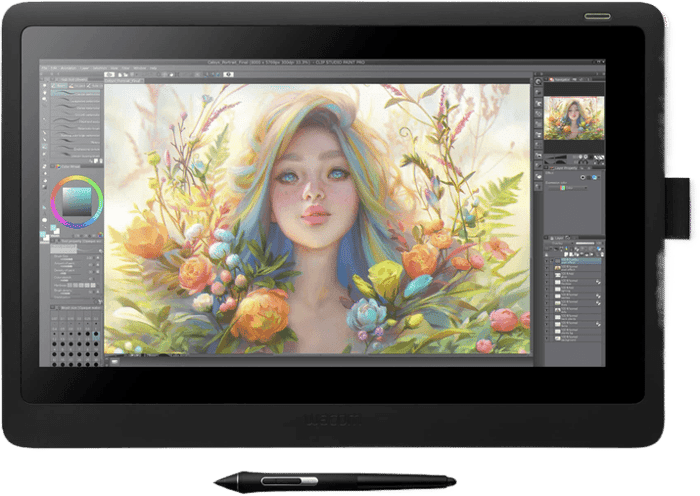
The Wacom Cintiq 16 is a middle-size pen display for someone who wants to draw on the screen without filling the desk with a 24-inch panel. The 2025 model has a 16-inch 2560 x 1600 display and includes the battery-free Pro Pen 3. Check the generation when comparing listings because the older Cintiq 16 has different specifications.
Wacom lists 100% sRGB and 99% DCI-P3 coverage. The bonded, etched glass reduces the gap between the nib and the displayed image. Fold-out legs set the display at 20 degrees, and the pen has three programmable side buttons.
It needs a computer or another supported host. USB-C video requires DisplayPort Alt Mode or a supported Thunderbolt port; an HDMI connection needs the appropriate additional cables. There are no ExpressKeys on the display itself, so plan to use your keyboard or an optional remote. At 2 kg, it is better suited to a desk than handheld drawing.
6. Microsoft Surface Pro 12 (2025)
| Brand |
Brand
Microsoft
|
| Type |
Type
Tablet computer
|
| Connectivity |
Connectivity
USB-C, Bluetooth, and Wi-Fi
|
| Drawing Area |
Drawing Area
12-inch screen
|
| Resolution |
Resolution
2196 x 1464 pixels
|
| Pressure Sensitivity |
Pressure Sensitivity
Depends on the Surface Slim Pen
|
| Key Features |
Key Features
Snapdragon X Plus with a 45 TOPS NPU and up to 16 hours of battery
|
| Best For |
Best For
Professionals looking for an iPad alternative
|
The Microsoft Surface Pro 12 listed here is the 12-inch 2025 model with Snapdragon X Plus. It runs Windows and can serve as both a drawing tablet and a laptop with an added keyboard. Its 12-inch PixelSense display has a 2196 x 1464 resolution, and the built-in kickstand supports desk use.
A Surface Slim Pen is sold separately. Microsoft’s advertised battery figure of up to 16 hours is based on local video playback. Do not treat that as a promise of 16 hours drawing in a demanding app.
Adobe Photoshop has a native Windows on Arm version, but check your exact plugins and peripherals before buying. Windows can emulate many x86 and x64 apps; hardware drivers need Arm support. Choose this Surface if you need Windows away from your desk and have confirmed that your software works on Arm.
7. Apple iPad Air 11-inch (M4)
| Brand |
Brand
Apple
|
| Type |
Type
Tablet computer
|
| Connectivity |
Connectivity
USB-C, Bluetooth, and Wi-Fi 7
|
| Drawing Area |
Drawing Area
10.86-inch screen
|
| Resolution |
Resolution
2360 x 1640 pixels
|
| Pressure Sensitivity |
Pressure Sensitivity
Depends on the stylus
|
| Size / Weight |
Size / Weight
6.1 mm thick / 464 g
|
| Key Features |
Key Features
M4 chip and Apple Pencil Pro support
|
| Best For |
Best For
Apple users looking for a cheaper alternative to the iPad Pro
|
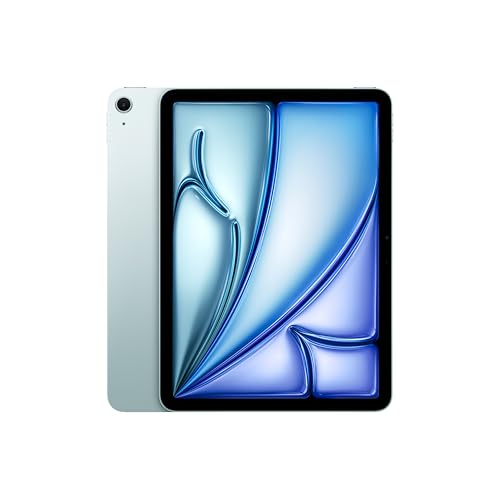
The Apple iPad Air 11-inch with M4 is another standalone option. It has a 2360 x 1640 Liquid Retina display, an 8-core CPU, and a 9-core GPU. The Wi-Fi model weighs 464 g. Choose it when you want an iPad for drawing, notes, and other apps without making the Pro’s display your main priority.
Its screen uses an IPS panel rather than the Pro’s tandem OLED. Before paying for the Pro, decide whether you need its display features for the work you actually make. Both models let you draw without a separate computer, but you still need to choose your apps. Our guide to sketching apps can help with that choice.
The Air supports the Apple Pencil Pro and Apple Pencil (USB-C). They are not equivalent for drawing: the USB-C Pencil has tilt support but no pressure sensitivity. Choose Pencil Pro if you want brush width or opacity to respond to how hard you press. Include the pen in your total budget.
8. Wacom One 14
| Brand |
Brand
Wacom
|
| Type |
Type
Pen display
|
| Connectivity |
Connectivity
USB-C
|
| Drawing Area |
Drawing Area
14-inch screen
|
| Resolution |
Resolution
1920 x 1080 pixels
|
| Pressure Sensitivity |
Pressure Sensitivity
4,096 levels
|
| Size / Weight |
Size / Weight
750 g
|
| Key Features |
Key Features
Single-cable USB-C connection and a battery-free pen
|
| Best For |
Best For
Beginners looking for a tablet with a screen
|
The Wacom One 14 is a beginner-focused pen display. It has a 14-inch 1920 x 1080 screen and a battery-free pen with 4,096 pressure levels. It is different from the screenless One by Wacom range.
A single USB-C cable can carry video, data, and power from a compatible computer. Check the host requirements first: the port needs DisplayPort Alt Mode and sufficient power. The display is not a standalone computer, even though it looks like a tablet. Its 750 g weight makes it easier to pack than the larger desk displays.
Check the current software-trial terms before treating a bundle as part of the purchase. If you intend to use Adobe Photoshop and Adobe Lightroom, allow for the software as well as the hardware. There are no shortcut keys on the display. The lower pressure-level count alone is not a reason to reject it; size, controls, software support, and pen comfort also affect the choice.
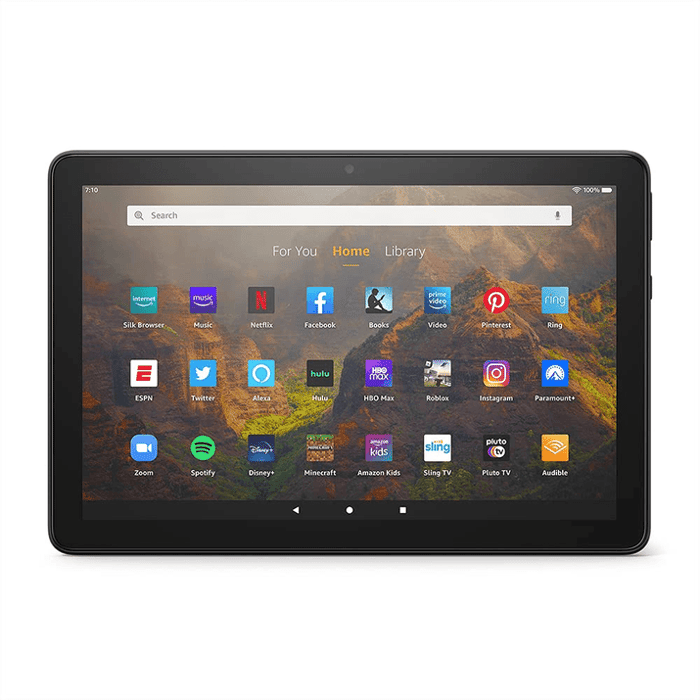
9. Amazon Fire HD 10 Kids Pro
| Brand |
Brand
Amazon
|
| Type |
Type
Tablet computer
|
| Connectivity |
Connectivity
USB-C and Bluetooth
|
| Drawing Area |
Drawing Area
10.1-inch screen
|
| Resolution |
Resolution
1920 x 1200 pixels
|
| Pressure Sensitivity |
Pressure Sensitivity
Depends on the stylus
|
| Battery |
Battery
Up to 13 hours
|
| Key Features |
Key Features
Kid-proof case, a two-year worry-free guarantee, and a year of Amazon Kids+
|
| Best For |
Best For
Budding graphic artists aged 6-12
|
The Amazon Fire HD 10 Kids Pro is the children’s option here. The linked model is aimed at ages 6–12 and has a 10.1-inch screen and 32 GB of storage. Like the standard Amazon Fire HD 10, it is a general-purpose tablet, so consider it for casual drawing alongside reading, games, and video.
It runs Amazon’s Fire OS. Before buying, confirm which of ArtFlow, Paint Pad HD, and Kids Doodle 2 are available to your child’s profile. Their presence on another Android device does not establish availability on your Fire tablet.
A compatible stylus is a separate purchase; match it to the tablet generation and the app you want to use. Do not assume every stylus offers pressure control. The Kids Pro includes a protective case and a two-year worry-free guarantee. Check the current Kids+ subscription terms and renewal settings. The Amazon Fire HD 10 Kids is the related model for younger children.
What Is a Drawing Tablet?
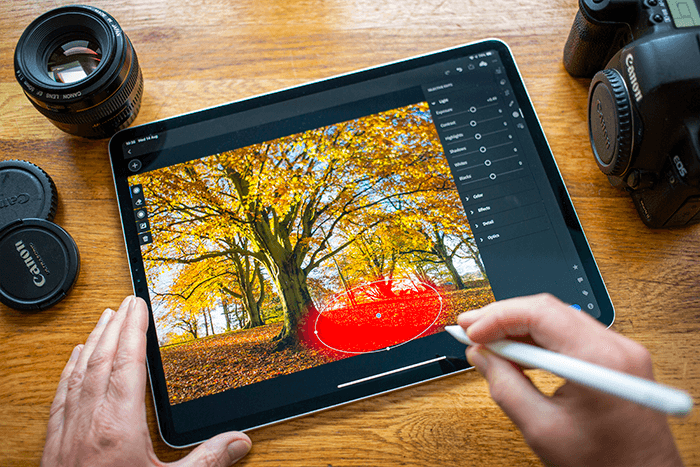
A drawing tablet lets you use a pen-shaped stylus to create digital art or control editing tools. For a photographer, that can mean painting a mask or working on a small retouching area. For an illustrator, it can mean drawing lines and shading with a pressure-sensitive brush.
Common uses include pencil-style sketches, cartoons, paintings, product designs, and photo editing. The tablet supplies the input; the app determines which tools you can use. You still need to check that the pen, device, and software support the functions you want.
What Are the Three Types of Drawing Tablet?
The names “drawing tablet” and “graphics tablet” often overlap. Check the device type, because a screen does not necessarily mean the tablet works on its own.

Tablet Computers
Tablet computers run apps themselves. The iPads and Surface in this selection can be used without connecting to another computer. The main limit is software: an iPad app, an Android app, and a Windows program may offer different tools even if they share a name.
For Apple users, Adobe Illustrator and Procreate are options. If you are choosing programs on Android devices, look at Infinite Painter and ibis Paint X. Confirm support for your exact tablet before buying an app or accessory.
Check whether a pen comes in the box. With the iPads and Surface listed here, it is an additional purchase. Also include any keyboard, case, or app subscription you need in your budget.

Pen Tablets
A pen tablet has a drawing surface but no built-in screen. You connect it to a computer and watch the monitor while moving the pen. The Wacom Intuos Pro is the example in this list.
This arrangement lets you choose where to place your monitor and keep your hand below the image you are viewing. The adjustment is hand-eye coordination: a mark made on the tablet appears on a separate screen. Shortcut keys and dials can reduce trips to the keyboard, but the exact controls vary by model.
Pen Displays
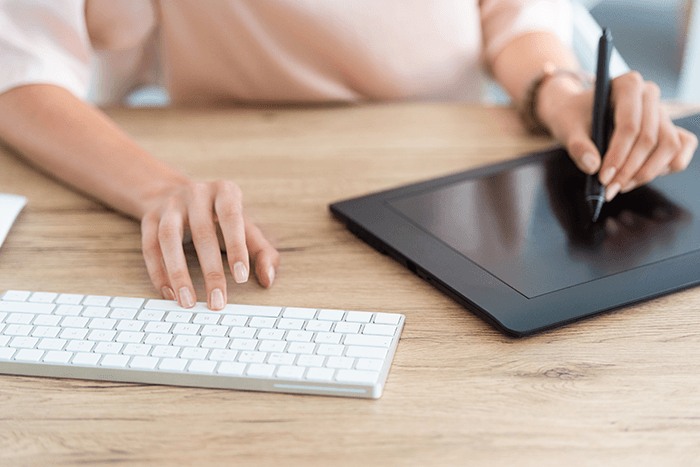
A pen display has a screen that you draw on directly. The Huion Kamvas, XPPen Artist, and Wacom Cintiq and One models here are pen displays. They need a compatible host device to run the drawing software.
Check both the desk space and the cables. Video, pen data, and power all have to reach the display. Some setups use one USB-C cable; others need separate connections. A larger screen gives your hand more room but also takes up more of your desk.
How to Choose the Best Drawing Tablet for You
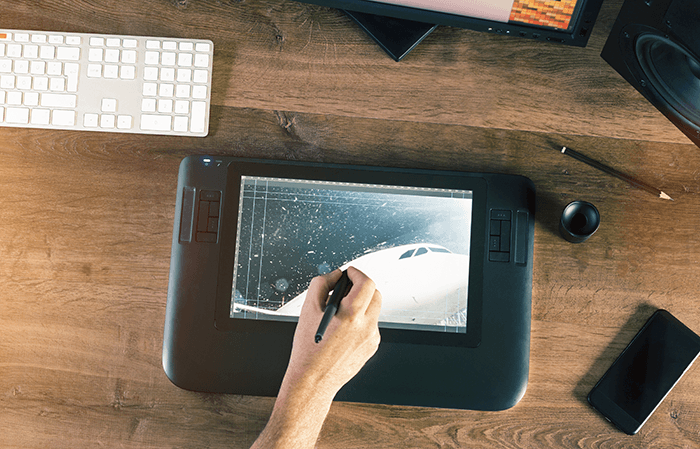
Start with your software and working position. If you already use a desktop editing program, a pen tablet or pen display lets you keep that setup. If you want to sketch while travelling, choose a tablet computer whose apps support your work.
Then check four things:
- Drawing space. Compare the active area, not just the tablet’s outer dimensions. Leave room for the keyboard and the hand you use for shortcuts.
- Pen controls. Check pressure support, tilt, buttons, and replacement nibs. Adjust the pressure curve in your app or driver before assuming the factory setting suits your hand.
- Connection. Confirm the required video output, power, operating system, and driver. USB-C describes the connector; it does not guarantee video support.
- Total setup. Include the computer if needed, plus the pen, stand, cables, and software. A tablet-only comparison can hide these costs.
For photo editing, think about the job you want the pen to do. Masking and retouching need different movements from typing keywords or sorting files. You may still prefer a mouse or keyboard for some tasks.
Is a Drawing Tablet Worth It?
It is worth considering if you frequently draw, paint masks, or retouch with brush tools. A pen gives you a different way to control those strokes. If you mainly crop photos, change sliders, or manage files, first identify the task where a pen would help. Buying a larger display does not by itself make that task faster.
Do Drawing Tablets Need a Computer?
Pen tablets and the pen displays in this list need a compatible computer or host device. The iPads, Surface, and Fire run apps themselves. For a computer-free setup, check the app and stylus as well as the screen size. A pen display with a screen is still a display, not a complete computer.
Conclusion: Which Drawing Tablet Should You Choose?
Choose the Huion Kamvas Pro 24 (Gen 3) if you want a large 4K drawing display for a fixed desk. Choose the Wacom Intuos Pro if you want pen input while keeping your existing monitor. The XPPen Artist 12 3rd is the compact display option in our top three.
If drawing away from a computer matters most, focus on the iPads or Surface and confirm your app choice first. The right tablet is the one that fits your software, drawing space, and complete setup budget.