

For an Instagram profile picture, use a 320 x 320 pixel square and keep your face or logo in the centre. Instagram shows the picture in a circle, so details in the corners can disappear. This is a practical export recommendation, not a promise that Instagram will display the image at exactly 320 pixels everywhere.
The crop matters as much as the file size. Below, we explain how to prepare a clear profile picture, avoid a cut-off face or logo, and keep profile-photo sizes separate from post and Story sizes.
What Instagram Profile Picture Size Should I Use?
Start with a square image: the width and height should be equal, giving it a 1:1 aspect ratio. Adobe Express recommends a 320 x 320 pixel export for an Instagram profile logo, with the design inside a circular boundary.
Use that as your working size for a profile photo, too. Keep the original photograph at its full resolution so you can make a different crop later. Resizing a small, blurred copy to 320 pixels will not restore the detail it has already lost.
The screenshot below shows where the profile picture sits beside the account information. It comes from an earlier Instagram layout.
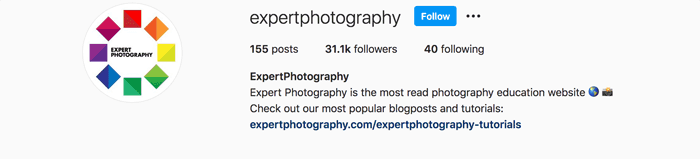
You may also see 110 x 110 pixels in size guides. Adobe distinguishes this smaller display size from its 320 x 320 recommendation. Do not confuse the size of an icon on a screen with the size of the file you prepare.
An exact pixel count alone does not guarantee a sharp result. Start with a photograph that is in focus, crop it carefully, and check it at a small size. Our guide to image resolution explains how pixel dimensions affect detail.
How to Crop Your Photo for the Circle
- Open the original photo in your usual photo editor and select a square, 1:1 crop.
- Position your face or logo near the centre. Leave room above your head and below your chin.
- If your editor has a circular crop preview or guide, use it to check the corners. Keep the exported file square.
- Resize a copy to 320 x 320 pixels. Save the original separately.
- Check the picture at a small size. If a face or business name is hard to recognise, simplify the crop before you upload it.
A wide logo needs extra room. Put the whole logo on a square background rather than stretching it into a square. For a portrait, use a closer crop instead of a full-body photograph in which your face becomes a tiny detail.
If you want the full rectangular photo to fit inside the circle, add space around it on a square canvas. This keeps more of the image visible, but makes the subject smaller. Choose between showing the whole scene and making your face easy to recognise.
Why Does My Profile Picture Look Blurry?
First, compare your upload with the original. A screenshot or a repeatedly saved copy may already be soft. Go back to the original photo and make one clean crop and export.
Then check whether the subject is too small. A sharp photograph can still make a poor profile picture if a busy background or tiny face is all the viewer can see. Pixel dimensions cannot fix missed focus, motion blur, or an unsuitable crop.
What About a Full-Size Instagram Profile Picture?
If you need your own full-resolution photo, use the original file you saved. Preparing an upload and recovering someone else's original photo are different tasks. This guide does not recommend a third-party profile-picture downloader or promise that one can recover an uncropped original.
Choose a Recognisable Instagram Profile Picture
Your Instagram profile picture works like a brand logo: it should be easy to recognise at a glance.
For a business account, try a simple logo or a portrait of you at work. If you use the name of your business, check that the lettering remains readable in the small circle. A short mark or initials may work better than a long name.
For a personal account, choose a photo of yourself with a clear face and an uncluttered background. Keep the same picture across platforms when you want people to recognise the same account. You can update it when needed; consistency is a design choice, not an Instagram requirement.
Profile Picture, Profile Grid, and Feed Posts: What Is the Difference?
Your profile picture is the small circle that represents your account. The profile grid is the collection of post previews below your Instagram bio. A feed post is the photo or video people open or scroll past.
These are separate crops. Do not use a 320 x 320 profile-photo export as your source for a large feed post. Keep a separate copy of the original for each use.
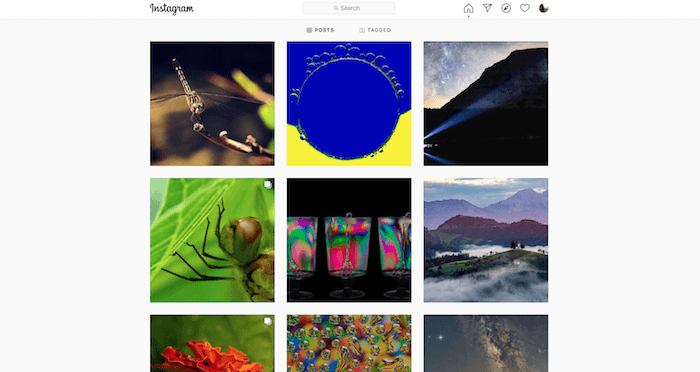
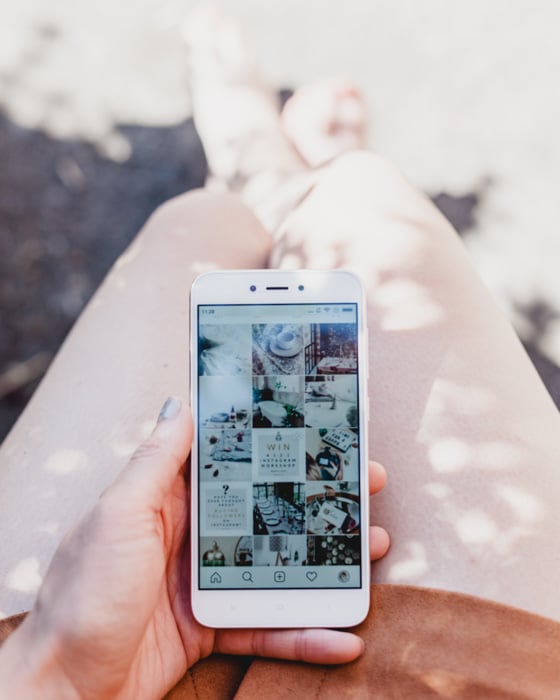
The screenshot below shows an older square-grid layout. Use the preview in your current Instagram app to check how a post fits the grid. Leave important faces, text, and logos away from the edges so a thumbnail crop does not remove them.
Useful Export Sizes for Other Instagram Images
The sizes below are practical starting points for preparing separate copies of your photos. They are not a list of every supported upload format, and the profile thumbnail may use a different crop.
| Use | Export size | Aspect ratio |
|---|---|---|
| Profile picture | 320 x 320 pixels | 1:1, shown in a circle |
| Square photo post | 1,080 x 1,080 pixels | 1:1 |
| Landscape photo post | 1,080 x 566 pixels | Approximately 1.91:1 |
| Portrait photo post | 1,080 x 1,350 pixels | 4:5 |
| Full-screen Story or Reel | 1,080 x 1,920 pixels | 9:16 |
Instagram’s photo-resolution guidance accepts photo ratios from 1.91:1 to 3:4 at a width of up to 1,080 pixels. For a taller portrait photo, you can also use 1,080 x 1,440 pixels (3:4). The 4:5 portrait size in the table remains valid.
Adobe's image-resizing guide includes square, landscape, and portrait crops and a 1,080 x 1,920 Story canvas. Use its crop guidance without assuming that its older description of a square profile grid still applies.
For a Reel, a vertical 9:16 canvas is a useful starting point. Keep titles away from the edges and check the cover preview separately. Meta's Reels guidance also uses 9:16 creative and stresses keeping key content clear of interface overlays; that page is specifically about ads.
Preparing Instagram Stories
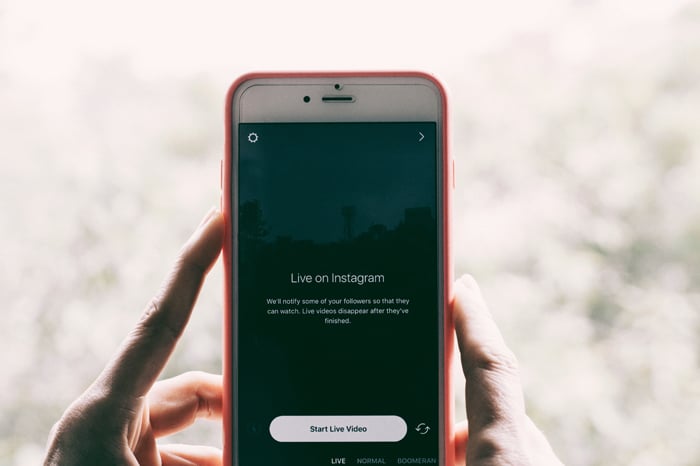
For a full-screen vertical Story, prepare a 1,080 x 1,920 pixel copy. Check the framing before you share it. A portrait that fits a square profile picture may need a different crop to fill this taller canvas.
Keep important text and faces away from the top and bottom, where the app's controls can overlap your image. Check the preview instead of assuming that every pixel will remain unobstructed.
Preparing Instagram Ads
If you use Instagram as a social media platform for your photography business, prepare each ad for its intended placement. A feed image and a full-screen Reel need different framing.
Check the current Meta Ads Guide for the format and placement you select. Preview the creative with its text and controls before you publish. Keep lettering large enough to read and use a clear focal point.
Conclusion: Start With a Square and Check the Crop
For your profile picture, prepare a 320 x 320 pixel square from a sharp original. Keep your face or logo inside the circular crop and check that it remains clear when small. Use separate, larger exports for feed posts, Stories, and Reels.
For help choosing the image itself, read our tips for taking great profile pictures. You can also read about growing your Instagram following and photography hashtags for your wider account.