The best amateur photography websites serve different purposes. SmugMug gives you a home for a portfolio, 500px puts your pictures in a photography community, and Google Photos lets you share selected albums. The right choice starts with what you want someone to do after opening your photos.
You don't need to turn your hobby into a business. If you're finding your place in amateur photography, start with one small collection and one goal: feedback, a portfolio to show people, or an album to send to friends. This guide compares six options and explains where each fits.




6 Amateur Photography Websites for Sharing Your Work
These six services cover portfolios, public photo sharing, and selected albums. Use the descriptions to decide which kind of service you need.
1. SmugMug
| Access |
Access
Paid subscriptions, with website templates on Portfolio and Pro plans
|
| Key Features |
Key Features
Customizable templates and themes, full-screen high-res galleries, embeddable photo links
|
| Best For |
Best For
Photographers who want a paid, brandable portfolio site
|
Smugmug suits photographers who want to organize their work into galleries and present it on their own site. It's a place to send people when they ask to see your photography, with more control over presentation than a social feed.
Choose a template that lets your pictures do the work. Group a landscape series, portraits, and travel photos into separate galleries so a visitor can find the subject that interests them.
SmugMug separates storage and delivery from some website and selling features. Its current Portfolio plan adds customizable website templates and print and digital download sales to the Direct plan's storage and delivery tools. Match the plan to the job you need it to do before subscribing.
Share new Smugmug galleries consistently, but give people a reason to open them. A short introduction to a shoot tells them more than a bare link. A portfolio is a destination you promote; creating one does not guarantee an audience.
500px is the option to consider when you want to publish photographs alongside other photographers. You can browse work, share comments, and use the pictures you find as starting points for learning about composition, light, and editing.
Study specific decisions instead of treating other photographers as competition. What makes a portrait's lighting work? Why does a landscape hold your attention? When you ask about an image, a focused question gives the photographer something concrete to answer.
A Basic account currently allows 60 uploads per month. That makes a selected group of finished pictures a better starting point than uploading every frame from a shoot. See 500px's Basic upload limits for the current allowance.
Sharing and licensing are separate steps. You can choose to submit photographs for licensing through 500px, but submissions need approval before buyers can license them, as its licensing FAQ explains. Its distribution partners include Getty Images and VCG. Likes and comments on a public photo do not establish buyer demand or guarantee a sale.

SlickPic combines photo galleries with tools for building a photography website. Like Smugmug, it gives you a place to arrange pictures into collections and send visitors to your work.
Its current plans separate a gallery service, a website you build yourself, and Bespoke services in which the team builds and maintains the site. Choose how much of the setup you want to do yourself before comparing the plans.
For a first gallery, select one subject and give the collection a name that tells visitors what they will see. A set of coastal landscapes is easier to understand than an album called “My Photos.” Don't label a collection “most popular” unless that description is true.
Support a new collection with social media shares. Show one picture, explain the idea behind the series, and invite people to see the rest. That gives the post a purpose without promising that it will go viral.

Zenfolio brings a photography website, client galleries, and proofing into one service. It becomes more relevant if your hobby grows into paid shoots and you want clients to view pictures, make selections, and use business tools in the same place.
Compare Zenfolio with SmugMug if you're deciding between a portfolio and a broader photography business setup. Zenfolio's built-in SEO (search engine optimization) tools can support your site, but no website builder can promise a search position. Give galleries descriptive names and write page text that tells visitors what you photograph.
Zenfolio also offers BookMe for scheduling sessions and taking payments. Booking and selling features depend on the plan or add-on you choose; they are not reasons to pay for a business package if you only want to share a few photographs.
Build a sample gallery before committing. Think about whether you need clients to choose favorites, download finished files, or buy prints. Those are different tasks from showing a public portfolio.

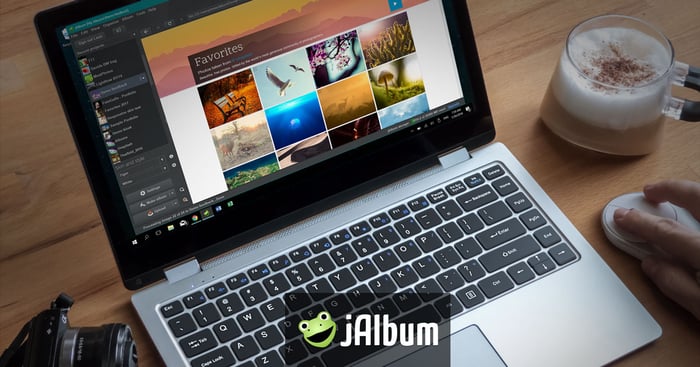
jAlbum starts with desktop software for making photo galleries. Add pictures, organize them into folders, choose a skin, and build an album. You can publish it on your own web hosting or use jAlbum hosting.
This approach suits a particular photo project or a selected part of your portfolio. A series with an introduction and captions gives visitors a way to follow your work from one picture to the next.
The software runs on Windows, macOS, and Linux, and the free version supports galleries of up to 24 images. Hosting is a separate choice: making an album in the application does not mean that every hosting option is free.
jAlbum also offers a shopping cart for selling prints and downloads. For an amateur photographer, its stronger starting point is control over a collection's layout and where it is hosted. Choose it if you want to build and manage albums on your computer rather than publish everything through a social feed.


Google Photos fits everyday backup and sharing with people you choose. Sign in with a Google Account and turn on backup if you want photos and videos saved automatically. Don't assume that backup is active just because the app is installed.
You can share selected pictures or an album without sharing your whole library. That makes it a practical way to send friends a trip album or show someone a shortlist from a shoot. Link sharing needs care: anyone with the shared link can view the shared pictures. Google's sharing guide explains the options.
Google Photos is a personal library with sharing tools, so it serves a different purpose from a public photography portfolio. It won't replace a site designed to introduce your work to prospective clients or a community built around discovering photographers.
New uploads generally no longer receive unlimited free storage. A standard Google Account includes up to 15 GB shared across Photos, Gmail, and Drive. Older uploads and some earlier Pixel devices have exceptions, so use Google's storage policy to check what counts for your account.
Keep another copy of photographs you cannot replace. A shared album helps you show pictures; it should not be the only place those pictures exist.

How to Choose Where to Share Your Photos
Start with the person who will open the link. A friend looking at holiday pictures needs a different experience from a photographer giving feedback or a client choosing finished images.
For learning and feedback, try a community such as 500px. Post a finished picture and ask one question about it. Comments that explain a choice will teach you more than a like count.
For a portfolio, compare SmugMug, SlickPic, and Zenfolio, or use jAlbum if you want to build galleries on your computer and choose your hosting. Look at the presentation tools you need before paying for sales or booking features.
For sharing a selected album, Google Photos may already fit the job. Check the access settings and the storage available in your account before uploading a large collection.
Before moving a whole library, try a small album. Open the shared link while signed out on a phone and a computer. Check what a visitor can see, whether a login is required, and whether downloads work as you expect. Keep your original files somewhere else while you compare services.
Conclusion
Choose the website around your next step. You might want feedback on one picture, a portfolio to send to people, or a shared album from a recent shoot. You don't need every service on this list to do that.
Start with a collection you can explain in a sentence. Select the pictures that belong together, write a short introduction, and test the link before you share it. Build from that first collection as your photography develops.
For all the best social media knowledge, check out our ebook – Social Success Strategies!