The best AI camera app depends on whether you want help taking a photo or changing it afterwards. Photoshop Express is our first pick for everyday photo editing on iOS and Android. For an iPhone camera that combines night capture, portrait blur, and composition guidance, NeuralCam is the more direct fit.
This list covers seven options for different jobs, from long exposures to video. Some use AI to process images. Others give you manual control over the camera, and Halide even lets you switch computational processing off.
What Is the Best AI Camera App?
Adobe Photoshop Express is our overall editing pick because it combines quick adjustments, cutouts, retouching, and collages. It is free to download, with Premium features available separately. The iPhone and Android versions do not have identical tools, so choose it for the edits you need on your device.
If you want to capture a particular effect, start with that task. Focos concentrates on portrait depth and lighting, Spectre on long exposures, Filmic Pro on video, and Prisma on turning photos into art. Halide suits photographers who want to set exposure and focus themselves.
The Top AI Camera Apps
Halide and Filmic Pro are better at manual control: Halide gives still photographers shutter, ISO, and focus controls, while Filmic Pro adds controls for video capture. These controls are a different reason to install an app from AI retouching or background replacement.
Photoshop Express, Filmic Pro, and Prisma have Android versions. Focos, Halide, and NeuralCam are available for iPhone and iPad; Spectre is an iPhone app. Check the exact device requirements before downloading, especially for video formats and high frame rates.
The comparison below lists the seven apps. The entries explain what each one does and where its limits matter.

The Photoshop Express app is designed to adjust and alter your photos after you take them. One-touch presets change color and contrast, while auto-masking lets you work on the subject and background separately.
You can swap a background, retouch a portrait, or remove a distraction. Adobe's Android listing includes AI background replacement and object removal. Its iOS help also describes Generative Fill and Generative Expand, which can add content or extend the edges of an image.
Manual adjustment sliders let you refine exposure, clarity, color, and lighting. Collage layouts, text, and stickers make it a good starting point for a social post that needs more than a filter. The iOS app also includes a video editor for trimming and arranging clips.
Keep Photoshop Express separate from Photoshop on mobile and Adobe Express when checking features. They are different apps, even though the names overlap. Do not assume a tool shown in one is included in another.
Adobe Photoshop Express has free editing features and a Premium upgrade. Check access to the exact tool before subscribing; a free download does not establish that every AI edit is free.
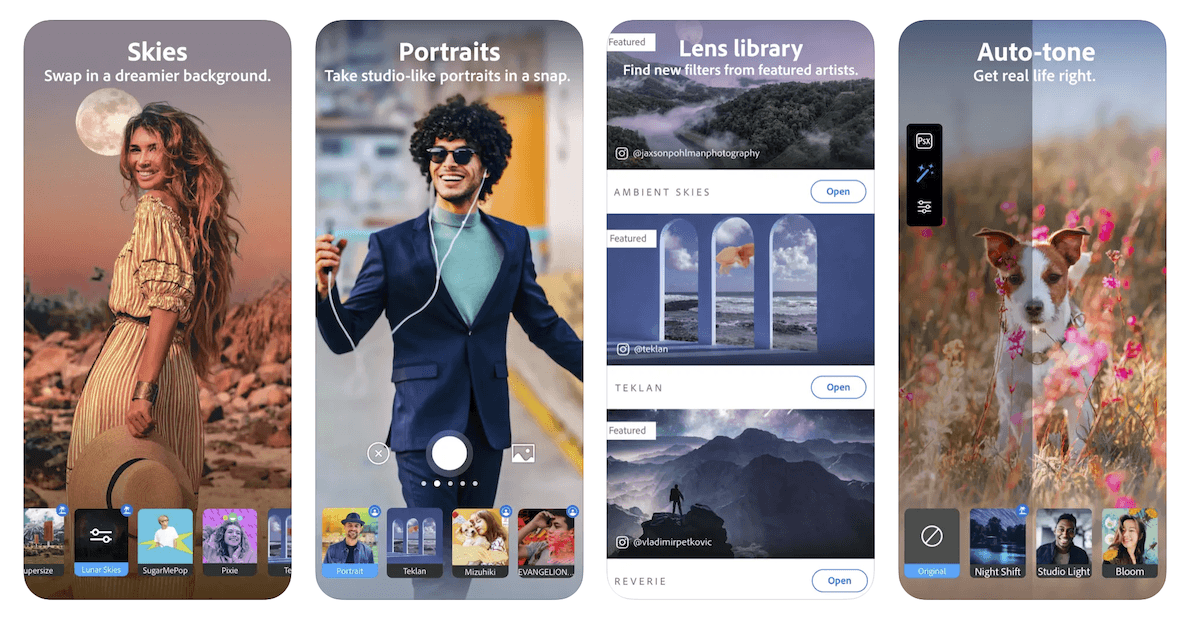
Historical screenshot: This image shows Photoshop Camera, which Adobe discontinued. Adobe moved its lenses to Photoshop Express. It does not show the current Photoshop Express interface.
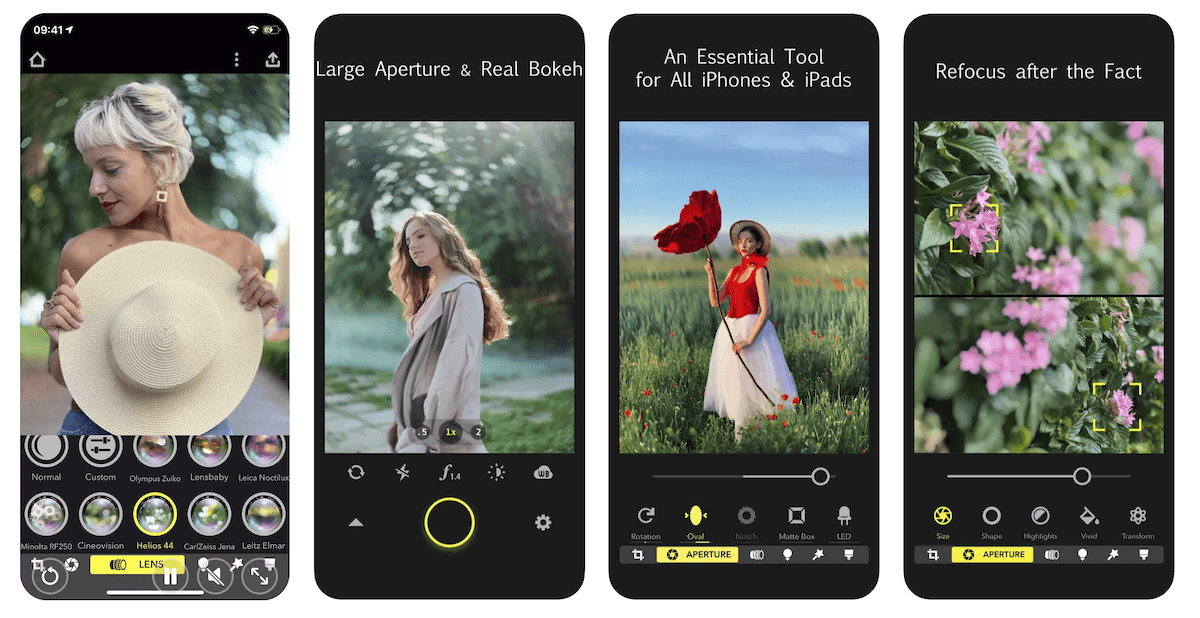
Focos is an iPhone and iPad app for adjusting the depth and lighting in portraits. You can change the simulated aperture, choose the shape of out-of-focus highlights, and tap to refocus after taking a photo.
Its AI engine estimates depth, including for imported photos. The 3D view shows the depth of different areas, and you can add simulated lights with separate brightness and color controls. On iPad, Apple Pencil support lets you patch the depth map.
These are simulated lens and lighting effects. Changing an aperture slider after capture does not change the physical aperture of the phone's lens. Inspect edges around hair and other fine detail before saving a strongly blurred portrait.
Choose it if changing background blur is the main job. Focos is free to download with in-app purchases; check the current options in the app rather than assuming a lifetime unlock is available.
3. Halide Mark III Pro Camera
| Operating Systems |
Operating Systems
iOS (iPhone, iPad)
|
| Key Features |
Key Features
Pro-grade manual camera controls, RAW file support from Canon, Nikon, Sony, Fujifilm, Leica and Hasselblad, built-in Photo Lab editor with film Looks
|
| Best For |
Best For
Advanced photography
|
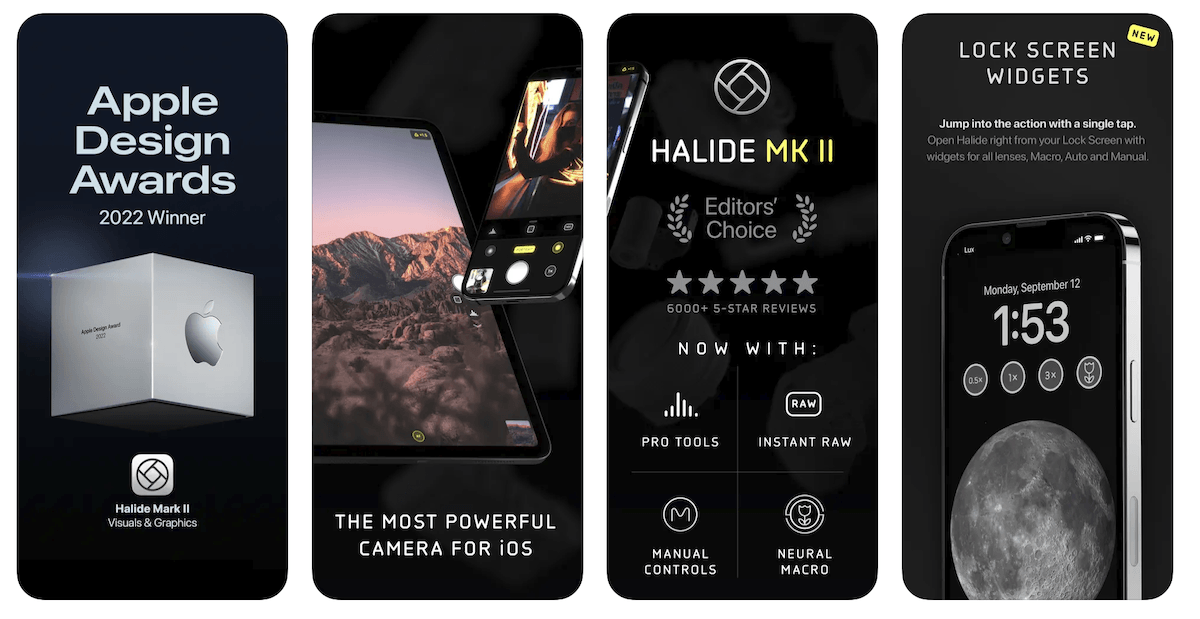
Halide Mark III is for photographers who want manual controls on their iPhone camera. You can set shutter speed, ISO, and white balance, then use focus peaking or a focus loupe to check where focus falls.
Its place in an AI-app list needs an explanation: Process Zero is designed to avoid AI and computational photography. Choose it when you want less automatic processing. The film-inspired Looks, developed with colorist Cullen Kelly, offer a different approach to capture and processing.
Mark III also includes Photo Lab for working on RAW files. It can import supported RAW formats from Canon, Nikon, Sony, Fujifilm, Leica, and Hasselblad cameras, as well as files from other camera apps. Check support for your exact format before treating it as a mobile editing workflow.
Gesture controls keep camera settings within reach, and framing guides include grids and the golden ratio. For a wrist remote, Filmic Pro lists Apple Watch support for recording start/stop and video preview.
Halide Mark III is a paid app, with subscription and one-time purchase options. Its annual membership offers a seven-day trial. It runs on iPad too, including for Photo Lab editing.
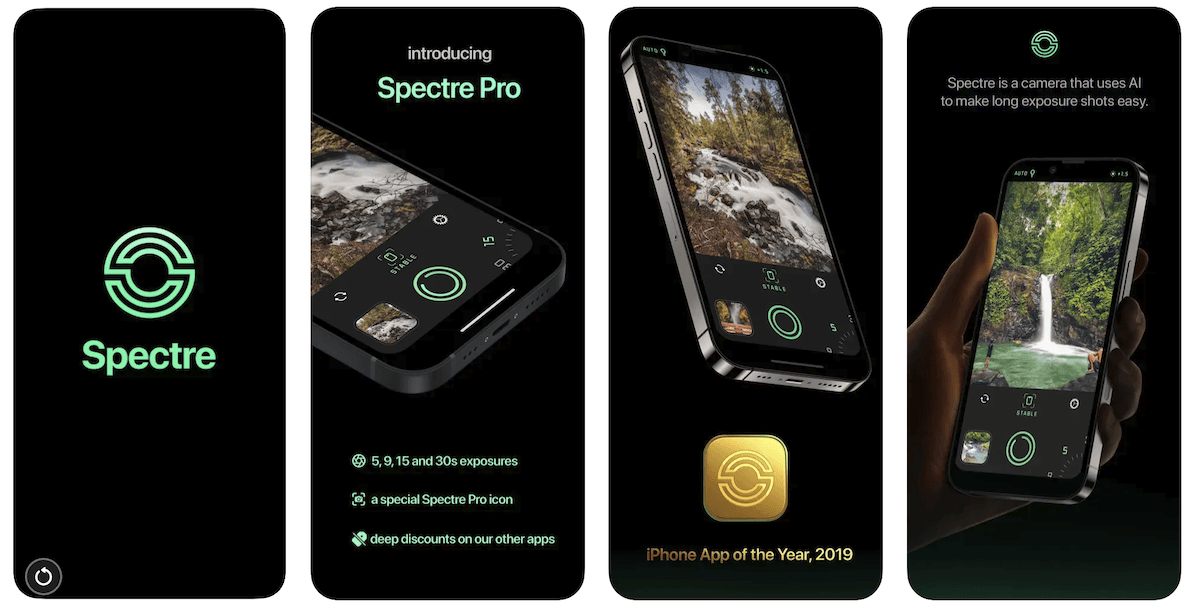
Spectre uses AI scene detection and a computational shutter to make long-exposure photos on iPhone. It combines many frames over the capture period, which can smooth moving water or reduce the appearance of moving people in a busy scene.
At night you can use it for light painting or creating light trails from traffic. The capture is saved as a Live Photo, so you can choose another frame or share the result as a still or video.
Computer vision helps stabilize the capture, but still hold the phone as steady as possible. A long exposure records movement; it is a creative effect, not a promise that every moving subject will look sharp or disappear.
Spectre is free to download, with a one-time Pro upgrade. The app supports exposures up to 30 seconds. Check which durations your installed version includes before planning a shot.
Filmic Pro is a video camera app for iOS and Android. Its main reason to be here is capture control: you can adjust focus, exposure, frame rate, audio, aspect ratio, and gamma settings.
Histogram and waveform displays help you judge exposure, while framing guides help with composition. You can record vertically or horizontally. Frame-rate choices, log recording, and other formats depend on your phone and configuration, so a feature listed for one device may not work on another.
The app supports selected smartphone gimbals, including models from DJI and Zhiyun. Check your exact gimbal against Filmic's supported list before buying an accessory for app control.
Choose Filmic Pro for deliberate video capture rather than still-photo retouching. It is free to download, but access is sold through subscriptions. Check the renewal terms and any trial offer in your store before starting.

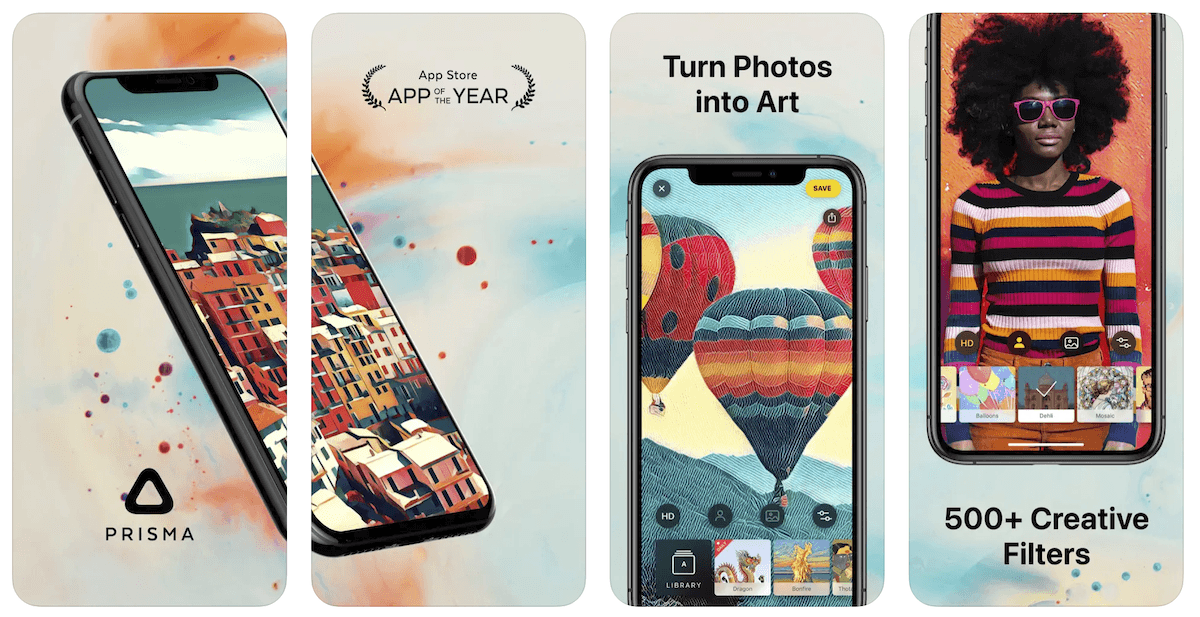
Prisma is an AI photo editor for turning an existing image into artwork. It is the pick here when you want a painted or illustrated result rather than a realistic retouch.
You have hundreds of art styles and filters to choose from. You can turn a photo portrait into an ink illustration, an oil painting, or a comic book design.
The iOS app lets you apply a style to the person or background separately and replace a selfie background with a template or an image from your gallery. Prisma Labs also makes Lensa, but it is a separate app with its own tools.
Prisma is available on iOS and Android. A Premium subscription adds access to all styles and HD saving; the iOS listing offers a three-day trial. Compare an edited copy with your original before committing to a style, especially if preserving a face's appearance matters.
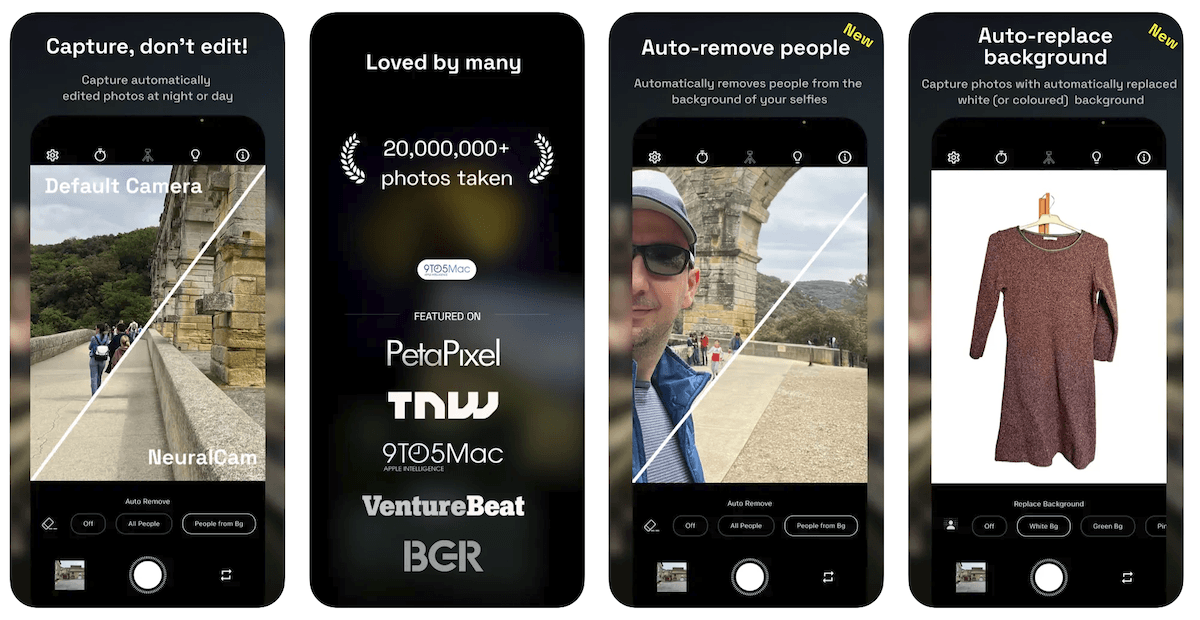
The iOS app NeuralCam, listed as NeuralCam Aperture in the App Store, combines AI-assisted capture and editing. Its portrait mode adds simulated depth blur and lets you adjust the focus point and effect strength, including in low light.
Night mode and multi-frame capture are central to the app. It can merge up to 12 frames, and AI upscaling can produce a 48 MP output. That output size is not the same as a native 48 MP sensor capture. For night skies, stabilize the phone and compare a test shot before committing to a longer session. NeuralCam includes a tripod mode for longer exposures in dark scenes.
The editing tools include illumination, color grading, background replacement, and people removal. Its Photo Coach uses ChatGPT to give suggestions on composition and shooting. Treat that guidance as a suggestion to assess, not a guarantee that it has identified the best photograph.
The listed output formats are HEIC, JPEG, and TIFF. Choose Halide instead if your main requirement is a RAW workflow. NeuralCam has free core features, a Pro plan, and a Pro + Coach plan that includes the coaching features.
Frequently Asked Questions
Is Adobe Photoshop Express free?
Yes. It is free to download and includes free editing tools. Premium adds features and more precise controls. Check the tool you need on your device: the iOS and Android versions differ, and free download does not mean unrestricted AI access.
Which AI camera apps work on Android?
Photoshop Express, Filmic Pro, and Prisma have Android versions. Photoshop Express and Prisma mainly serve photo-editing tasks; Filmic Pro is for video capture. The other four apps in this list are for Apple devices, with Spectre listed for iPhone only.
Can an AI app replace good focus and lighting?
No app can guarantee that. Depth blur, multi-frame capture, and retouching solve different problems. Take a well-focused original, keep the phone steady when several frames are being combined, and inspect the finished image for unwanted changes.
Conclusion: Best AI Camera Apps
Choose the app for the photograph you want to make. Camera apps like Halide give you manual exposure and RAW control. The Focos app concentrates on simulated portrait depth and lighting, while Spectre makes long-exposure effects and Filmic Pro gives you video controls.
Photoshop Express remains our overall editing pick for quick adjustments, retouching, and collages on iOS and Android. Prisma is the more focused choice for artwork, and NeuralCam combines night capture with portrait processing. Start with the one that solves a specific problem in your photos.
If you're an iPhone user, check out iPhone Photography School’s course to learn how to get the most out of your camera!