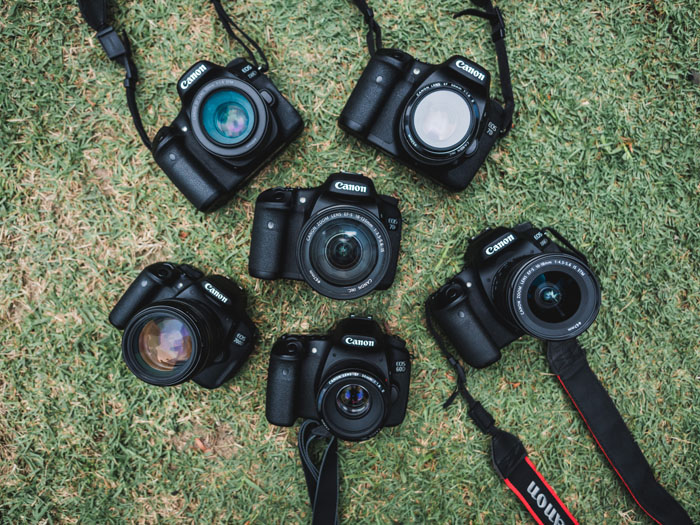
The best budget camera is the one that gives you the controls and lenses you need without paying for features you won't use. Our seven choices include six mirrorless cameras and one DSLR, from compact vlogging bodies to a full frame Canon.
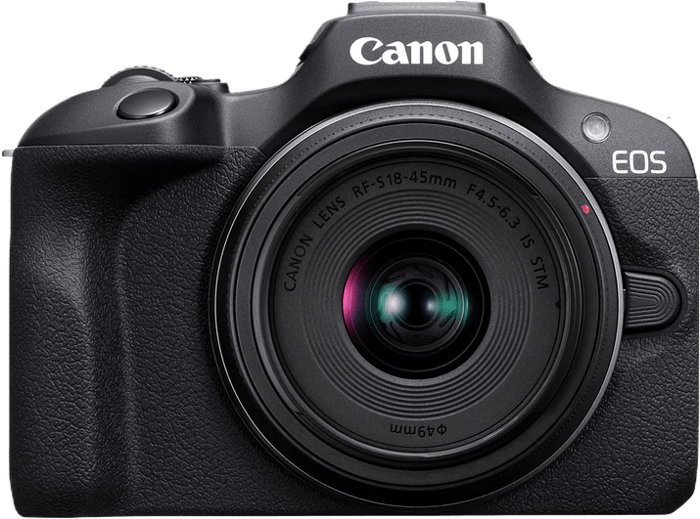
The Canon EOS R100 remains our top choice for a first camera focused on photography. It has a 24.1 MP sensor, interchangeable lenses, and a viewfinder. Its main compromise is a fixed screen without touch controls. If you plan to film yourself, the R50, Z30, or ZV-E10 is a better fit.
If you want a pocketable fixed-lens model instead, start with our guide to the best compact cameras. For the wider field, see the best mirrorless cameras.
What Is the Best Budget Camera?
Start with how you shoot. A viewfinder helps you compose photographs, a screen that faces forward helps with vlogging, and a stabilized lens or body helps reduce camera shake. The cameras below make different compromises, so compare their limits as well as their headline specifications.
1. Canon EOS R100
| Brand |
Brand
Canon
|
| Camera Type |
Camera Type
Mirrorless
|
| Sensor Format |
Sensor Format
APS-C
|
| Lens Mount |
Lens Mount
Canon RF
|
| Megapixels |
Megapixels
24 MP
|
| In Body Stabilisation |
In Body Stabilisation
No
|
| Autofocus Points |
Autofocus Points
3975
|
| Maxiso |
Maxiso
ISO 12800
|
| Fps |
Fps
6.5 fps
|
| Max Video Resolution |
Max Video Resolution
4K
|
| Screen Size |
Screen Size
3 in
|
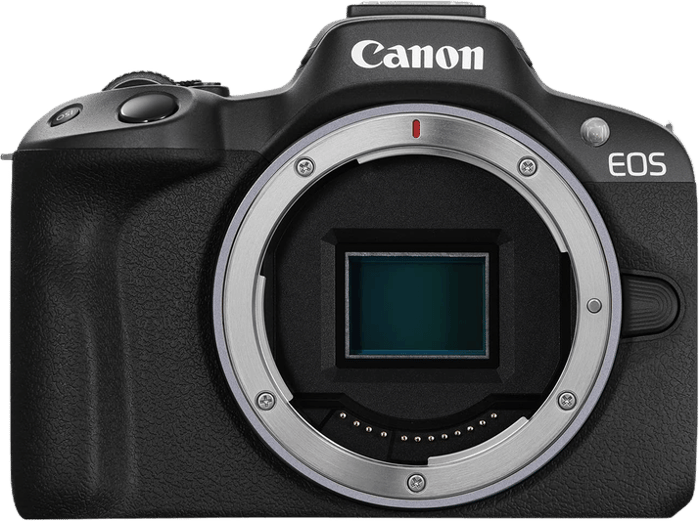
The Canon EOS R100 is a straightforward entry into Canon's RF system. It's a good starting point for learning photography, but its video and autofocus modes need a closer look before you buy.
Sensor and Image Quality
The R100 uses a 24.1 MP APS-C CMOS sensor and records JPEG or RAW files. JPEG is convenient for sharing. RAW gives you more freedom to adjust white balance and recover tonal detail when editing.
Its native still-photo ISO range is 100–12,800, expandable to 25,600. Higher ISO settings help you use a faster shutter speed in low light, but they don't guarantee clean images. Available light, exposure, and the lens also affect the result.
Focusing and Burst
Dual Pixel CMOS AF covers up to 88% of the frame horizontally and 100% vertically, with 143 automatic AF zones for stills. Canon also specifies 3,975 manually selectable AF positions. Those are different ways of describing the system, not competing counts of the same feature.
Face and eye detection help with people. For bursts, the maximum 6.5 fps uses One-Shot AF, which fixes focus for the sequence. Servo AF, which adjusts focus as a subject moves, reduces the maximum to 3.5 fps. That makes the R100 less flexible for approaching subjects than its headline burst rate suggests.
Video Features
The R100 records cropped 4K at up to 24 or 25 fps, depending on the video system setting. Full HD reaches 60 fps. Its 120 fps slow-motion option is 720p HD, not Full HD.
There are further limits to that high-frame-rate mode: no audio, no autofocus during recording, and a maximum clip length of 7 minutes 29 seconds. Canon's recording guide explains the mode. Normal 4K and Full HD clips have a 29-minute 59-second limit.
Autofocus also changes with resolution. Dual Pixel AF works for Full HD video, while 4K uses contrast detection. There is an external microphone input. You can also use the Canon R100 with compatible Canon webcam software for live streaming; check the software's current computer and output requirements.
Body and Handling
A camera with this APS-C sensor weighs 356 g with its battery and memory card, before adding a lens. It's easy to fit into a camera backpack, including a small bag such as the Peak Design Everyday Zip 15L.
A handgrip and 2.36-million-dot electronic viewfinder give it a familiar camera layout. The viewfinder offers an alternative when sunlight makes the rear screen hard to see.
The screen is fixed and isn't touch-sensitive. You can't turn it toward yourself or tap to focus. If those controls matter to you, compare it with the R50 or Nikon Z30 below.
2. Nikon Z30
| Brand |
Brand
Nikon
|
| Camera Type |
Camera Type
Mirrorless
|
| Sensor Format |
Sensor Format
APS-C
|
| Lens Mount |
Lens Mount
Nikon Z
|
| Megapixels |
Megapixels
20.9 MP
|
| In Body Stabilisation |
In Body Stabilisation
No
|
| Autofocus Points |
Autofocus Points
209
|
| Maxiso |
Maxiso
ISO 51200
|
| Fps |
Fps
11 fps
|
| Max Video Resolution |
Max Video Resolution
4K
|
| Screen Size |
Screen Size
3 in
|
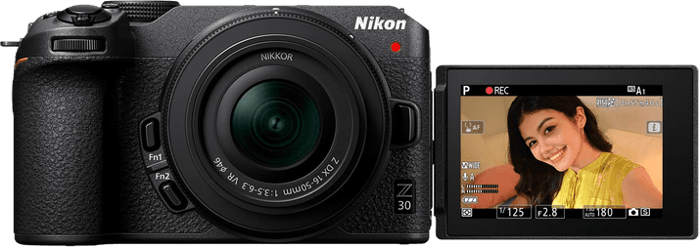
The Nikon Z30 puts video and self-recording first. Its rotating screen and front recording light are useful when you're on your own in front of the lens.
Sensor and Image Quality
The Z30 has a 20.9 MP APS-C CMOS sensor. It records JPEG and Nikon NEF RAW files, so it works as a stills camera as well as a video camera.
For photographs, the native ISO range is 100–51,200, expandable to 204,800. Treat that upper setting as an option for difficult conditions, not a promise of noise-free low-light photographs.
Focusing and Burst
Its hybrid autofocus system has 209 selectable points in the specified still-photo mode, plus face and eye detection. Continuous autofocus can follow a moving subject, which is useful when recording yourself.
Continuous High Extended mode reaches up to 11 fps. The achievable rate depends on settings. The Z30 also has an electronic shutter for silent photography, although this can distort moving subjects and cause banding under some artificial lights.
Video Features
The Z30 records 4K at up to 30 fps without a crop when electronic vibration reduction is off. Full HD reaches 120 fps for slow motion.
It does not have unlimited recording. Nikon specifies a maximum of 125 minutes per recording, but heat, battery charge, and memory-card capacity can stop a clip earlier. The battery-endurance guidance warns that temperature can end recording before that limit. Do not treat 125 minutes as guaranteed 4K running time.
Compatible USB power can support longer sessions, but it does not remove the recording or temperature limits. For webcam use, Nikon Webcam Utility or a suitable HDMI capture setup is an option; the camera's internal 4K specification does not tell you the resolution of a USB webcam stream.
Body and Handling
The Nikon Z30 has a vari-angle touchscreen and a built-in stereo microphone. It also has an external microphone input, but no headphone socket for monitoring sound.
There is no viewfinder or sensor-shift stabilization. A compatible VR lens can reduce camera shake, and electronic VR is available for video at the cost of a narrower view. If you mostly take outdoor photographs and want a viewfinder, compare the R100 or R50 instead.
3. Canon EOS Rebel T7
| Brand |
Brand
Canon
|
| Camera Type |
Camera Type
DSLR
|
| Sensor Format |
Sensor Format
APS-C
|
| Lens Mount |
Lens Mount
Canon EF-S
|
| Megapixels |
Megapixels
24.1 MP
|
| In Body Stabilisation |
In Body Stabilisation
No
|
| Autofocus Points |
Autofocus Points
9
|
| Maxiso |
Maxiso
ISO 6400
|
| Fps |
Fps
3 fps
|
| Max Video Resolution |
Max Video Resolution
Full HD
|
| Screen Size |
Screen Size
3 in
|
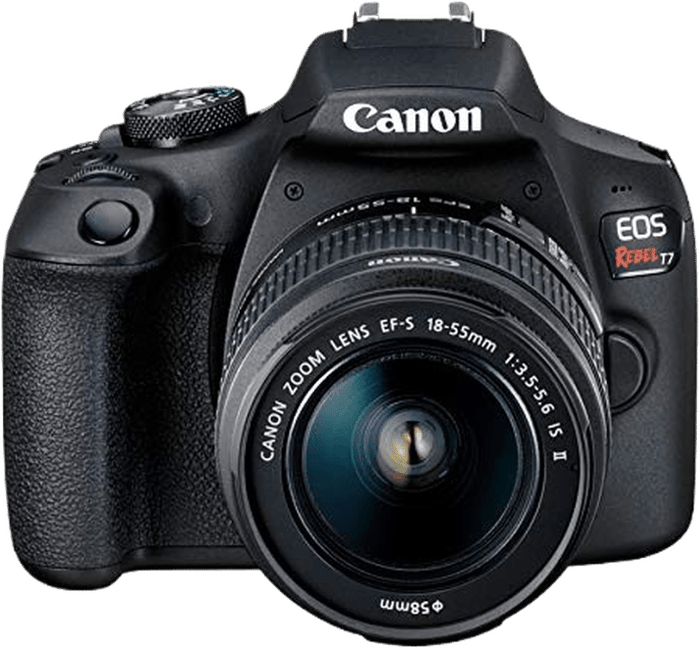
The Canon EOS Rebel T7, also called the EOS 2000D, is the DSLR option here. It suits a beginner who wants an optical viewfinder and access to Canon EF and EF-S lenses.
Sensor and Image Quality
The T7 has a 24.1 MP APS-C CMOS sensor and DIGIC 4+ processor. Its largest photographs are 6000 × 4000 pixels, whether you choose JPEGs or RAW files. RAW gives you more editing flexibility; it doesn't change the sensor's resolution.
The native ISO range is 100–6400, expandable to 12,800. There is no in-body image stabilization. In low light, a stabilized lens, a wider aperture, or a tripod can help, depending on whether your subject is moving.
Focusing and Burst
The viewfinder autofocus system has nine points, with a cross-type point in the center. That gives you fewer focus positions across the frame than the mirrorless cameras here. For portraits and still subjects, place a focus point on the part of the subject that matters.
AI Servo provides continuous autofocus for moving subjects, and continuous shooting reaches 3 fps. The limited burst speed makes this a less suitable choice for fast action.
Video focusing is more basic than on Canon's Dual Pixel models. Set focus before the take or use manual focus when you need a predictable transition. This is a better choice for learning still photography than for filming yourself while moving.
Video Features
The T7 records Full HD at up to 30 fps and 720p HD at up to 60 fps. There is no 4K mode. You can slow 60 fps footage in editing, but it starts at a lower resolution than Full HD.
A tripod or gimbal can steady a shot. Handheld recording is still possible, especially with a stabilized lens and careful support; a separate support is not mandatory for every clip.
Video Snapshot joins short clips into an album, and the camera allows basic movie trimming during playback. These are useful conveniences if you want to assemble a simple sequence without doing all the work on a computer.
Body and Handling
The Canon EOS Rebel T7 weighs about 475 g with its battery and card and measures roughly 129 × 101 × 78 mm. Add the weight and size of your lens when comparing a complete kit.
Its grip, mode dial, and Q menu provide a conventional DSLR layout. The rear screen is fixed and does not support touch controls. Keep the camera protected from rain and dust.
The lens mount accepts Canon EF and EF-S lenses. Check lens compatibility and condition carefully when buying used; a familiar mount name doesn't tell you whether a particular listing includes a working lens.
4. Olympus OM-D E-M10 Mark IV
| Brand |
Brand
Olympus
|
| Camera Type |
Camera Type
Mirrorless
|
| Sensor Format |
Sensor Format
Micro Four Thirds
|
| Lens Mount |
Lens Mount
Micro 4/3
|
| Megapixels |
Megapixels
20 MP
|
| In Body Stabilisation |
In Body Stabilisation
Yes
|
| Autofocus Points |
Autofocus Points
121
|
| Fps |
Fps
15 fps
|
| Max Video Resolution |
Max Video Resolution
4K
|
| Screen Size |
Screen Size
3 in
|
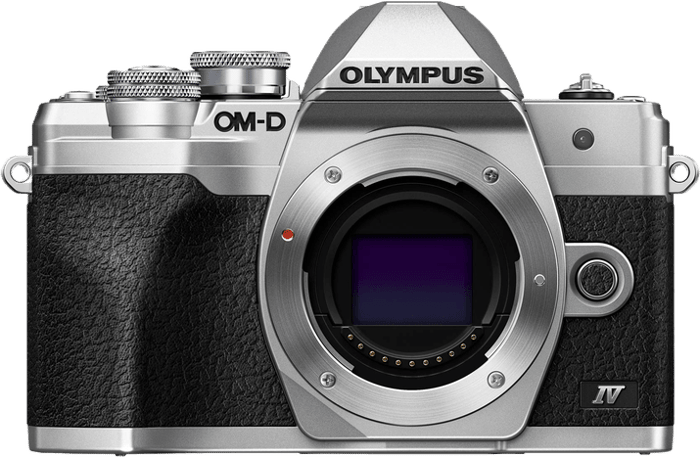
The Olympus OM-D E-M10 Mark IV combines a compact body, an electronic viewfinder, and in-body stabilization. It is worth comparing if you're moving beyond smartphone photography and want a camera you can carry easily.
Sensor and Image Quality
The Olympus OM-D E-M10 Mark IV has a 20.3 MP Micro Four Thirds sensor. It is smaller than the APS-C sensors in most of the other cameras here.
Micro Four Thirds has a 2× crop factor relative to full frame. A 14–42mm kit lens therefore gives the same angle-of-view range as a 28–84mm lens on full frame.
I recommend JPEG files for straightforward sharing and personal use. Choose RAW when you want more control over the finished image. Both formats can use the camera's full pixel resolution.
Manual ISO is selectable from 200 to 25,600, with a LOW setting also available. Auto ISO defaults to an upper limit of 6400, but that limit is configurable. The default is not the camera's maximum sensitivity.
The five-axis stabilization is rated for up to 4.5 stops of camera-shake compensation under the manufacturer's test conditions. That can help you use a slower shutter speed with a still subject. It cannot freeze a person or animal moving through the frame.
Focusing and Burst
The E-M10 Mark IV uses 121-point contrast-detection autofocus and offers face and eye detection. OM Digital Solutions reports improvements to continuous autofocus and face and eye detection over the Olympus OM-D E-M10 Mark III. A specification sheet alone does not establish how reliably either camera will follow your particular subject.
The shooting mode matters. With the mechanical shutter, the maximum is about 8.7 fps with focus fixed for the burst, or 5 fps with continuous autofocus. Silent electronic shooting reaches 15 fps with focus fixed. It is misleading to treat 15 fps as the camera's continuous-tracking rate.
Video Features
The camera records 4K at up to 30 fps and uses in-body stabilization to reduce camera shake. If you fit a stabilized lens such as the Panasonic 42.5mm f/1.7 prime lens, follow the body and lens instructions for stabilization settings. Do not assume that lens and body systems from different brands work together.
The 720p/120 fps high-speed mode plays back at 30 fps for four-times slow motion. Its lower resolution is the trade-off.
The screen tilts down by 180 degrees for self-recording. A tripod or support beneath the camera can obstruct that position. My biggest complaint remains the lack of external microphone and headphone sockets.
Body and Handling
The Olympus OM-D E-M10 Mark IV measures about 122 × 85 × 49 mm and weighs 383 g with its battery and card. Its retro design is available in silver-and-black or black.
The two control dials are a highlight for me. I love having two! In my experience, it makes adjusting the exposure settings far quicker.
There are two function buttons with assignable controls. The compact grip may suit some hands better than others, so try the camera with the lens you expect to use if you can.
The Micro Four Thirds mount gives you lens options from Olympus, Panasonic, and other manufacturers. Check individual compatibility, especially for stabilization and other lens-specific features.
5. Canon EOS R50
| Brand |
Brand
Canon
|
| Camera Type |
Camera Type
Mirrorless
|
| Sensor Format |
Sensor Format
APS-C
|
| Lens Mount |
Lens Mount
Canon RF
|
| Megapixels |
Megapixels
24 MP
|
| In Body Stabilisation |
In Body Stabilisation
No
|
| Autofocus Points |
Autofocus Points
651
|
| Maxiso |
Maxiso
ISO 32000
|
| Fps |
Fps
12 fps
|
| Max Video Resolution |
Max Video Resolution
4K
|
| Screen Size |
Screen Size
3 in
|
The Canon EOS R50 is the more flexible Canon option here for a mix of photography and video. Its articulating touchscreen and newer autofocus system address two of the R100's main limitations.
Sensor and Image Quality
The R50 pairs a 24.2 MP APS-C CMOS sensor with a DIGIC X processor. Its native still-photo ISO range is 100–32,000, expandable to 51,200. As with the other cameras here, a higher maximum ISO does not guarantee better image quality.
You can record JPEG or RAW and use compatible Canon RF and RF-S lenses. RF-S lenses are designed for this sensor format and can help keep a kit compact.
Focusing and Burst
Dual Pixel CMOS AF II includes detection for people, animals, and vehicles. Canon specifies 651 automatic AF zones for stills, alongside 4,503 manually selectable positions. Don't compare those zone and position counts as if they measure the same thing.
The maximum burst rate is 12 fps with the electronic first-curtain shutter or 15 fps with the fully electronic shutter. The latter can produce distortion with fast-moving subjects. There is no in-body stabilization, so lens choice and shutter speed still matter.
Video Features
The R50 records uncropped 4K at up to 30 fps. Its 120 fps slow-motion mode uses Full HD, not 4K.
The fully articulating touchscreen is useful for vlogging and framing from awkward positions. Wi-Fi and Bluetooth support file transfer and remote control with compatible devices and software.
Body and Handling
The R50 weighs about 375 g with battery and card and measures roughly 116 × 86 × 69 mm. A single main control dial is a compromise if you prefer separate controls for aperture and shutter speed.
Battery ratings vary with viewfinder or screen use and display settings. For example, Canon's power-saving CIPA figures are about 310 shots with the viewfinder or 440 with the screen at 23°C using the specified flash pattern. Video and real-world stills use will differ. A spare battery is useful for a long outing.
6. Sony ZV-E10
| Brand |
Brand
Sony
|
| Camera Type |
Camera Type
Mirrorless
|
| Sensor Format |
Sensor Format
APS-C
|
| Lens Mount |
Lens Mount
Sony E
|
| Megapixels |
Megapixels
24 MP
|
| In Body Stabilisation |
In Body Stabilisation
No
|
| Autofocus Points |
Autofocus Points
425
|
| Maxiso |
Maxiso
ISO 32000
|
| Fps |
Fps
11 fps
|
| Max Video Resolution |
Max Video Resolution
4K
|
| Screen Size |
Screen Size
3 in
|
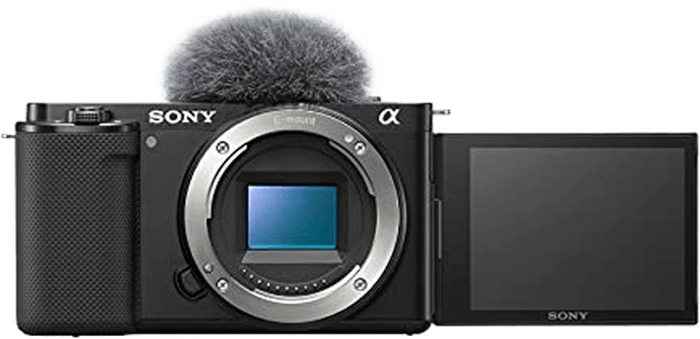
The Sony ZV-E10 is aimed at people who want interchangeable lenses for video. This entry covers the original ZV-E10, not the ZV-E10 II.
Sensor and Image Quality
Its 24.2 MP APS-C sensor produces 6000 × 4000-pixel photographs. Sony's E mount lets you choose lenses for wider views, distant subjects, or a shallower depth of field.
The native still-photo ISO range is 100–32,000, expandable to 50–51,200. Video uses different sensitivity options, so don't use an expanded still-photo ISO number to judge its filming ability.
Focusing and Burst
The autofocus system uses 425 phase-detection points and supports eye detection. It also offers continuous shooting at up to 11 fps for photographs.
Product Showcase mode is useful for video demonstrations: it shifts focus to an object you hold toward the camera. Background Defocus provides a shortcut to changing how blurred the background appears, within the limits of your lens and scene.
Video Features
The ZV-E10 records 4K at up to 30 fps and Full HD at up to 120 fps. The 4K/30 fps setting narrows the angle of view, so check the framing with your intended lens before planning a wide shot.
Audio controls are a particular strength. There is a microphone input, a headphone socket, and a built-in three-capsule directional microphone. The standard package includes a windscreen; check the contents of the listing you choose.
Body and Handling
The camera weighs about 343 g with battery and memory card. Its screen rotates to face forward, but it has no electronic viewfinder.
Sony's CIPA still-photo battery rating is about 440 shots. USB can supply power while the camera is on, but the battery does not charge at the same time. For USB charging, turn the camera off.
There is no sensor-shift stabilization. A stabilized lens, electronic Active mode for video, or a gimbal can help with camera movement, with different limits and framing changes. If you mainly shoot stills and want a viewfinder, compare the Canon EOS R100 and R50.
7. Canon EOS RP
| Brand |
Brand
Canon
|
| Camera Type |
Camera Type
Mirrorless
|
| Sensor Format |
Sensor Format
Full Frame
|
| Lens Mount |
Lens Mount
Canon RF
|
| Megapixels |
Megapixels
26 MP
|
| In Body Stabilisation |
In Body Stabilisation
No
|
| Autofocus Points |
Autofocus Points
4779
|
| Maxiso |
Maxiso
ISO 40000
|
| Fps |
Fps
5 fps
|
| Max Video Resolution |
Max Video Resolution
4K
|
| Screen Size |
Screen Size
3 in
|
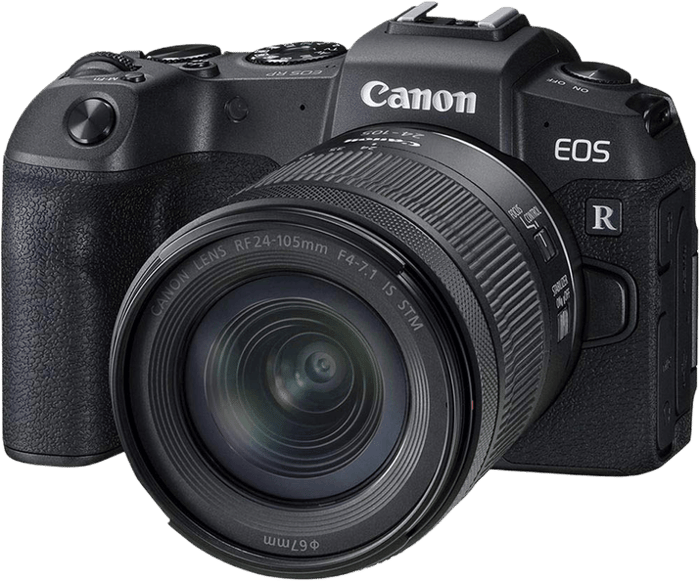
The Canon EOS RP is the full frame option in this group. Choose it for its sensor format and lens system, while allowing for the size and cost of the complete kit.
Sensor and Image Quality
The RP has a 26.2 MP full frame CMOS sensor. That gives you slightly more pixels than the other cameras here, though it isn't intended to compete with today's specialist high-resolution cameras.
A full frame sensor also changes the angle of view and depth-of-field choices available with your lenses. It does not automatically guarantee better dynamic range or lower noise in every situation.
Its native still-photo ISO range is 100–40,000, expandable to 50–102,400. The expanded ISO 50 setting is not a general image-quality upgrade over the native range.
Focusing and Burst
Dual Pixel AF offers face and eye detection for still photography. Canon specifies up to 4,779 selectable AF positions, with coverage of approximately 88% horizontally and 100% vertically, depending on the lens.
The maximum burst rate is 5 fps with One-Shot AF. Servo AF reduces this to about 4 fps when shooting speed has priority. It is a camera to consider for subjects that don't require long, fast bursts.
Video Features
The RP records cropped 4K at up to 24 or 25 fps, depending on the video system. The crop narrows your view, and 4K uses contrast-detection autofocus rather than Dual Pixel AF.
Full HD reaches 60 fps and uses Dual Pixel AF. Movie Digital IS can reduce the effect of camera shake, but it also crops the image. The maximum recording length is 29 minutes 59 seconds per clip.
Compatible Canon webcam software is another option for streaming or video calls. Check the supported computer setup and output mode rather than assuming a 4K recording specification also means a 4K webcam feed.
Body and Handling
The Canon EOS RP has a fully articulating touchscreen and electronic viewfinder. Those give you more composition options than a fixed rear screen alone.
Its approximately 250-shot CIPA battery rating is a limitation. Carrying a charged spare is sensible for a long day. If video matters more to you than full frame stills, compare the R50 or ZV-E10 before choosing the RP.
How to Choose a Budget Camera
Start with what you will point the camera at, then compare the complete body-and-lens kit.
- Mostly still photographs: The Canon EOS R100 gives you a viewfinder and straightforward controls. Accept its fixed, non-touch screen and modest continuous-focus burst speed.
- Mostly filming yourself: The Sony ZV-E10 offers microphone and headphone sockets. The Nikon Z30 offers uncropped 4K with electronic VR off, but has no headphone socket and does have recording and temperature limits.
- A mix of stills and video: The Canon EOS R50 combines subject-detection autofocus, an articulating touchscreen, and uncropped 4K up to 30 fps.
- An optical viewfinder and DSLR lenses: The Canon EOS Rebel T7 accepts EF and EF-S lenses. Compare condition and compatibility when considering used lenses.
- Stabilization in the body: The Olympus OM-D E-M10 Mark IV is the only camera here with sensor-shift stabilization. That helps with camera shake, not subject movement.
- A full frame sensor: The Canon EOS RP offers this format, with cropped 4K and a modest battery rating as trade-offs.
Don't choose on megapixels or maximum burst speed alone. Lens choice, autofocus behavior, screen position, and the viewfinder may matter more for your use. For action, compare burst rates with continuous focus enabled; a faster fixed-focus burst is a different tool.
Frequently Asked Questions
Is a budget camera really better than my phone?
It depends on what you want to change. These cameras give you interchangeable lenses, direct exposure controls, and larger sensors. A suitable lens can help you photograph distant subjects or control depth of field in ways that differ from a phone.
A phone is easier to carry and can combine frames automatically to handle difficult light. A camera won't make every snapshot better by itself. It becomes more useful when you learn its controls and choose a lens for the job.
How much should I spend on my first camera?
Set a budget for a working kit, not just a body. Check whether a lens, battery, and charger are included, and allow for a suitable memory card. A basic zoom is a useful starting point if you don't yet know which focal lengths you prefer.
Buying a spare battery and a protective camera backpack may be more useful than a body upgrade. Add another lens when you know what your first one cannot do.
Should I buy a used or refurbished camera instead?
A used or refurbished camera from a dealer with a warranty can be worth considering. Check the exact condition, warranty, and return terms. Read the exact listing: body-only, kit, used, and renewed offers are different purchases.
Check the model generation, included accessories, and lens condition. Do not assume that every listing for a model on this page is new or includes the same kit lens.
Do I need 4K video?
4K helps when your finished video needs that resolution or when you want room to crop into a Full HD edit. Full HD may be enough for your output, with smaller files and more high-frame-rate options.
Six cameras here record 4K; the Rebel T7 does not. The R100 and RP crop their 4K image. The original Sony ZV-E10 crops at 30 fps. The Z30 and R50 offer uncropped 4K, but settings such as electronic stabilization can change the framing. Check the mode you intend to use, not just the 4K label.
Which of these cameras has image stabilization?
Only the Olympus OM-D E-M10 Mark IV has sensor-shift stabilization in the body. Its five-axis system is rated for up to 4.5 stops of camera-shake compensation under specified test conditions.
Other models can use stabilization in compatible lenses, and some offer electronic stabilization for video. These are different systems. Check the body, lens, and video-mode instructions, and remember that stabilization cannot freeze a moving subject.
Conclusion: Best Budget Cameras
The Canon EOS R100 remains our starting recommendation for learning photography on a budget. Its viewfinder and interchangeable lenses are useful strengths. Its fixed screen and slower continuous-focus bursts are the compromises.
If you want an articulating touchscreen and more flexible autofocus and video, compare the Canon EOS R50. For either camera, choose a compatible lens and check exactly what the kit includes before you buy.