The best iPhone camera accessories make an incredible piece of technology even better. We all know by now how versatile your iPhone is, and it applies to Android phones too. But sometimes, your phone lacks something. That’s what this review is here to help you with: how to take a fantastic device and make it even better!
Our top pick is a portable printer. Sharing photos online is great. But sometimes it’s just better to have a physical photo. Something to put in your wallet or next to your computer. The HP Sprocket Portable Printer has all the convenience of an instant camera. But it takes high-quality photos from your phone. It’s battery powered, prints wirelessly, and the photos are fadeproof and won’t tear.

What Are the Best iPhone Camera Accessories?
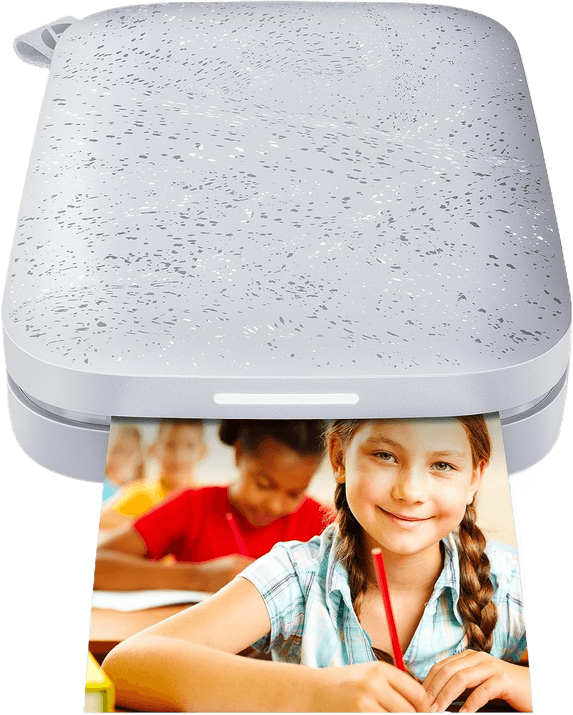
The best iPhone camera accessory overall is the HP Sprocket Portable Printer, a pocket-sized Bluetooth printer that turns your photos into physical prints in seconds.
We’ve tried to cover as many categories as possible. And that means a wide range of prices too. You’ll find a hi-tech stabilizer and a fairly simple lanyard. Some of these accessories will only work with iPhones. But many will also work with Android, and since the iPhone 15, Apple's own port has moved from Lightning to USB-C, so we've noted below which of these plug into your phone and which connector they need. Before we look at these accessories in detail, here is a summary of our selections.
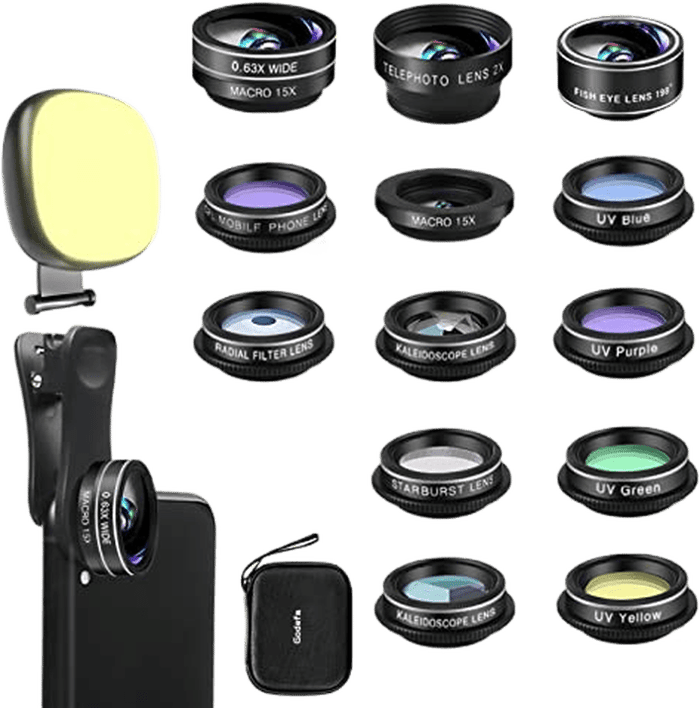
- 14 lenses in one clip-on kit: wide-angle, macro, fisheye, telephoto and filters
- Clips over the camera bump, fits any iPhone or Android within about 1.2 inches of the edge
- Built-in selfie ring light included
- Around $23, the cheapest way to try every lens effect at once
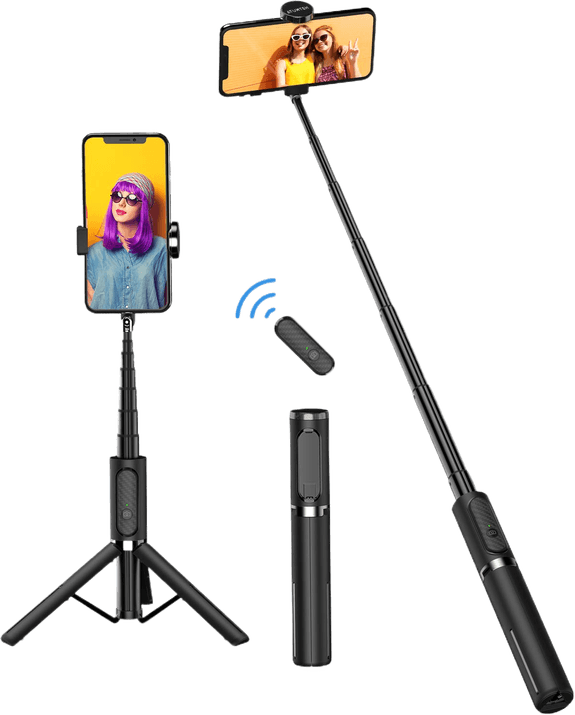

- Converts in seconds between a mini tripod, a grip/selfie-stick handle, and a clamp mount
- Removable phone mount adjusts landscape and portrait and tilts on the fly
- Cold shoe plus two 1/4-inch-20 threaded holes for a mic or light
- Bendable GorillaPod legs grip railings, branches, and other uneven surfaces


Printing photos is becoming popular again, partly because of products like the HP Sprocket Portable Printer. After all, it is nice to have physical copies of your pictures.
Thanks to new technology, you don’t have to limit yourself to using a desktop printer anymore. With the HP Sprocket, you can finally have a photo printer as small as your smartphone.
At 4.53 x 2.95 inches (115 x 75 mm), you can take the HP Sprocket anywhere with you. It connects via Bluetooth. So you don’t even have to attach it to your phone with a wire.
The only time you’ll need a USB cable is to charge it. It can print up to 35 photos with a full battery, which is impressive for such a small printer.
The HP Sprocket also uses Zink (Zero Ink) technology to print iPhone photos. The reason why it’s so slim is that it doesn’t use ink cartridges at all. Instead, it activates the “ink” trapped inside the crystals in the paper by applying heat.
It’s convenient, especially when you’re always on the go. It only makes small 2 x 3-inch prints, though, so it's not the pick if you want larger, gallery-style copies of your photos.
2. Godefa 14-in-1 Phone Camera Lens Kit
| Brand |
Brand
Godefa
|
| Product Type |
Product Type
Supplementary lens
|
| Key Features |
Key Features
14-in-1 clip-on kit with wide-angle, macro, fisheye, telephoto and filter lenses plus a selfie light
|
| Best For |
Best For
Anyone wanting the widest range of phone-lens effects in one kit
|
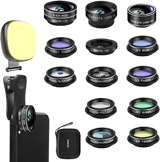
The old Selvim 4-in-1 kit that used to sit here has gone out of stock everywhere, so we've swapped it for the Godefa 14-in-1 Phone Camera Lens Kit. It's a bigger set for less money: a 0.63x wide-angle lens, a 15x macro lens, a 2x telephoto lens, a 198° fisheye lens, a CPL filter, plus kaleidoscope, starburst and radial-effect lenses and a clip-on selfie ring light.
Like the wide-angle lens options before it, this is a clip-on kit: it clamps over your iPhone camera rather than plugging into any port, so it works the same whether your iPhone charges over Lightning or the newer USB-C. Amazon lists it as fitting iPhone 14 through X, and older 6/7/8-series phones; the one thing to check yourself is that your phone's camera bump sits within about 1.2 inches of the edge, since that's what the clip needs to grip.
At roughly $23, the Godefa kit is the budget-friendly way to try every lens effect at once. The tradeoff for that many lenses in one box is build quality; none of the glass here will match a dedicated macro or telephoto lens, so treat it as a fun add-on rather than a replacement for real lenses if you shoot phone photography seriously.
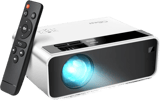
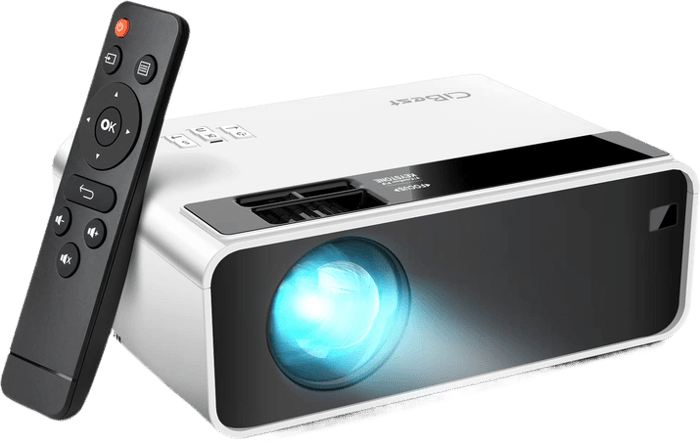
The WEWATCH projector that used to hold this spot is discontinued. Both its original listing and the replacement ASIN the manufacturer moved to are now dead on Amazon, so we've swapped it for the CiBest Mini Portable Projector, a similarly pocket-sized 1080p projector for around $35.
Here's the connector catch worth knowing before you buy: this CiBest model has no Wi-Fi or Bluetooth, so it can't mirror your iPhone's screen wirelessly the way the old WEWATCH claimed to. To show your smartphone photography on the big screen, you plug in over HDMI using Apple's own Digital AV Adapter: the Lightning version if you're on an iPhone 14 or earlier, the USB-C version if you're on an iPhone 15 or later. Neither adapter ships in the box, so budget an extra $10-45 for one, and know that copy-protected apps like Netflix or Prime Video won't mirror over this connection either way.
The upside is a genuinely bright 1080p image, built-in stereo speakers, and a 3-year warranty. If you'd rather avoid cables and adapters entirely, look for a projector that explicitly lists AirPlay or Wi-Fi screen mirroring for iOS; this one is a wired-only trade for the price.
The ATUMTEK Selfie Stick Tripod solves a common problem for many of us. We’ve all had that moment when we want to take the perfect selfie but our arms aren’t long enough. A good selfie stick is one of the first iPhone accessories that comes to mind for iPhone photography.
This ATUMTEK Selfie Stick Tripod is one of the best iPhone camera accessories. It’s not only a selfie stick, it’s also a tripod. It comes with a Bluetooth remote and a fill light, so your selfies are always perfect. Weighing only 6 oz and having a folded length of 3.4 in, it is very portable. It's built for handheld and quick tabletop setups, so it's not the pick if you need a full-height tripod for standing landscape or low-light shots.
The GorillaPod Stand PRO that used to sit here is still buyable, but its own Amazon listing only names phones up to the iPhone 8 Plus, so we've swapped it for the current generation, the Joby GripTight GorillaPod PRO 2. It's an easily portable tripod, and smartphone photography is all about portability. Users like to put their device in their pocket after taking a photo. It makes sense that your iPhone camera accessories should be as compact as your phone.
In many types of photography, tripods are a must when you’re shooting with your iPhone. But regular tripods are sizeable, which defeats the purpose of portability.
Thankfully, the Joby GorillaPod is an excellent substitute. There are loads of tabletop tripods available. But none have the flexibility of the GorillaPod.
Instead of having solid “legs,” the Gorillapod has bendy ones. You can move these in any direction. The system works like a desk lamp that can bend freely but stays rigid when you need it to.
All that mobility means you can set up the GorillaPod on unstable surfaces. You can also wrap it around poles or trees to help you shoot from unique vantage points. This is especially useful for mobile photography.
The PRO 2's phone mount is removable and adjusts between landscape and portrait on the fly, with a tilt hinge and a cold shoe plus two 1/4"-20 threaded holes for a mic or light, useful once you're recording video and not just snapping a selfie. If you're big on selfies, you can even bend the legs around your hand like a selfie stick so it's easy to hold while taking a photo.
It's a mount and tripod only, though, so it's not the pick if you want a shutter remote or Bluetooth control bundled in the box.
Use the GripTight GorillaPod PRO 2 with its included phone mount for a great mobile photography setup.
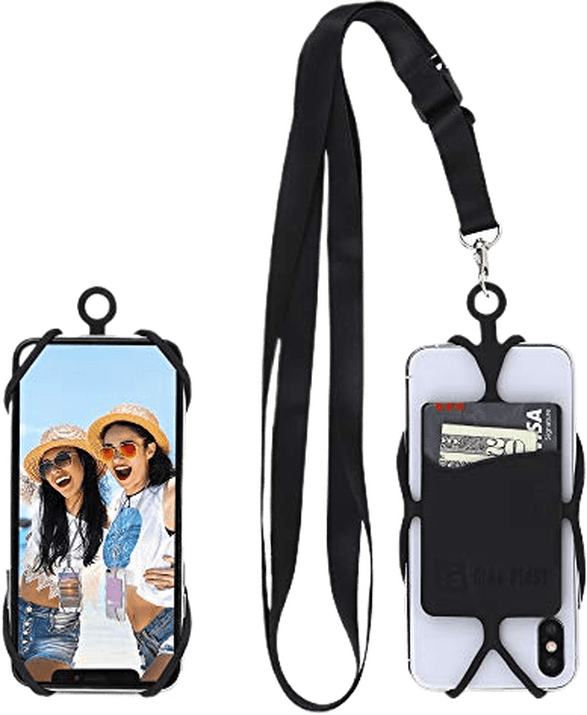
This Gear Beast Lanyard is a simple yet useful accessory. If you want to have your iPhone ready at all times, then a neck strap is a must-have iPhone accessory. You’ll have your phone available at all times. But the lanyard keeps it safe when you’re on an adventure.
This lanyard comes with a detachable and adjustable neck strap. You don’t have to keep putting your iPhone in your bag or pocket. This Gear Beast lanyard also has a convenient card slot. You can keep your cash, credit card, and I.D. all in one place. It's a strap and card holder rather than a case, though, so it's not the pick if you want drop protection too.
A power bank is still an almost essential accessory: taking a lot of photos drains your phone battery fast, and that's a pain when you're out shooting. Anker's 10,000mAh model is the easy pick: it holds roughly two full phone charges, weighs under 200 g, and costs about $22.
It charges over USB-C and uses Anker's PowerIQ circuitry to pick the fastest safe rate for whatever you plug in, so it tops up a phone quickly without you thinking about it.
Whichever charger you buy, check the connector before you order: any iPhone 15 or later charges over USB-C, while the iPhone 14 and earlier need a Lightning cable, so a power bank with only the wrong built-in cable won't plug into your phone at all.
Since it's small and light, a good power bank is easy to keep in your bag or pocket when you're out on photography missions. At 10,000mAh it's sized for topping up a phone, not a tablet or laptop, so if you need to charge more than that, look at a higher-capacity bank instead.
8. Insta360 X5: 8K 360° Camera
| Brand |
Brand
Insta360
|
| Product Type |
Product Type
Standalone 360 camera
|
| Key Features |
Key Features
Dual 1/1.28-inch sensors, 8K 360 video, replaceable lenses, IP68 waterproof to 49ft
|
| Best For |
Best For
Bringing the wonder of 360 shooting to your iPhone without plugging into it
|
This used to be the Insta360 Nano, a little 360 camera that plugged directly into the iPhone's Lightning port, and that's exactly why it had to go. Insta360 discontinued it years ago, and even a used one supports only specific Lightning-port iPhones, including the iPhone 6, 7, and 8 families and the X, XS, XS Max, and XR; it can't plug into an iPhone 15 or later, which switched to USB-C. So instead of a dead plug-in accessory, this slot is now the Insta360 X5, a standalone 360 photography camera.
The upgrade sidesteps the connector problem entirely: the X5 never plugs into your iPhone at all. It pairs over Wi-Fi and Bluetooth with the Insta360 app, so it works the same regardless of which port your phone has. Insta360 lists it as compatible with any iPhone from the XS onward (A12 chip or later) running iOS 13 or above.
Where the old Nano shot a fixed 3K, the X5 captures full 8K 360° video from dual 1/1.28-inch sensors, with replaceable lenses (about $30 to swap if you scratch or crack one) and IP68 waterproofing to 49 feet without a case. Battery life runs past three hours per charge. You can still convert your shots into tiny planet versions and panoramas in the app, and its "Invisible Selfie Stick" mode gives you the same drone-like, borderless shots the Nano was known for, just without a cable in the way.
The catch is price and learning curve: at over $500 it's a real purchase rather than a novelty add-on, and getting usable footage out of 360 capture still means a post-production reframing step. If you just want to dip a toe into 360 photography, that's worth weighing before you buy.
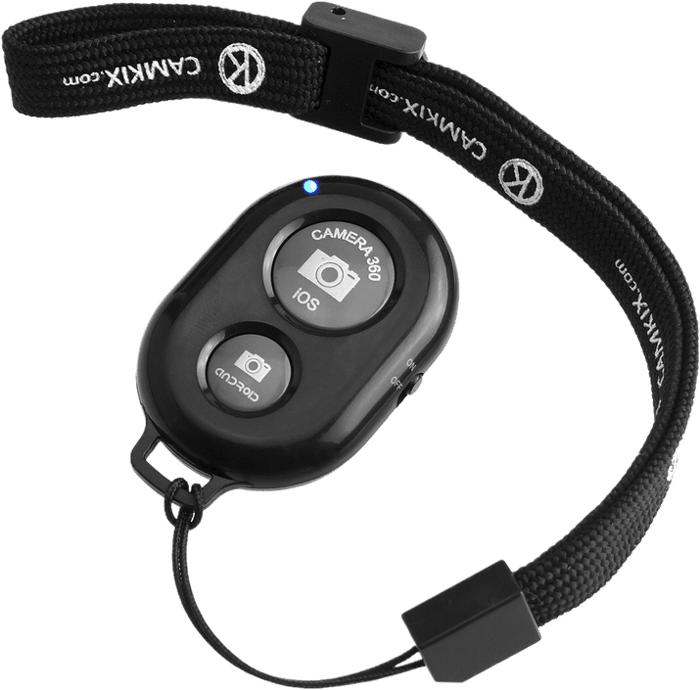
Like many of these accessories, the CamKix Remote Shutter Release solves a problem. Your iPhone camera’s self-timer is a useful tool for many real-life applications. But it also has plenty of limitations. Once it starts ticking, you only have so much time to get yourself in the shot.
If you find yourself in that situation, it’s better to use the CamKix remote control instead.
This keychain-sized remote connects to your phone via Bluetooth. Even if you’re a few yards away from your camera, you can still activate it.
With this gadget, you don’t have to scramble to get in front of the camera in time. All you have to do is press the button and it directs your iPhone to snap a photo automatically.
The CamKix is also perfect for shooting long exposures. Instead of using the self-timer, you can use the remote to take photos instead. If you take a lot of pictures at night, this is one of the iPhone camera accessories you’ll need.
Since you don’t have to touch the camera at all, you don’t have to worry about motion blur in your photo. It's built to trigger the shutter and nothing else, though, so it's not the pick if you want a remote that also drives zoom or video recording.
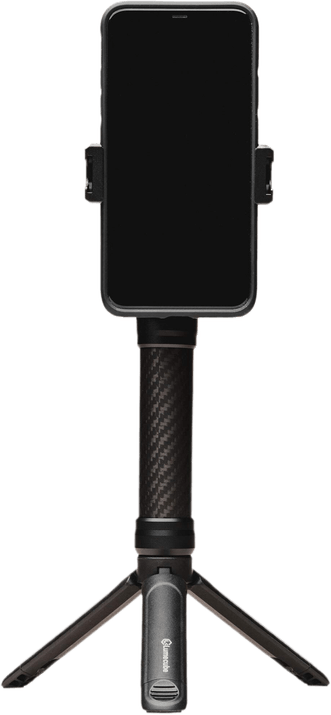
The original Mobile Creator Kit that used to be linked here is gone from Amazon, but Lume Cube has replaced it with an updated version: the Lume Cube Content Kit 2.0, the same style of bundle for content creators. It’s perfect for vloggers, makeup tutorials, and action videos.
The set contains a handle that has fold-out legs, so it doubles as a tripod extending up to 5 feet. It’s the ideal size for tabletop photography. You also have an adjustable LED panel light for even illumination, which is great for selfies, plus a built-in directional microphone. You’ll be able to shoot video and audio outside, even on windy days.
The Lume Cube Content Kit 2.0 has all the accessories a content creator needs to get started, including a Bluetooth remote shutter. It’s excellent value for money. And Lume Cube is making a name for itself with high-quality equipment. It's bulkier than a simple tripod or lanyard, though, so it's not the pick if you want something that disappears into a pocket between shots.
11. DJI Osmo Mobile 8 Phone Stabilizer Gimbal
| Brand |
Brand
DJI
|
| Product Type |
Product Type
Stabilizer
|
| Key Features |
Key Features
Magnetic clip-on mount (nothing plugs into your phone), 360-degree rotation, Apple DockKit tracking, built-in tripod
|
| Best For |
Best For
Keeping video footage smooth no matter which port your iPhone has
|
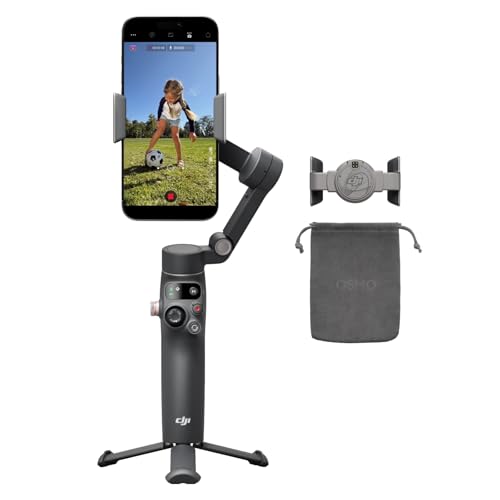
The DJI Osmo Mobile 7 that used to hold this spot has itself been superseded, so we've moved the pick on again to the DJI Osmo Mobile 8, released November 2025. It's worth the investment if you love shooting video: with an accessory like this, you can achieve cinematic shots Hollywood filmmakers would envy.
The DJI Osmo's main job is keeping your iPhone stable while you're shooting. It uses a magnetic phone clamp, so nothing plugs into your phone at all. It works exactly the same whether your iPhone charges over Lightning or USB-C, and there's no balancing step to fuss with before you start filming.
At around 370g it folds down with a built-in tripod (a 21.5cm extension arm unfolded) and runs roughly 10 hours per charge. Mobile 8's headline upgrade is full 360-degree horizontal rotation, a first for the Osmo Mobile line, plus Apple DockKit support, so it can track a moving subject through your iPhone's own native camera app rather than only DJI's Mimo app. ActiveTrack 8.0 keeps a moving subject framed automatically, and it can now track pets as well as people.
This iPhone accessory is also great for time-lapse videos: point it at a moving scene, and DJI's Mimo app turns the footage into a single clip, rather than you stacking hundreds of stills together afterward.
One thing to know: at 370g the Mobile 8 is a little heavier than the Mobile 7 it replaces, and the extra tracking hardware pushes the Standard Combo's price above the outgoing model. If all you need is basic stabilization, the older Mobile 7 is still sold and still works with any iPhone; the 8 earns its price with the DockKit tracking and full rotation.
Conclusion: The Best iPhone Camera Accessories
iPhone Camera Accessories are a great way to get the best out of your phone photography. There’s something for everybody with this list of the best iPhone camera accessories.
For those looking for an easy and convenient way to print photos on the go, the HP Sprocket Portable Printer is an excellent choice. This printer is small and lightweight, making it perfect for carrying in your bag or pocket.
If you're not sure which pick fits your own kit, work from what you actually shoot. Want physical prints, get the HP Sprocket. Want more lens effects without buying real glass, get the Godefa 14-in-1 kit. Want smooth handheld video, get the DJI Osmo Mobile 8. Want to try 360° shooting, get the Insta360 X5. And whichever accessory you pick, check the connector: anything that plugs directly into your phone (rather than clamping over the camera or pairing over Bluetooth or Wi-Fi) needs USB-C on an iPhone 15 or later and Lightning on an iPhone 14 or earlier.
Frequently Asked Questions
Do these iPhone accessories work with the latest iPhone models?
Most of them, yes. Clip-on and clamp accessories (the Godefa lens kit, the GripTight GorillaPod PRO 2, the DJI Osmo Mobile 8) grip the phone itself, so they fit any current iPhone regardless of its port. Wireless accessories (the Insta360 X5, the CamKix remote, the Lume Cube kit's Bluetooth remote) pair over Bluetooth or Wi-Fi and don't touch the port at all. Accessories that connect through a cable or adapter, such as the power bank and CiBest projector, need a connector that matches your phone’s port.
Should I buy a Lightning or a USB-C accessory?
Check your iPhone first. Every iPhone 15 and later charges over USB-C; the iPhone 14 and earlier use Lightning. If you're buying a cable or adapter for one of these accessories (the CiBest projector's HDMI adapter, for example), match it to your phone's port, not the accessory's age.
Are these accessories worth it over just using my iPhone's built-in camera?
For most people, a couple of them are. A power bank and a tripod or selfie stick solve real problems (a dead battery, shaky handheld shots) that no camera app update fixes. The rest, like the lens kit and the projector, are for specific use cases: buy them if you already know you want that effect, not as a default upgrade.