Having an external camera screen is helpful for videographers and still photographers. There are several advantages, including better screen resolution and visualization. And an external camera screen gives you a larger display and better viewing angle options.
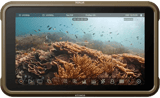
The Atomos Ninja 5.2 4K Recording Monitor is our top choice for external camera screens. You can record 4K video at 60 fps with internal playback. And it has all the features and ports you need for high-quality photography and video recording.
What Is the Best External Camera Screen?
An external camera monitor can be a game-changer for shooting video or stills. It gives you more freedom and flexibility, helping improve your photography and videography.
Giving you a much improved view of what you’re shooting, external camera screens offer far better creative control. But you need one that matches your objectives, skill level, and budget.
Screen size is one of the most important aspects. But you also need to consider screen brightness and whether the monitor has the correct ports. You also need to make sure it’s compatible with your camera.
First, you’ll see a quick rundown of our list of the best camera monitors. In the next section, we’ll look at each camera screen in more detail. And the final section looks at some key features you must consider when buying an external camera screen.
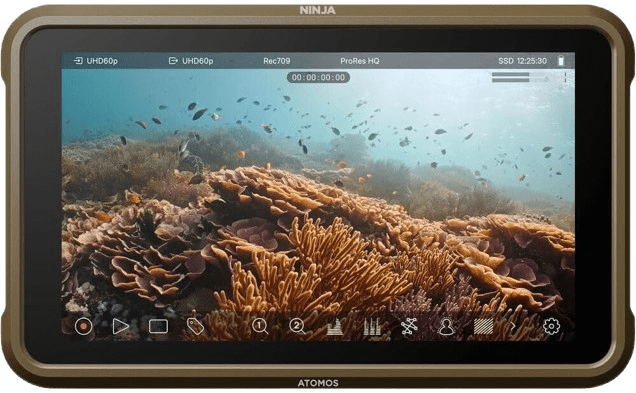
- Records 4K 60p, and 6K ProRes RAW at 30p, over HDMI
- 5.2-inch 1000-nit HDR touchscreen
- Focus peaking, false color, waveform and vectorscope built in
- Internal playback, so you review takes without exporting
- 12G-SDI, Wi-Fi 6 and Ethernet via the optional Atomos CONNECT module
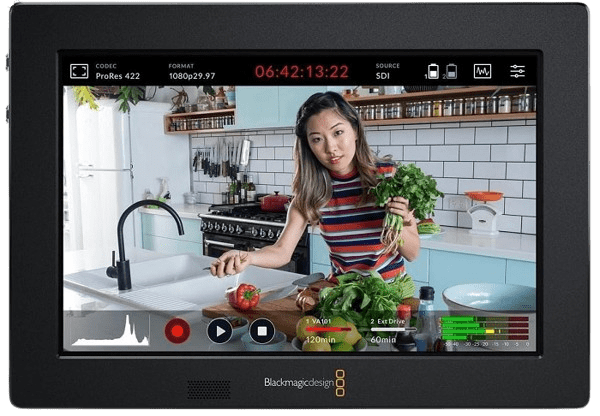
- 3G-SDI and HDMI inputs, both looping back out
- Two mini XLR inputs with phantom power
- Records ProRes 422 and DNxHD to two UHS-I SD cards
- 7-inch 1920 x 1200 touchscreen with 3D LUTs and scopes
- Dual Sony L-series battery slots and a 2.5mm LANC port
- 2200-nit panel with a light sensor, readable in direct sun
- 7-inch 1920 x 1200 IPS touchscreen with a 1200:1 contrast ratio
- 4K HDMI and 3G-SDI inputs, both looping back out
- 3D LUT import, waveform, vectorscope, false color and focus peaking
- DC output powers your camera from the monitor's batteries
- 7-inch 1920 x 1200 IPS touchscreen with 10-bit color
- Two 3G-SDI inputs, the second looping out, plus HDMI
- SmallHD PageOS, so you build your own pages of tools
- Camera control port for RED DSMC2 and KOMODO bodies
- Anodized aluminum body with four 1/4-20 mounting points
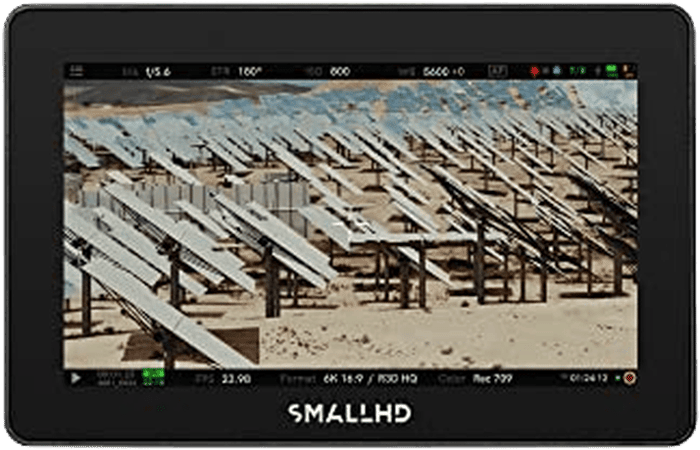
7 Best External Camera Screens
Now we take a closer look at all the best external camera screens for DSLR and mirrorless cameras.
1. Atomos Ninja 5.2 4K Recording Monitor
| Brand |
Brand
Atomos
|
| Dimensions |
Dimensions
5.9 x 3.6 x 1.2 inches / 15.1 x 9.1 x 3.1 cm
|
| Weight |
Weight
360 g
|
| Screen Size |
Screen Size
5.2 inches
|
| Screen Resolution |
Screen Resolution
1920 x 1080
|
| Aspect Ratio |
Aspect Ratio
16 • 9
|
| Brightness |
Brightness
1000 nits
|
| Touchscreen |
Touchscreen
Yes
|
| Ports |
Ports
HDMI (2.0) 4K / 60p input and output, 3.5mm stereo microphone, 3.5mm headphone, remote jack
|
| Best For |
Best For
Anyone looking for a reasonably priced pro-grade monitor for videography
|
The Atomos Ninja 5.2 is a popular monitor due to the well-calibrated HDR screen and support for the following:
- 4K video up to 60 fps
- 6K RAW at 30p over HDMI (12G-SDI needs the optional Atomos CONNECT module)
- 4K UHD Apple ProRes RAW (from the Nikon Z6 II and Z7 II)
- 10-bit 4:2:2 chroma subsampling
- H.265, also called HEVC (High Efficiency Video Coding)
- DNxHR
- Log formats from ARRI, Canon, Panasonic, RED, and Sony
The maximum screen resolution is only 1080p. But it can still record 4K video at 60 fps and display anamorphic lens footage with 2x, 1.5x, 1.33x, or Panasonic’s 4:3 aspect ratio.
In fact, the Atomos Ninja 5.2 can even improve the quality of footage your camera can shoot! For example, if you have a Panasonic Lumix S5 II, you can shoot 12-bit RAW instead of 10-bit 4:2:2.
Many features are also available, including multi-level exposure tools and waveforms. There’s a built-in vectorscope. And you have tools for focus peaking, zebra stripes, and a false-color function.
It also has built-in playback options. So you can review your latest shots without exporting the media files to another device. And you have inputs for sound recording equipment.
You can easily share footage with other devices using Atomos RemoteView. It allows you to watch recorded footage on other Atomos devices, iPads, and Mac laptops.
A responsive touchscreen is a big improvement on older Ninja models. But it remains a lightweight external camera screen for DSLR and mirrorless cameras. The performance is excellent, and the price is more than reasonable.
The Ninja does have two catches. Its panel is 1920 x 1080, so you monitor 4K footage on a Full HD screen. And SDI is not in the box: the Ninja is HDMI-only unless you add the Atomos CONNECT module, which also brings Wi-Fi 6 and Ethernet. If your camera outputs SDI, budget for that module or take the Blackmagic or SmallHD picks below instead.
2. Blackmagic Design Video Assist 7 3G
| Brand |
Brand
Blackmagic Design
|
| Dimensions |
Dimensions
7.6 x 5.1 x 1.4 inches/ 19.3 x 13 x 3.7 cm
|
| Weight |
Weight
825 g
|
| Screen Size |
Screen Size
7 inches
|
| Screen Resolution |
Screen Resolution
1920 x 1200
|
| Aspect Ratio |
Aspect Ratio
16 • 10
|
| Brightness |
Brightness
310 nits
|
| Touchscreen |
Touchscreen
Yes
|
| Ports |
Ports
HDMI input and output, 3G-SDI (BNC) input and output, 2 x mini XLR with phantom power, 3.5mm headphone jack, USB-C (3.1 Generation 1), 2 x UHS-I SD card slots
|
| Best For |
Best For
SDI rigs and on-camera XLR audio, ProRes and DNxHD recording in HD
|
The Blackmagic Design Video Assist 7 3G is the pick when your camera speaks SDI rather than HDMI. It takes 3G-SDI and HDMI in, loops both back out, and records straight onto two SD cards. Blackmagic still sells it as part of the current Video Assist line, alongside the 5-inch 3G and the two 12G HDR models.
It is the only screen on this list with two mini XLR inputs and phantom power. That means a shotgun mic or a lav goes straight into the recorder, and your sound lands in the same file as your picture instead of on a second device you have to sync later. Two UHS-I SD slots keep rolling when the first card fills.
The 7-inch panel runs at 1920 x 1200 and the interface is a touchscreen. You get 3D LUTs, waveform, vectorscope, histogram, focus peaking, false color, and zebras, plus dual Sony L-series battery slots and a 2.5mm LANC port for record start and stop. It writes ProRes 422 (HQ, LT, and Proxy) and DNxHD, which drop into Resolve, Premiere, and Final Cut without transcoding. If you specifically want Blackmagic RAW, that is the 12G HDR version, not this one.
The panel is where it disappoints. It peaks at 310 nits, so no amount of brightness adjustment will save you in direct sun, and the FeelWorld below is seven times brighter for under half the money. The 3G model also records HD only, up to 1080p60. If you shoot 4K and want to record it externally, look at the Atomos above or Blackmagic’s own 12G HDR model. This one earns its slot on connections and audio.
3. FeelWorld LUT7S 7-Inch Field Monitor
| Brand |
Brand
FeelWorld
|
| Dimensions |
Dimensions
7.5 x 5 x 1.1 inches / 19 x 12.6 x 2.7 cm
|
| Screen Size |
Screen Size
7 inches
|
| Screen Resolution |
Screen Resolution
1920 x 1200
|
| Aspect Ratio |
Aspect Ratio
16 • 10
|
| Brightness |
Brightness
2200 nits
|
| Touchscreen |
Touchscreen
Yes
|
| Ports |
Ports
4K HDMI and 3G-SDI input and output, DC power output, 3.5mm headphone jack
|
| Best For |
Best For
DSLR and mirrorless cameras, shooting in bright sunlight, camera rigs
|
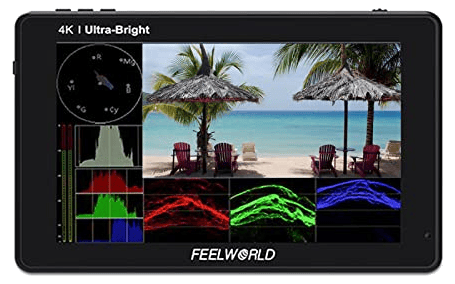
The real strength of the FeelWorld LUT7S is its brightness. At 2200 nits it is the screen on this list you can still read with the sun behind you, and the 1920 x 1200 panel keeps a 1200:1 contrast ratio while it does it. A light sensor dims it for you when you move into shade.
The color calibration settings allow excellent color rendition. There are plenty of monitoring tools, like focus assist, zebra stripes, histograms, a waveform, and a vectorscope. You can also load your own 3D LUTs from an SD card to view log footage in Rec.709. It’s also designed to work with most DSLR and mirrorless cameras.
At about an inch thick, it sits on a DSLR camera rig or a stabilizer setup without much bulk. It takes 4K HDMI and 3G-SDI, and both loop straight back out, so a second monitor or a recorder can hang off the same signal. A DC output can also power your camera through a camera-specific adapter.
On-screen audio meters show your levels, with four channels over SDI and two over HDMI. The 3.5mm jack is there when you need to listen properly.
The touchscreen lets you switch scopes and focus tools with a tap or a swipe, and the 160-degree viewing angle lets a second person watch it too. The drawback is power. Batteries are not in the box, and one Sony F970-type battery runs it for about 2 hours (two give you 4 to 5 hours).
4. Neewer F100 Camera Monitor
| Brand |
Brand
Neewer
|
| Dimensions |
Dimensions
8.8 x 7.6 x 2.5 inches / 22 x 19 x 6.3 cm
|
| Weight |
Weight
866g
|
| Screen Size |
Screen Size
7 inches
|
| Screen Resolution |
Screen Resolution
1280 x 800
|
| Aspect Ratio |
Aspect Ratio
16 • 10
|
| Brightness |
Brightness
450 nits
|
| Touchscreen |
Touchscreen
No
|
| Ports |
Ports
4K HDMI input-output
|
| Best For |
Best For
Beginners
|
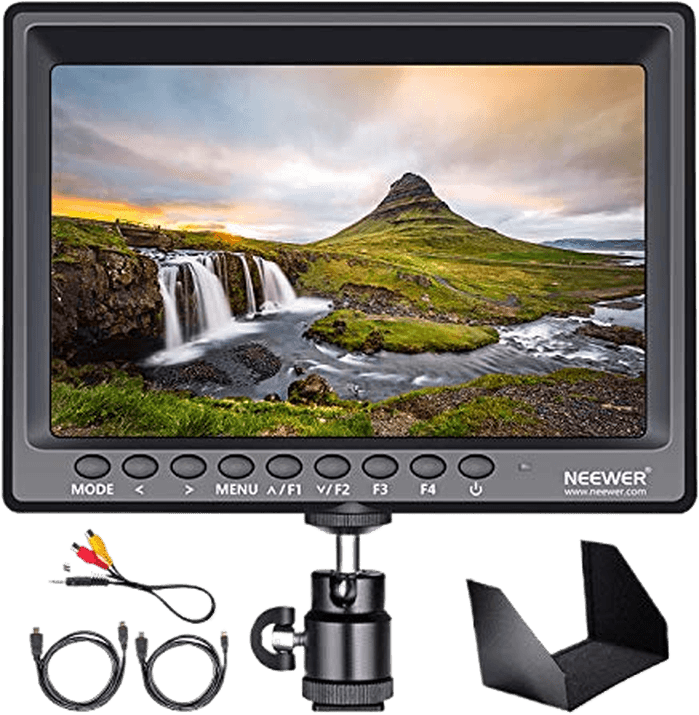
The Neewer F100 is a basic monitor with a large screen. It’s ideal for beginner Canon cameras. It has various “extras,” including an AV-HDMI cable and a hot shoe ball head. You also get a shoe mount and a sun hood.
Screen resolution and brightness are limited. But this external camera screen does have a 1200:1 contrast ratio. It also offers basic features such as zoom assist, scanning, and focus peaking. These are excellent tools if you’re new to using an on-camera monitor for photography or video.
The F100’s screen comes with a solid metal mount. It attaches to your camera’s hot shoe. And it’s strong and sturdy, so there’s no unwanted movement when viewing your picture.
It’s a basic camera monitor, but the build quality is strong overall. Skip it if you shoot outdoors much. At 1280 x 800 it is the lowest-resolution screen here, and 450 nits puts it level with the FeelWorld T7 at the dim end, so in open sun you will be squinting. It earns its place as the cheapest way to stop working off a 3-inch camera LCD, nothing more.
5. SmallHD Indie 7 On-Camera Monitor
| Brand |
Brand
SmallHD
|
| Dimensions |
Dimensions
7.1 x 4.7 x 1.3 inches / 18 x 11.9 x 3.4 cm
|
| Weight |
Weight
535 g
|
| Screen Size |
Screen Size
7 inches
|
| Screen Resolution |
Screen Resolution
1920 x 1200
|
| Aspect Ratio |
Aspect Ratio
16 • 10
|
| Brightness |
Brightness
1000 nits
|
| Touchscreen |
Touchscreen
Yes
|
| Ports |
Ports
2 x 3G-SDI input (the second loops out), HDMI input, 3.5mm headphone jack, camera control port, 2mm barrel (10-34 VDC) power input
|
| Best For |
Best For
Working videographers who want a 7-inch touchscreen with SDI and camera control
|
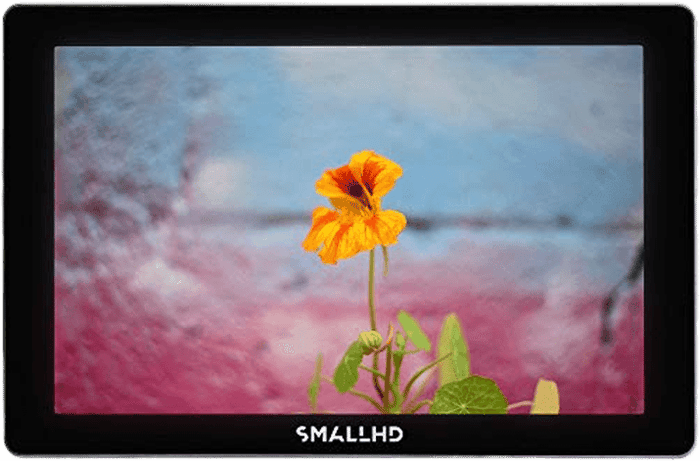
The SmallHD Indie 7 is the 7-inch touchscreen for people already working on sets. It doesn’t record. It monitors, and it does that on a 1920 x 1200 IPS panel with 10-bit color, inside an anodized aluminum body with four 1/4-20 mounting points.
It runs SmallHD’s PageOS, which lets you build your own pages of tools rather than digging through menus. Load your own 3D LUTs to preview the look of RAW or log footage from an SD card, and put focus assist, exposure assist, waveform, vectorscope and frame guides wherever you want them.
Connections are where it separates itself from the cheaper 7-inch screens here. It takes two 3G-SDI inputs (the second loops out) plus HDMI, so it slots into an SDI rig without an adapter, and a dedicated camera control port drives RED DSMC2 and KOMODO bodies from the screen itself. Power is a 2mm barrel taking anything from 10 to 34 volts, and the dual Sony L-series battery bracket is in the box.
At this price the caveats matter. 1000 nits is less than half the FeelWorld LUT7S above, so the Indie 7 is daylight viewable rather than sun-proof. The RED camera control licenses are sold separately too, which means the headline feature costs extra unless you shoot RED. If all you want is a big, bright screen on a hot shoe, the LUT7S does that job for a fraction of the money. Buy the Indie 7 when you need two SDI inputs, PageOS, and something built to be knocked about.
6. FeelWorld T7 4K Camera Monitor
| Brand |
Brand
FEELWORLD
|
| Dimensions |
Dimensions
7.1 x 4.7 x 0.7 inches / 18 x 12 x 1.8 cm
|
| Weight |
Weight
320 g
|
| Screen Size |
Screen Size
7 inches
|
| Screen Resolution |
Screen Resolution
1920 x 1200
|
| Aspect Ratio |
Aspect Ratio
16 • 10
|
| Brightness |
Brightness
450 nits
|
| Touchscreen |
Touchscreen
No
|
| Ports |
Ports
4K HDMI input-output, 3.5mm stereo headphone
|
| Best For |
Best For
Beginner photographers and amateur vloggers
|
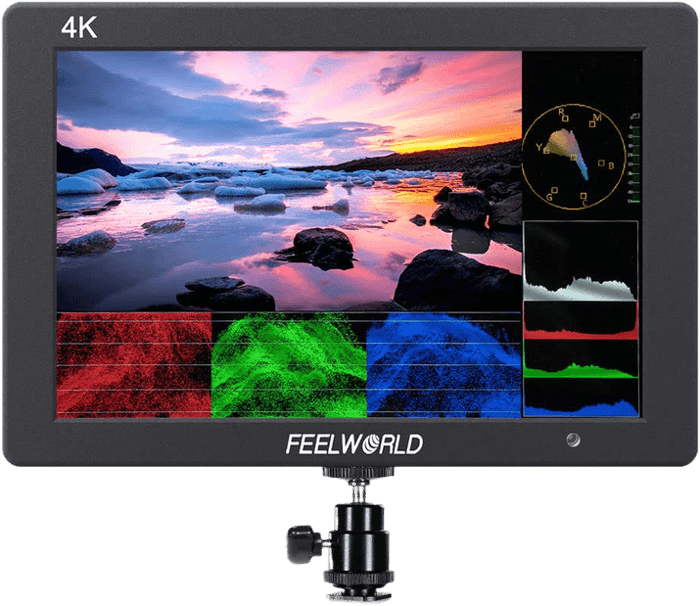
The FeelWorld T7 is a budget-friendly version of the LUT7S.
It doesn’t have 2200-nit brightness. But it makes up for it with a large screen, slim design, and wide 160-degree viewing angle. It is also a lightweight external screen. So it’s not a burden when attached to your rig.
Despite being lightweight and compact, it’s a durable camera monitor. And it has a strong aluminum frame. This is reassuring when compared to some of the plastic-framed competitors.
You also get an excellent range of monitoring tools. It includes color calibration technology, a focus peaking filter, a histogram, exposure controls, and a false-color function.
The low brightness does let you down when shooting outside. At 450 nits it is a fifth as bright as the LUT7S, so treat it as an indoor and shade monitor and buy the LUT7S instead if you work in open sun. Otherwise the 1920 x 1200 panel is sharp, and the 4K HDMI input means you can pair it with your 4K camera even though the screen itself is Full HD.
7. SmallHD Cine 5 Camera Monitor
| Brand |
Brand
SmallHD
|
| Dimensions |
Dimensions
5.3 x 3.4 x 1.5 inches / 13.4 x 8.6 x 3.9 cm
|
| Weight |
Weight
417 g
|
| Screen Size |
Screen Size
5 inches
|
| Screen Resolution |
Screen Resolution
1920 x 1080
|
| Aspect Ratio |
Aspect Ratio
16 • 9
|
| Brightness |
Brightness
2000 nits
|
| Touchscreen |
Touchscreen
Yes
|
| Ports |
Ports
HDMI 2.0 input and output, 3G-SDI (BNC) input and output, 3.5mm headphone output, locking USB control port, Ethernet, 2-pin locking power input
|
| Best For |
Best For
Pro sets that need a bright, color-accurate 5-inch monitor
|
The SmallHD Cine 5 is one of the brightest screens on this list, and the smallest. It packs a 2000-nit, 5-inch 1920 x 1080 touchscreen into an aluminum body that weighs 417 g, so it stays out of the way on a gimbal or a shoulder rig.
It also has various video assist tools such as professional image analysis, advanced pixel zoom, color correction, and unlimited real-time 3D LUTs.
The 2000-nit brightness and 1000:1 contrast ratio make it the one screen here you can genuinely trust in open sun. Power comes from an integrated Sony L-series plate or a 2-pin locking connector, so it runs off the same batteries as the rest of your kit.
The Cine 5 runs SmallHD’s own PageOS, so the monitoring tools are built in rather than bought. It is by far the most expensive screen here, and it is only 5 inches. If you want a big view, the Indie 7 above gives you 7 inches from the same company for less. The Cine 5 makes sense when you shoot outdoors, need accurate color on a small, tough screen, and can justify the spend.
How to Choose an External Camera Screen
There are several factors to consider when choosing an external monitor. These include size, weight, screen resolution, and brightness. It is also good to look for a touchscreen, recording capabilities, and the number of input and output ports available.
Screen Size
This is a trade-off. A smaller camera monitor will be lighter and more portable. But a larger one will give you a better view of your pictures or log footage.
The on-camera monitors in this list are all 5 to 7 inches in size (measured diagonally). But you still need to consider other factors.
These include the size and weight of your camera and how you plan to connect them. And you also want to consider whether you generally shoot handheld, with a gimbal, or from a tripod.
Features
There are three important factors for the optical features of external monitors.
- Screen brightness: If you’re going to be shooting outdoors in bright sunlight, you want something offering at least 1000 nits and a 1000:1 contrast ratio. This way, you don’t get washed-out colors or have to dash into the shadows to see your footage!
- Resolution: This is essential. And we mean the camera monitor’s screen resolution and the footage’s resolution. Most monitors have a 1920 x 1080 (16:9) screen. But that doesn’t mean they can’t display or record 4K Ultra HD (UHD) video (a resolution of 3840 x 2160).
- Contrast: Look for a contrast ratio of at least 1000:1. A higher ratio gives deeper blacks and makes it easier to judge exposure on set.
High-end DSLRs and mirrorless cameras now offer many monitoring tools to help videographers. They include zebra stripes and focus peaking. But an excellent external monitor will offer all that and more… plus the ease of use from a larger screen.
Two features that might be very important are touchscreen control and recording directly to the monitor. Recording is the dividing line on this list: the Atomos Ninja and the Blackmagic Video Assist 7 3G write files, while the FeelWorld, Neewer, and SmallHD screens only display. If you want a bigger recorder, the Atomos Shogun 7 and the Blackmagic Video Assist 5 12G HDR both record and both sit above this list on price.
Wireless monitors have an added benefit. They allow you to walk around without being tied to the camera. Some even offer a “focus following” system. This lets you adjust the focus remotely from the camera monitor rather than the camera.
Click the photo to watch the video. © Nick Dale
Connections
In photography, compatibility is a big issue. This is especially true when it comes to external monitors.
It’s no good buying one if it won’t “talk” to your camera. So it’s important to work out which video formats and codecs you’ll use.
You also need to know which microphones and headphones you’ll use. And you want to determine whether your external camera monitor has all the right connections.
Some monitors are specifically designed to be on-camera monitors mounted on the hot shoe of a DSLR or mirrorless camera. It’s convenient if the external camera screen has a built-in “tilt arm.” It lets you spin the monitor 360 degrees (both vertically and horizontally).
Alternatively, you can link the camera and external monitor with an HDMI cable. And most monitors also allow you to “loop” footage to other monitors or devices. This is handy if you’re working with an assistant on set.
Benefits of External Monitors
Are you still on the fence about buying an external monitor? Here are the main advantages:
- It’s easier to check composition, focus, exposure, etc.
- It offers flexible positioning, so you no longer need to stand next to the camera
- More suitable 16:9 aspect ratio than 3:2 camera LCDs
- Easier to watch log footage with other people on set
- Always visible if you’re doing a vlog with a fixed-screen camera
- Helps visualize final output using built-in look up tables (LUTs)
- Has monitoring tools that may not be available in-camera, e.g., waveforms and vectorscopes
- Better video recording quality (higher bit rates in some instances)
- Additional recording capacity
- It helps avoid camera overheating when filming for long periods
Frequently Asked Questions
Do I Really Need an External Camera Screen?
If you shoot stills handheld at eye level, probably not. The case for one is video, low or high angles, gimbal work, and anything you need a client or a subject to see. A 7-inch screen at arm’s length shows focus errors that a 3-inch camera LCD hides completely.
How Many Nits Do I Need for Shooting Outdoors?
Aim for 1000 nits or more if you work in open sun, and pair that with a 1000:1 contrast ratio. The FeelWorld LUT7S (2200 nits) and the SmallHD Cine 5 (2000 nits) are the two picks here that hold up without a hood. The Neewer F100 and FeelWorld T7 sit at 450 nits, which is an indoor and shade number.
Will an External Monitor Work With My Camera?
Check the port before you buy. Every screen on this list takes HDMI, which covers almost all DSLRs and mirrorless bodies, though many cameras use a micro-HDMI socket and you will need the right cable. SDI is a cinema-camera connection: the Blackmagic Video Assist 7 3G, FeelWorld LUT7S, SmallHD Indie 7, and SmallHD Cine 5 have it, and the Atomos Ninja only gets it with the optional CONNECT module.
Which of These Monitors Can Record?
Two. The Atomos Ninja records up to 4K 60p and 6K RAW at 30p onto an SSD, and the Blackmagic Video Assist 7 3G records ProRes and DNxHD in HD onto two SD cards. The FeelWorld, Neewer, and SmallHD picks are monitors only.
Does an External Monitor Improve Image Quality?
The monitor itself does not, but the recorder half can. Sending a clean signal out of the camera into an Atomos or a Blackmagic bypasses the camera’s own compression, so you capture 10-bit 4:2:2 or RAW instead of the 8-bit file the camera would have written. It also keeps the camera from heating up on long takes.
Conclusion: The Best External Camera Screen
The best external camera screen is the Atomos Ninja 5.2 4K monitor. It provides a 5.2-inch, 1000-nit HDR display. And it gives you 10-bit color and a Full HD resolution. It offers great value. And all considered, it’s the best camera monitor right now.
If the Ninja isn’t the right fit, the rest of the list sorts by job:
- Shooting in open sun with a DSLR or mirrorless body, take the FeelWorld LUT7S at 2200 nits
- Running SDI and feeding a mic straight into the recorder, take the Blackmagic Video Assist 7 3G, the only one here with mini XLR inputs
- Working on set and wanting a 7-inch touchscreen with camera control, take the SmallHD Indie 7
- Shooting outdoors on a gimbal with budget to spare, take the SmallHD Cine 5
- Buying a first monitor on a tight budget, take the Neewer F100, or the FeelWorld T7 for a sharper panel
Whichever you pick, check your camera’s output port first. That is the mistake that sends monitors back.