The best digital art programs are invaluable tools for accomplished artists. But they also open up new possibilities for those of us who are less skilled. The lines between digital art programs and photo editing software are blurred. Many of the products in this review will handle both.
Our top pick is a case in point. Adobe Photoshop is primarily for photos. But its strengths go far beyond that. It is the industry leader. It has extensive tools and processes and integration with the Adobe ecosystem.
What Is the Best Digital Art Program?
Adobe Photoshop is the best digital art program overall. It is the industry standard, with constant updates and deep Adobe Creative Cloud integration. Affinity is the best free alternative. It costs nothing at all, with no watermark and no paid tier for the core app.

What Are Digital Art Programs?
A digital art program is drawing and painting software. It gives you a canvas, a brush engine, and layers, and it is built for making an image from nothing rather than for correcting one you already took. That overlaps with photo editing software, which is why Photoshop tops both lists. But the programs below are judged on how they draw, not on how they develop a RAW file.
Three questions cut fifteen options down to two or three.
What are you drawing? Wet paint that behaves like real paint points you at Corel Painter, Rebelle, and ArtRage. Comics, manga, and animation point you at Clip Studio Paint and MediBang Paint. Vector illustration and page layout point you at Affinity and Assembly.
What are you drawing on? Procreate is iPad only, and Assembly is iPhone and iPad only. Black Ink and TwistedBrush are Windows only. Affinity, Clip Studio Paint, Artweaver, Corel Painter, and Krita all cross Windows and macOS, and Krita adds Linux and Android on top.
What will you pay? Affinity, Krita, MediBang Paint, and Adobe Fresco cost nothing. Procreate, Rebelle, ArtRage, Artweaver Plus, Black Ink, and TwistedBrush are bought once and kept. Photoshop, Mental Canvas, and Assembly Pro are subscriptions only. Corel Painter and Clip Studio Paint let you choose either way.
All fifteen are in the table below.
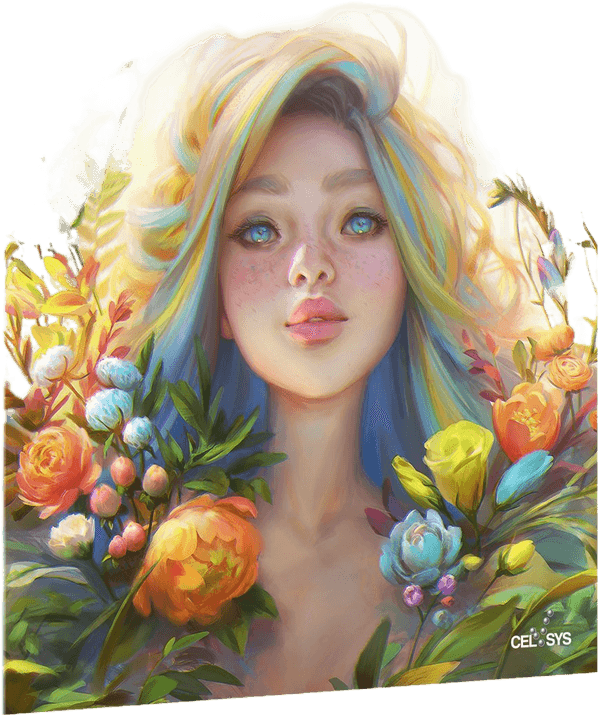
- Professional-grade software for digital art creation
- Variety of tools for drawing, coloring, and creating comics
- Easy-to-use interface with customizable workspace
- Compatible with Windows, Mac, iPad, and iPhone
- Intuitive features such as auto-correction and perspective rulers
The Best Digital Art Programs for Computer and Tablet
Now let’s look at those products in detail. Most of these programs are paid for. But some offer free trials or free versions with limited functionality. Paid software will be either a one-time payment to buy the license or a subscription model.
1. Adobe Photoshop
| Brand |
Brand
Adobe
|
| Platform |
Platform
macOS, Windows, iOS, and Android
|
| Paid or Free |
Paid or Free
Paid
|
| Subscription |
Subscription
Yes
|
| Key Features |
Key Features
Automatic updates, integration with other Adobe software
|
| Best For |
Best For
Anyone immersed in the Adobe ecosystem
|
Adobe Photoshop is the wise old soul of digital art programs. It has been around for a long time and has become the industry standard. In fact, it sets the industry standard.
The program is updated all the time. You never have to wait long for new features to be introduced. And it keeps them ahead of the competition.
Thanks to the cloud subscription model, the updates are automatic. You don’t have to download a newer version to your computer.
Adobe Photoshop is the leader in digital drawing, animation, and photo editing. You have access to thousands of brushes. And you can even make your own.
They also have the biggest selection of fonts and original typefaces. It’s ideal for illustrations and website design. If you need inspiration, have a look at these influential Photoshop artists and 3D digital artists.
Adobe offers a selection of different subscription plans, so you can match one to how much of the Creative Cloud suite you actually open. The catch is that there is no perpetual license on any of them. Photoshop requires an ongoing subscription. If you draw occasionally and resent a recurring charge, Affinity at number two or Krita at number seven will serve you better for nothing.
2. Affinity
| Brand |
Brand
Affinity
|
| Platform |
Platform
macOS, Windows, and iPadOS
|
| Paid or Free |
Paid or Free
Free
|
| Subscription |
Subscription
No (AI tools need a paid Canva subscription)
|
| Key Features |
Key Features
Liquefy, develop, and tone mapping personas, plus vector design and page layout tools in the same app
|
| Best For |
Best For
Anyone wanting professional-grade tools at zero cost
|
Affinity is the best alternative to Photoshop. It’s a powerful program that makes digital illustration easy.
Plus, it has an excellent array of drawing tools and brushes. It’s close to the number offered by Photoshop. But it does lack a few of its more specialist features.
The program is fun and easy to use.
Users can switch between vector and raster workspaces with the click of a button. As a result, you can create scalable artworks that are easy to enhance.
Affinity is a single app that covers photo editing, vector design, and page layout in one workspace. It costs nothing to use. No subscription, no one-time fee, and no watermark on exports. The only paid extras are Canva’s AI tools (Generative Fill, Generative Expand), which need a separate Canva subscription. Everything else, including layers, RAW processing, and the full brush set, is included at no cost.
Affinity is the best-value pick on this list by a wide margin, because there is no price at all for the core app. Photoshop is still the bigger, deeper program if you need its full ecosystem, and Affinity’s brush engine is a step behind Corel Painter or Rebelle for wet-media work.
But Affinity can also produce professional standard digital artwork. And it’s another great option for photo editing too.
3. Corel Painter 2023
| Brand |
Brand
Corel
|
| Platform |
Platform
macOS and Windows
|
| Paid or Free |
Paid or Free
Paid
|
| Subscription |
Subscription
One-time purchase or subscription
|
| Key Features |
Key Features
More than 900 brushes, AI assistance
|
| Best For |
Best For
Artists wanting to work collaboratively
|
Corel Painter is another professional-standard digital drawing program. It has over 900 brushes to choose from.
You get stencils, pattern pens, and texture brushes. There are also AI-powered set filters for fast editing.
With Corel Painter, you can set up your own unique digital studio. You can categorize the brushes you like, creating a unique palette to work from.
If you can’t find what you need, you can make your own brushes. Or import them from other artists.
Color mixing is fast and easy. And you can save your personally mixed colors to your palette.
Personalizing the digital workspace allows artists to develop their style. So it’s an ideal program for creating unique pieces of digital artwork.
Corel Painter sells two ways. There is a 30-day or 365-day subscription. And there is a perpetual license you buy outright, with paid upgrades when a new version lands.
Corel pushes the subscription hard because it is the cheaper way in. But the perpetual license is the one that still opens on the day you stop paying. Painter is also a desktop program and nothing else. There is no iPad or Android version, so a tablet artist should go straight to Procreate or Adobe Fresco instead.
4. Clip Studio Paint Pro
| Brand |
Brand
Clip Studio
|
| Platform |
Platform
macOS, Windows, iPadOS, iOS, Android, ChromeOS
|
| Paid or Free |
Paid or Free
Paid
|
| Subscription |
Subscription
One-time purchase or subscription
|
| Key Features |
Key Features
Customizable 3D models, can transfer work between any supported OS
|
| Best For |
Best For
Anyone looking for extensive tools for a low price
|
Clip Studio Paint Pro is aimed at manga and comic book artists. But that doesn’t mean it’s limited.
On the contrary, it’s some of the best digital art software available for drawing and painting. And it also has terrific animation features.
You can experiment with modern digital textures and effects. Or you can create traditional-looking images.
There’s also a pen pressure detection system for pens and brushes with a hand-drawn finish. It adds personality to your work. And it gives you true-to-life results.
Clip Studio Paint Pro has a selection of watercolor and gouache effects for realistic digital painting. The brushes range from sharp to lush. And they give you the same flexibility as actual watercolor paintings.
Clip Studio Paint gives you the options of the Pro or EX suites. Pro is the basic option, perfect if you’re just starting, and it covers character art, concept art, and single-page comics.
Clip Studio Paint EX is the full package, adding multi-page projects, webtoon tools, and the animation features. It costs more. But it’s an industry-grade digital art program for professional artists.
Buying it is the fiddly part. The perpetual license is locked to a version, currently Ver. 5.0, and new features only arrive if you add the separate Update Pass. The monthly and annual plans include updates as they ship, and they are the only route on iPad and Android.
5. Procreate
| Brand |
Brand
Procreate
|
| Platform |
Platform
iPadOS, iOS
|
| Paid or Free |
Paid or Free
Paid
|
| Subscription |
Subscription
One-time purchase
|
| Key Features |
Key Features
Automatic time-lapse function, hundreds of customizable features
|
| Best For |
Best For
Anyone with an iPad looking for a bargain digital art app
|
Procreate is one of the most exciting and creative applications for iOS. It’s a drawing and design app perfect for digital artists with an iPad.
It has hundreds of brushes. So you can create anything from digital sketches to detailed artwork.
There are fantastic illustration possibilities with templates and typography tools. And even though it’s an app, it isn’t limited. For example, you can customize brushes and use hundreds of layers for one piece.
One special feature is how Procreate will record your work with continuous autosave. Then you can turn it into a time-lapse video. So you can watch the whole creation process from start to finish.
The videos are great for drawing and painting tutorials. They’re also great for your social media.
Procreate is an iPad-only digital art app, which does limit its appeal. There is no Windows, macOS, or Android build, and the iPhone edition, Procreate Pocket, is a separate purchase.
What you get in return is one payment and no subscription of any kind. Over three or four years that costs far less than any subscription on this list. If you need the same files open on a desktop as well, Affinity or Clip Studio Paint is the better fit.
6. Rebelle 8
| Brand |
Brand
Rebelle
|
| Platform |
Platform
macOS and Windows
|
| Paid or Free |
Paid or Free
Paid
|
| Subscription |
Subscription
One-time (lifetime) purchase with a free year of updates
|
| Key Features |
Key Features
Compatible with Tablet Pro, discounted educational licensing available
|
| Best For |
Best For
Anyone wanting a lifetime licence for a realistic wet-media painting program
|
Rebelle 8 is some of the best digital painting software available. It’s painting software for artists that love painting but hate the mess.
The Rebelle painting software is the best for realistic wet and dry media artwork. You can create digital illustrations using watercolor, oil, or acrylic simulators.
The brushes mimic the characteristics of real paintbrushes. And the paint options give the work a warm and real-to-life effect.
Rebelle is an authentic painting experience. And the digital illustrations match the quality of real-life paintings. You even have a tilt feature, which gives the running effect of real paint.
The Rebelle 8 digital art software offers excellent value for money. It’s cheaper than both Corel Painter and Clip Studio Paint. It’s a one-time, lifetime purchase (with a free year of updates included), not a subscription, and there’s a discounted educational license for schools.
It is a bit specialist. But if you want to replicate wet media art, then Rebelle 8 could be the painting software for you.
7. Krita
| Brand |
Brand
Krita
|
| Platform |
Platform
macOS, Windows, Linux, and Android
|
| Paid or Free |
Paid or Free
Free
|
| Subscription |
Subscription
No
|
| Key Features |
Key Features
Multiple brush and smudge options, importable texture packs
|
| Best For |
Best For
Anyone looking for a free entry point into digital art
|
Krita is free digital art software that is fun and easy to use. It’s been around since 2004. But not many people know about it. This is surprising as they want everyone to have high-standard digital art software.
Krita might seem limited compared to some of the professional digital drawing software. But with over 100 unique brush types and Smudge and Shape engines, there is much scope for creativity.
You can also import extra brush and texture packs for more digital fun.
Originally, Krita was designed to be a generic photo manipulation tool. Something similar to Photoshop.
But since 2009, Krita has become dedicated digital painting software. This focus on purpose has improved the application.
This free painting software runs on Windows, macOS, Linux, and Android. There is no iPad or iPhone version, so it is not an option if an iPad is all you own. On a computer, though, it’s the perfect place to start if you’re new to digital art software.
But it isn’t just for beginners. The results are excellent. And Professional artists can ply their trade with Krita too.
8. ArtRage
| Brand |
Brand
ArtRage
|
| Platform |
Platform
macOS, Windows
|
| Paid or Free |
Paid or Free
Paid
|
| Subscription |
Subscription
One-time purchase
|
| Key Features |
Key Features
Recordable scripts to repeat actions, realistic painting tools
|
| Best For |
Best For
Creating natural-looking paint tones on a budget
|
ArtRage is digital art software fully equipped for hobbyists and professionals. The strength of this drawing software is the natural colors and textures it gives you. Ambient Design now sells ArtRage Vitae as the flagship desktop product, bought once rather than rented, with the older ArtRage 6 still on sale as a cheaper route in and ArtRage Lite as a cut-down beginner version. There is a separate ArtRage Vitae mobile app for iOS and Android too.
You can push digital technology to the limit and still achieve realistic paint tones. You can start with pencil sketches. Then you can move to real-to-life paint simulation modes.
The oil paint mixing is particularly sophisticated. And it helps you create a personal color palette you can save.
You can change the digital canvas to mimic different real-life paper or canvas. And the brush motion reacts to the type of paint and paper you’re using.
ArtRage produces work that is a seamless blend of digital and natural. So if you’re looking for natural tones on a budget, it’s one of the best drawing programs.
It is a painting program first, though. Ambient Design pitches it as a studio of real-world tools rather than a compositing suite, so masking, selections, and text work belong in Photoshop or Affinity, not here.
9. Artweaver 8
| Brand |
Brand
Artweaver
|
| Platform |
Platform
Windows and macOS
|
| Paid or Free |
Paid or Free
Free for non-commercial use, paid Plus licence
|
| Subscription |
Subscription
No
|
| Key Features |
Key Features
Customizable user interface, collaborative working over the internet
|
| Best For |
Best For
Windows and Mac users looking to take their first step into digital art
|
Artweaver 8 offers excellent digital art software. Many professional illustrators use this drawing software. But it’s excellent for beginners too. Version 8 is also the first release in the program’s history with an official macOS build, running on both Intel and Apple Silicon, so it is no longer Windows-only.
Artweaver has two options. The Artweaver Free suite is a free version of the program. Admittedly, it’s a more basic version. But it gives you some of the best free digital art software available.
The catch on the free edition is its license. Besware permits non-commercial and academic use only, so the moment you sell a piece you need the paid version.
The paid version, Artweaver Plus, has all its advanced features. Its license is perpetual and time-unlimited, and it covers every computer you own rather than a single machine.
Both versions offer plenty of customizable brushes. And the program has improved brush handling, so they react naturally. These features help the artist create personal work with a unique style.
If you’re new to digital illustration, downloading the free version is a great place to start. And when you’re ready to take the next step, you only need to download Artweaver Plus.
10. Black Ink
| Brand |
Brand
Black Ink
|
| Platform |
Platform
Windows
|
| Paid or Free |
Paid or Free
Paid
|
| Subscription |
Subscription
No
|
| Key Features |
Key Features
Unlimited brush customization, GPU-based rendering for speed
|
| Best For |
Best For
Experienced digital artists looking to expand their style
|
Black Ink is digital art software for artists comfortable in the digital age. The program’s creators are not trying to appeal to artists that want the traditional feel of painting on paper.
Users of Black Ink can create their own custom brushes. They can customize their brushes to meet their own needs.
And they’re not limited to real-life paintbrush types. Each artist can build a collection of brushes to speed up their design process.
Black Ink is the perfect drawing software for developing stand-out concept art or creating comics. The brush-sharing features make this program excellent for coworking and group projects.
Black Ink is only available for Windows systems, which does limit its appeal. And it’s not great for beginners. But it does offer good value if you’re experienced.
11. Mental Canvas
| Brand |
Brand
Mental Canvas
|
| Platform |
Platform
iPadOS and Windows
|
| Paid or Free |
Paid or Free
Freemium
|
| Subscription |
Subscription
Yes (Pro/Premium plans remove the free tier watermark
|
| Key Features |
Key Features
3D video output, free tier available
|
| Best For |
Best For
Anyone looking for a new angle to their digital art
|
Mental Canvas is a 3D drawing tool like no other. It’s not a 3D graphics program. Mental Canvas is free-to-start drawing software with a 3D approach.
At first, Mental Canvas might seem like a simple digital sketching tool. But the difference is you can interact with your drawings three-dimensionally.
You can create scenes and landscapes. And you can explore them as if they were 3D models.
The app is designed for conceptual artists. Directors and producers can use it to sketch scenes for live-action productions. Even civil engineers and architects can use it.
Mental Canvas is still free to download, but since February 2025 it has run on a freemium model. The free tier watermarks exported video, and the paid Pro and Premium subscriptions remove that watermark. The one-time "Creator" license was withdrawn on 18 February 2025. Anyone who already owned it keeps lifetime access, but nobody new can buy it, so a subscription is now the only way past the watermark.
It’s not a program for professional illustrations. But it can be used by anyone who needs to express their ideas visually.
12. MediBang Paint
| Brand |
Brand
MediBang
|
| Platform |
Platform
Windows, macOS, iPad, iPhone, and Android
|
| Paid or Free |
Paid or Free
Free
|
| Subscription |
Subscription
No (optional paid MediBang Premium add-on for cloud storage)
|
| Key Features |
Key Features
Templates for comic books and Manga
|
| Best For |
Best For
Budding artists looking for free resources
|
MediBang Paint is designed for digital artists on a budget. If you want to draw manga art and comic books, MediBang offers free digital art software.
Compared to paid programs, it might seem limited. But there is plenty to play with. And the drawing tools are excellent.
The brush selection is small compared to other programs. But you get a good selection of templates and backgrounds.
For budding comic book creators, the templates give you a variety of structures to choose from. You can work straight into them so you can focus on the drawing.
MediBang Paint is perfect for beginners. And it’s compatible with Windows, macOS, iPad, iPhone, and Android. You can download the app for free if you love manga and comic books.
13. TwistedBrush Pro Studio 26
| Brand |
Brand
Pixarra
|
| Platform |
Platform
Windows
|
| Paid or Free |
Paid or Free
Paid
|
| Subscription |
Subscription
One-time Legacy License, includes every Premium ArtSet
|
| Key Features |
Key Features
Easy integration of photos and digital art
|
| Best For |
Best For
Windows users looking for extensive features
|
TwistedBrush Pro Studio 26 is professional standard digital art software. But it comes with a professional price tag.
If you like a large brush selection, TwistedBrush has a big selection. Sorry, it’s not big, it’s massive! There are 9,000 to choose from. And if you’re still not satisfied, you can create your own.
The brush action is also excellent. Many options mimic real-life brush strokes to give your work that traditional feel.
But there are digital brush options too. These create authentically technological images.
And there are not just brushes. You get a full suite of digital art tools. And if you’re using a tablet, there’s pressure sensitivity technology. The layers and masking features are good for animation too.
Pixarra sells version 26 as a single Legacy License that bundles every Premium ArtSet with it, so there is nothing to add afterwards and no subscription attached.
TwistedBrush Pro Studio 26 isn’t cheap. It is an excellent digital art program. But there are cheaper options available, it runs on Windows only, and nine thousand brushes is a lot of menu to learn. It is a poor first program.
14. Adobe Fresco
| Brand |
Brand
Adobe
|
| Platform |
Platform
iOS, iPadOS, and Windows
|
| Paid or Free |
Paid or Free
Free
|
| Subscription |
Subscription
No (the only paid upgrade is access to premium Adobe Fonts)
|
| Key Features |
Key Features
Built to work best with Apple Pencil, thousands of free brushes
|
| Best For |
Best For
Anyone wanting a full-featured painting app with no price tag
|
Adobe Fresco is a digital drawing application for iPhones, iPads, and Windows desktop too. The application is more streamlined than Adobe Illustrator or Photoshop.
Everything has been simplified. And you won’t get lost in a maze of tools. It’s simple and easy to use.
You can fix up a great-looking digital image in no time. And if you do need more, you can move your image to one of the more advanced programs. Every brush and tool in the app is free now. The only thing a paid plan still adds is access to premium Adobe Fonts.
The painting features are excellent. The brush tools have realistic effects. And the paints can blend and bleed on your page. The oil paint simulations swirl and mix just like they would on a real canvas.
Adobe Fresco is an excellent painting app for beginners. Or for a professional designer on the go. You can do sketches on the train before moving the images to Photoshop or Illustrator, and unlike Photoshop it won’t cost you anything.
It is not a Photoshop replacement, though. There is no real selection or retouching toolkit, and the desktop build is Windows only. Mac owners have to work on an iPad or an iPhone.
15. Assembly
| Brand |
Brand
Pixite
|
| Platform |
Platform
iOS
|
| Paid or Free |
Paid or Free
Free download with a paid Pro tier
|
| Subscription |
Subscription
Yes (Assembly Pro auto-renews)
|
| Key Features |
Key Features
Unlimited tools and typography options
|
| Best For |
Best For
Anyone looking for an affordable iOS drawing app with strong features
|
Assembly is a digital painting app for graphic design and illustration. Unfortunately, Android users won’t be pleased. It’s only available for iPhones and iPads.
The toolset has everything a digital designer might need. It is more simplistic than more heavy-duty tools. But brush tools, blending modes, and shape packs make the app accessible.
The user interface is minimalist and uncluttered. It’s easy to navigate. And it doesn’t draw your attention away from your work. The app also features tutorials for those getting started.
Assembly itself is a free download, but read the small print before you count it as free software. Adding text, combining and cutting shapes, importing SVGs, saving custom palettes, the thousand-plus shape library, and export to SVG, PNG, and PDF all sit behind Assembly Pro, which is an auto-renewing subscription billed weekly, monthly, or yearly. Treat the free tier as a trial.
Assembly is another great design app for creatives on the go. Rather than spend your time scrolling through social media, you can create something new. It is vector work only, though, so it won’t paint or edit photos, and there is still no Android version.
Frequently Asked Questions
What Is the Best Free Digital Art Program?
Affinity, if you want one program that does everything. Canva made the whole suite free, and there is no watermark, no paid tier, and no trial clock on the core app. Krita is the better answer if you want open source, Linux, or Android. Adobe Fresco is the better answer on an iPad or iPhone.
Do I Need a Subscription to Make Digital Art?
No. Only Adobe Photoshop, Mental Canvas, and Assembly Pro are subscription-only. Procreate, Rebelle, ArtRage, Artweaver Plus, Black Ink, and TwistedBrush are bought once and kept. Affinity, Krita, MediBang Paint, and Adobe Fresco cost nothing at all.
What Is the Best Digital Art Program for an iPad?
Procreate for painting and sketching, because it is one payment with no subscription behind it. Adobe Fresco if you want live oil and watercolor brushes for free, or if the work finishes in Photoshop. Affinity if you need vector and page layout on the same canvas.
Can I Use Digital Art Software Without a Drawing Tablet?
You can, but every program here is built around pen pressure and tilt. A mouse gives you flat, uniform strokes with none of the brush behavior these programs are sold on. If you are starting from nothing, buy the pen tablet before you buy the software. Affinity, Krita, and Adobe Fresco are free, so the tablet is the part that changes your results.
Conclusion: The Best Digital Art Programs
Whether you’re new to digital art or looking to upgrade your system, digital art software is available. If you’re looking for advice, we have some tips on how to get started with digital art.
If you have the budget, you can go for the industry leaders. But even if you have no budget, you can use plenty of free art programs.
And there are options for your computer or your phone.
Adobe Photoshop is an excellent choice that offers a wide range of features and tools to help you create stunning digital artwork.