A 32GB memory card holds about 4,570 JPEG photos at 7MB each, or 1,060 RAW photos at 30MB each. With the same file sizes, a 64GB card holds twice as many, a 128GB card four times as many, and a 256GB card eight times as many.
Those are estimates, not fixed limits. Your camera's file format, image size, compression settings, and remaining card space determine the actual count.
How Many Photos Can a 32, 64, 128, or 256GB Card Hold?
Use this table to compare memory card capacities. The 7MB JPEG and 30MB RAW sizes are worked examples, not averages for every camera with a given megapixel count.
| Card size | JPEG photos at 7MB each | RAW photos at 30MB each |
|---|---|---|
| 32GB | ~4,570 | ~1,060 |
| 64GB | ~9,140 | ~2,130 |
| 128GB | ~18,280 | ~4,260 |
| 256GB | ~36,570 | ~8,530 |
| 512GB | ~73,140 | ~17,060 |
| 1TB | ~142,850 | ~33,330 |
These calculations use the card's advertised capacity, with 1GB = 1,000MB and 1TB = 1,000GB. Counts are rounded down to the nearest ten photos. Formatting and existing files reduce available space. Larger photo files also reduce the number you can store.
For example, a 128GB card holds about 18,280 JPEGs at 7MB each or 4,260 RAW files at 30MB each. If your RAW files are 60MB instead, the estimate falls to about 2,130 photos.
JPEG vs RAW: Why Photo File Size Matters
Your choice of JPEG or RAW has a large effect on how many pictures fit on a card. But the file extension alone does not tell you the file size.
JPEG vs Brand-Specific RAW vs DNG Image Files
JPEG is a compressed image format. The camera processes the image and discards some information to make a smaller file. You can still edit a JPEG, but it generally gives you less room for large adjustments than a RAW file.
RAW files retain sensor data for processing later. They give you more control over white balance, color, and tonal adjustments in post-processing software. That flexibility can help you work with a scene's dynamic range, but it cannot recover detail that the camera never recorded.
Manufacturers use different RAW formats. Canon uses CR2 and CR3, while Nikon uses NEF. DNG, or Digital Negative, is an openly published RAW format developed by Adobe.
My Canon EOS 7D shoots in JPEG or CR2 RAW. But my Ricoh GR II uses DNG.
Size Differences Between JPEG and RAW
RAW files are often larger than JPEGs, but RAW does not mean uncompressed. Depending on the camera, RAW settings can include uncompressed, lossless compressed, or other compressed options. JPEG quality and image-size settings also change the amount of storage each photo needs.
For a specific example, Nikon's Z8 capacity table lists approximate RAW file sizes of 51.6MB with lossless compression, 32.6MB with High Efficiency★, and 21.1MB with High Efficiency. These are three settings on the same camera. Nikon also notes that the scene affects the number of pictures that can be saved.
So check files from your own camera rather than estimating from megapixels alone.
How to Calculate Capacity for Your Camera
Estimated photo count = available storage in MB ÷ average photo size in MB.
- Take a small set of photos with the format, quality, and image-size settings you plan to use. Include different scenes.
- Copy the files to your computer. Divide their total size by the number of photos to find an average.
- Divide the card's available space by that average, using the same units for both. Round down and leave room for larger files and any video you record.
For a nominal 32GB card and 10MB JPEGs, the calculation is 32,000 ÷ 10 = 3,200 photos before formatting and other storage use. A 20MB average would halve that estimate.
What If You Shoot RAW + JPEG?
If the camera saves both files to the same card, add their sizes together. A 30MB RAW file plus a 7MB JPEG uses 37MB per shutter press. A 128GB card would therefore hold about 3,450 RAW + JPEG pairs, before other storage use—not 4,260 pairs.
If your camera writes RAW and JPEG to separate cards, calculate each card separately. If it records duplicate images to both cards for backup, the two capacities do not add together as extra shooting space.
Why Does a Card Show Less Space Than Its Label?
Card makers use decimal units: 1GB is one billion bytes. Some computer displays use binary units, so the same number of bytes appears as a smaller number. Kingston's flash memory guide explains this difference and the space used by formatting and card functions.
For a precise calculation, use the available-space and file-size values from the same tool, or divide the byte counts directly. Do not multiply an advertised GB capacity by 1,024 and then divide by a decimal MB file size.
Picking a Memory Card to Use
Choose a memory card that your camera supports, with enough capacity for your expected photo count and some spare space. Check the camera manual for the card format, supported capacity, and any speed requirements.
A bigger card lets you take more photos before changing it. But if that card is lost or damaged, every photo stored only on it is at risk. Carrying spare cards is useful; making a separate backup is what protects you from losing your only copy.
For card options, see our guide to the best SD cards for photography.
Four Types of Memory Cards
CompactFlash (CF) is used in some older digital cameras and DSLRs. It is a different format from CFexpress, despite the similar name.
Secure Digital (SD) cards come in several capacity standards. According to the SD Association, SDHC covers over 2GB through 32GB, while SDXC covers over 32GB through 2TB. Check compatibility before moving from a 32GB SDHC card to a 64GB or larger SDXC card.
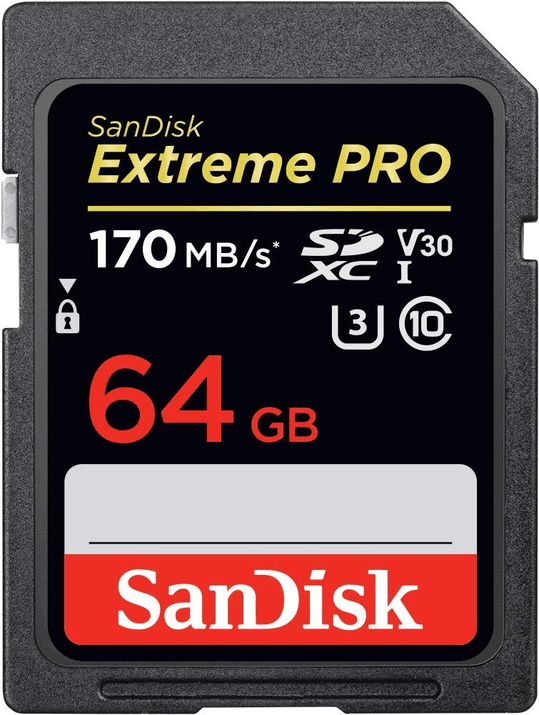
A card like the SanDisk 64GB Extreme PRO is an example of an SDXC card. Check its compatibility with your camera before choosing it.
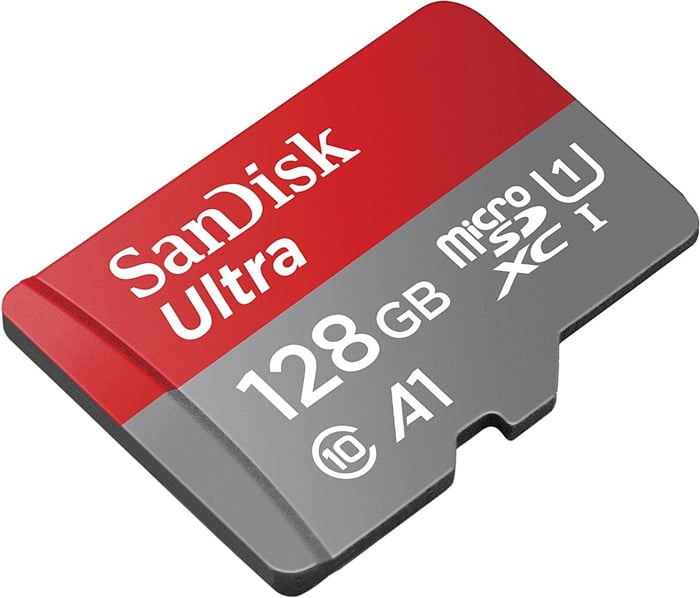
MicroSD cards are smaller and are used in devices such as action cameras and drones. An SD adapter can let a microSD card fit a compatible full-size SD slot; it does not change the card's capacity or the device's compatibility limits.
CFexpress cards come in different physical types. Type A and Type B are different sizes, so buy the type specified by your camera. The CompactFlash Association's card guide explains the formats.
Speed Matters Too
Capacity determines how many photos fit. Write speed affects how quickly the camera can save them and clear its buffer during continuous shooting. Read speed affects how quickly you can copy files from the card with a compatible reader.
Do not treat the large advertised read-speed number as a promise of the same write speed. For SD video recording, Video Speed Class ratings specify minimum sequential write performance under the standard's conditions: V30, V60, and V90 correspond to 30, 60, and 90MB/s. Follow your camera's required card standard and speed class; a faster label alone does not guarantee that your camera can use that speed.
Frequently Asked Questions
How many photos can a 32GB memory card hold?
About 4,570 JPEGs at 7MB each or 1,060 RAW photos at 30MB each. These estimates use the advertised capacity and are rounded down to the nearest ten; allow for formatting and other storage use.
How many photos can a 64GB memory card hold?
About 9,140 JPEGs at 7MB each or 2,130 RAW photos at 30MB each, before formatting and other storage use. Larger files reduce those counts.
How many photos can a 128GB memory card hold?
About 18,280 JPEGs at 7MB each or 4,260 RAW photos at 30MB each, before formatting and other storage use. With 60MB RAW files, the estimate is about 2,130 photos.
How many photos can a 256GB memory card hold?
About 36,570 JPEGs at 7MB each or 8,530 RAW photos at 30MB each, before formatting and other storage use. This is roughly twice the estimate for a 128GB card at the same file sizes.
How many photos can a 1TB memory card hold?
About 142,850 JPEGs at 7MB each or 33,330 RAW photos at 30MB each, before formatting and other storage use. Here, 1TB means 1,000GB, as used for advertised card capacity.
Conclusion: How Many Photos Will Your Card Hold?
Start with the table, then check the size of your own files. A 128GB card gives you roughly 18,280 JPEGs at 7MB each or 4,260 RAW files at 30MB each, before other storage use. Different camera settings can change those numbers substantially.
Use the camera's remaining-shot display as a practical estimate, carry enough spare capacity for your shoot, and back up your photos before you erase a card.