
DJI OM 5 Review (Best Compact Phone Gimbal in 2026?)

The DJI OM 5 is a smartphone gimbal for stabilizing your video and time-lapse footage. There's no arguing with the improvement that image stabilization gives your videos. And let's face it, most people these days use their phones when they want to record a video.
So the question is, will the DJI OM 5 give you that buttery-smooth footage in your videos? Read our review to find out.
What You Need to Know About the DJI OM 5
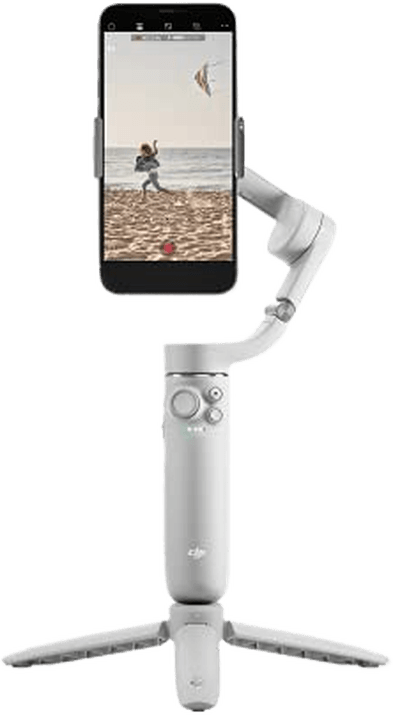
The DJI OM 5 is an updated version of the OM 4 and is priced the same. The OM 4 will remain on sale where available, but DJI has discontinued it. Changes include a built-in extension rod like the Zhiyun Smooth X and a smaller and lighter design thanks to a smaller battery. It also has better image stabilization and slow-motion—at least with iPhones.
The larger magnetic clamp also means it can hold smartphones 2.6-3.3″ (67-84mm) wide and up to 6-10.2oz (170-290g) in weight. That includes the Apple iPhone 13 Pro Max and the Samsung Galaxy S21 Ultra. On the other hand, pulling out the telescopic arm is fiddly. Plus, reverse charging is no longer possible, and some features aren’t available with the Android app.
Is the DJI OM 5 for You?
The quality of smartphone cameras has improved enormously in recent years. And now, most have image stabilization. But video footage can still look shaky.
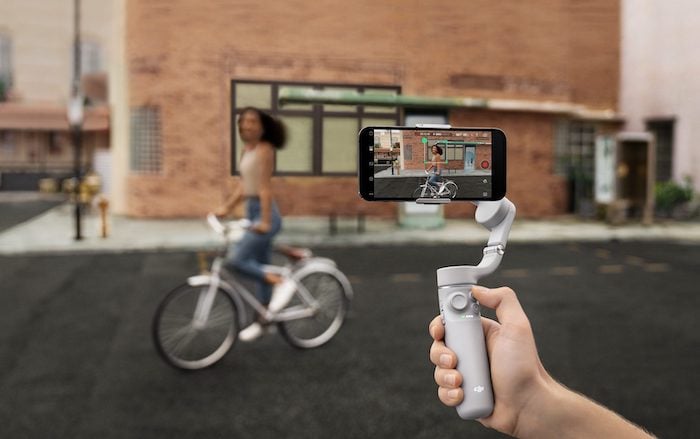
The solution to improve video quality is to buy a smartphone gimbal like the DJI OM 5. It combines three-axis stabilization with an extension arm. Now, this might remind you of tourists brandishing selfie sticks! But it does give you extra height, reach, and the ability to shoot in tight spaces or at awkward angles.
Professional photographers might prefer DJI Ronin gimbals as they can support full frame cameras. But I’m a wildlife photographer, and I always have my smartphone with me. It’s so much easier to hold than a big, heavy camera body with a long lens. A DJI OM 5 would be convenient for shooting video.
It’s also ideal for Instagram influencers, bloggers, and TikTok users who want to find an edge to generate likes and engagement. You can check smartphone compatibility with the OM 5 through DJI in this PDF.
Key Features—How Does the DJI OM 5 Work?
The DJI OM 5 offers many useful features. Let’s have a look at the main ones.
Three-Axis Stabilization and Roll Range
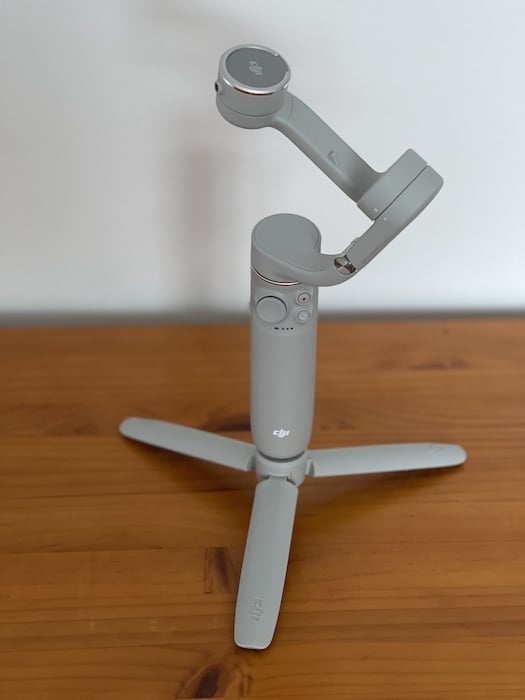
The most crucial criterion in assessing gimbals is whether they offer two- or three-axis stabilization. The OM 5 has three separate motors for panning, rolling, and tilting, which is ideal.
The other difference is the roll range. The OM 4 can roll from -127.05° to 208.95°, while the OM 5 can roll from -136.7° to 198°. The range is similar in both cases. But the OM 4 can roll further upwards while the OM 5 can roll further downwards.
© Nick Dale
ActiveTrack 4.0
ActiveTrack is a way of centering your subject or yourself in the frame. Version 4.0 is much smoother and supports zooming up to 3x at speeds of up to five meters per second.
All you have to do is draw a square around the head and shoulders of your subject. The gimbal will then follow the subject automatically when panning, tilting, and rolling, keeping it centered in the frame. The active track works particularly well with a fully extended extension rod on the tripod.
DJI Mimo Software and App
DJI builds drones and gimbals that rely on the same technology. The OM 5 has the latest software. That means the footage is much less shaky than the OM 4.
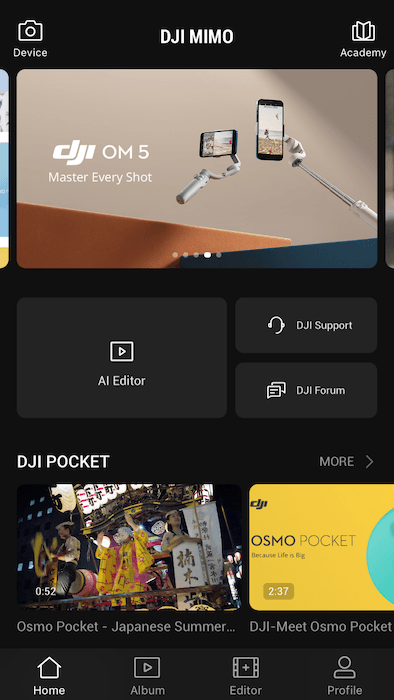
Every smartphone gimbal comes with a companion app that allows you to control the camera and edit your video. The OM 5’s version is called DJI Mimo. It works via Bluetooth connectivity. Once you turn the gimbal on and sign in to the app, it connects automatically. Stabilization works without the app, but not the buttons, sliders, or some video features.
The user-friendly app offers quick and easy pairing, excellent object tracking, a new feature called ShotGuides, and information on other DJI products. But it does have its limitations for Android users. The wide range of video frame rates and resolution options collapses to 4K, 1080p, and 720p at 30fps or 60fps. Plus, slow-motion and moon-lapse features don’t work.
ShotGuides Tutorials
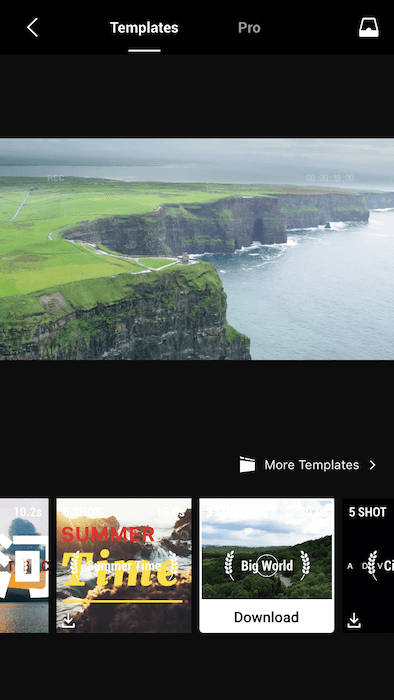
The app offers a new ShotGuides feature that helps you capture 30 different shots. It recognizes your surroundings and offers creative recommendations based on built-in templates.
As you’re shooting, the app plays a video to help you hold the gimbal in the right place, move it at the right speed, and make sure it’s level with the horizon. After shooting all the required clips, the app will put them together and add music and graphics.
ShotGuides is ideal for beginners and it’s fun to play around with. But it’s hard to copy the suggested shots in real life. Plus, the default animated graphics are a bit annoying. And in the Android version of the app, some of the tutorials reappear several times or can’t be canceled until you’ve watched all the required clips.
Shooting Modes
There are lots of pre-programmed features available on the DJI Mimo app. Although, some are more straightforward than others!
Photo
- Photo mode allows the standard, still camera shots. Holding down the button activates burst mode. But you don’t get the Night and Portrait modes available on the iPhone.
- Pano is a way of using pre-set stop points to create 240° panoramas. But the iPhone app does this better. And you end up with a distorted image if you try it with a Samsung Galaxy S20 Ultra.
- Pano CloneMe is a way to appear more than once in an image. You get five seconds between each shot to change position.
Video
- Video is standard video recording.
- Slow Motion is video recording slowed down either 4x or 8x.
- Spin Shot is a 270° rotation of the smartphone while shooting video.
- Time-Lapse is a sped-up video. There are four ways to record a time-lapse—fixed, sequence, right-to-left, or reverse. There’s also a custom movement to choose up to four positions for the gimbal.
- Motion-Lapse is a timelapse sequence that adds set movement points for the gimbal.
- Hyper-Lapse is a timelapse sequence shot while moving the gimbal around.
- Moon-Lapse is an automatic movement of the gimbal to track the moon at night.
- DynamicZoom is a simulation of the dolly zoom effect used in movies like Vertigo and Jaws. You approach your subject while zooming out—or vice versa.
- Gesture Control is a way of taking video selfies. You hold your palm up to the camera or make a V-shape with your fingers for two seconds to start subject tracking. You can also start video recording by doing a countdown with your fingers.
- Story Mode is a variety of templates that use pre-set movements, music, and colors. Story mode edits them together and forms shareable clips for social media.
Photo and Video
- Glamor Effects has slider adjustments for front-facing shots to give you a slimmer face with larger eyes and rosier cheeks.
Buttons and Sliders
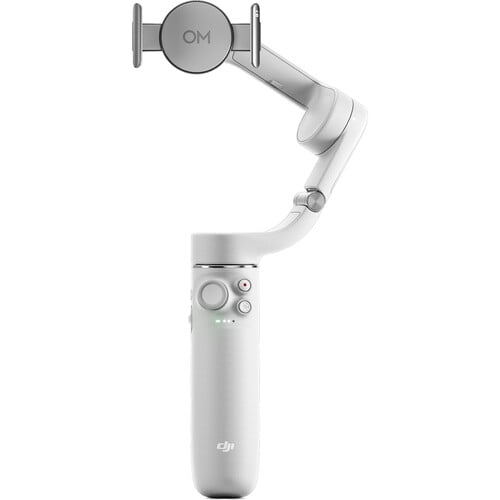
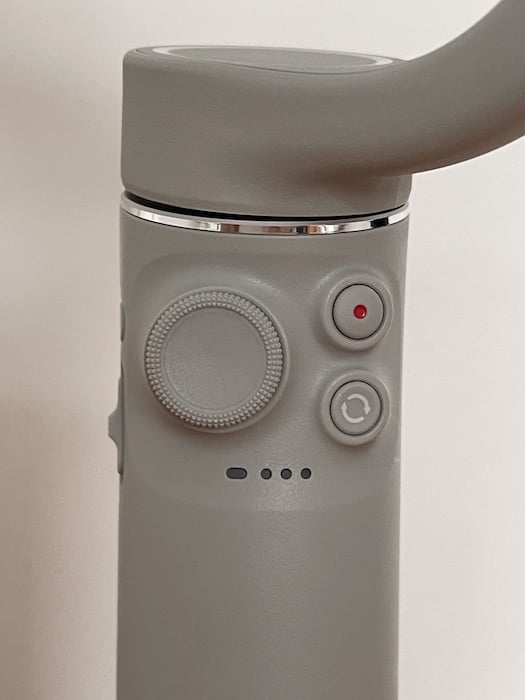
Once you’ve paired your smartphone to the gimbal and attached it using the magnetic phone clamp, you can control it with the buttons and sliders:
- Front—“thumbstick” to pan and tilt, with record and rotate buttons. If you press the rotate button once, it switches between the front and rear cameras. Pressing it twice changes it from landscape to portrait mode.
- Side—features a digital zoom slider (up to 8x), a power button to switch between photo and video, and a USB-C port.
- Back—a trigger button resets the gimbal position.
© Nick Dale
Limitations of the Buttons and Sliders
Most controls work as they should. But there are a few limitations to keep in mind—particularly for Android users:
- The joystick and zoom switch don’t offer a “haptic” capability. They won’t respond to increased pressure. To change the speed of the adjustments, you have to change the settings in the DJI OM 5 app.
- If you have a Samsung Galaxy S21 Ultra, the phone’s native camera app has a better zoom range. But that means you won’t be able to use the controls on the gimbal.
- The thumbstick isn’t as accurate with Android phones. And you can’t switch between all the different capture modes.
Selfie Stick
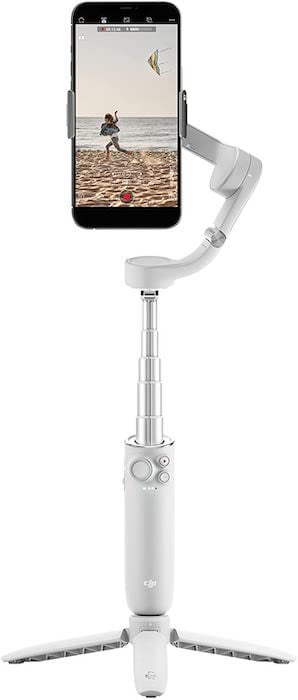
The DJI OM 5 has a standard 1/4″ tripod thread at its base. But the built-in selfie stick is the most appealing part of the OM 5. It allows you to gain an easier higher or lower viewpoint. It also means you can shoot at unusual angles and get better selfies.
All you need to do is pull the gimbal head away from the handle as far as you want. It extends up to 8.5″ (21.5cm). Then set it at the right angle. The arm can be a bit stiff. But that means it’s secure when it’s in an extended position.
The only problem with having a built-in extending arm is that the makers of the OM 5 had to compromise on performance. Yes, if you extend the head, you get better reach than the OM 4. And if you couldn’t, the previous model would probably be better.
Ergonomics and Usability
Available in Sunset White and Athens Grey, this durable polycarbonate gimbal is sleek and modern with soft curves. It weighs only 10.2oz (292g) plus 34g for the clamp. And it measures 10.4 x 4.4 x 3.6″. It’s smaller than the OM 4. That makes it easy to carry around when folded up.
The tripod feels a bit flimsy. But it seems to work pretty well, even when it’s windy. The built-in selfie stick and user-friendly app make the OM 5 relatively easy to operate. But it pays to familiarize yourself with all the buttons and settings before using the OM 5 for an important project.
Limitations to the DJI OM 5
There are just a few limitations to the DJI OM 5:
- The OM 5 has a magnetic clamp that must be attached to your smartphone at all times. It’s a pain if you like keeping your phone in a case. And it’s hard to connect to an Android phone without accidentally pressing the power or volume buttons. It does offer a quick and secure attachment. But you need to make sure the phone is centered correctly or you might get unexpected results!
- Unfolding the OM 5 is a bit awkward and confusing. And extending the telescopic arm needs a fair amount of muscle.
- It’s a pain that the Android app needs to reconnect via Bluetooth each time you turn the gimbal on.
- Turning the camera with the joystick leads to vibration and the occasional random spin. You need to choose a slower speed setting in the DJI app to fix that.
- The gimbal can’t reverse-charge your smartphone. And the DJI OM 5 battery life is only 6.4 hours. That’s roughly half the amount of the OM 4.
DJI OM 5 Accessories
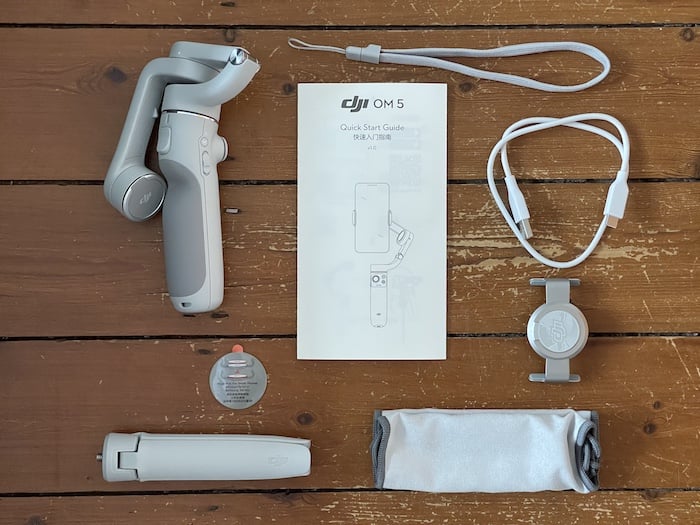
The gimbal comes with a magnetic clamp, tripod, storage pouch, wrist strap, and a USB-A-to-USB-C charging cable. A DJI Fill Light phone clamp (sold separately) helps you shoot in low light. It contains LED strip lights with three strength settings and three temperatures.
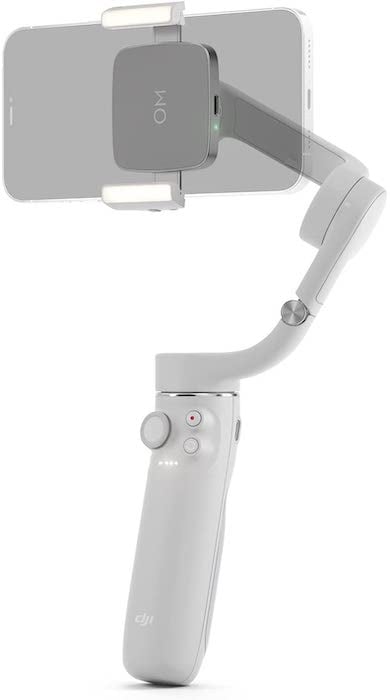
DJI OM 5 Fill Light phone clamp
Alternatives to the DJI OM 5
There are plenty of alternatives to the DJI OM 5 on the market. But these are your best options:
- Hohem iSteady Mobile Plus—offers a reasonable battery charge and exceptional panning up to 600°. It has a simple button layout, intuitive operation, and excellent facial recognition and tracking. But it suffers from cheap build quality, jittery and laggy zooming, and a poor companion app.
- Zhiyun Smooth 5—is solidly built, feature-rich, and able to handle larger phones. On the other hand, it’s more expensive, harder to use, and less portable than the OM 5. The app is prone to crashing and doesn’t have videos, tutorials, or proper English translations.
- PowerVision S1 Phone Stabilizer—has a simple yet smart design. It has three-axis stabilization and all the features you’d expect. Plus it can reverse-charge your phone.
© Nick Dale
Our Verdict—DJI OM 5
The DJI OM 5 is a light, elegant, and affordable three-axis smartphone gimbal with a built-in selfie stick and available fill light clamp. It currently offers a better feature set to owners of iPhones than Android phones. But we have our fingers crossed DJI might fix that with future software updates.
It takes some practice to get used to the design quirks and familiarize yourself with all the offered features. But it has excellent tracking capabilities and eliminates typical smartphone camera shake. There are plenty of shooting modes, including Pano, Time-Lapse, and DynamicZoom. And the ShotGuides (video tutorials) are also a good source of creative inspiration.
The DJI Mimo app is also very user-friendly, and the automatic pairing makes it easy to get started. But the Android app does have limitations.
Scores
[scores price="no" product="30670″ tag="expertphotog-20″ toc="no" left_title="Measurement" right_title="Score"]