Have you ever wondered where to showcase your astrophotography images at full resolution? Or where to get real feedback on how specific astrophotography gear performs? Or to discuss your hobby with other astrophotographers?
Wonder no more. AstroBin is the answer. Read our AstroBin review to know how this site can help you to become a better astrophotographer.
What Makes AstroBin One Of The Best Astrophotography Resources Out There?
AstroBin is much more than an image hosting website. It includes a multilingual photography forum, a photo backup service and it works as a huge gear database.
So, what does AstroBin look like? Despite the variety of services offered, the interface is neat and intuitive.
The website homepage is quite rich in information too.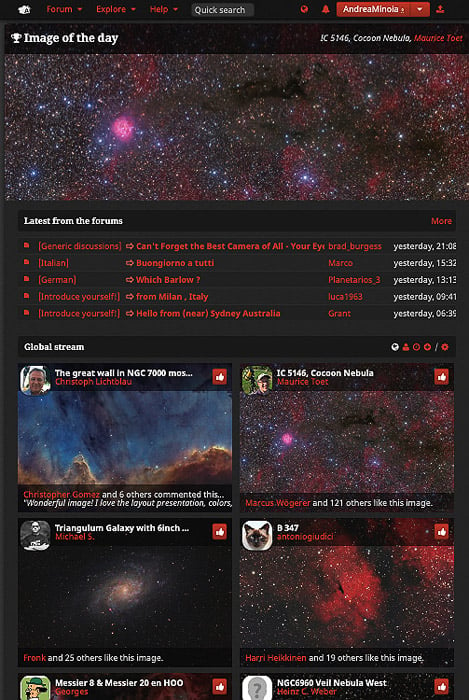
At the top, you will find the astrophotography image of the day.
Right below it, there is a section with the most recent active topics in the forum.
The final section shows the most recent images users have uploaded on the site. Like any other image sharing service, you see the name of the user and also how many likes the photos have.
The interface is also multilingual. This can help users who are not familiar with the English language.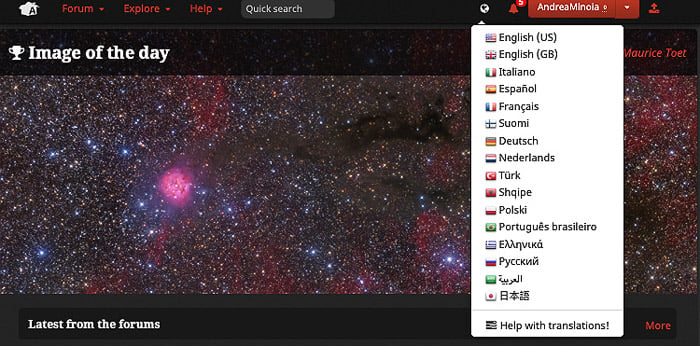
Let’s break down AstroBin and its different aspects.
Account Creation and Pricing
AstroBin gives astrophotographers a place to showcase their images.
To do so, you have to create an account and register. The registration process is very simple and straightforward.
When you register, you have to choose a username and complete your profile. Make sure you fill in the section about your equipment.
Here you can state the camera(s) you use, the lens(es), telescope(s), mount(s), filter(s) etc.
Let’s look at the subscription plans available for AstroBin.
AstroBin Subscription Plans
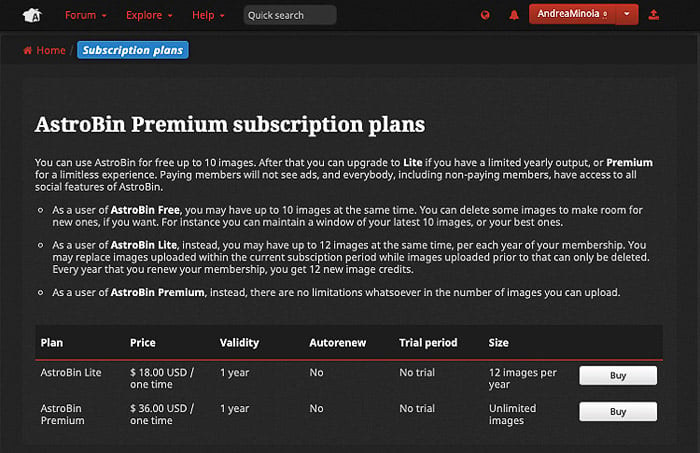
AstroBin offers a free trial and paid subscriptions:
- AstroBin Free: a 30-day First Light trial, with no gallery uploads after the trial;
- AstroBin Premium: unlimited images, up to 50 MB per image;
- AstroBin Ultimate: unlimited images, with larger uploads and uncompressed source files.
The quality of the user images in AstroBin is generally quite high, and uploads are moderated.
AstroBin’s Former Raw Data Subscription Plan
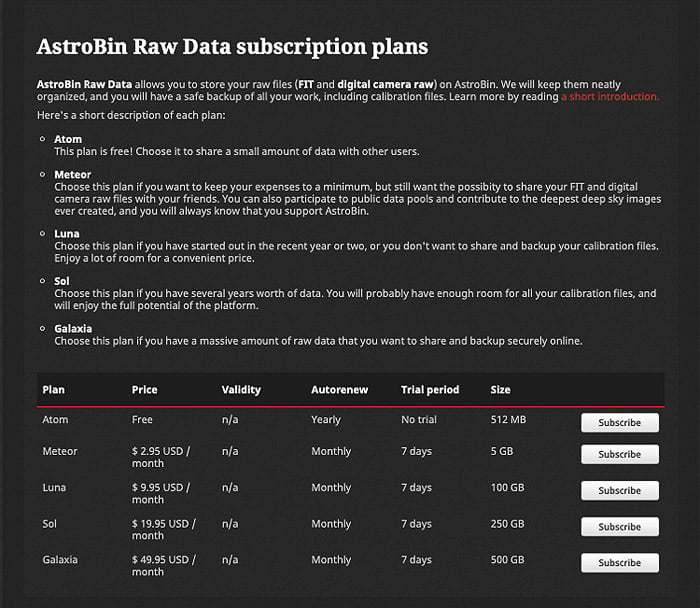
AstroBin previously offered separate storage plans for raw and FITS files. The screenshots show those former plans and their public data repository.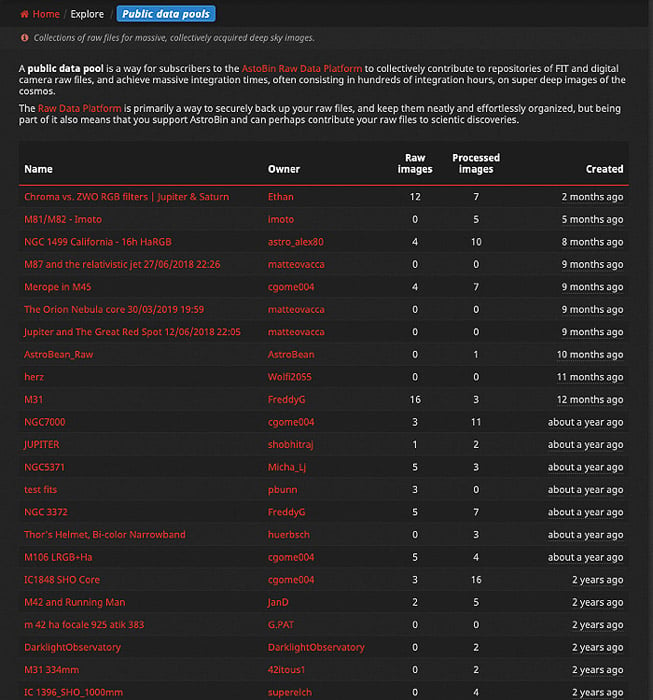
The repository let users combine shared data with their own images.
The Users Gallery
Whatever your level is, you should focus on your best images only. The free trial lets you try uploading before choosing a paid plan.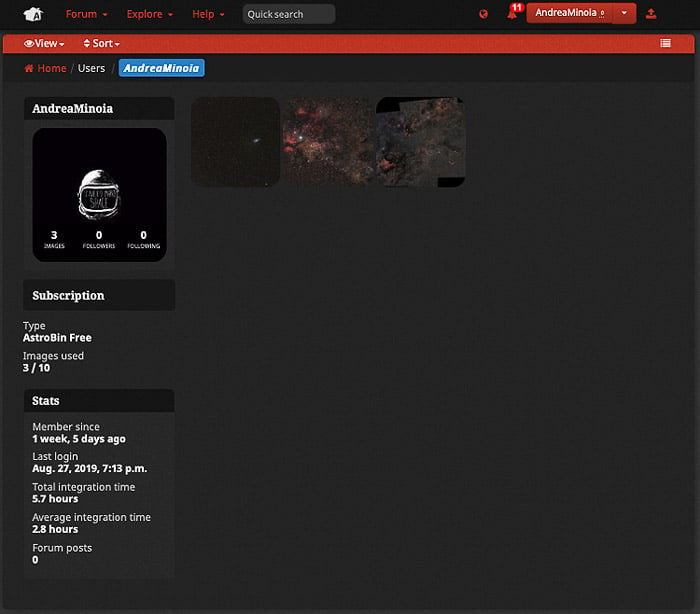
The user gallery has a classic format. On the left of the screen, you have a panel with the user’s info. The images appear as a grid of thumbnails on the right.
The advantage of using AstroBin for your images is that you can upload them at full resolution.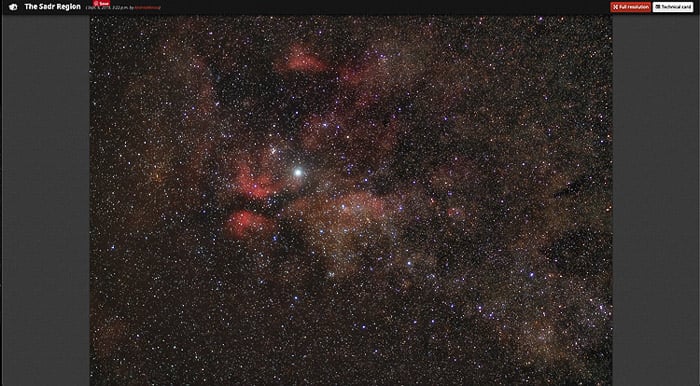
Uploaded images are automatically plate solved. This way, you can know what astronomic objects are visible in your images.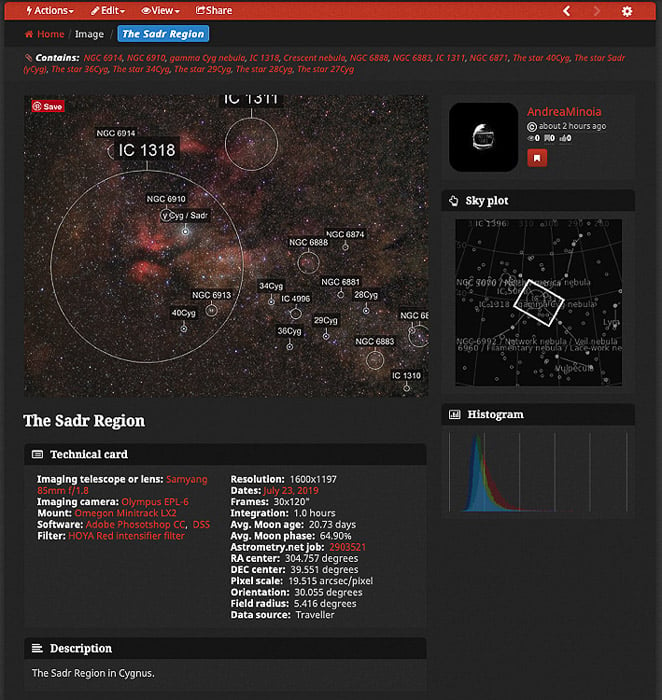
When you upload an image, take your time selecting the gear you have used to capture it, and the settings used. This way you will have a record for your info, and you will contribute to improving the AstroBin database.
Once your image is online, other users can like it and comment on it.
If you are curious, you can see my gallery here.
An Explore menu is accessible from the top menu, to see the top picks from the AstroBin staff and more.
The Forum And Public Groups
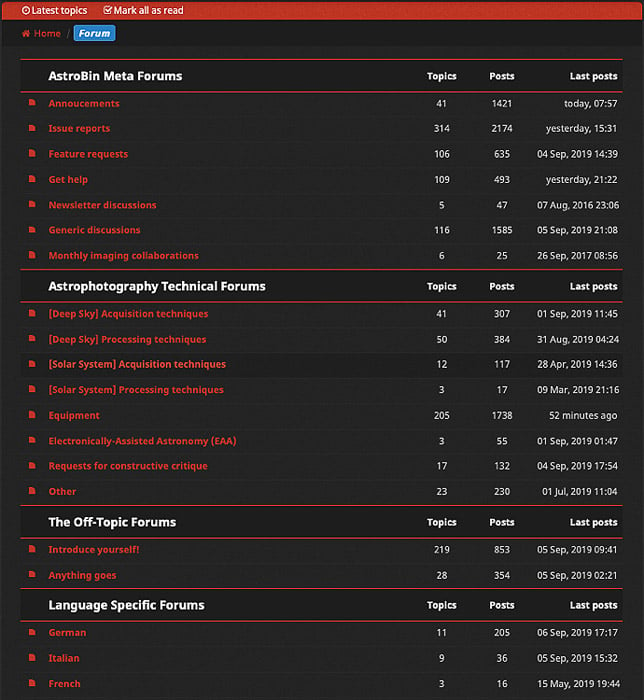
The forum has several main categories where you can talk about:
- gear,
- imaging post-processing,
- imaging acquisition techniques,
- constructive feedback and critiques of your images.
While they are not very used, you can find sub-forums that are in languages other than English, like:
- German,
- Italian,
- French,
- Spanish,
- Russian.
There are other forums out there that seem to be more active. But it is nice to have all your resources in one place.
Alongside the forum, it is possible to follow and create public groups. These are groups to discuss particular topics.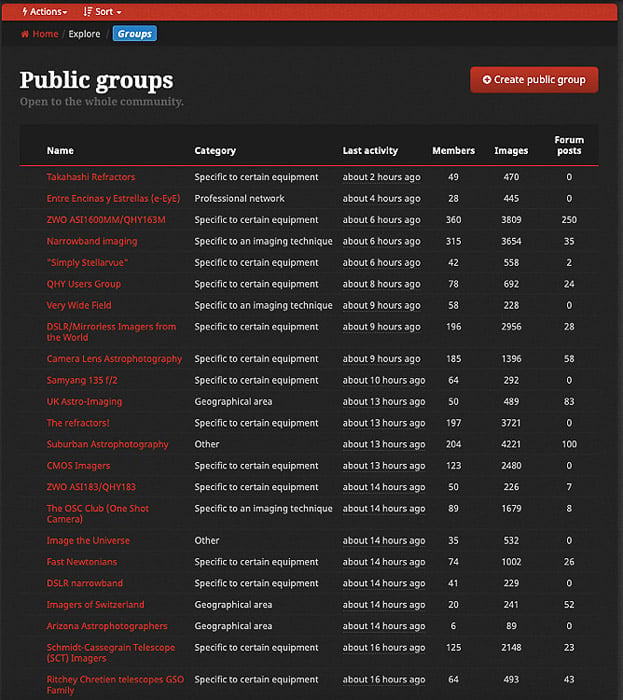
AstroBin’s Database: The Most Useful Resource For Astrophotographers
In this brief review, I have discussed the main aspects of AstroBin. But I still have to reveal the best bit of it to you: its massive, searchable database.
The most trivial use of the data in AstroBin is searching for images of a particular astronomic object. Search for the Moon to see examples.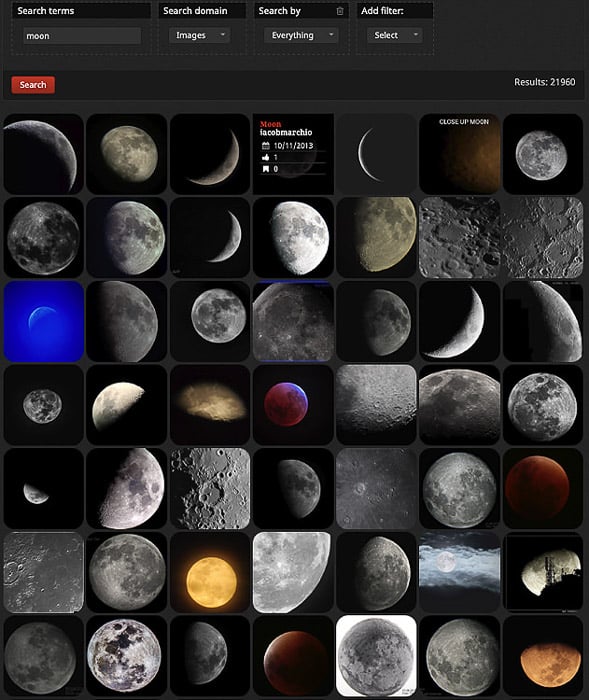
More interestingly, though, you can search AstroBin for a particular piece of equipment. This can be a specific lens or mount, a filter, a guiding scope or guiding camera, etc.
If you want to know how a particular lens performs, AstroBin is where you should look first. The same applies if you are thinking of upgrading your mount or camera.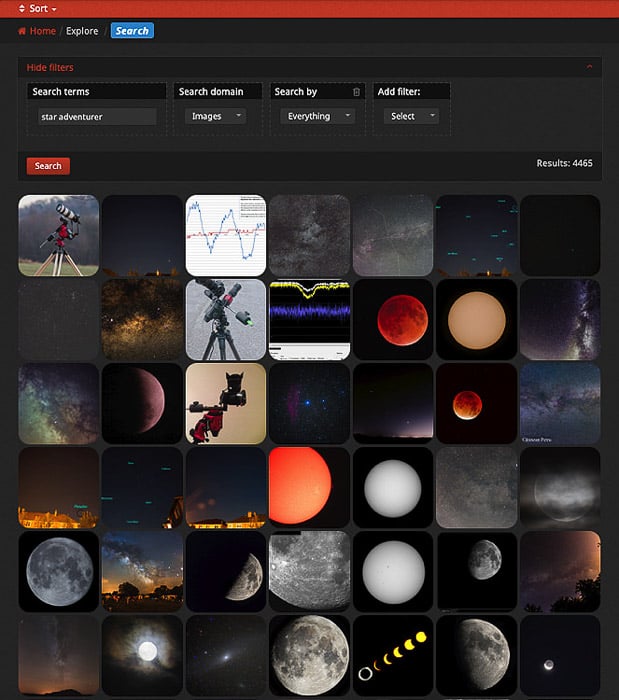
The search function is customizable, taking advantage of keywords and categories.
AstroBin Competitors
As I said, AstroBin is a rather unique resource for astrophotography. It provides many different services in a single location. But there are alternatives for the services AstroBin provides.
Are you a classic photographer with a minor interest in astrophotography? Image sharing services such as 500px and Flickr are great alternatives to AstroBin.
Are you looking for a great community to discuss and learn about astrophotography? Cloudy Nights is a forum with a good reputation, where people are helpful and friendly.
Are you more interested in tutorials? Astrobackyard is one of the best educational websites out there for astrophotography.
If you are curious to see what astronomic objects are visible in your photo, you can plate solve it by uploading it to Astrometry.net.
As for backing up your data online, if you need it, you can rely on services such as Apple iCloud, Google Drive or Dropbox.
Conclusion
You might want to be part of a community sharing your interest. Or you might want to show your work or look for beautiful photos. In both cases, AstroBin can be a great option for you.
It’s also a great resource for astrophotographers looking for feedback or equipment info.
We have a post on best apps for astrophotography or milky way photography to check out next!