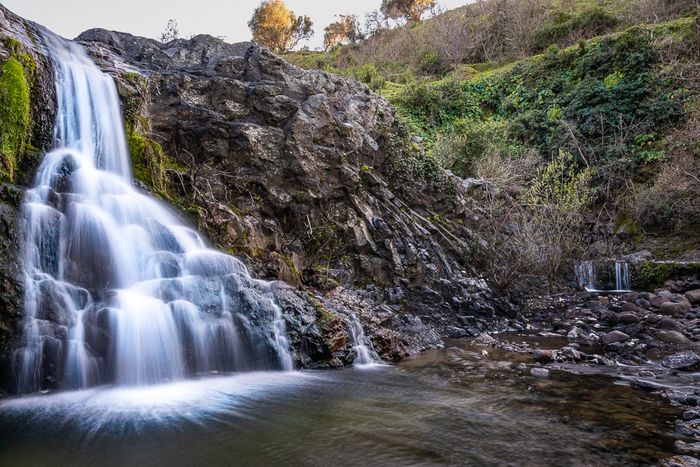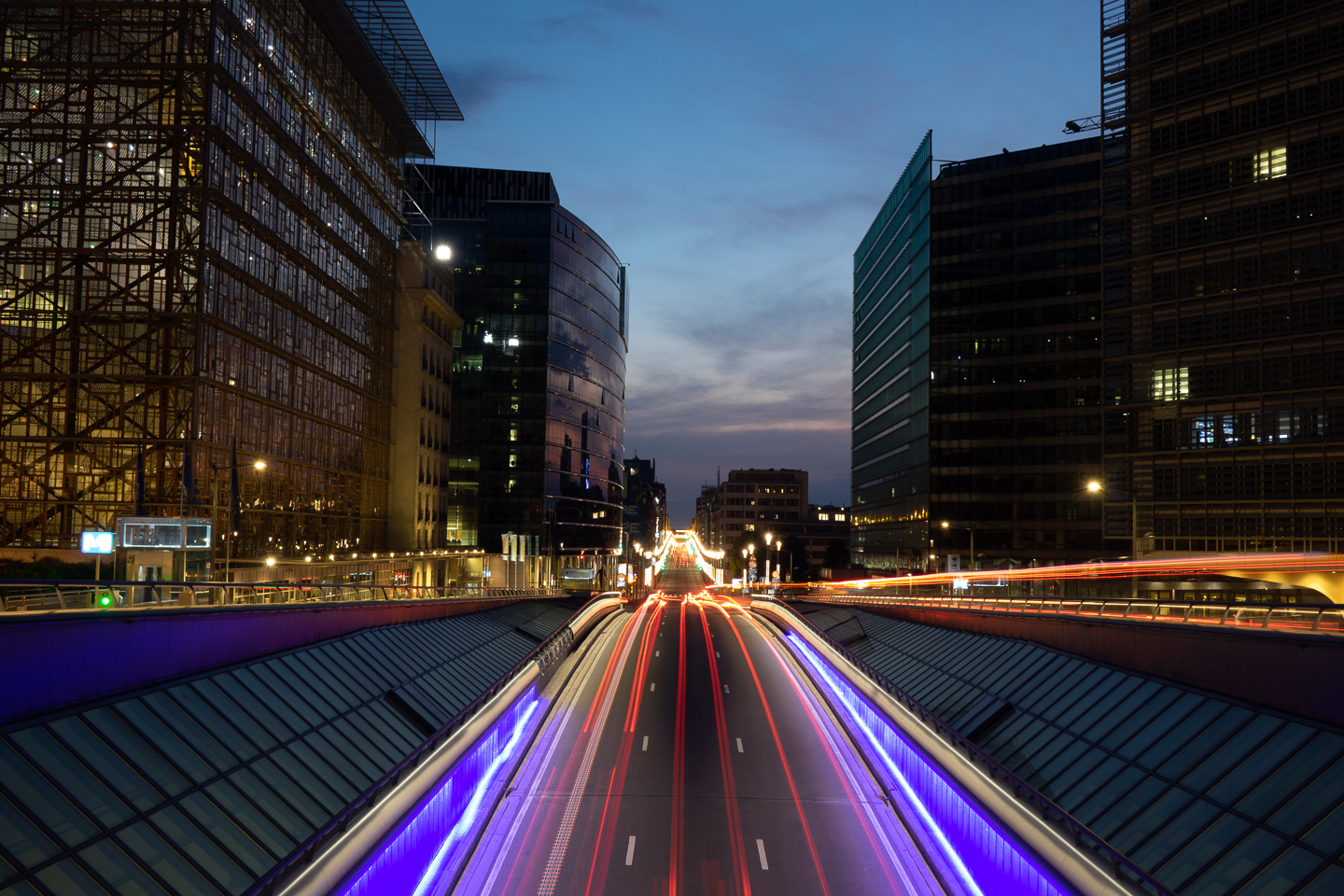
Long-exposure photography can turn moving water into a smooth blur or car headlights into trails. A long-exposure app brings those effects to your phone, but the right choice depends on your operating system and how much control you want.
ReeHeld is our first pick for simple handheld shooting on an iPhone. ProShot is the option to start with on Android if you want manual controls as well as long-exposure modes. Before downloading anything, check your phone’s built-in camera: you may already have the effect you need.
9 Best Long-Exposure Camera Apps
These nine apps include dedicated long-exposure tools and general camera apps with manual settings. Choose by the photograph you want to make:
- Handheld iPhone photos: ReeHeld or Spectre Camera.
- Dedicated slow-shutter controls on iPhone: Slow Shutter Cam.
- Manual shooting on Android and iPhone: ProShot.
For a fixed composition, especially at night, use a mount and tripod for your phone. Stabilization can help with small movements, but it does not mean you can move the phone freely during a capture.
A capture lasting 30 seconds may combine many shorter frames. It does not necessarily mean the sensor records one uninterrupted 30-second exposure. That distinction matters when comparing an app’s capture duration with its manual shutter-speed range.
1. ReeHeld
| Smartphone Store |
Smartphone Store
iOS
|
| Other Manual Photo Options |
Other Manual Photo Options
No
|
| Paid |
Paid
No (in-app purchase to unlock)
|
| Watch Integration? |
Watch Integration?
No
|
| Key Services |
Key Services
Simple application to make long exposures with ease
|
| Best For |
Best For
Photographers who want to make long exposures in the simplest way possible
|
Our first pick for handheld iPhone shooting is ReeHeld. It keeps the process simple: choose a capture time, frame the scene, and keep the phone steady.
The developer specifies capture durations from 1 to 30 seconds and AI image alignment to reduce camera shake. It is designed for handheld use. Try it on flowing water or moving people while keeping the background still.
ReeHeld is free to download with an in-app unlock. A free download is not the same as unlimited free use, so check the trial and purchase terms before relying on it for a shoot.
Choose it if you want a dedicated long-exposure tool with few settings to learn. If you want manual control over everyday photos as well, ProCamera or ProShot has a broader camera toolkit.
2. Spectre Camera
| Smartphone Store |
Smartphone Store
iOS
|
| Other Manual Photo Options |
Other Manual Photo Options
No
|
| Paid |
Paid
No (in-app purchases available)
|
| Watch Integration? |
Watch Integration?
No
|
| Key Services |
Key Services
AI-guided long exposures that save the whole capture as a Live Photo
|
| Best For |
Best For
iPhone photographers who want a hands-off long exposure with nothing to set up
|
Spectre Camera comes from Lux, the team behind Halide. It uses computational photography to combine frames and create long-exposure effects on an iPhone.
Its scene detection can produce light trails at night, smooth moving water, or reduce the visibility of people moving through a scene. Computer-vision stabilization and tripod detection help it handle different ways of holding the phone.
Spectre also saves the capture as a Live Photo. You can revisit the sequence, choose a different frame, or share the result as a still or video. Choose it if you want those playback options alongside the finished long exposure.
It is free to download with in-app purchases. Longer captures can depend on the unlock you have, so do not assume every duration is included in the free version. It is an iPhone app; Android users should look at ProShot or the Android entries below.
3. ProCamera
| Smartphone Store |
Smartphone Store
iOS
|
| Other Manual Photo Options |
Other Manual Photo Options
Yes
|
| Paid |
Paid
No (free trial, then subscription)
|
| Watch Integration? |
Watch Integration?
Yes
|
| Key Services |
Key Services
Complete control over your smartphone camera
|
| Best For |
Best For
Photographers who want to use their smartphone to its full capability
|
ProCamera is for photographers who want an iPhone camera app for shooting and editing, with manual settings available when needed.
You can adjust exposure controls such as shutter speed and ISO, or use automatic and semi-automatic modes. The app also supports RAW capture and photo editing. The available shutter range still depends on the camera you are using; manual control alone does not promise a multi-minute exposure.
The current App Store listing offers a seven-day trial followed by subscription access. It also lists a Night Camera & Long Exposure purchase. Check which features your chosen access option includes.
Choose ProCamera if you want those wider camera and editing tools. For a dedicated motion-blur workflow with fewer controls to sort through, consider one of the specialist apps in this list.
4. Slow Shutter Cam
| Smartphone Store |
Smartphone Store
iOS
|
| Other Manual Photo Options |
Other Manual Photo Options
Yes
|
| Paid |
Paid
Yes (one-time purchase)
|
| Watch Integration? |
Watch Integration?
Yes
|
| Key Services |
Key Services
Provides a small screen inside your screen for a 'live' view of image as it is being made
|
| Best For |
Best For
Photographers who are looking for a dedicated slow shutter speed application
|
Slow Shutter Cam is a dedicated iPhone app for slow-shutter effects. Its three capture modes are Motion Blur, Light Trail, and Low Light.
Use Motion Blur for flowing water and other moving subjects. Light Trail is for moving lights, such as traffic or fireworks. Low Light builds a brighter result from a longer capture. The live preview lets you watch the image develop instead of waiting until the end to see the effect.
The app includes manual ISO, extended capture controls, a self-timer, and Apple Watch support. A timer or remote trigger helps avoid nudging a phone on a tripod. The developer also recommends its Instagram hashtag for examples.
Slow Shutter Cam is a paid app. Choose it when slow-shutter effects are the main job. If you want an everyday camera app for a wider range of subjects, compare the general camera apps too.
5. ProShot
| Smartphone Store |
Smartphone Store
iOS, Android
|
| Other Manual Photo Options |
Other Manual Photo Options
Yes
|
| Paid |
Paid
Yes (one-time purchase)
|
| Watch Integration? |
Watch Integration?
No
|
| Key Services |
Key Services
Simple interface with great control
|
| Best For |
Best For
People who want advanced shutter control with simplicity
|
ProShot runs on iPhone and Android and offers automatic, program, manual, and custom camera modes. It is our starting point for Android users who want more than a single long-exposure effect.
You can control settings such as ISO, white balance, focus, and shutter speed, subject to the phone’s support. On Android, the developer’s Light Painting guide separates Light, Water, Stars, and Bulb modes. Light is for trails, Water is for flowing water, and Stars is for star trails. Bulb simulates extended exposure capture.
Those modes make it a practical option for light painting and traffic trails. Use a tripod for a fixed view while the moving lights build up in the frame.
ProShot also includes time-lapse capture. The developer sells it without subscriptions or feature in-app purchases. Android camera support varies by device, so use the developer’s ProShot Evaluator to see what your phone exposes to the app before buying.
6. Easy Long Exposure Camera
| Smartphone Store |
Smartphone Store
iOS
|
| Other Manual Photo Options |
Other Manual Photo Options
Manual focus, with manual ISO in Pro
|
| Paid |
Paid
No (Pro version available)
|
| Watch Integration? |
Watch Integration?
No
|
| Key Services |
Key Services
Light trails and motion blur, including bright-condition motion blur
|
| Best For |
Best For
Astrophotographers or night time photographers
|
Easy Long Exposure Camera is an iPhone option for moving water, light trails, fireworks, and star trails. It is not limited to shooting in the dark.
The current developer listing gives a timed capture range of 1 to 180 seconds, plus Bulb mode so you can stop a capture when you choose. It combines frames using three modes: Light Trails, Motion Blur, and Lighten.
Motion Blur averages frames for smoother water and can work in bright conditions. Lighten keeps the brightest parts of frames for subjects such as fireworks and star trails. Light Trails adds light from successive frames.
The app is free with an optional one-time Pro purchase. The free version limits stabilization to three seconds. Pro adds features including manual ISO, ad removal, noise reduction, and longer stabilization. For a long fixed view of the night sky, support the phone rather than relying on handheld stabilization.
7. Camera+: Pro Camera & Editor
| Smartphone Store |
Smartphone Store
iOS
|
| Other Manual Photo Options |
Other Manual Photo Options
Yes
|
| Paid |
Paid
No (in-app purchases available)
|
| Watch Integration? |
Watch Integration?
Yes (listed for Apple Watch)
|
| Key Services |
Key Services
Allows you to use presets for added style
|
| Best For |
Best For
Photographers who want one app for shooting and editing
|
Camera+ combines camera controls, RAW capture, and editing in one iPhone app. Choose it if you want to shoot and edit in the same place.
Its capture modes include Manual, RAW, Slow Shutter, Macro, and Action. Use Slow Shutter for long-exposure effects. The other modes address different subjects, including macro and action photography.
That distinction helps when choosing an app: a Slow Shutter preset changes the way motion appears, while a macro or action mode serves a different shooting task. Editing filters are another part of the app, rather than the method used to make a long exposure.
Camera+ is free to download with in-app purchases. Check the current access terms for the controls you want. If you only need slow-shutter effects, a dedicated app gives you fewer unrelated features to work through.
8. Manual Camera DSLR
| Smartphone Store |
Smartphone Store
Android
|
| Other Manual Photo Options |
Other Manual Photo Options
Yes
|
| Paid |
Paid
No (ad-supported, paid upgrade available)
|
| Watch Integration? |
Watch Integration?
No
|
| Key Services |
Key Services
Packed with options for manual controls
|
| Best For |
Best For
Android users who want a fully customizable camera app
|
Manual Camera DSLR is an Android manual-camera option. The linked app is the Lite version from Lenses Inc., rather than the separate Pro build.
Its developer lists manual ISO, focus, white balance, shutter speed, and RAW capture. Manual functions require the phone to support the Android Camera2 interface. That support matters more than the app name: check that your phone exposes the controls you need.
The Lite listing contains ads and limits photo resolution to 8 MP and video resolution to 1080p. These are output limits, not a different long-exposure technique. Choose it for manual settings on a compatible phone; choose ProShot’s Light Painting modes if you want dedicated ways to build motion-blur or light-trail images.
9. Long Exposure: Motion ProCam
| Smartphone Store |
Smartphone Store
Android
|
| Other Manual Photo Options |
Other Manual Photo Options
Yes (Premium)
|
| Paid |
Paid
Yes
|
| Watch Integration? |
Watch Integration?
No
|
| Key Services |
Key Services
Easy interface to work through for custom controls
|
| Best For |
Best For
Android users who want a simple long exposure application
|
Long Exposure: Motion ProCam is an Android app that aligns and combines frames to make long-exposure effects. Choose a duration, keep the phone steady, and let the app build the image.
The developer lists Motion Blur and Light Trails modes, with capture times up to 20 minutes. Its current listing advertises handheld stabilization for captures up to 15 seconds. That is a developer-stated capability, not a promise that every handheld scene will stay sharp. Use a tripod for longer captures or a fixed composition.
The app is paid, with Premium features available through in-app purchases. Premium adds RAW capture and manual exposure controls. RAW files give you more room for later adjustments in photo editing apps or desktop software.
Choose Motion ProCam for its dedicated blending modes. Choose ProShot if you also want a general manual camera app.
When Should You Use a Long-Exposure App?
A slower shutter speed lets movement appear as a blur instead of freezing it. Phone apps can create a similar effect by combining several frames over time.
The aim is to blur motion while keeping the parts of the scene that should stay still in place. A longer capture changes the effect, but it does not automatically make the photograph better.
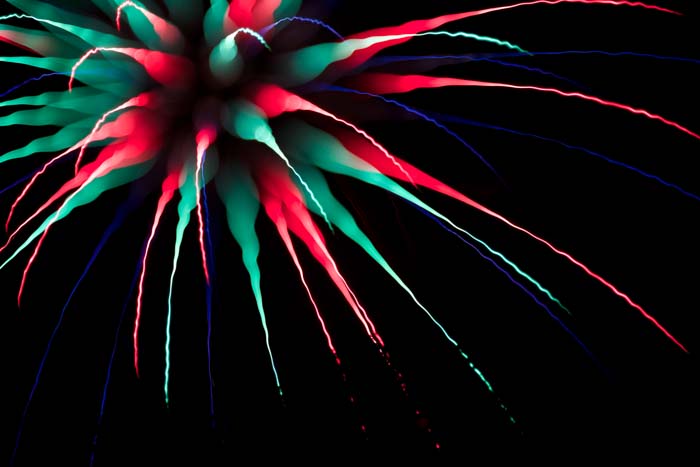
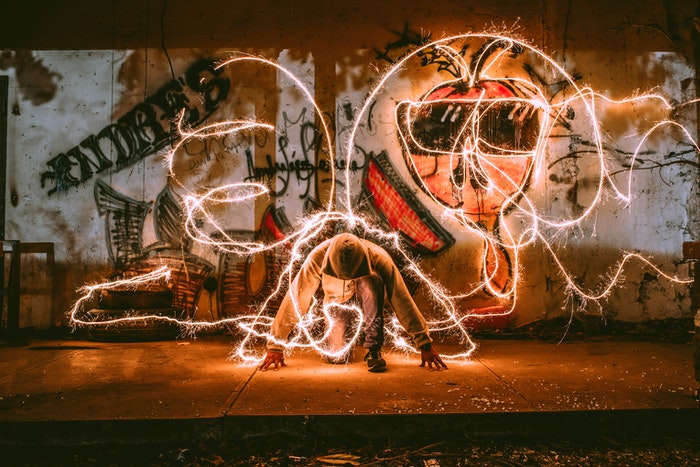
Fireworks with long-exposure settings. Ⓒ Nick Dale
Photographers use long exposures to blur motion in different ways:
- Landscape photographers smooth moving water in rivers, waterfalls, and waves.
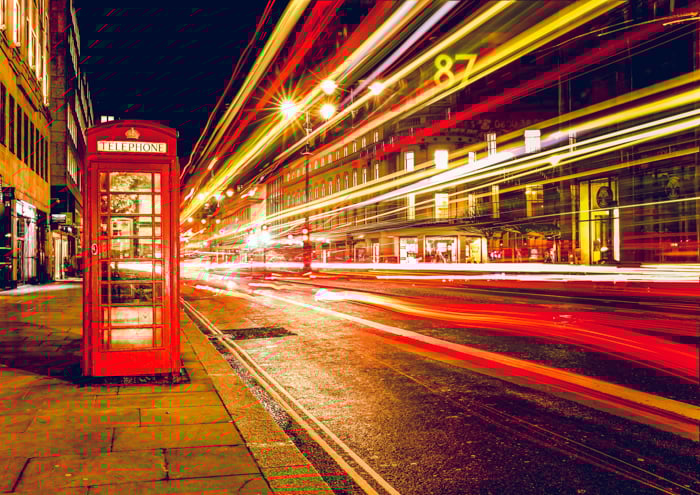
- During night photography, moving traffic creates light trails.
- Astrophotographers can use dedicated modes to record stars or star trails. The settings depend on whether the stars should stay as points or become trails.
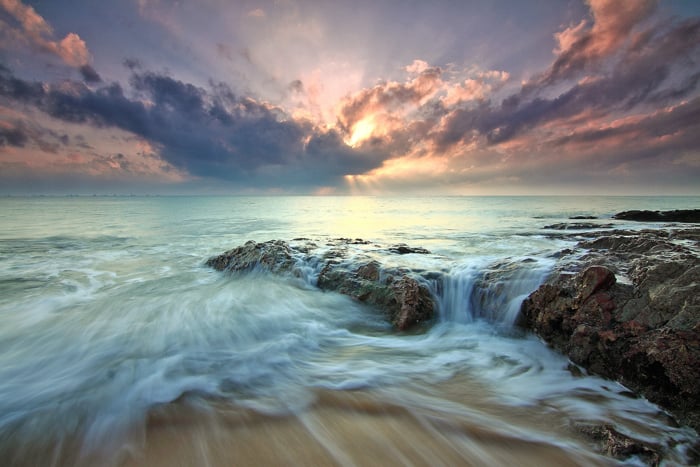
You can also try using a long exposure creatively. Blur people moving through a street scene, suggest movement during sports, or draw with light in the dark.
For your first shot, choose a scene with one moving element and a still background. Support the phone, choose the motion-blur or light-trail mode that matches the subject, and begin with a short capture. Review the result, then increase the duration if you want more movement in the image. If the whole frame is smeared, improve the phone’s support before extending the time.
Frequently Asked Questions
Do I Need a Tripod for Long-Exposure Phone Photos?
Use one for long fixed compositions, night scenes, and star trails. Some apps, including ReeHeld and Spectre, are designed to reduce shake during handheld captures, but you still need to hold the phone steady. Follow the app’s instructions: ReeHeld is specifically designed around handheld shooting.
What Is the Best Free Long-Exposure App?
Start with your iPhone’s built-in Live Photo effect if you only want to try motion blur. Take a Live Photo while holding the phone still, open it in Photos, tap the Live menu, and choose Long Exposure. This blends motion from the Live Photo rather than giving you a freely adjustable shutter speed.
For a dedicated app, Easy Long Exposure Camera includes a free version with timed captures up to 180 seconds and a three-second limit on handheld stabilization. Spectre and ReeHeld are also free to download, but have in-app purchases. Check what is included before treating a free download as a fully free app.
Can Android Phones Shoot Long Exposures?
Yes, but the available method depends on the phone. Some Pixel phones have a built-in Long Exposure mode. Other phones may offer manual shutter settings in their own camera app.
ProShot is the Android option in this list to consider for manual controls and Light Painting modes. If you want a full manual camera app, check device support as well as the app’s feature list. An app cannot guarantee that every Android camera exposes the same shutter-speed range.
How Long Can a Long Exposure on a Phone Be?
Both the app and the phone matter. ReeHeld offers captures up to 30 seconds. Easy Long Exposure Camera offers timed captures up to 180 seconds plus Bulb, and Motion ProCam lists up to 20 minutes. These capture durations can involve combining frames rather than one continuous sensor exposure.
For an exact phone, check the app’s supported modes and the camera’s limits. A longer duration is only an advantage if it produces the motion effect you want.
Conclusion: Best Long-Exposure Apps
Start with ReeHeld for a simple handheld iPhone workflow, Slow Shutter Cam for dedicated iPhone slow-shutter controls, or ProShot for manual shooting on Android. If you want to experiment without a new app, try the iPhone’s built-in Live Photo Long Exposure effect first.
Choose the mode for the subject: motion blur for moving water, light trails for traffic, and a suitable night-sky mode for stars. Keep the phone steady, review the result, and change one setting at a time.
If you want to explore another way to show motion, try our Total Time-Lapse video course to capture beautiful moments with motion.