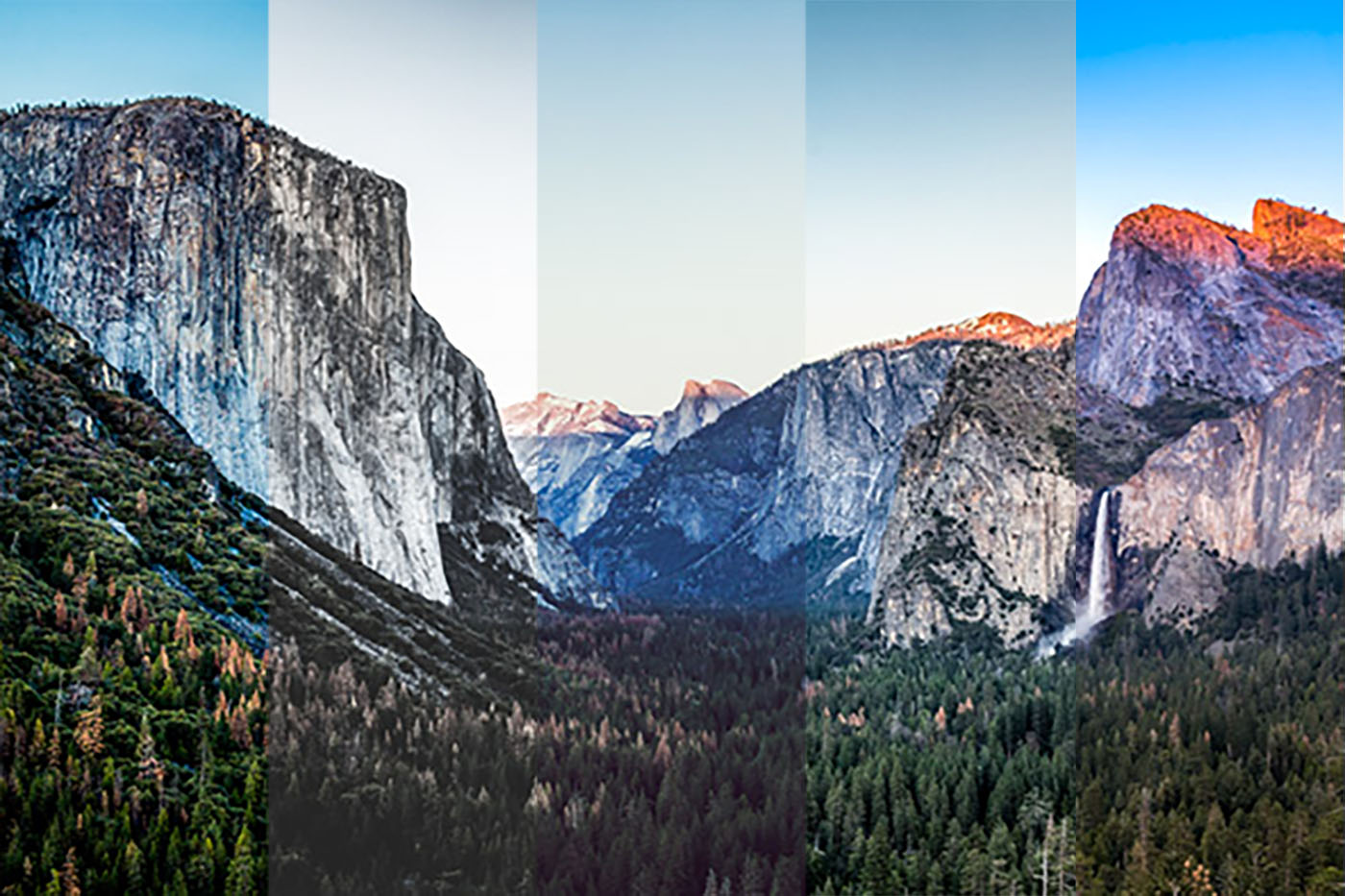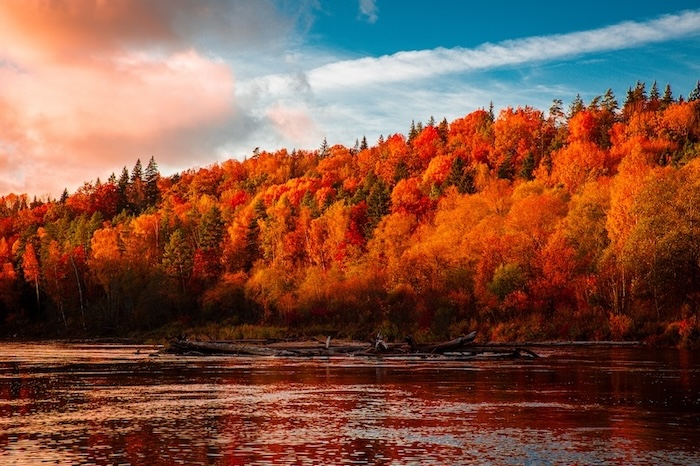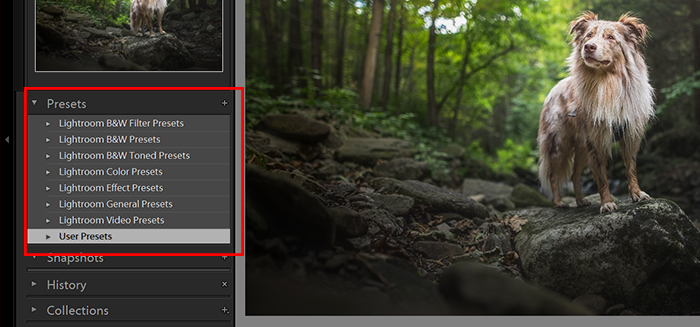
Today, we’re looking at the best free Lightroom presets. After a quick search on Google, you’ll be flooded with thousands of free Lightroom presets. Some can be very expensive, while others are free.
Presets are a great way to work through your images in Adobe Lightroom. They are adjustments made to an image and then saved for future use. Some photographers or software manufacturers create these presets. Here, we have collected 36 free Lightroom presets covering most photography topics.
Free Lightroom Presets: Why Use Them?
Lightroom presets are for speeding up your post-processing. They allow you to edit more images simultaneously with a single click. This way, your images can have a uniform tone and atmosphere. All you need to do is paste the settings to all your photos.
It’s perfect when you have a deadline to meet. For example, event photographers almost always use presets.
Everyone can benefit from using Lightroom presets because they are non-destructive. Editing in Lightroom is non-destructive. This means you can always go back to the RAW image at a click of a button. You can remove your adjustments easily.
You might add pre-made adjustments to your image, but these can all be tweaked for a personal look. This also hastens your workflow and, at the same time, teaches you how you can reach different effects.
You can easily install presets in Lightroom and then easily use them. After that, import your images and start working. Plus, it’s great when you can do it for free!
Free Lightroom Presets for Landscape Photography
Landscape images can really benefit from Lightroom presets. Green rolling hills, a mountain in the background, or a water source. Your photo most likely has one or more of these elements.
The following presets help bring out colors. They also bring down the highlights and bring detail out of the shadows. This helps your hills, mountains, rivers, etc., pop!
1. Beautiful Sunrise
When there isn’t enough light yet, colors can appear plain.
So this free Lightroom preset from PresetPro helps you enhance the magical colors of every sunrise.
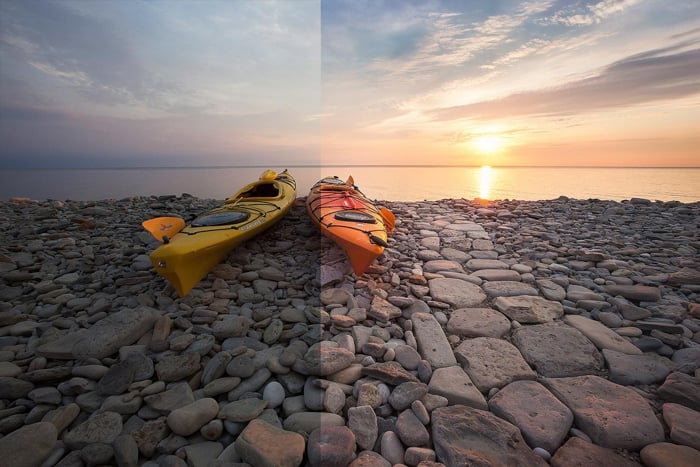
PresetPro sunrise preset before and after
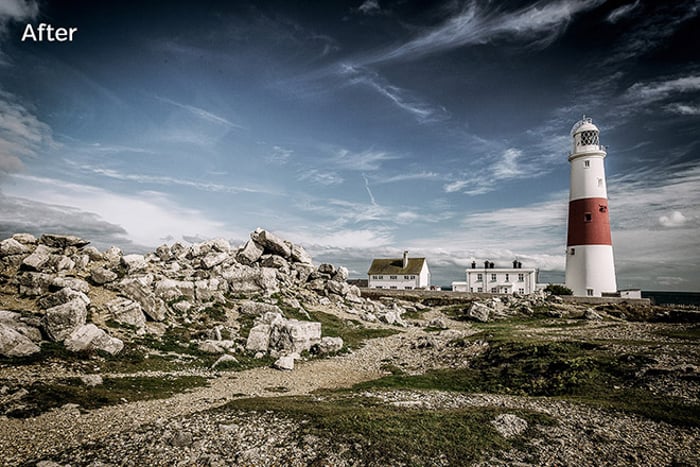
2. Cinematic HDR
This free Lightroom preset from Loaded Landscapes gives your landscapes a unique cinema-inspired HDR look.
It may look unnatural on some of your images, but you can experiment by trying it on different types of images. Just look for a good fit.
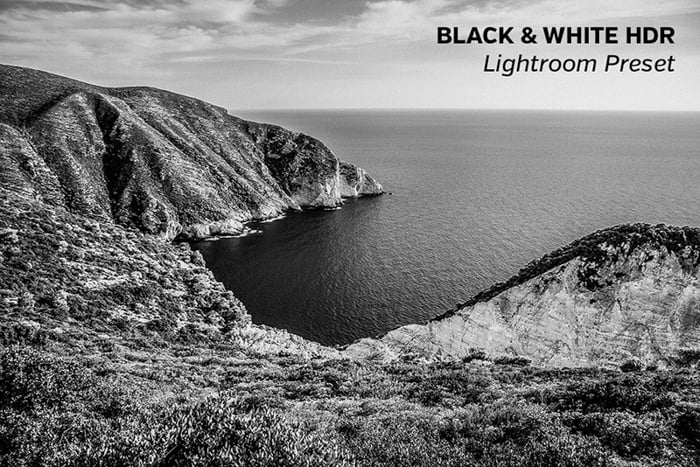
3. Black and White (B&W) HDR
Sometimes your landscape images look great in black and white. A touch of HDR can even make them more dramatic.
This Loaded Landscapes preset also looks good with other genres, not only landscapes. So we suggest you experiment with it.
4. The Summit
The Presets Room built The Summit for mountain scenes. It adds depth, sharpens the profile of each ridge, and lifts the detail in trees and cloud. A flat panorama gains structure in one click.
Reach for it when haze has drained a distance shot, as it often does on the long lens shots landscape photographers and travel photographers come home with. The download is free and includes XMP and DNG files for desktop and mobile Lightroom.
5. Rising Star
This free preset from Shutter Pulse on Loaded Landscapes will add a cinematic look to your photos.
It strengthens the contrast. This way, you can enhance the power of nature.
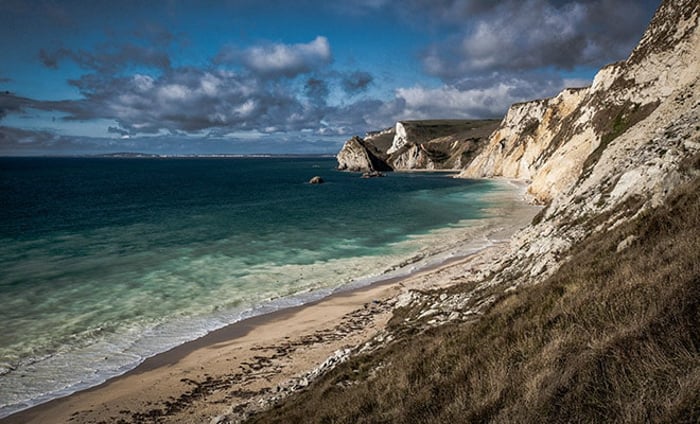
6. Green Hills
Lightroom Look built this landscape preset around a single job. It deepens greens, so grassy fields, leafy canopies, and open countryside gain vibrancy while the rest of the frame is left alone.
It suits spring and summer scenes where the raw file looks flat and washed out. The download is free, and the site asks for no email address.
Free Lightroom Presets for Street Photography
Street photography presets are a great way to go through hundreds of photos in one fell swoop. Since you’re photographing many subjects, from people and architecture to daily life, you need something just as versatile.
Here is a selection of street photography presets to make your images bloom.
7. Street View
This free preset, called Street View, was created by Presetpro.com.
This Lightroom preset’s task is to bring out the details, especially in high-lit areas such as the sky. The whole image gets an extra notch of brightness and a warmer feeling.
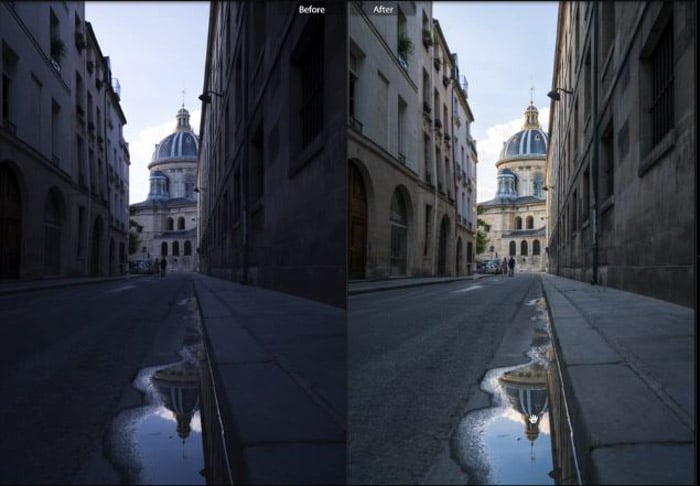
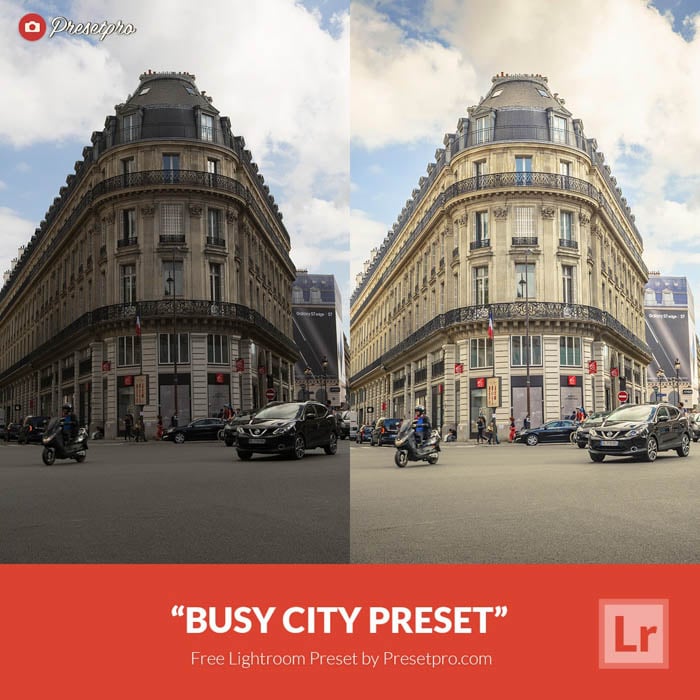
8. Busy City
Busy City was also created by Presetpro.com, which brought us Street View (above).
This Lightroom preset adds an exposure increase to your image and adds detail to high-lit areas like clouds. It makes the photo pop and be more interesting, even if your original image was a little drab and muddy.
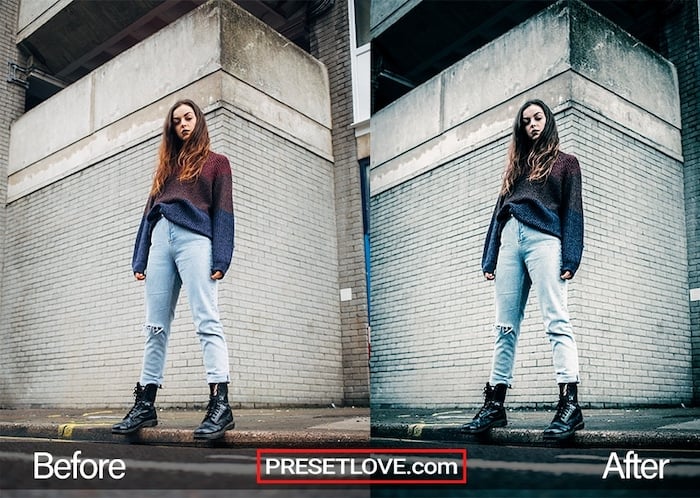
9. Street Blue
The website Preset Love offers this industrial Lightroom preset called Street Blue.
It draws out deep and moody hues suitable for street photography portraits and scenes. If you want to bring out textures and details, be sure to try out this preset.
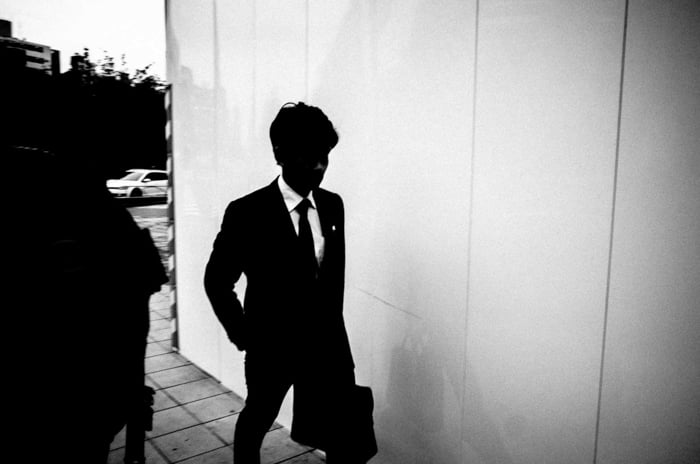
10. Eric Kim Lightroom Presets
These free presets by Eric Kim can make your street photos edgier.
There is a monochromatic and a color version available. Both of them are high-contrast presets. They make some details disappear from your photos. And this emphasizes the shadows and figures.
Free Lightroom Presets for Portraits
Portraiture, fashion, and boudoir focus on the person rather than the setting. Curved shapes and expressions make them powerful.
Lightroom presets can help with the image’s exposure, mood, and tone. They can add to the feeling or juxtapose it. The outcome is down to you.
11. Portrait
This free Portrait preset from Stockpresets gives your images a classic film look. It warms the midtones so skin reads naturally, softens the highlight roll-off so bright cheeks and foreheads stop clipping, and lays a gentle film contrast curve over the whole frame.
It is a safe base for headshots and lifestyle portraits. Set it, then nudge the exposure to suit each frame.
12. Free Lightroom Presets and Photoshop Actions
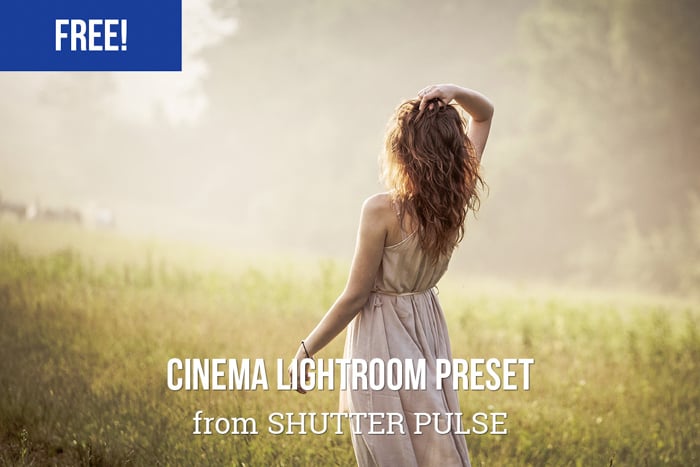
Shutter Pulse hands over a bundle of 40 Lightroom presets and 40 Photoshop actions for an email address.
The presets run from cinematic to matte to warm, so there is plenty to test on your portraits. The actions are a bonus if you finish your retouching in Photoshop. We list more free Photoshop actions separately.
13. Free Lightroom Mobile Presets
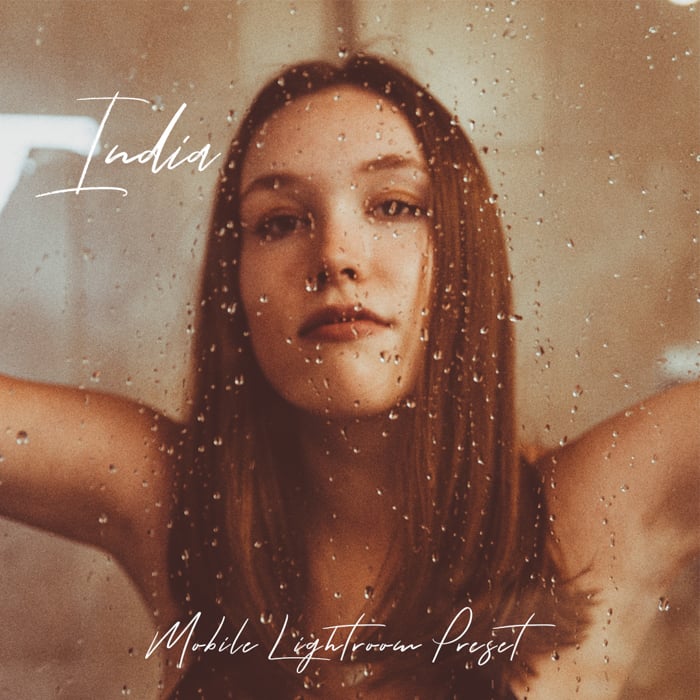
Imaginated (previously Preset Galore) offers free Lightroom presets for your smartphone.
These are perfect for editing your images on the go. They save you a lot of time and enable you to immediately post on your social media.
14. Creamy Portrait
Preset Love's Creamy Portrait softens the whole frame and draws the eye to your subject's face.
It is a gentle preset rather than a dramatic one, which makes it easy to run across a full shoot. Try it on indoor portraits where the light is even but the colors need lifting.
15. Shadowze
This black-and-white Lightroom preset was created and shared by Lightroom Look.
It is a great preset for converting color images to black and white. It flattens out color images but ensures a nice contrast between dark and light shadows. This ensures a subtle pop.
16. Contrast Noir
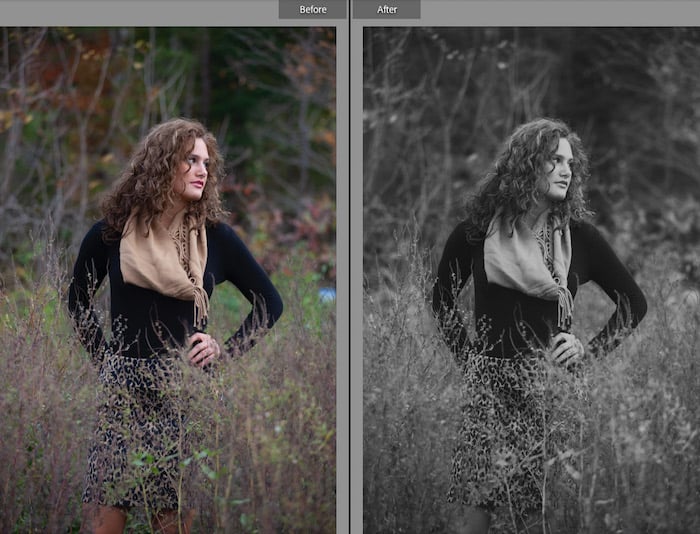
Contrast Noir is a high-contrast black-and-white conversion from Lightroom Look. It pushes the contrast hard and pulls fine detail out of the midtones in one click.
It works on portraits, street photos, and landscapes alike. The heavy contrast drops small distracting details and adds a dramatic monochrome mood.
Free Lightroom Presets for Newborn Photography
When it comes to family photos, you want something warm, pleasing, and filled with happy emotions.
Baby photography embodies these qualities with an added “aww” factor. This “fuzzy feeling” is achieved using a preset like the ones below.
17. Tiny Smile
The Presets Room made this newborn preset for a baby's first session. It desaturates the colors a little, lifts the whites, and softens both the highlights and the shadows.
The result flatters pink newborn skin and light-colored eyes without stripping the clarity out of the whole image. Each download includes XMP and DNG files, so it works on desktop and mobile.
18. WeEdit Newborn
WeEdit presents a range of newborn photography presets that are great for Lightroom. They offer ten different presets that all suit newborn photography. Each preset has a different aesthetic that works perfectly with this genre of photography.
We love the Soft Skin and Mahogany presets. WeEdit also provides a description of each preset. These descriptions include the ideal situations to use them in, and also images that shouldn’t use these presets. This is great for photographic beginners. Every one of the ten is a direct Dropbox link, so you can take only the two or three you want.
19. Whispys
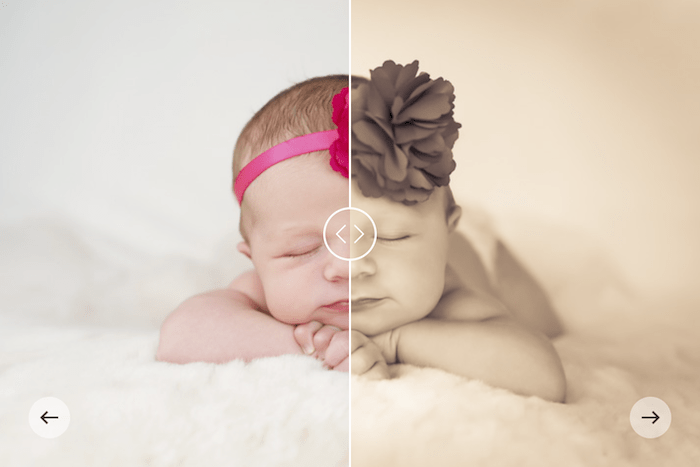
Whispys is The Presets Room's free preset for a newborn shoot at home. It brightens the room around the baby and warms the skin tone, leaning on clean whites instead of a heavy color wash.
It is tuned for close-ups, so cot and blanket frames suit it better than a wide family group. Like the rest of their free range, the download carries both XMP and DNG files and asks for no email address.
Free Lightroom Presets for Wedding Photography
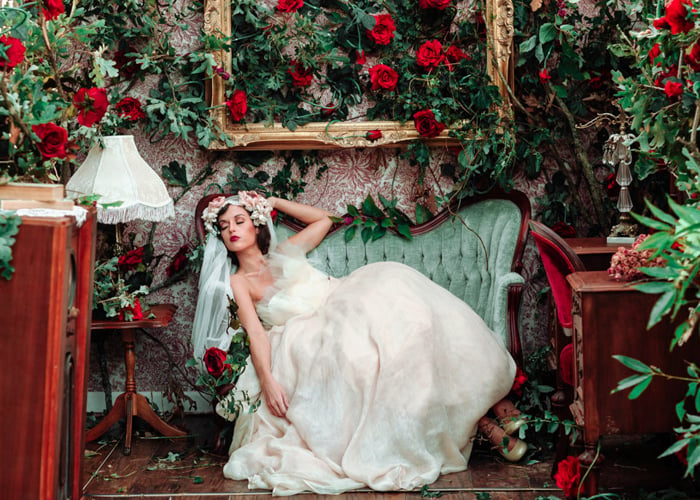
If you are a wedding photographer, there is a high chance that you will take hundreds of pictures in one day.
This is why it’s beneficial to use Lightroom presets. You can significantly make your post-processing faster with presets.
Of course, you are going to have to adjust them a bit. Usually, a wedding happens in multiple venues and varying lighting conditions. But it’s a good start to try Lightroom presets, which fit the atmosphere of a wedding.
20. Mini Enlighten Presets
These free Lightroom presets from MCP can be used for different genres of photography. The sampler holds 15 presets split into exposure fixes, base styles, tone enhancers, and finishing touches, and they stack.
On your wedding images, they will look soft and warm. They add a bit of yellow to the images making the bridal dress look stunningly white. Note that MCP hands these over through a $0.00 checkout rather than a straight download, so you add them to a cart before you get the files.
21. Take A Vow
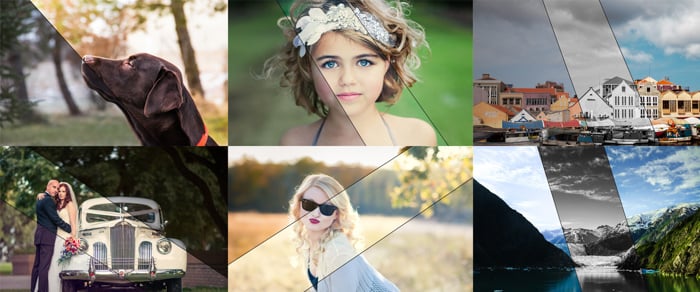
Take A Vow is Lightroom Look's free wedding preset. It warms the image and keeps skin tones soft, which suits the mix of light you meet across a wedding day.
Use it as a base pass over a full gallery, then adjust the exposure venue by venue. It is free to download with no email signup.
22. Presets for Portrait, Weddings, and Film
These are 16 free Lightroom presets from Greater Than Gatsby, pulled out of the paid collections they sell. The set spans color grading, artistic tones, black and white conversion, and a small extras toolkit for detail and noise, so there is more than enough here for a wedding gallery.
But don’t hesitate to try their other products on your wedding images. You can get great results from them too. This one is not an instant download. You hand over an email address and they send the zip file.
Free Lightroom Presets for Food Photography
In food photography, it’s important to find balance during post-processing. You want to make the food look delicious. For example, sometimes, you must saturate your images to make the fruits look appetizing.
But generally, we recommend looking for a rather natural effect. You don’t want the food to look like it’s made of plastic!
23. Dani’s Cookings
These free presets from Daniela Lambova will enhance your food photography.
There are six in total, and each targets a different problem. Chocolate Addict is a moody preset for food images built around chocolate and cocoa. Cheesy Potatoes lowers the contrast and highlights on food that photographs too bright. Cozy Shadows, Blue Highlights, and Cupcakes and Cookies make smaller adjustments, and a sixth is mobile only.
As you can see, they are not overly dramatic presets. But they make your food stand out a bit more.
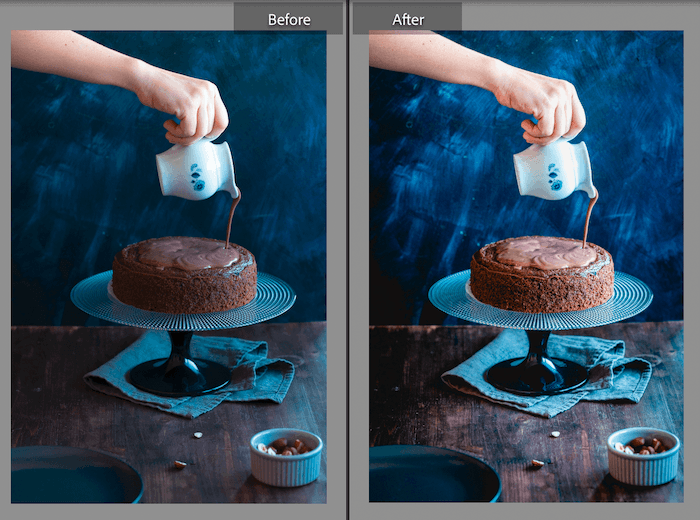
24. Food
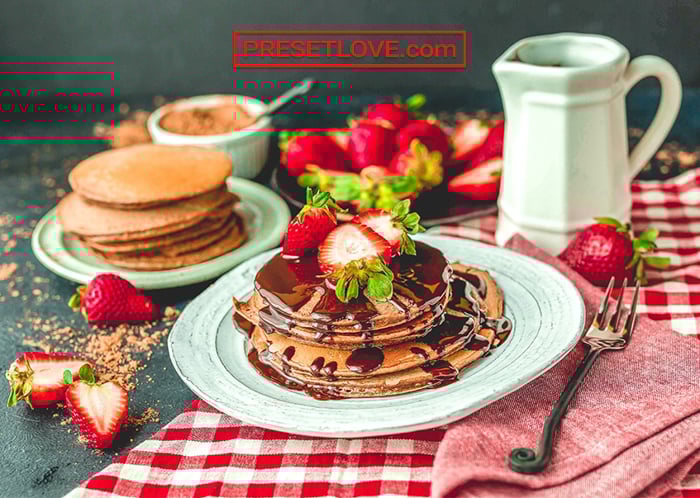
This is a free option from PresetLove. It was made to make your food photos more colorful and exciting.
It’s perfect for sharing images on social media. Your photos will pique people’s interest and stop them from scrolling past.
Free Lightroom Presets for Night and Astrophotography
Night and astrophotography landscapes benefit from presets… in a more serious way than those adjusting images of babies and families.
These presets help remove the haze caused by light pollution.
25. City at Night
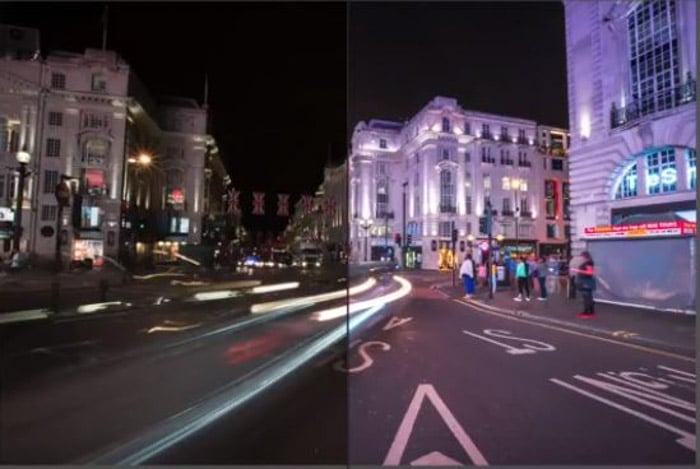
PresetPro has our first choice for a free night photography preset. They increase the exposure while keeping the highlights down.
The details are pulled from shadows, and the contrast is present but not overly used. It’s great for street scenes with lots of light sources.
26. Milky Way
This free astrophotography preset from The Presets Room was built for star fields. It drops the shadows, lifts the exposure and highlights, and adds detail so the stars separate cleanly from the sky.
It also tidies up the color cast that light pollution leaves behind. The same site offers two more free night presets, Shooting Star and Cosmos, if you want a lighter touch.
Free Lightroom Presets for Travel Photography
Travel photography is one of those all-encompassing photo niches. You’ll take different shots on your travels, be it architecture, portraits, or landscapes.
So you need some presets that are just as versatile. Here are three free Lightroom presets. They will work well with your nomadic travel images.
27. Travel by Nomanbefore
These four presets cover all travel bases. They arrive by email rather than as a direct download, so you sign up to the site's newsletter to get them:
- Laguna Sunset: Brings details out of shadows and increases the highlights, adding a warmer tone.
- It’s a Jungle Out There: Adds exposure while keeping the contrast low for a warm, light photo.
- Into The Woods: Adds warmth and light to make a forest warm and welcoming.
- Beach Days: Brings out the best of the light and mutes the distractions in the image.
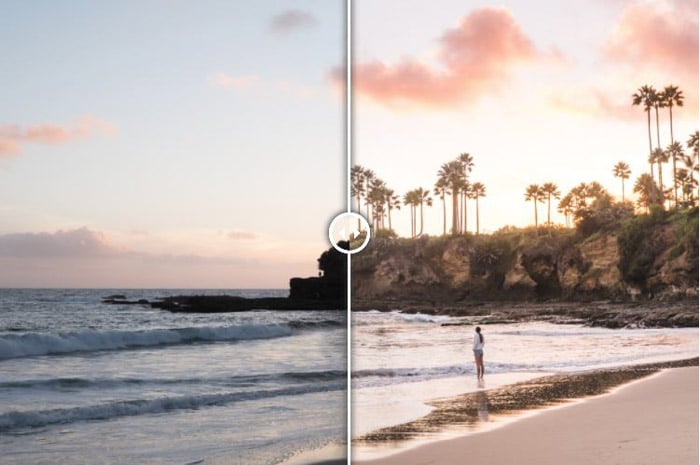
28. Travel Presets
These five presets were built by Loaded Landscapes and are shared as a free sample on FilterGrade. You get Blue Shadow, Booster, Dreamscape, Grunge, and Road Trip, plus a PDF install guide in the same zip.
Between them they cover the two problems travel frames usually have: flat color and a cold cast. Start with Booster on a muddy shot and Road Trip on a warm one. It is an instant download with no email signup.
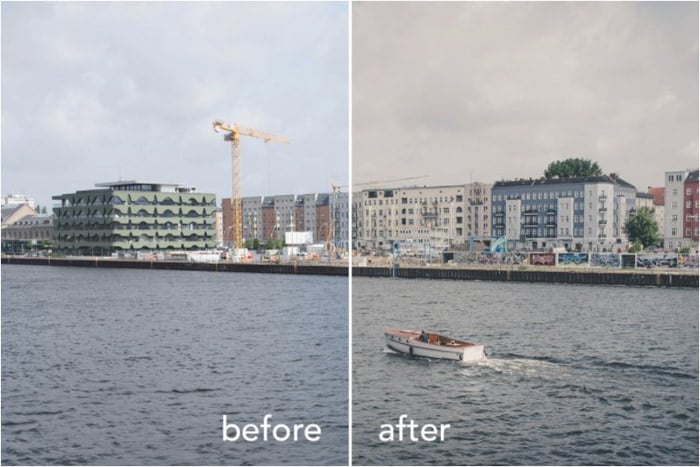
29. Bali Mood
Presetpro's Bali Mood lays a color-negative film curve over your photo. It deepens the shadows and mutes the colors for a warm, slightly faded travel look.
It suits beaches, markets, and golden-hour street scenes. It is a strong preset, so lift the shadows back up if your original frame was already dark.
Bonus: Creative Lightroom Presets
Film photography has lost some footing with today’s technological advancements. But film has subsequently reappeared, with photographers eager to get their hands on the rolls out there.
Luckily, preset makers have found a way to replicate the moods and tones of film with Lightroom presets.
30. 35mm
If you want a film-inspired look, this preset from The Presets Room emulates 35mm analog stock. It lifts the blacks, softens the shadows, pulls the highlights down, and boosts texture.
It is versatile enough for most genres. So try it on landscapes, still-life images, and portraits as well as street work.
31. Seeped in Sepia
This Lightroom Look preset trades your colors for a sepia tone, giving photos the faded elegance of an old print.
Because it strips the color out, it strips the distractions out too. That helps when your subject is competing with a busy background. It suits portraits and landscapes equally.
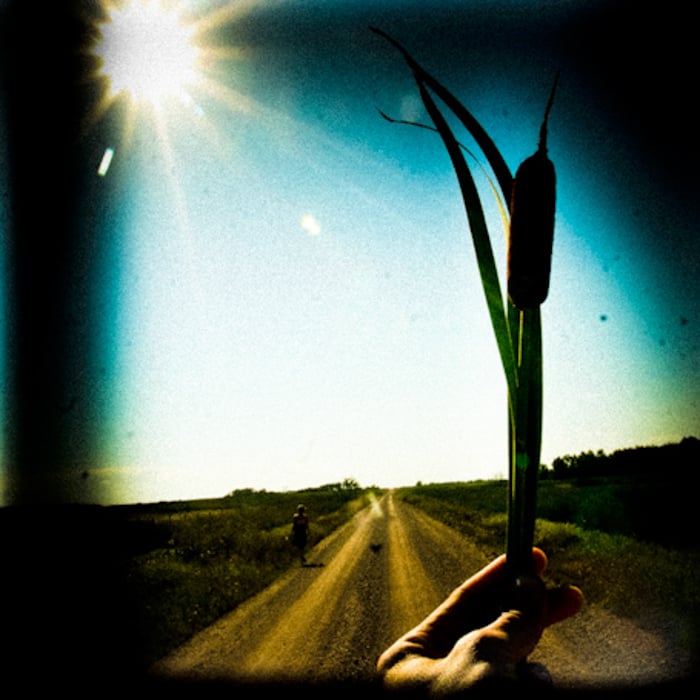
32. Holga Lightroom Presets
These 10 Lightroom presets by Dustin Leader on Preset Heaven are for mimicking the images a Holga camera takes.
These will strongly affect your photos, so you probably don’t want to use them all the time. But it’s definitely worth experimenting with them.
33. Historian
This free preset on Preset Heaven by Darya is a black-and-white one. This also has a strong effect but probably fits more images than the Holga presets.
It mimics an old film camera, and your images look like you were shooting on film.
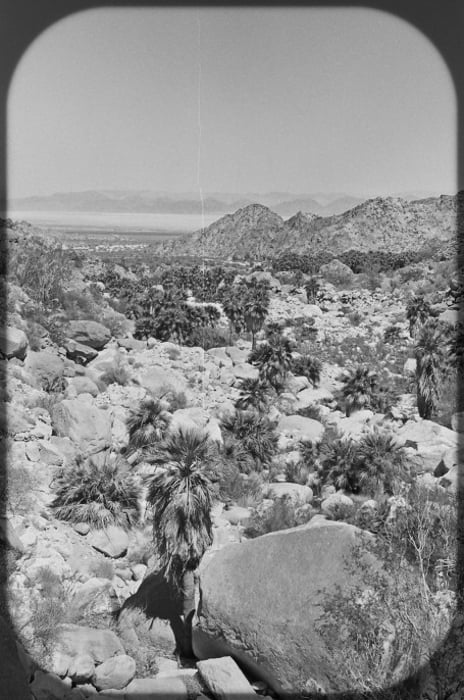
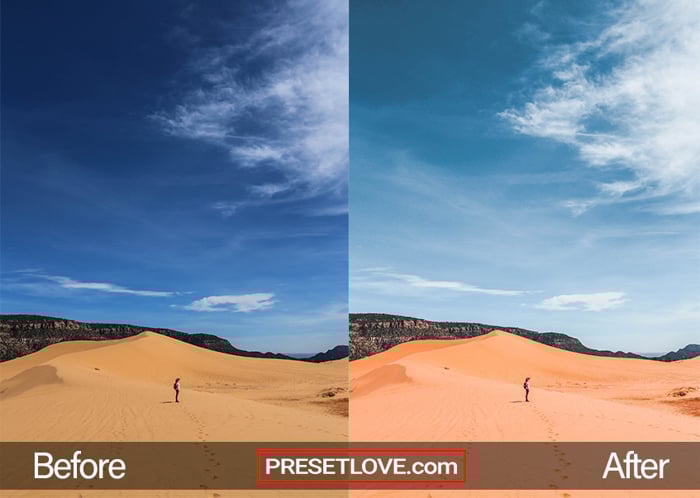
34. Desert Sun
This preset from PresetLove provides an easy way to draw out vivid and warm colors.
Looking at your images after, you can almost feel the heat of the desert.
35. Kodachrome
Presetpro's Kodachrome preset chases the look of Kodak's Kodachrome 64 slide film: punchy reds, rich yellows, warm midtones, and deep shadow contrast. It is one of the quickest routes to a film look in Lightroom.
It is a bold preset, not a subtle one. It flatters sunlit street and travel frames and overcooks anything that was already saturated, so pull the vibrance back when you apply it to a summer landscape. The download is free with no signup.
36. Kodak Portra
This free preset emulates Kodak Portra, the professional color negative film known for its fine grain and flattering skin tones.
It applies a low-contrast profile and softens the highlights. The effect is gentle, which makes it an everyday preset rather than a one-off creative look.
Frequently Asked Questions
Are All of These Lightroom Presets Actually Free?
Yes. Every preset on this list costs nothing. Most are instant downloads. Three ask for an email address first (Shutter Pulse at number 12, Greater Than Gatsby at 22, and Nomanbefore at 27) and one sends you through a $0.00 checkout (MCP at 20). Each of those entries says so.
How Do I Install a Free Lightroom Preset?
Download the file, then import it from the Presets panel in the Develop module. Our guide to installing Lightroom presets covers Lightroom Classic and Lightroom desktop, and there is a separate walkthrough for Lightroom mobile presets.
What Is the Difference Between XMP and DNG Preset Files?
XMP files are the modern format and work in Lightroom Classic, Lightroom CC, and Adobe Camera Raw. DNG files are images with the settings baked in, which is how you get a preset onto the Lightroom mobile app. The best free preset sites give you both.
Can I Use Free Lightroom Presets on Client Work?
Usually yes, but read the license on the download page before you bill for the edit. Free presets from a company selling paid collections are almost always fine for commercial use. Presets shared by an individual photographer sometimes carry a personal-use-only clause.
Do Free Presets Work on JPEGs?
They do, but you get more out of them on a RAW file. A preset moves exposure, contrast, and color sliders, and a RAW file holds far more data in the highlights and shadows for those sliders to recover. Shoot RAW where you can.
Conclusion: Best Free Lightroom Presets
We have collected the best free Lightroom presets for almost every genre of photography. So you hopefully found something useful.
If you mainly photograph action, compare our Lightroom sports presets.
Feel free to experiment with modifying these presets. It’s a great way to practice and eventually create your own Lightroom presets. And check out our own Lightroom Presets if you want more simple, one-click presets for jaw-dropping edits!