The Sony a7 II is still worth considering in 2026 if you want a full frame camera for still photography and can get a body in good condition for much less than an a7 III. Its 24.3 MP sensor and in-body stabilization remain strong reasons to use it. The main compromises are autofocus, battery life, and video.
For landscapes, travel, and posed portraits, those limits can be manageable. For birds in flight, fast sports, or video where you need to see yourself on screen, we would choose a newer body. Full frame alone doesn’t make the a7 II the best beginner camera.
This review combines the author’s original photographs and ownership experience with the specifications and limitations that matter to a buyer today. There is no need to replace a working camera just because it is old. But buying one now means weighing the whole kit, including lenses and spare batteries.
Here’s what to expect from the Sony a7 II.
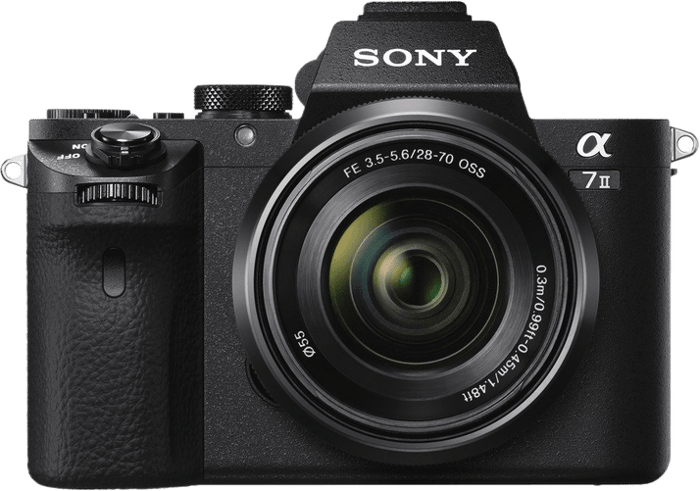
Sony A7 II Overview and Specifications
Sony a7 II
| Released |
Released
2014
|
| Sensor Format |
Sensor Format
Full Frame
|
| Lens Mount |
Lens Mount
Sony E
|
| Megapixels |
Megapixels
24.3 MP
|
| Autofocus Points |
Autofocus Points
117
|
| Maxiso |
Maxiso
ISO 51200
|
| Fps |
Fps
5 fps
|
| In Body Stabilisation |
In Body Stabilisation
Yes
|
| Video |
Video
Yes
|
The Sony a7 II (ILCE-7M2) is a full frame mirrorless camera. Sony announced it in November 2014 as the successor to the original a7. It was the first full frame camera with five-axis in-body image stabilization.
The a7 II is the general-purpose model from that generation. The related a7R II and a7S II are different cameras. Don’t use their specifications when judging the a7 II.
The a7 III and a7 IV are later generations. We compare them below because they show what an upgrade changes in day-to-day shooting.
Sony’s wider Alpha range also includes the a9 and a9 II.
The Sony a1 is another separate model. These names matter when shopping: a7 II, a7R II, and a7S II are not interchangeable listings.
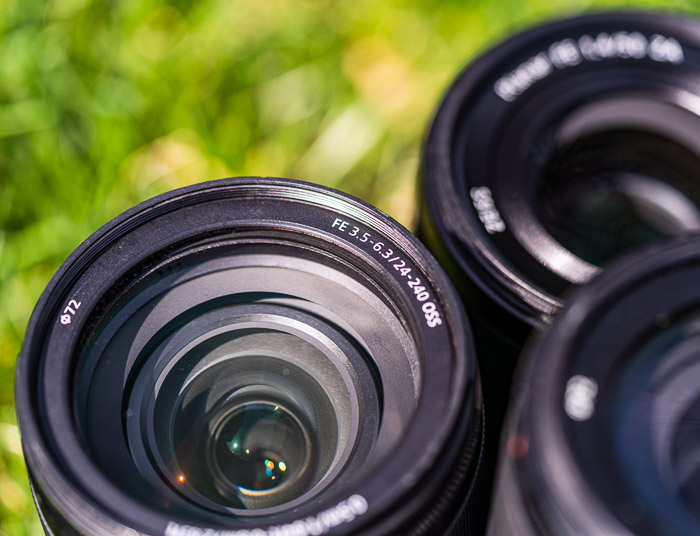
I travel with an a7 II as a backup body. I often either have a wide-angle or telephoto lens attached. I had the Sony FE 100-400mm f/4.5-5.6 GM OSS in this case below.

An unexpected close-up of a weather pattern forming over a distant peak
The a7 II uses Sony’s E-mount. For its full sensor area, choose full frame FE lenses. APS-C E-mount lenses can fit, but the camera uses a smaller image area in APS-C mode.
A full frame E-mount lens can also be used on a compatible newer body, such as the a7R V. This can make a lens a longer-term purchase than the camera body. Check the exact lens and body combination before buying.
Sony’s advanced amateur crop sensor cameras also use E-mount. They can share full frame FE lenses with the a7 II, although the smaller sensor changes the angle of view.
A crop sensor body is not automatically a less capable choice. The Sony a6700, for example, has a much more recent autofocus system and 4K video.
For a buyer, the main question is whether the a7 II leaves enough money for the lens needed for the subject. A cheap body is less attractive if the lens, batteries, and any repairs use up the saving.
If the total cost is close to an a7 III kit in similar condition, we would favor the newer camera for its autofocus and battery improvements.
Who Uses the Sony A7 II?
The Sony a7 II can suit someone looking for an entry-level full frame camera, especially a beginner who wants to learn exposure and mostly photograph subjects that stay still. Its controls give you room to learn. Its older menus and lack of touch control require patience.
We would use it for landscapes, architecture, street scenes, and posed portraits. It can also handle travel and family photographs, but a child running toward the camera is a harder task than a posed family group. For birds in flight and fast sports, autofocus and the 5 fps burst rate are stronger reasons to choose something else.
The 24.3 MP files are enough for many prints. Heavy cropping changes that calculation. If you are also considering the a7R IV or a7R V, compare the resolution you actually need with the extra cost of the kit.
Key Features of the Sony a7 II Mirrorless Camera
The Sony a7 II makes the most sense when its photographic strengths match your subjects. These are the features that matter most, with the a7 III, a7 IV, and a6700 as points of comparison.
Sensor Size and Image Quality
The a7 II has a 24.3 MP full frame Exmor CMOS sensor. Its largest 3:2 image is 6000 x 4000 pixels, as listed in Sony’s specifications. That gives you room for prints and some cropping without making very large files.
The a7 III has a similar pixel count at 24.2 MP, but its Exmor R sensor uses a back-illuminated design. An upgrade between these two is not mainly about getting more pixels.
The Sony a7 IV increases resolution to 33 MP. That gives more room to crop, but more megapixels do not guarantee a better photograph or less noise at every ISO setting.
The a6700 has a 26 MP APS-C Exmor R sensor. Its smaller sensor is not a reason to dismiss it: newer autofocus and video functions may matter more to your photography than the size difference.
The original photographs in this review show what the a7 II can produce. Judge whether that output meets your needs alongside the lens, focus accuracy, and shooting conditions.

Dynamic Range
The Sony a7 II can record detail in bright and dark parts of a scene, but its dynamic range is not unlimited. Bright skies and shaded ground can still exceed what one exposure can hold.
For a high-contrast landscape, protect important highlights and check the shadows when editing the RAW file. RAW gives you room to adjust tones afterward, but lifting a very dark area can also reveal noise. Compare results at the ISO settings you actually use.
ISO Performance
The a7 II’s still-photo ISO settings span 50 to 25,600. Higher ISO can help you keep a shutter speed fast enough to avoid subject blur, but it does not make a dark scene noise-free.
There is no universal highest ISO that produces an acceptable image. Exposure, the amount of shadow brightening, and the size at which you view or print the photograph all matter.
For a stationary scene, a tripod can let you use a lower ISO and a longer exposure. For a moving person, you may need a higher ISO to keep the shutter speed up.
I took the photo below with the a7 II. You can see the noise in this lotus flower at ISO 4,000. Some noise reduction in post-processing can reduce its visibility, but it cannot guarantee that fine detail will survive heavy correction.

Image Stabilization
The Sony a7 II was the first a7-series body with five-axis in-body image stabilization. The system compensates for camera movement during an exposure. It does not stop a moving subject from blurring.
This helps with handheld photographs of still subjects. The slowest shutter speed you can use successfully depends on the lens, focal length, and how steadily you hold the camera. Check the image instead of assuming that a particular shutter speed will always be sharp.
File Format
The a7 II can record RAW, JPEG, or both. JPEG quality options include Standard, Fine, and Extra Fine. RAW gives you more control over white balance and tonal adjustments afterward; JPEG is convenient when you want a ready-to-share file.
The camera supports compressed and uncompressed RAW. However, its RAW output is not always 14-bit. Sony lists 12-bit output for continuous shooting, Bulb, and shooting with Long Exposure NR activated in its RAW bit-depth guidance.
Uncompressed files take more storage space. For a used camera, also check the installed firmware and whether the RAW options you need are available before your first shoot.
Focus System and Burst Rate
The a7 II uses hybrid autofocus (AF), combining phase and contrast detection. You can use single-shot autofocus for still subjects or continuous autofocus for movement.
It has 117 phase-detection points and 25 contrast-detection points. This is an older system with more limited subject tracking than the later cameras discussed here.
The a7 III has 693 phase-detection points and 425 contrast-detection points. The upgrade is about coverage and tracking as well as the number of points.
The a7 IV has 759 phase-detection points and 425 contrast-detection points. Its subject-detection options include human, animal, and bird eyes.
For the a7 II, we would distinguish between focusing on a still portrait and keeping focus on a fast, unpredictable subject. Success with the first does not make it the best choice for the second.

Taken with the Sony a7 II
Low light makes focusing harder. This was one of the limitations noted in the author’s original experience with the camera.
The a6700 has up to 759 phase-detection points for still photography and subject recognition for people, animals, birds, and other subjects.
Its subject recognition uses artificial intelligence (AI). The a7 II does not have the same range of recognition functions. This is a more practical distinction for action photography than full frame versus APS-C alone.
You can photograph moving subjects with the a7 II. Anticipating the movement and keeping the subject within the focus area helps, but we would not buy it primarily for demanding sports or wildlife work.
Face and Eye Detection
The a7 II has human face detection and Eye AF. In the original review, I had not tested its Eye AF. That should be kept separate from what Sony documents about the feature.
According to Sony’s Eye AF guide, you assign Eye AF to a custom button, hold that button while aiming at a person’s face, and press the shutter. It does not work in Continuous AF or Manual Focus. Don’t expect the continuous eye tracking found on later bodies. In my own use, face and eye detection work well on my a7R III.
Burst Rate
The a7 II shoots at up to 5 frames per second (fps). That can catch a short sequence, but it gives you fewer moments to choose from than a faster burst.
The a7 III and a7 IV reach up to 10 fps, while the a6700 reaches up to 11 fps. These are maximum rates, not a promise for every file format and setting.
Burst duration also depends on the buffer: the memory that holds images while they are written to the card. When it fills, the shooting rate slows. RAW type, JPEG settings, and card performance affect the result.

Sony lists up to 89 compressed RAW frames or about 177 Standard JPEGs for the a7 III under its stated conditions. Uncompressed RAW has a lower figure, so it is important to compare like settings.
The a7 IV does not simply have a smaller buffer because it has more megapixels. Sony lists over 1,000 frames for several formats under specified test conditions. Its card and file-format requirements matter, so check those before treating the figure as a guaranteed burst length.
For the a7 II, short bursts and careful timing are more sensible than holding the shutter down through a long action sequence.
If long bursts are central to your photography, that is a reason to favor a newer body.
Video Features
The Sony a7 II records Full HD video up to 60p, including XAVC S at 50 Mbps. It does not record 4K video. Available frame rates vary with the NTSC/PAL setting.
Sony specifies a maximum continuous movie recording time of approximately 29 minutes for the a7 II. Heat and the camera’s condition before recording can shorten a clip.
Do not assume newer bodies record indefinitely either. Their recording time can depend on heat, settings, power, and card capacity. The a7 IV’s approximately 13-hour specification limit is not a guaranteed real-world recording time.
The a7 II can make short HD clips, but we would choose the a6700 or a7 IV if 4K video is a priority. For filming yourself, the a7 II has another drawback: its screen does not turn forward.
Body and Handling
The a7 II has a deeper grip than the original a7. It measures 126.9 x 95.7 x 59.7 mm and weighs about 556 g for the body alone. A battery, card, and lens add to the weight you actually carry.
For travel, compare the complete kit. A full frame body with a large telephoto lens can be much less convenient to carry than the body dimensions suggest.
The a7 II has physical dials and customizable buttons. These let you change frequently used settings without returning to the main menu each time.
The Fn menu and custom buttons are worth setting up early. Put the controls you use most within reach, then practice changing them while looking through the viewfinder.

LCD Screen and Electronic Viewfinder
The a7 II has a three-inch tilting LCD with about 1.23 million dots. It is not a touchscreen.
The screen tilts up and down for high- and low-level photographs, but it does not swing out to face you. That makes it less convenient for vlogging and self-recorded tutorials.
The a6700 and a7 IV have vari-angle screens. That is a stronger reason to prefer them for self-filming than the small differences in screen resolution.
The a7 II has an electronic viewfinder, so you can compose at eye level as well as on the rear screen. For a used body, check that both displays are working and that the diopter adjustment suits your eyesight.
Card Slot
The a7 II has one memory-card slot with UHS-I support. A UHS-1 card can serve ordinary still photography, but select a card that also meets the requirements of any video format you intend to use.
If you also use a newer camera with a UHS-II card, remember that the a7 II supports only UHS-I. Its one-slot design also means you cannot record an in-camera duplicate to a second card. For a paid event where a lost card would be serious, weigh that limitation carefully.
Battery Life
The a7 II uses NP-FW50 batteries. These are different from the NP-FZ100 batteries used by the a7 III and a7 IV. They are not interchangeable.
Sony rates the a7 II at up to 350 still images per charge. Your result will vary with use, and an old battery may have less capacity. Carry a charged spare and check the battery’s condition when assessing a used kit.

Menu System
The a7 II has an older menu layout. Learning it takes time, especially if you are moving from a phone camera. Set up the Fn menu and custom buttons before a trip rather than trying to find every setting in the field.
There is also no silent-shooting mode on the a7 II. Turning off the focus beep does not silence the mechanical shutter. That matters in a quiet ceremony or performance.
Later cameras have different features. For example, Sony added interval shooting to the a7 III through a firmware upgrade. Don’t assume that an a7 III feature is also available on an a7 II.
At the time of this update, Sony’s latest listed a7 II firmware update is version 4.01, dated May 2019. Sony ended downloads for paid and free PlayMemories Camera Apps on August 31, 2025. Its service notice says apps already downloaded to a camera can still be used.
The screenshot below is historical. It shows the old PlayMemories Camera Apps selection, not apps that you can download from Sony today. When buying a used a7 II, do not assume that an app shown here will be installed or can be restored after deletion.

Verdict
The Sony a7 II is still a capable still-photo camera. We would consider it for landscapes, travel, or posed portraits when the body is in good condition and the saving over a newer kit is substantial.
I bought this model shortly after its release and have used it as a backup body. It has stood up to the wear and tear of travel photography with very few issues. That is my experience with one camera, not a guarantee about another used body.
The original photographs are the strongest reason to keep using it: an older camera can still make photographs worth printing. The main reasons to upgrade are more reliable tracking, longer battery life, or video features you actually need.
In my original use, the slower focusing and burst rate did not affect most of my photography. Low-light focusing was a more noticeable weakness. Your subjects may make that trade-off very different.
If you regularly photograph fast action, prioritize autofocus and burst performance over the appeal of an inexpensive full frame sensor.
Here is how the four cameras discussed in this review differ:
- Sony a7 II: A 24.3 MP full frame sensor, 117 phase-detection AF points, up to 5 fps, and Full HD video. Best considered for stills when the saving is substantial.
- Sony a7 III: A 24.2 MP back-illuminated full frame sensor, 693 phase-detection AF points, up to 10 fps, and 4K video. The more practical upgrade if focus tracking and battery life are the problem.
- Sony a7 IV: A 33 MP full frame sensor and more room to crop. It records 4K up to 60p, with an APS-C/Super 35 crop at 60p/50p.
- Sony a6700: A 26 MP APS-C sensor, up to 759 phase-detection AF points for stills, up to 11 fps, 4K video, and a vari-angle screen. A strong alternative when action tracking and video matter more than sensor size.
Before buying a used a7 II, check the things that could erase the saving:
- Inspect the sensor and lens mount, and take photographs with the lens you plan to use.
- Test autofocus, stabilization, the shutter, both displays, buttons, and dials.
- Record to a memory card and check the files on a computer.
- Check the battery, charging connection, and any included spare batteries.
- Confirm the firmware version, included accessories, and seller’s return terms.
Buying a Sony a7 II makes sense when it leaves room for the right FE lens and the camera’s limits do not block the photographs you want to make.
We would choose an a7 III instead if the overall cost were close. We would favor the a7 IV or a6700 for the specific resolution, subject tracking, or video features described above, rather than assume the newest or largest sensor is always necessary.
If you already own an a7 II and are happy with the photographs, keep using it. If you are buying your first camera, decide on the lens and subjects before you commit to the body.
Scoring
| Measurement | Score |
|---|---|
| Main Features | 60 |
| Extra Features | 40 |
| Construction And Durability | 100 |
| Handling And Ergonomics | 80 |
| Value For Money | 75 |
| Total Score | 67 |