Picfair lets you build a store to display and sell your photographs. It can handle image licensing and print orders, but you need to attract buyers to your store.
That is the main point to understand before signing up. Picfair does not provide a central searchable catalogue like a stock image site.
This Picfair review explains how the store works and what to check before you use it. The original screenshots show an earlier interface. The feature and fee details below use Picfair’s current guidance; the screenshots do not show typical earnings.
What Is Picfair?
Picfair provides each photographer with a store and its own web address. You can sell your work from that site while using Picfair’s licensing and print-order tools.
There is a directory of published stores, but no central image search across every photographer’s uploads. Do not assume that adding a photograph automatically puts it in front of a large marketplace audience.
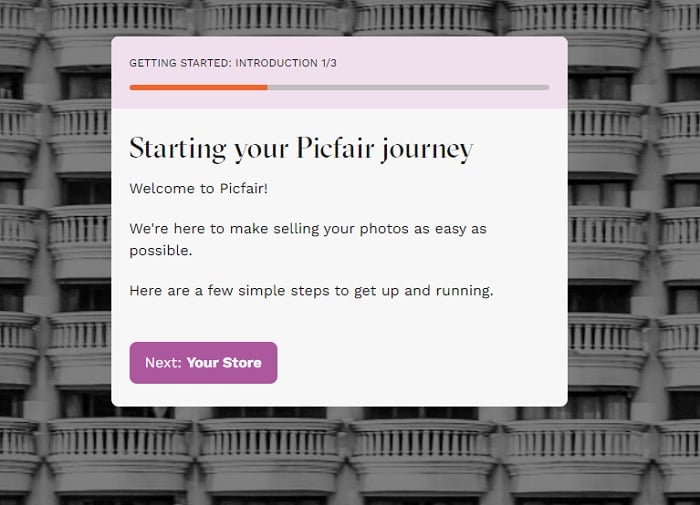
Picfair also publishes photography and business guides on Focus, its education site. Those resources can help you plan how to present and promote your work. They do not replace the need to find customers.
How Does Picfair Work?
You upload photographs, add details, and prepare your store. Images go through moderation before they can be offered for sale. Your store also needs to be published.
The practical questions are whether your images meet the rules, which licences apply, and how buyers will reach you. The sections below cover those decisions.
Signing Up for Picfair
The sign-up page starts the process of creating your store. A standard store address is not the same as registering a custom domain.
Signing up for Picfair is 100% free if you opt for the Lite plan. But the Lite plan is essentially a Picfair trial and doesn’t allow you to sell your images.
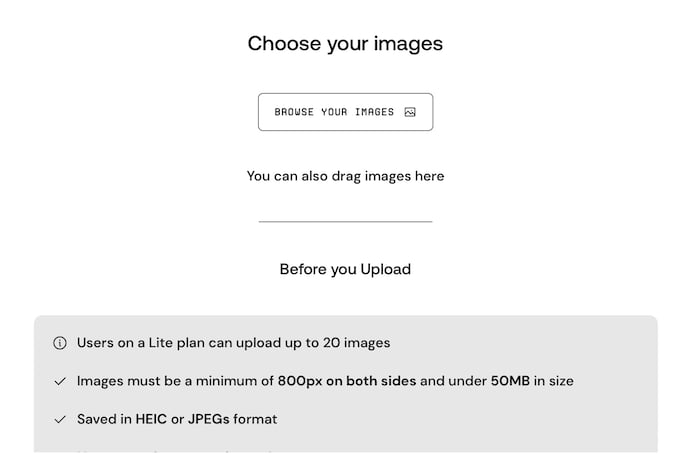
With the Lite plan, you can set up a basic store and upload 20 images. You can create your bio and logo. And you can set prices for prints and downloads. But you can’t publish your store online.
You can only publish your store when signed up for the Picfair Plus plan. And you have to pay for this plan with a subscription fee. That means you can only make money from Picfair if you pay.
Use the private preview to check your photographs, store description, and layout before deciding whether the service fits your needs. Read Picfair’s store setup guide for the current controls.
What Kind of Photos Can You Upload to Picfair?
Picfair accepts photographic images. Its current upload rules allow JPEG and HEIC files. Images need to be at least 800 pixels in both dimensions and under 50 MB.
Upload a clean image without an embedded watermark, signature, timestamp, or text overlay. Picfair handles the watermark displayed on the store separately from the file supplied to the buyer.
Picfair does not accept AI-generated images, digital illustrations, or composites assembled from several images. Ordinary photographic adjustments are permitted when the result still represents the original photograph.
Picfair’s default display watermark does not mean your photographs cannot be copied. Its watermark settings also allow custom treatment. Keep your original files and follow the platform’s rules for ownership and permissions.
You can use software such as Lightroom or Luminar Neo to prepare photographs. But a highly edited digital collage may not meet Picfair’s photography criteria.
Uploading Photos to Your Picfair Store
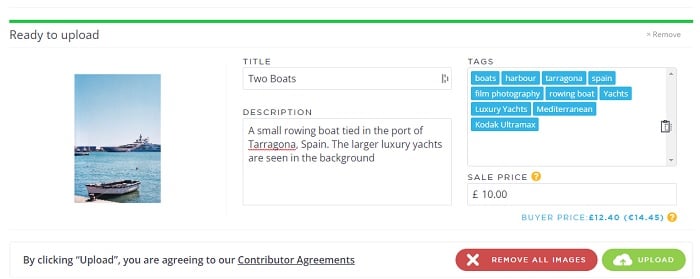
Upload the photographs you want to sell and add a clear title, description, and relevant tags. These details help explain the image and support search-engine discovery; they do not put it in a central Picfair catalogue.
Picfair moderates uploads to check its criteria and assign licences. Its moderation guide gives a standard turnaround of one business day. That is different from a guarantee of completion within 24 hours, especially across a weekend.
A pending or rejected image is not ready to sell. Check the status in your library and correct any stated problem before you promote it.
Picfair Photo Licences
A buyer licenses the photograph for specified uses rather than taking ownership of it. Picfair says photographers keep their copyright. Read its terms as well as this summary before offering an image for sale.
Picfair lists Editorial & Personal, Commercial, and Advertising licences. Which options apply depends on the image and the permissions available. Review the full licence terms rather than assuming every photograph can be used in an advertisement.
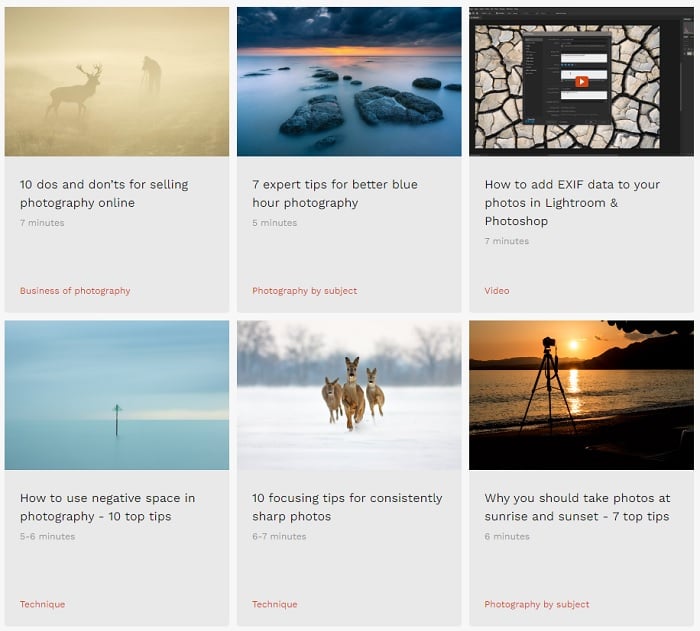
Photography tutorials Picfair provides
“Single use” is a licence term with specific conditions. It does not simply mean the buyer can display the picture once. Picfair describes use for a story or campaign, with rules for corresponding formats and promotion. Its usage guide explains the distinctions.
If you need an introduction to the terminology, see our photo licensing guide.
Pricing Your Work on Picfair
You set the image price in your store. Picfair’s current fee guidance says there is no added commission for the photographer or customer on image sales from Plus stores.
For a print order, the retail total also includes production and delivery. The photographer receives the image price and any optional custom print commission they have set, rather than the entire order total. See Picfair’s print-pricing explanation.
The subscription is a separate cost. Keep it in mind when deciding whether your sales justify the service. Our photography pricing guide can help you think about your work and expenses.
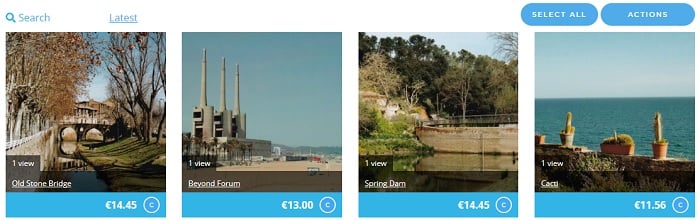
The screenshot above shows an earlier pricing interface. Use the linked current terms for the fee rules, rather than the figures in that historical example.
Modifying Your Account and Picfair Plus
Your Store Settings control the title, web address, theme, image layout, biography, and menu links. Use these controls to make it clear who the store is for and what visitors can buy.
The Lite preview is limited to 20 images. Picfair’s dedicated upload-limit guide lists up to 10,000 uploads for Plus and says larger portfolios should contact support about an extension. Some other support copy uses “unlimited,” so confirm the allowance before subscribing with a large archive.
And remember, your store isn’t public when you’re on the Lite plan. You need to upgrade to Picfair Plus in order to display your work publicly.
There is no added commission on Plus image sales. For print orders, distinguish the amount you receive for the image from production and delivery charges.
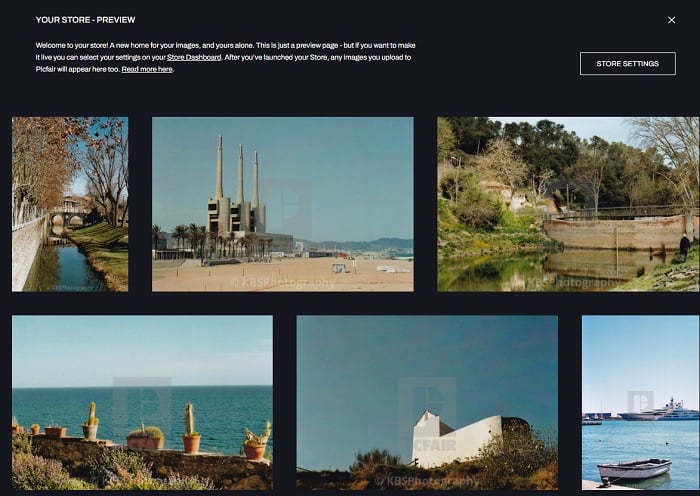
Picfair documents options for a splash page, store search, social links, custom domains, and watermarks. Some settings depend on your plan, so check the current plan page and the setup guide before subscribing.
A custom domain must already belong to you before you connect it. It does not automatically come with the standard Picfair store address.
Store controls change the presentation of your photographs. Prepare the images themselves beforehand in software such as Lightroom or Photoshop. Do not assume a separate editing app or preset bundle comes with a store subscription.
Additional Features of Picfair
Picfair also supports print orders and publishes guidance on promoting your work. These features help with selling tasks, but they do not establish that your photographs will sell.
Selling Your Prints on Picfair
Buyers can order eligible images as digital downloads or printed products. If you want to sell prints, check which photo paper and canvas options suit your work.
Picfair’s print partner produces and ships orders to the buyer. You do not need to package and post each order yourself. See its print fulfilment guide.
Preparing the file and bringing customers to the store are still your work. Check a photograph’s quality at the intended print size before promoting it.
Using the Marketing Guides to Boost Your Sales
Creating an account is only the start. Decide who is likely to buy your photographs and how you will reach them.
Picfair recommends sharing your store address with your audience and adding useful image titles, captions, and tags. Its buyer-discovery guide explains the role of your own promotion.
Start with a relevant selection of photographs and a clear reason to visit. Our photography marketing guide can help you plan that work. Review what people view and ask about before assuming a larger upload will solve a sales problem.
Who Is Picfair’s Competition?
The useful comparison is between running your own photography store and contributing to a stock library. A store gives you a destination to promote. A stock library has its own buyer-facing search, submission rules, and contributor terms.
Adobe Stock and iStock are alternatives to research if you want to contribute stock photography. Their buyer subscriptions are not the same as signing up to sell your own work, so check the contributor route and terms separately.
Compare the work required, control over presentation, licensing, and the kind of buyers each route serves. Choose the route that fits your photographs and the way you intend to find buyers.
If you are deciding which route fits your photographs, read our guide to selling photos online.
Our Verdict: Can You Make Money on Picfair?
Picfair provides a way to offer your photographs for sale. It does not establish how much you will earn. Sales depend on whether buyers want your work and whether you can get them to your store.
The service is worth considering if you want a dedicated photography storefront and are prepared to promote it. If you expect uploads alone to reach a central marketplace audience, it is a poor fit for that expectation.
Before deciding, check the publication requirements, current plan terms, and the licences that apply to your photographs. Use the private preview to assess the presentation. Keep the cost of the service and your time separate from gross sales when judging whether it is useful to you.