A camera lens gathers light and focuses it onto the sensor or film to form an image. Its focal length controls how much of a scene you can fit in the frame. Its aperture affects exposure and how much of that scene appears sharp.
This camera lens guide explains the parts inside a lens, how focusing and crop factor work, and how to read lens markings. We also compare seven common lens categories so you can choose a lens for the pictures you want to take.
What Is the Use of a Camera Lens in Photography?
A lens gives you control over framing and focus. Its optical design also affects distortion, color fringes, and how sharply it projects detail across the frame.
Start with three questions: Does the lens fit your camera? Does its field of view suit your subject? Does its aperture give you the exposure and depth of field you need? These matter more than choosing the lens with the largest specification numbers.
Is a Camera Lens More Important Than the Camera Body?
The lens and body work together. A lens determines the aperture range, focal lengths, and closest focusing distance available to you. The body supplies the sensor and many of the controls that record the image.
The body controls settings such as ISO and shutter speed. Its sensor affects resolution, noise, and the amount of detail a photograph can record.
Neither is always the limiting factor. Missed focus, camera movement, the aperture you use, and the lens’s optical performance can all reduce detail.
A high-resolution camera cannot recover detail that the lens fails to project sharply. But buying a more expensive lens does not automatically maximize image resolution. Choose an upgrade that solves a problem in your own photographs. For lens options, see our list of the top lenses we recommend.
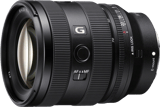
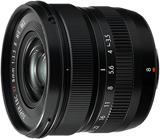
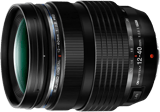
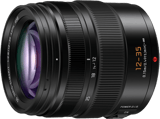
Our Top 6 Choices of the Best Camera Lenses By Brand
How Lenses Work
A camera lens bends incoming light so that points in a scene form corresponding points on the sensor or film. Focusing adjusts the optics for the distance to your subject.
Inside the barrel are shaped optical elements arranged in groups. Their surfaces bend light, while their materials and shapes help control blur, color fringes, and distortion. Some groups move to focus or zoom. In a stabilized lens, another group can move to counter camera shake.
Here are the main optical parts shown in the lens anatomy diagram below:
- Front Element: The optical surface nearest the subject. It is part of the lens’s light-bending system. A cap or hood helps protect it.
- Lens Groups: Sets of optical elements that work together to form the image and control aberrations. A group can remain fixed or move as the lens operates.
- Aperture: The opening that controls how much light passes through. In most photographic lenses, diaphragm blades change its size. Aperture also affects depth of field.
- Rear Element: The last optical element before light leaves the lens and reaches the camera.
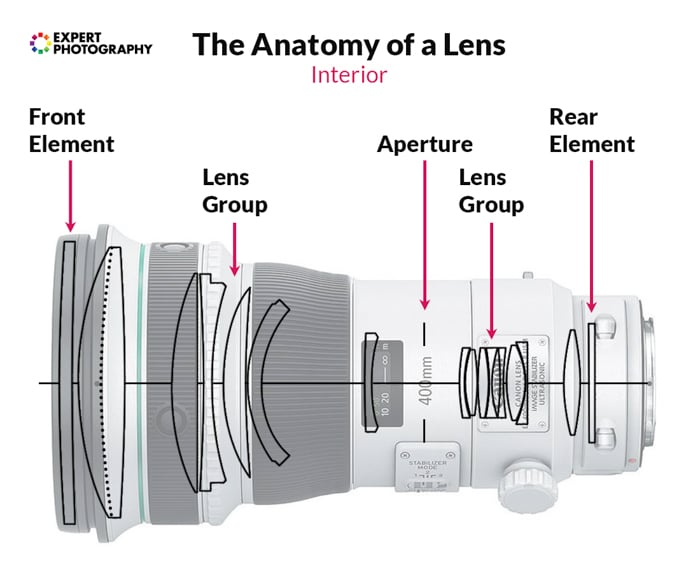
The anatomy of a lens with its different parts
When light travels through your camera lens, it forms an inverted image on the sensor or film (pictured below). The camera records that image in the correct orientation for viewing.
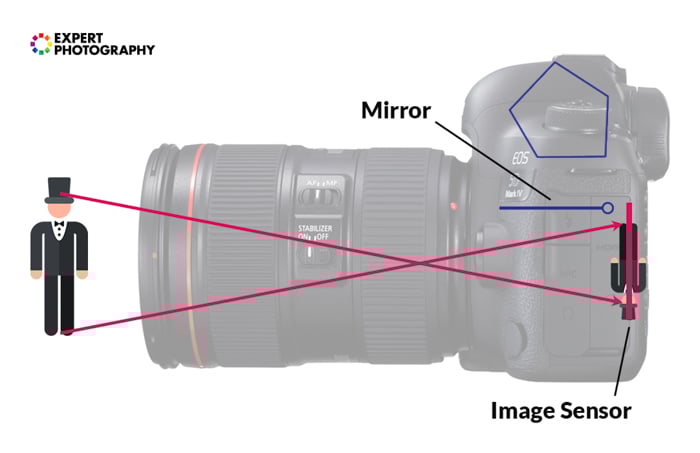
In a DSLR, a mirror and pentaprism or pentamirror make the optical viewfinder image appear upright. Mirrorless cameras use an electronic display instead. The diagram below simplifies how rays from a subject converge through a lens.
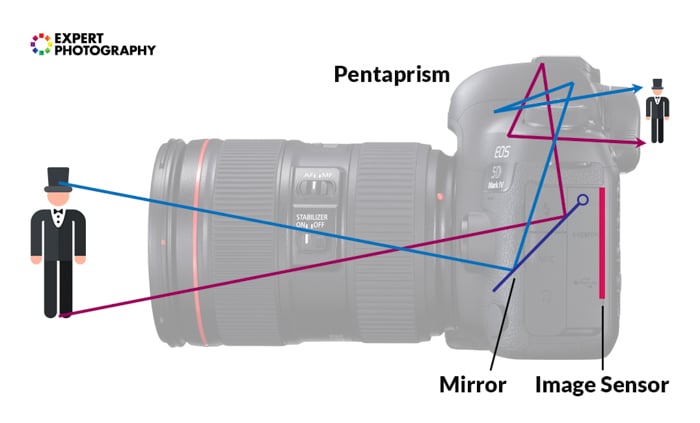
Focal length is measured in millimeters with the lens focused at infinity. Technically, it is the distance from the lens’s rear principal plane to the image plane. It is not the length of the barrel. The single convergence point in these diagrams is a simplified way to picture a multi-element lens.
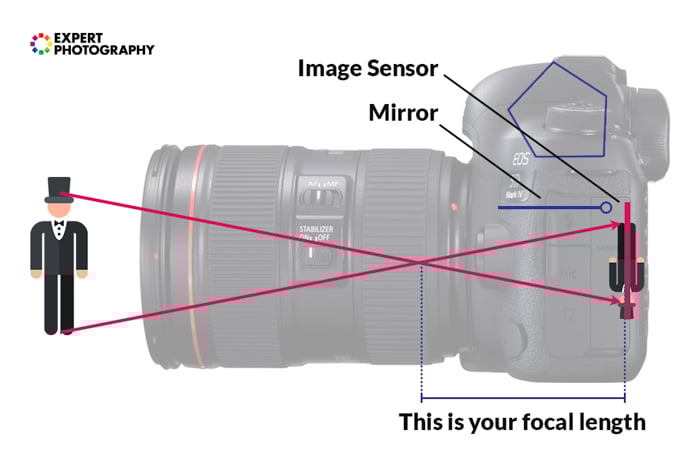
The focal length is the distance between the point of convergence and the image sensor.
What Does Focal Length Determine?
A camera lens’s focal length, together with the sensor size, determines the field of view. That is how much of the scene appears in your photograph.
From the same camera position on the same sensor format, a shorter focal length fits more of the scene into the frame. A longer focal length makes a distant subject occupy more of the frame. For example, 25mm shows a wider view than 100mm.
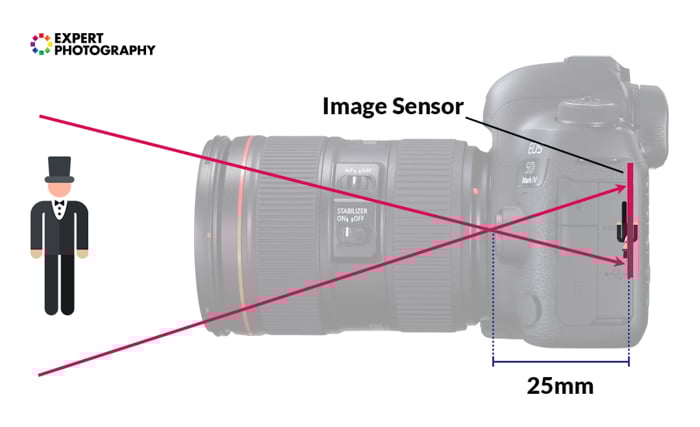
A short focal length of 25mm makes this a wide-angle lens
So, a short focal length creates a wide field of view. Lenses with a shorter focal length are known as wide-angle lenses.
The opposite is also true. A long focal length creates a narrow field of view. These lenses are known as telephoto lenses.
How Do Crop Sensors Affect Camera Lenses?
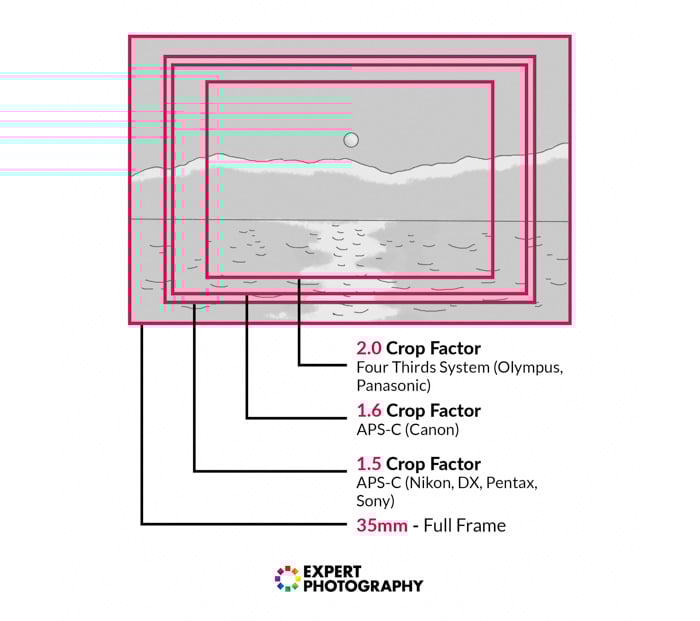
The image area of a standard 35mm film frame is about 36 × 24mm. Digital cameras use several sensor formats, and each format captures a different field of view from the same lens.
What Is the Crop Factor?
You may hear the photography terms full frame, 35mm equivalent, APS-C, or cropped sensor thrown around. The big difference is what you are capturing from your scene.
Full-frame sensors are approximately the same size as a 35mm film frame. APS-C, Micro Four Thirds, and one-inch sensors are smaller, so they capture a narrower field of view from the same focal length.
- Most APS-C Cameras: These use a crop factor of about 1.5x.
- Canon APS-C Cameras: Most use a crop factor of about 1.6x.
- Micro Four Thirds Cameras: These use a crop factor of 2x.
A crop sensor does not change or magnify the lens’s actual focal length. It changes the captured field of view. A 35mm lens on a 1.5x APS-C camera gives the field of view of about a 52.5mm lens on full frame.
The Difference Between Zoom and Prime Lenses
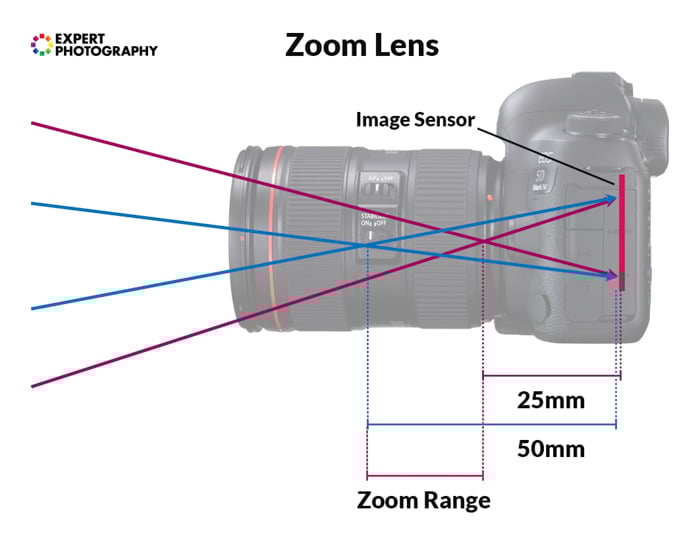
A lens can be zoom or prime. A zoom changes focal length as you turn its zoom ring or operate its zoom control. A prime has one fixed focal length. Both designs can be wide-angle, standard, or telephoto.
Zoom lenses let you change framing without changing lenses. Prime lenses often offer wider maximum apertures or smaller bodies, but these are tendencies, not guarantees. Compare the particular lenses you are considering.
Lens Aperture
Aperture is the opening through which light passes inside the lens. You can usually make it wider or narrower to change exposure and depth of field.
A wider aperture lets more light reach the sensor during a given exposure. It can let you use a faster shutter speed or a lower ISO in the same light.
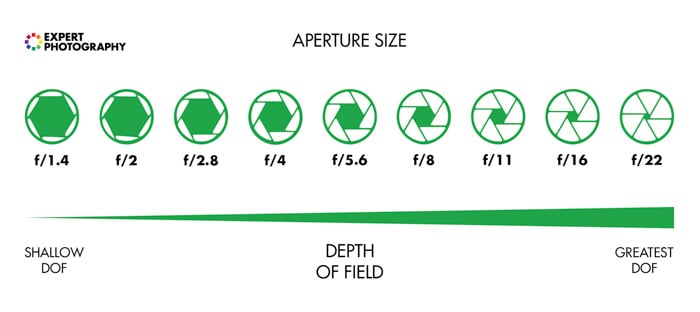
Aperture settings are written as f-stops, such as f/2 or f/11. The f-number is the focal length divided by the effective aperture diameter, called the entrance pupil. This is the opening as it appears through the front of the lens, rather than simply the physical gap between the blades. For a 100mm lens at f/2, the effective diameter is 50mm.
As the f-number increases, the aperture opening gets smaller. Moving from f/2 to f/4 reduces the light by two stops, while moving from f/2 to f/8 reduces it by four stops.
At the same focal length and focus distance, a larger aperture (smaller f-number) gives a shallower depth of field. A smaller aperture (larger f-number) makes more of the scene appear sharp. Aperture changes the range of acceptable sharpness around the focus distance.
How Do Apertures Affect Lenses?
The maximum aperture is the widest opening a lens offers, shown by its smallest f-number. It indicates how “bright” the lens is, although actual light transmission also depends on the optics. A wide maximum aperture matters when you need faster shutter speeds in low light or a shallower depth of field.
A lower f-number does not guarantee sharper photographs. An f/1.2 lens can give a shallower depth of field than an f/1.8 lens at the same focal length and distance. It also leaves less room for focus errors. Consider size, weight, and the aperture you will actually use.
What Is Variable Aperture?
A variable-aperture zoom has a different maximum aperture at each end of its zoom range. For example, a 70-300mm f/4-5.6 lens can open to f/4 at 70mm, but only to f/5.6 at 300mm.
These numbers describe the widest available settings. You can still select smaller apertures, such as f/8, at either end of the zoom.
At 300mm, an f/5.6 maximum aperture lets in less light per unit area than f/4. If the light stays the same, you must adjust shutter speed or ISO to keep the same exposure when shooting wide open.
Keeping a wide maximum aperture throughout a zoom range requires a different optical design. A constant-aperture zoom can maintain f/4 or f/2.8 as you zoom, but this can add weight and cost.
Variable-aperture zooms can offer a smaller, lighter alternative. Choose one if that trade-off suits how you shoot.
For manual exposure or video, a constant maximum aperture makes it easier to keep the same exposure settings while zooming. It does not mean that the aperture cannot be stopped down.
Camera Lens Markings
The numbers and letters you find on a lens describe its focal length, maximum aperture, and other features. Read them as separate specifications: 50mm f/1.8 describes a 50mm prime with an f/1.8 maximum aperture.
If you see one number rather than a range, it means it’s a prime lens. It could say 24mm, 50mm, 85mm, or something similar. A focal length range has two numbers separated by a dash. For example, a popular focal range is 70-200mm.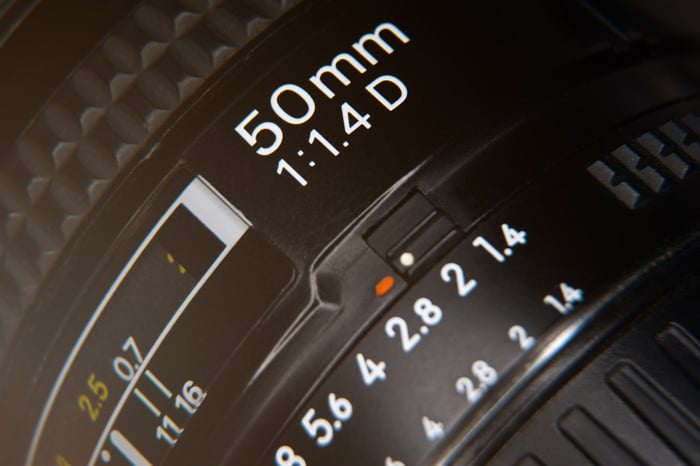
A zoom marked 70-200mm f/2.8 covers that focal-length range with an f/2.8 maximum aperture throughout. A zoom marked 70-300mm f/4-5.6 has a maximum aperture that becomes narrower toward the long end.
Do not confuse either set of numbers with the filter diameter. A marking such as Ø67mm describes the thread for a screw-in filter.
What Other Markings Are On a Lens?
- DX (Nikon), EF-S (Canon), and E or FE (Sony): These labels help identify the camera system or sensor coverage. Nikon DX and Canon EF-S lenses are designed for APS-C. In Sony’s own lens names, E identifies APS-C coverage and FE identifies full-frame coverage; both use E-mount. Compatibility still depends on the camera and lens.
- USM, HSM, or SWM: These mean “Ultrasonic Motor,” “Hyper Sonic Motor,” and “Silent Wave Motor.” They identify autofocus motor technologies. The abbreviation alone does not tell you exactly how fast or quiet a lens will be.
- Diameter Symbol (Ø): The number beside it is the filter-thread diameter. Match this number when buying screw-in filters.
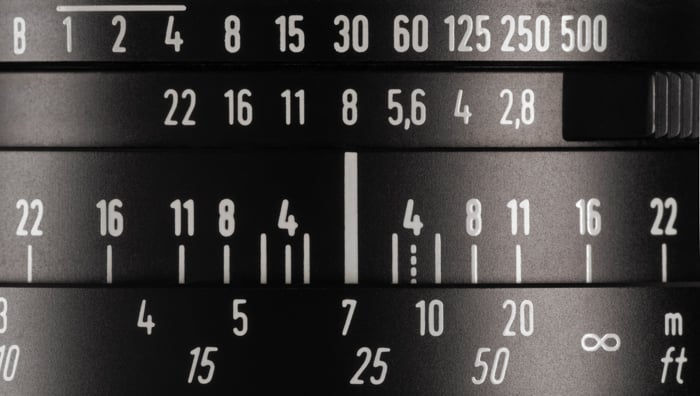
- Infinity (∞) and a Distance Scale: These indicate focus distance, often in meters and feet. The closest value marks the near end of the lens’s focusing range.
- Asph or ASP: This means “aspherical.” At least one optical surface is not part of a sphere. Such elements can help control aberrations.
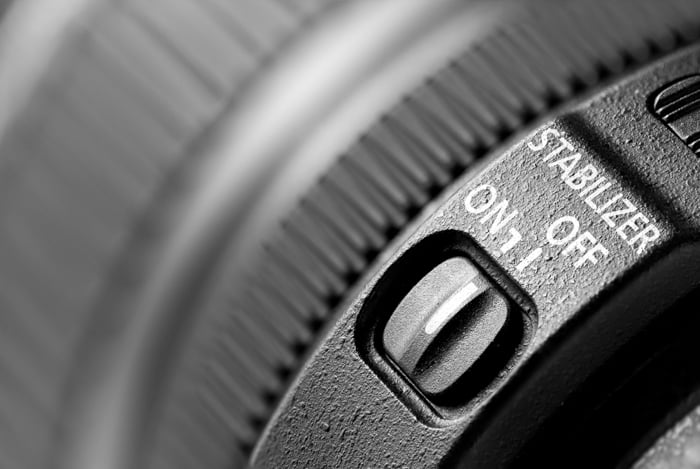
- IS (Canon), VR (Nikon), or OSS (Sony): These identify optical stabilization systems that reduce blur from camera movement. They do not freeze a moving subject.
- Macro and CRC: Macro describes close-up capability, but check the stated maximum magnification. Nikon’s CRC means Close-Range Correction, a focusing design that helps control aberrations at close distances. CRC alone does not guarantee 1:1 magnification.
- Other: Letter combinations vary by maker and lens generation. For individual codes, read our Canon, Nikon, Sony, Sigma, and Tamron lens abbreviations guides.
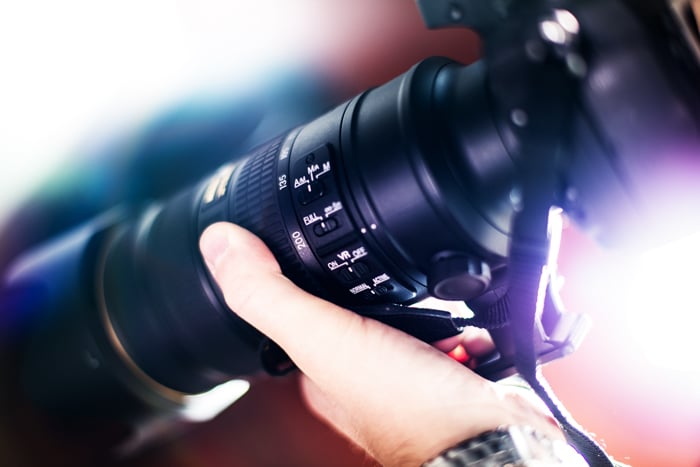
What Is Camera Lens Focusing?
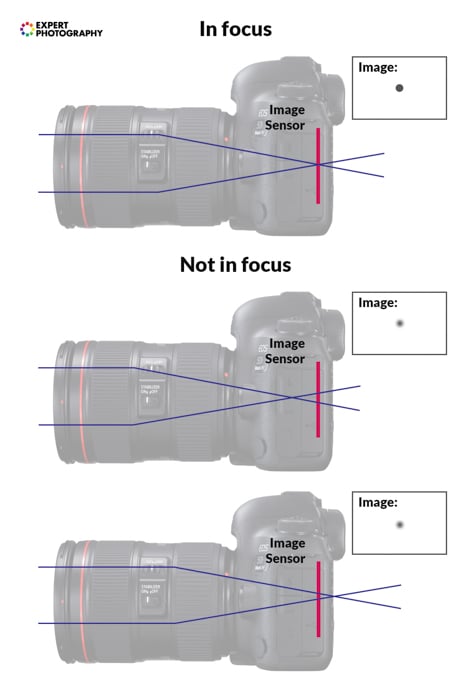
Focusing brings a subject at a chosen distance into sharp focus on the sensor or film. When you focus on a nearby flower, objects much farther away may fall outside the depth of field.
A lens changes focus by moving optical elements. Depending on the design, a group moves inside the barrel or part of the lens extends.
Turning the focus ring or using autofocus changes which subject distance is sharp. Focus distance describes how far away that subject is. Focal length helps describe the field of view on a given sensor format.
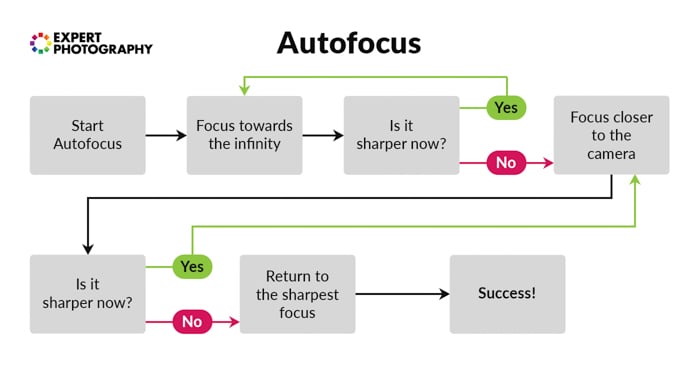
How Does Autofocus Work?
In autofocus mode, the camera measures focus and drives the lens toward the required position. The lens and body must support the necessary connection and controls.
Depending on the camera, you can choose a single focus point, a wider zone, or a tracking mode. Use a point or zone to tell the camera which part of the scene matters.
Single autofocus suits a subject that stays at the same distance. Continuous autofocus updates focus as that distance changes. The available modes and subject-detection options vary by camera.
How Does Manual Focus Work?
The manual focus option lets you set focus yourself. Turn the focusing ring while watching the subject in the viewfinder or on the screen. For a static subject, you can leave that setting in place until the camera or subject moves.
Autofocus can struggle with low contrast, low light, or reflections on glass. If it keeps choosing the reflection instead of the subject behind it, switch to manual focus and check the subject on the screen.
Some cameras highlight edges that appear sharp with focus peaking. The highlight color and sensitivity depend on the camera; it is not always a red halo. Peaking is a guide, so magnify the image when you need to place focus precisely.
On DSLRs that support magnification in Live View mode, enlarge the relevant part of the LCD image to check focus. Many mirrorless cameras provide magnification on the screen or in the electronic viewfinder.
How to Use Autofocus with a Manual Setting
Some lenses support full-time manual override: you can adjust focus manually after autofocus. Others require you to switch to manual focus first.
Follow the lens manual. Do not force the focus ring against a mechanism that is still engaged with autofocus.

What Are Internal and External Focus?
With internal focusing, the optical groups move without extending the lens barrel. Other designs extend as they focus. Some also rotate the front filter thread.
A rotating front thread matters when you use a polarizing filter because it changes the filter’s orientation. Focus first, then set the polarizer’s effect if your lens rotates it.
What Are Distance Indicators?
A distance scale shows approximately how far away the focused subject is, usually in meters or feet. Camera focus distance is measured from the sensor or film plane, not from the front element. Use the scale as a guide and confirm focus in the viewfinder or on the screen.
What Are Depth of Field Indicators?
Some lenses also carry a depth-of-field scale. Pairs of aperture numbers, such as 8, 11, and 22, sit on either side of the focus index.
At the selected aperture, the matching pair gives an approximate near and far range of acceptable sharpness on the distance scale. These marks are guides rather than a guarantee that every detail will look sharp at every viewing size.
What Are Camera Lens Mounts?
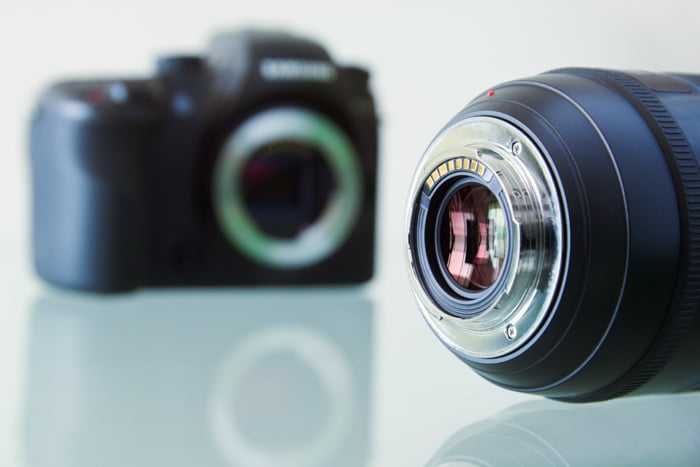
Your lens connects to your camera body through lens mounts. Common designs include screw, breech-lock, and bayonet mounts. Most current interchangeable-lens systems use a bayonet fitting that locks after a short turn.
Check the exact mount before buying. Two lenses from the same brand can fit different camera systems. Sensor coverage is a separate question: a lens may fit physically but cover only a smaller sensor area.
A bayonet mount holds the lens at the required distance from the sensor. Electronic contacts, where present, let the camera and lens communicate for functions such as aperture control and autofocus.
An adapter can connect some lenses to another mount. Check the exact camera, lens, and adapter combination; a physical fit does not guarantee autofocus or electronic aperture control.
Some mounts are shared across brands, including Micro Four Thirds and L-Mount. That does not make lenses for unrelated mounts interchangeable.
What Is Image Stabilization?
Many modern lenses have built-in image stabilization (IS). Motion sensors detect camera movement, and the system shifts an optical group to counteract it.
Stabilization appears in wide-angle, standard, and telephoto lenses, although it becomes especially helpful at longer focal lengths where camera shake is more visible.
The reciprocal rule is a starting point: on full frame, try a shutter speed near 1 divided by the focal length, such as about 1/60 s at 50mm or 1/320 s at 300mm. Adjust for crop factor, resolution, technique, and subject movement.
Some cameras have in-body image stabilization, which can stabilize many lenses by moving the sensor. No stabilization system freezes subject movement, and each system has practical limits.
Some lenses include a panning mode that stabilizes one axis while you follow a moving subject. Stabilization also uses battery power, so follow the camera or lens manual when using a tripod or trying deliberate motion effects.
What Are Camera Lens Filters Good For?
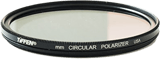
Many lenses have a front thread for camera lens filters. A filter can reduce reflections, reduce the light reaching the sensor, or provide a replaceable surface in front of the lens.
Filter Threads
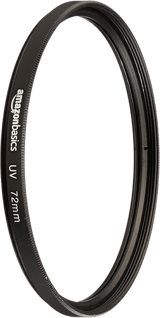
Threaded filters come in specific diameters, so it is crucial to choose the right one. A lens might show a marking such as Ø67mm. A clear or UV filter can protect the front element, although it also adds another optical surface.
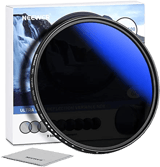
A protective filter can take scratches or dirt in place of the front element, but it does not guarantee protection from impacts. Circular polarizing (CPL) filters change how reflections appear. Neutral density (ND) filters reduce light so you can use a longer exposure or wider aperture.
Solid ND filters darken the whole image. Graduated ND filters have a transition between darker and clearer areas. You can adjust the strength with variable ND filters. For polarizers, read our roundup on the best polarizing filters to buy.
Our Top 4 Choices of the Best Budget Camera Lens Filters
Square and Rectangular Filters
Square or rectangular filters slide into a holder attached to the lens. One filter can work across several lenses when you use the appropriate adapter rings, and graduated filters can be moved to place the transition exactly where you need it.
Rear Filters
Some lenses do not accept ordinary screw-in front filters. Certain ultra-wide and fisheye lenses have a protruding front element or a built-in hood that prevents their use.
Depending on the lens, alternatives include a dedicated front holder, a rear filter slot, or a drop-in filter system. Check the lens manual before choosing a filter.
Lens Hoods
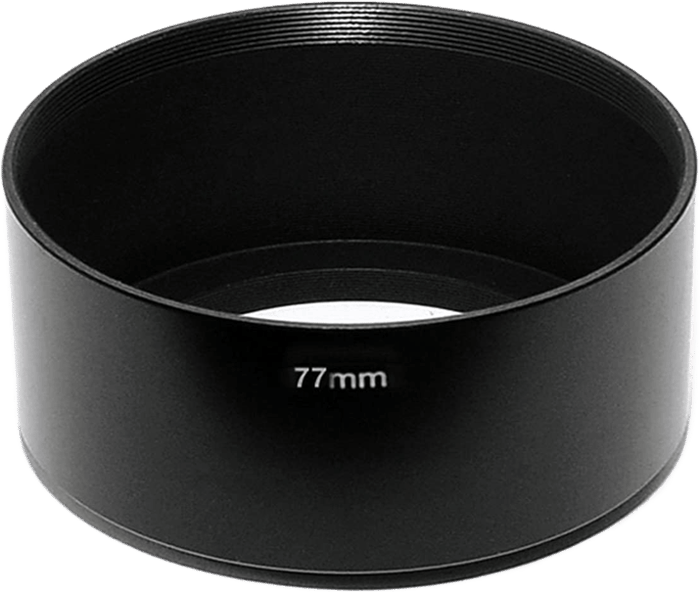
Stray light can create “flares” or “hot spots.” A lens hood shades the front of the lens from light outside the picture area. It cannot block the sun when the sun itself is in your frame.
Use a hood designed for the lens and sensor format. A hood that is too deep can intrude into a wide-angle photograph. Some ultra-wide lenses have a built-in hood.
Teleconverters
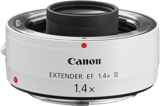
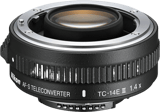
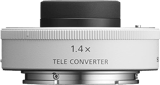
A teleconverter fits between a compatible camera and lens to increase the effective focal length. For example, a 1.4x converter turns a compatible 70-200mm lens into a 98-280mm combination.
The downside is that the maximum aperture becomes smaller. A 1.4x teleconverter loses one stop, turning f/2.8 into f/4. A 2x teleconverter loses two stops, turning f/2.8 into f/5.6. Autofocus speed and image quality can also decrease.
Check the maker’s compatibility list for both lens and camera before buying. Sharing a mount does not mean every combination will fit or retain autofocus.
How Can You Focus on Close Subjects?
Every lens has a minimum focus distance. Move inside that distance and the lens cannot bring your subject into focus, even if you turn the focus ring to its closest setting.
Macro lenses are one way to photograph small subjects. Close-up lenses, extension tubes, and lens reversal can also increase magnification. The result depends on the main lens and accessory; none guarantees 1:1 magnification with every setup.
1. Use Macro Filters
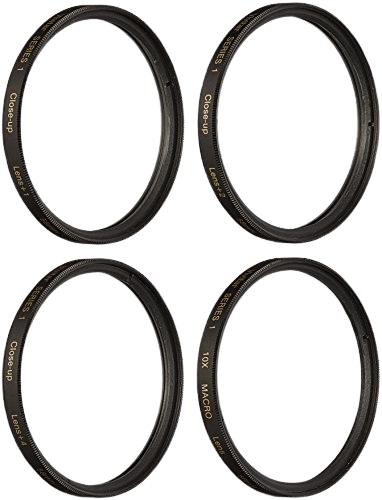
A close-up lens, also called a close-up filter or macro-filter, adds optical power in front of your main lens so it can focus closer.
Choose a close-up lens that fits the filter thread and suits the main lens’s focal length. Screw it onto the front as you would a filter, then move within the new focusing range.
Some close-up lenses can be stacked for stronger magnification, but extra optical surfaces can reduce sharpness or contrast. Start with one attachment and check the edges as well as the center of the photograph.
2. Use Extension Tubes
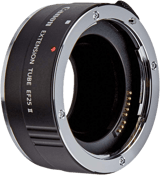
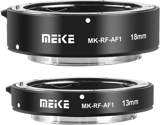
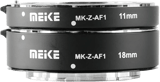
Macro extension tubes are hollow spacers fitted between lens and camera. They move the lens farther from the sensor so it can focus closer. Unlike teleconverters, they contain no optical elements.
Tube lengths vary. Some sets can be combined to increase extension. Check mount compatibility and whether the tubes preserve the electronic connection needed by your lens.
Extension reduces the range of distances you can focus on, usually removing infinity focus. It also reduces the effective light reaching the sensor. More extension is not always better if it leaves too little space between lens and subject.
3. Reverse a Camera Lens
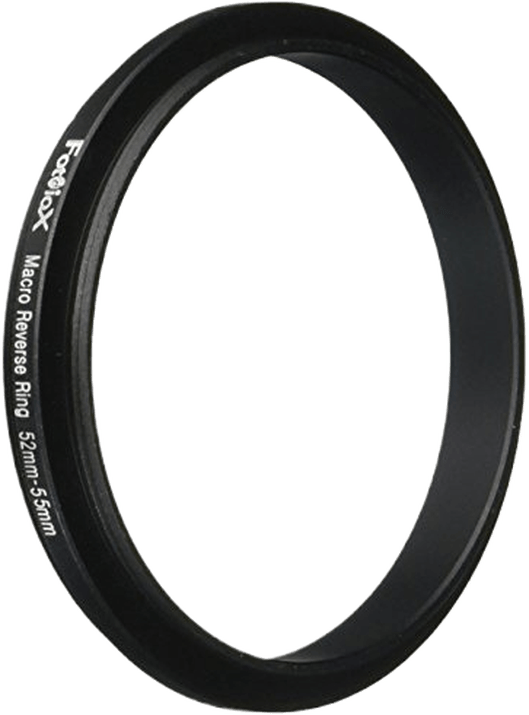
The other cost-effective option is to reverse a lens you already own. Remove the lens and mount it backward with the front element facing the camera body. This allows very close focusing, but you may lose electronic aperture control and autofocus.
A reversing ring connects the lens’s front filter thread to the camera mount. Match both sizes, and check how you will control focus and aperture before using the setup.
What You Need to Know About Aberrations and Distortions
Camera Lens Aberration
An ideal lens would bring light from each subject point to a corresponding point in the image. Real lenses cannot do this perfectly. Their remaining optical errors can produce blur, color fringes, or changes in shape.
Lens aberrations fit into two categories. Some happen with color (chromatic aberrations). Others occur even with light of a single wavelength (monochromatic aberrations).
Corner darkening, or vignetting, is a fall in brightness toward the corners. It is different from a focusing error, although both can affect the appearance of the image.
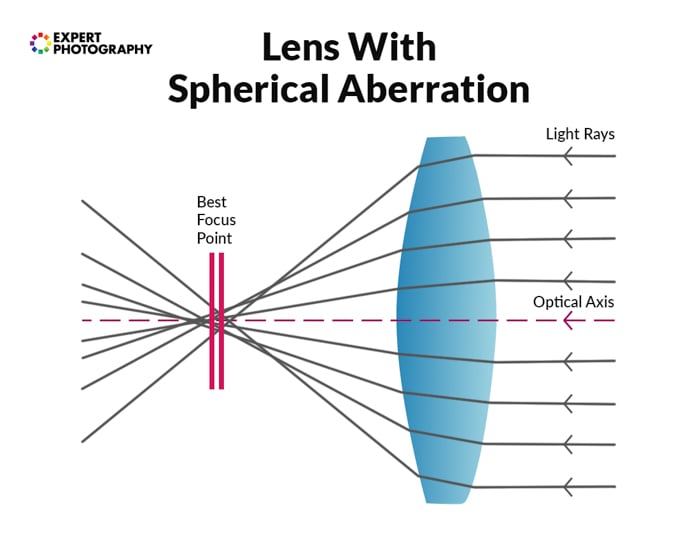
Spherical aberration that can happen with camera lenses
Camera Lens Distortion
Lenses can show a varying degree of distortion. The amount depends on the optical design and any corrections applied by the camera or editing software. You cannot judge it from the number of elements or from whether the lens is a prime or zoom.
Modern optical design and software correction can reduce distortion. Tilt-shift lenses address converging verticals through perspective control, which is different from correcting optical distortion.
There are two common forms of rectilinear distortion. Barrel distortion makes straight lines bow outward from the center, while pincushion distortion makes them bow inward.
Some wide-angle and zoom lenses show visible distortion, but the amount depends on the design. Distortion is most obvious when straight lines run near the edges of the frame. And if you have a mixture of the two mentioned above, you end up with mustache distortion.
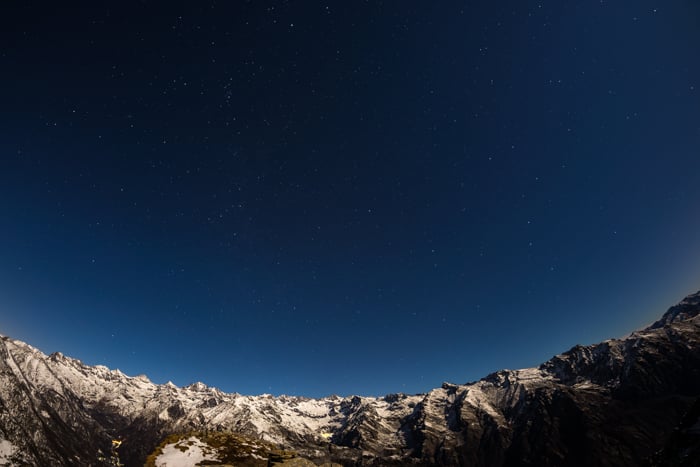
Mustache distortion
What Can Affect Camera Lens Sharpness?
A sharp photograph needs accurate focus, enough shutter speed to avoid unwanted movement, and an aperture suited to the subject. The lens’s optical performance is one part of that result.
Center vs Edges
Check where you need detail. For a portrait with a blurred background, the subject’s eye may matter most. A landscape or reproduction can demand detail across the frame.
Some lenses resolve more detail in the center than at the edges, especially at wide apertures. Compare corners at the aperture you plan to use. Price alone does not tell you how evenly a lens performs.
Zoom Range
A zoom lens can perform differently at different focal lengths. That does not mean all zooms are less sharp than primes.
Compare results at the wide end, middle, and long end of the range, keeping focus, aperture, and camera support consistent.
You can get used to reading MTF curves to compare the contrast and resolution a maker reports at the settings shown. A chart for one focal length or aperture does not describe every possible setting.
Aperture Range
Lens sharpness changes across the aperture range. Shooting wide open gives a shallower depth of field and may reveal more aberrations. Stopping down often improves performance until diffraction begins reducing fine detail at smaller apertures.
Light spreads as it passes through the aperture. This effect, lens diffraction, reduces fine detail most visibly at small apertures. Choose the depth of field you need rather than assuming the smallest aperture will give the sharpest result.

Specialty Camera Lenses
Specialty describes a lens’s purpose or optical effect. These lenses are still primes or zooms, and they still have a focal length and an aperture range.
What Is a Macro Camera Lens?
Macro lenses are designed to focus close and reproduce small subjects at high magnification. A true macro lens commonly reaches a 1:1 reproduction ratio, meaning the subject is projected life-size on the sensor.
Macro lenses come in short, standard, and telephoto focal lengths. Working distance and minimum focus distance vary by model, and most can also focus to infinity for general photography.
Choose a macro focal length partly by the working distance you need. More space between the front of the lens and the subject can make lighting easier and help when photographing insects.

What Is a Tilt-Shift Camera Lens?
A tilt-shift lens provides movements similar to those of a view camera. Pointing a camera upward makes parallel vertical lines appear to converge because the sensor is no longer parallel to the building.
The shift movement changes framing while the camera stays level, helping keep vertical lines parallel. The tilt movement changes the orientation of the plane of focus for either greater apparent depth or selective-focus effects.
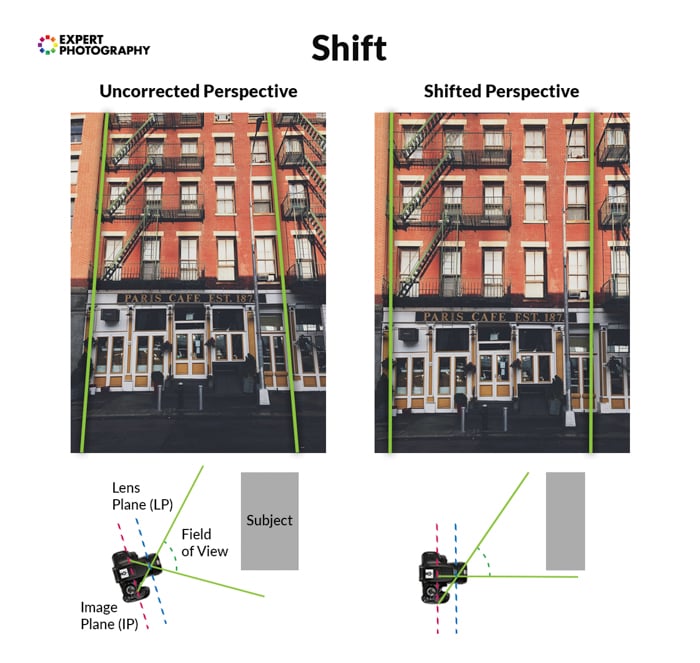
What Is a Fisheye Camera Lens?
Fisheye lenses are ultra-wide lenses that deliberately use strong, non-rectilinear distortion. Some create a circular image, while diagonal fisheyes fill the frame. Their focal lengths vary with the sensor format.
When we use lenses that cause barrel distortion, we correct them to create a more realistic image. With a fisheye lens, we embrace the distortion and use it creatively. For example, you can use them for sports or party photography.
Which Camera Lens Is Best for Photography?
The seven categories below describe different things, so they overlap. Wide-angle, standard, and telephoto describe field of view. Prime and zoom describe whether focal length changes. Macro and other specialty lenses describe a purpose or effect.
A 100mm macro, for example, can be both a prime and a telephoto lens on full frame. You do not need seven separate lenses to cover seven categories.
Use this list to match a lens to your subject. Focal-length examples refer to full frame unless stated otherwise. The links lead to our lens recommendations:
- Standard or Normal Lenses: They are versatile lenses for everyday, street, and documentary photography. On full frame, a normal lens is around 50mm. A 35mm lens is moderately wide, while an 85mm lens is a short telephoto often used for portraits.
- Wide-Angle Lenses: These are ideal for landscape photography, architecture, and real estate. They capture a broader field of view, letting you fit more into the frame. Perspective can look exaggerated when you move close to a subject. Common full-frame ranges include 14-24mm and 16-35mm.
- Telephoto Lenses: These frame distant subjects more tightly for wildlife, sports, and events. Examples include 70-200mm and 100-400mm zooms. The compressed perspective associated with telephoto photographs comes from shooting farther from the subject, rather than focal length alone.
- Macro Lenses: These are designed to focus closely on small subjects such as insects, flowers, or products. Compare maximum magnification and working distance. Macro focal lengths include 60mm, 100mm, and 105mm.
- Prime Lenses: These have one focal length, such as 24mm, 50mm, or 85mm. A wide-aperture prime can suit low light or portraits with blurred backgrounds. Check the particular lens; a prime is not automatically small or sharper than a zoom.
- Zoom Lenses: These camera lenses have variable focal lengths, like 24-70mm and 18-135mm. They offer versatility by covering a range of focal lengths within a single lens. They are convenient for various situations, like travel or when changing lenses is impractical.
- Specialty Lenses: These include tilt-shift and fisheye lenses. A shift movement can change framing while keeping the camera level. Tilt changes the plane of focus. A fisheye deliberately bends lines for an exaggerated wide view.
The best lens for a specific purpose is one that fits your camera and covers the photographs you need. Start with your usual subjects, available light, and how close you can stand. Then compare focal length, maximum aperture, focusing distance, and weight.
A standard zoom is a practical starting point if you are still learning which focal lengths you use most. Add another lens when your present one cannot give the framing, aperture, or close focus you need. The following selection begins with a specialty lens and then lists options by type.
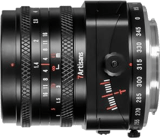
The 7Artisans 50mm f/1.4 Tilt-Shift is a manually focused specialty option. The Sony E-mount version is the one discussed here; check the exact mount and sensor coverage before buying.
With the movements centered, it can be used as a 50mm f/1.4 prime. Tilting changes the plane of focus for selective-focus effects. These movements take more care to set than turning an ordinary focus ring.
The maker lists a weight of 364 g and manual focus. Plan to set the lens yourself; it is not an autofocus choice for subjects moving quickly toward the camera.
Its field of view is narrower on APS-C than a 50mm lens’s view on full frame. Consider the space available around your subject before choosing it for architecture. See the maker’s specifications for the lens details.
Recommended Good-Value Camera Lenses By Type
Frequently Asked Questions
Does a Crop Sensor Change a Lens’s Focal Length?
No. A lens keeps its stated focal length on every compatible camera. A smaller sensor captures a narrower field of view, which is why photographers use a crop factor to describe the full-frame equivalent view.
Should Your First Lens Be a Prime or a Zoom?
A standard zoom lets you try several focal lengths without changing lenses. A prime makes sense when a particular focal length and maximum aperture solve a problem your zoom cannot. Start with the photographs you want to take, then compare the lenses.
Do Lens Adapters Preserve Autofocus?
It depends on the lens, adapter, and camera. Some electronic adapters preserve autofocus, aperture control, and metadata, while simple mechanical adapters do not. Check an adapter’s compatibility list before buying.
Conclusion: Our Camera Lens Guide
Choose a lens by checking compatibility first, then matching field of view, aperture, and focus distance to your subject. Remember that crop factor changes the captured view, while the lens keeps its stated focal length.
Before adding another lens, identify what your current setup cannot do. A polarizer can change reflections, a compatible teleconverter can extend reach, and close-up accessories can increase magnification. Each has limits. Buy the feature that solves your problem rather than collecting specifications.
Get off Automatic mode and take stunning photos for life with our Photography Unlocked course!