Aesthetic pictures are photographs whose light, color, composition, and subject create a look that appeals to the viewer. That look might be quiet and minimal, warm and nostalgic, or bold and dramatic. There is no single camera setting or beauty rule that makes a picture aesthetic.
Below, we explain what aesthetic photography means and give you 13 tips for making deliberate choices in your photos. The same ideas can help you build a recognizable look across a collection of work.
What Are Aesthetic Pictures and Aesthetic Photography?
In everyday use, an aesthetic photo is a picture someone finds visually pleasing. In photography, “an aesthetic” can also mean a particular visual look: the colors, lighting, shapes, and mood that connect a set of images.
Taste is subjective. A dark, grainy portrait and a bright, clean landscape can both appeal to viewers. Neither needs to follow every composition guideline or use the same editing preset.
Photographers make these choices through symmetry, balance, light, and color theory. These design principles give you ways to arrange a picture, rather than a test it must pass.
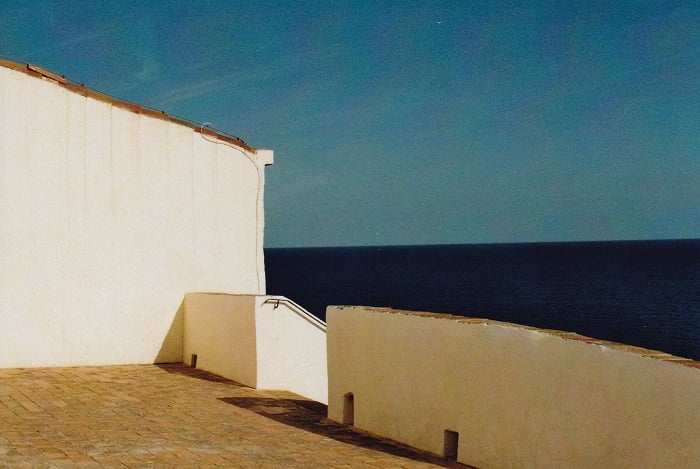
For example, a small white building surrounded by blue sky might feel spacious. A close portrait with deep shadows might feel intimate. The useful question is whether the elements support the feeling you want.
You can explore aesthetics in any genre. Fine art photography often puts a visual idea at the center, while fantasy photographers can use costumes and settings to build imagined worlds.
Aesthetic vs Style
A photographer’s style and their aesthetic overlap. People often use the words interchangeably, so a strict dividing line is not always useful.
It can help to describe the aesthetic as the visible result: warm colors, crisp shapes, soft backgrounds, or dramatic shadows. Style is a broader description of recurring choices, including subjects, equipment, technique, and editing.
You might create a soft, muted look with several different cameras. You might also use the same camera to make images with very different moods. Your choices matter more than the name of your kit.
For example, looking at Jovana Rikalo’s work on Instagram, we see how her photography style creates her aesthetic. She uses elaborate costumes and props. And she often focuses on one bold color to enhance the theme. It creates a strong fantasy aesthetic that’s all her own.
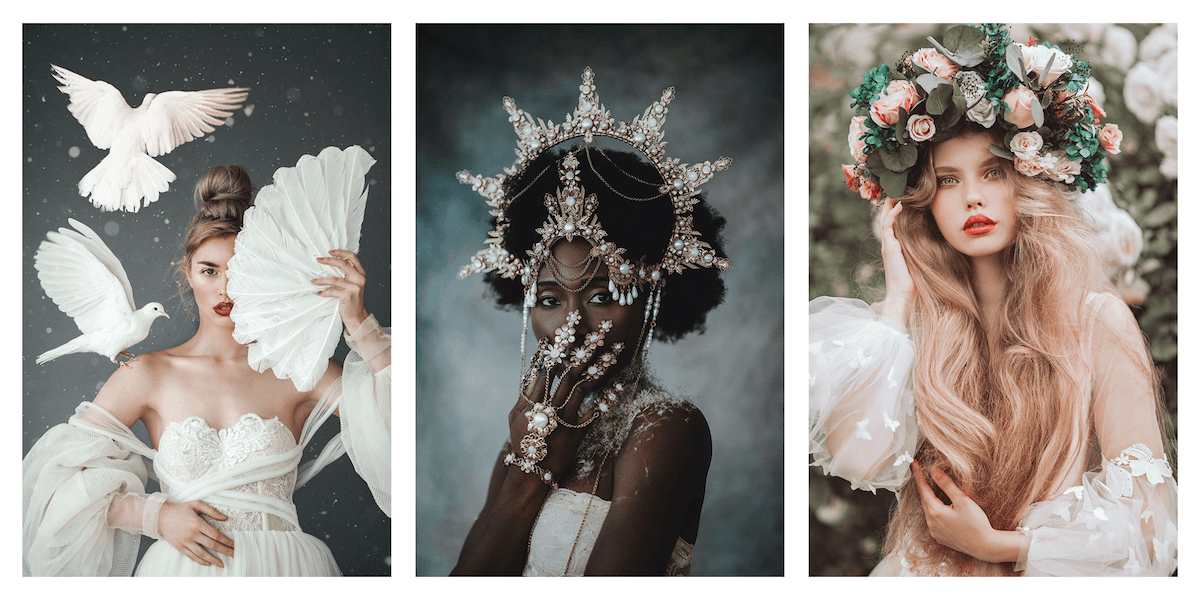
© Jovana Rikalo. The creator behind Fairytale Portraits.
Why Develop a Photography Aesthetic?
A consistent visual approach can help a portfolio feel connected. It also gives potential clients a clearer idea of the work you enjoy making. It does not guarantee recognition or bookings.
For a professional photographer, this can support brand recognition. A portfolio of related images shows an intended look more clearly than one isolated example.
Your work can span different types of photography and still share recurring colors or lighting. But you can also adapt to a new project or client brief. You do not need to settle on one permanent aesthetic before you start taking pictures.
Shot with a Canon EOS 5D Mark III. 100mm, f/5.6, 1/80 s, ISO 400. Photo by Aleksandr Popov
13 Aesthetic Photography Tips
The first eight tips help you shape an individual picture. The last five help you develop and present a consistent body of work. Try one change at a time so you can see what it contributes.
Tips for Creating Aesthetic Pictures
1. Use a Simple Composition
Start by deciding what the photo is about. Then check the edges and background for anything that competes with that subject. Moving a little to one side or changing your camera height can remove a distracting sign, bright patch, or object.
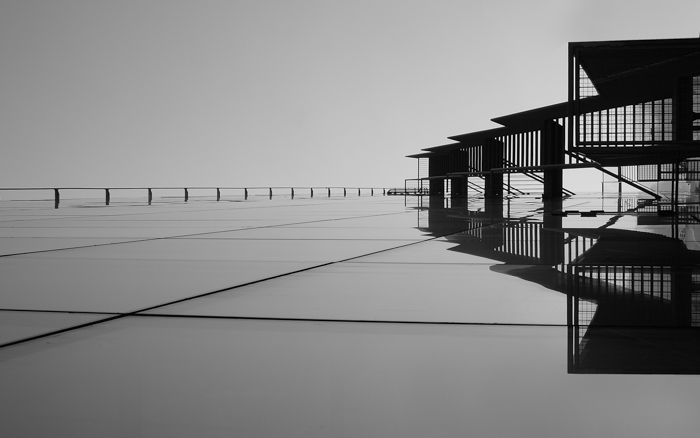
There is no single composition that works for every photo. For a quiet image, minimalist photography gives you useful ways to reduce the frame to a few shapes and colors.
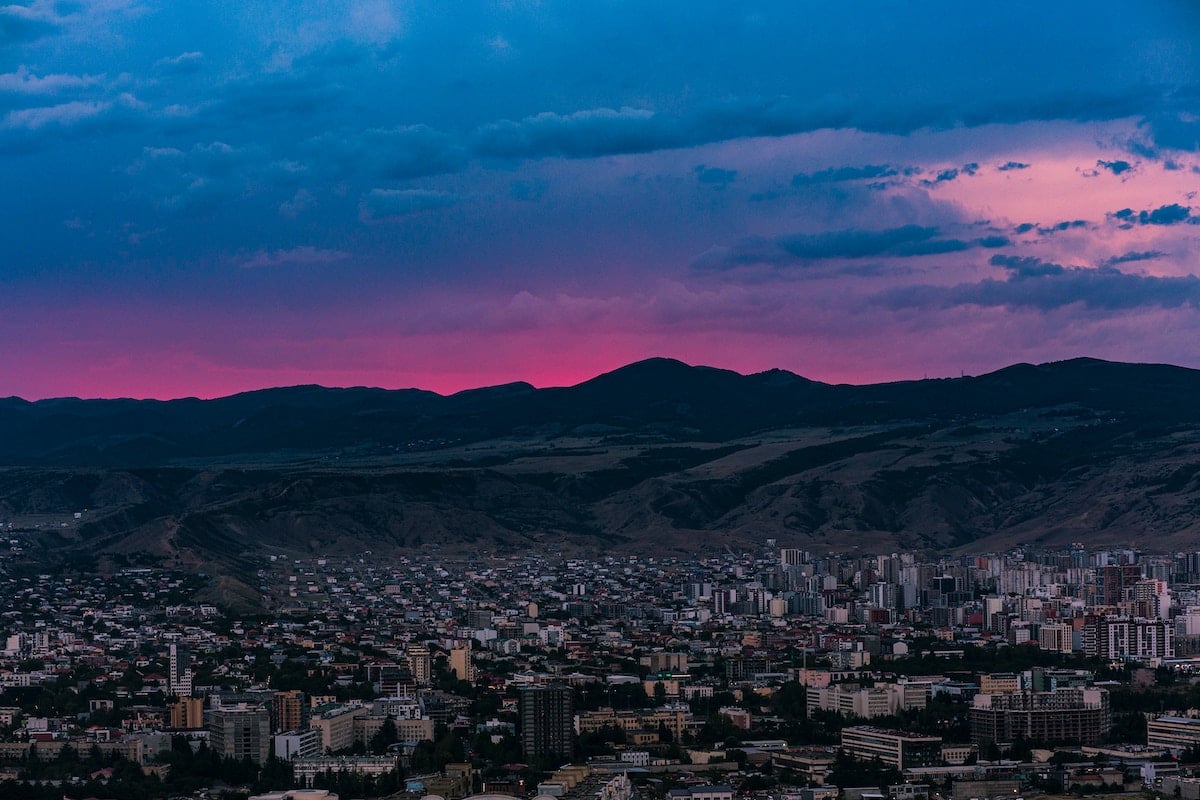
In the building photo below, the blue sky gives the structure room to stand out. A busy street scene can work too, if its layers and gestures support your idea. Simplicity is a useful starting point, not a requirement for beauty.

© Karen Vikke (Urban Smartphone Minimalism) Follow on Instagram.
2. Use the Rule of Thirds as a Guide
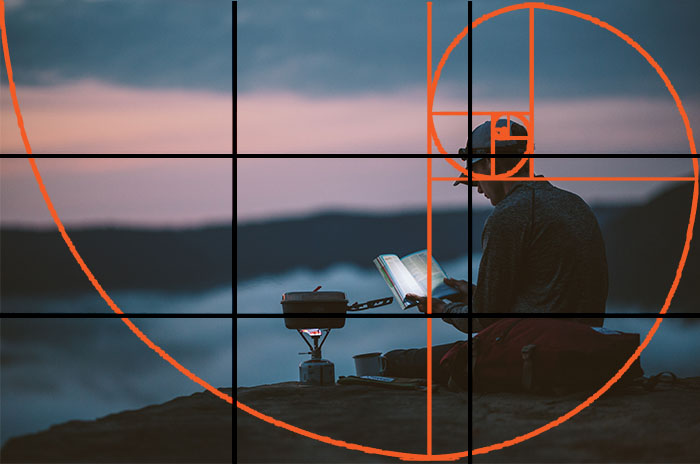
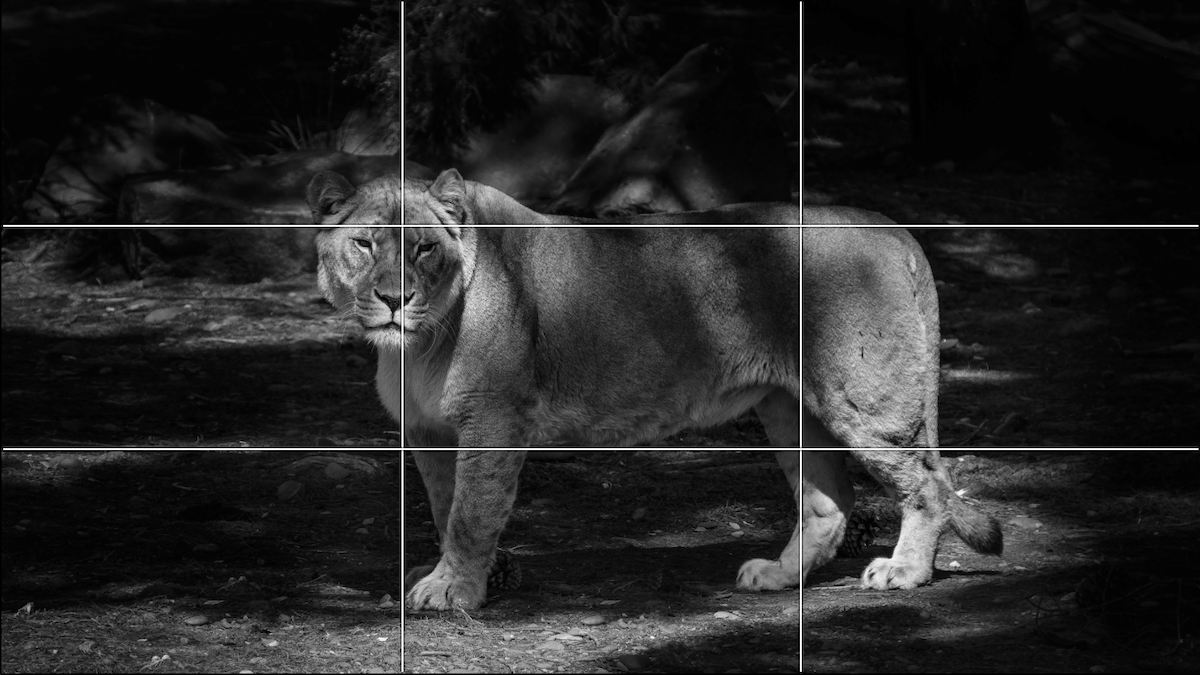
The rule of thirds gives you reference points for framing. Imagine two equally spaced vertical and two horizontal lines dividing the frame into nine equal sections. In a rectangular photo, those sections are rectangles.
Try placing your subject along a line or near an intersection. For a landscape, put the horizon on the lower line when the sky matters most, or the upper line when the foreground matters most.
Leave negative space where it serves the picture. A person looking to the right might benefit from space on that side of the frame.
If your digital camera or phone offers a grid overlay, use it to compare placements. Also take a centered version. Keep the arrangement that suits the subject rather than forcing it onto an intersection.
3. Guide the Eye With Leading Lines
Leading lines can connect parts of a picture. Look for paths, railings, rows of crops, or the edge of a table. In macro photography, wood grain or a leaf vein can give you a line at a smaller scale.
Change your position until the line leads toward your subject or connects it to its surroundings. Check that a bright line at the edge does not pull attention away from the part you want viewers to notice.
A curve might suit a gentle landscape. A diagonal might suit an image with more energy. Smooth and jagged lines are both options; choose the one that supports your intended look.
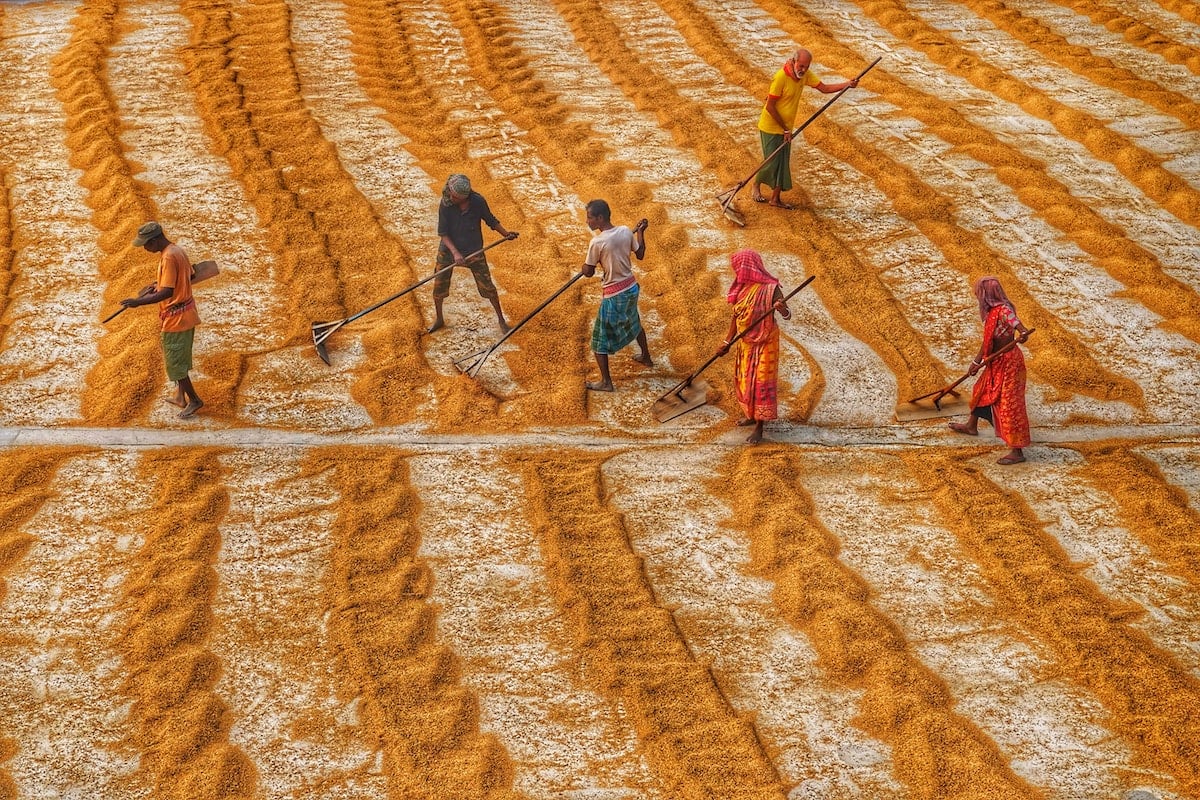
Shot with a Sony a7C full-frame mirrorless. 60mm, f/6.3, 1/250 s, ISO 250. Photo by Dibakar Roy
4. Look for Symmetry
Symmetry gives you an arrangement to explore when shapes or details mirror each other. Repeated windows and a reflection in still water are useful subjects.
Urban landscapes offer geometric shapes, while water reflections can create symmetry in landscape photography. Look for a repeating pattern, then check how it fits within the frame.
For left-right symmetry, align the camera with the central axis. For a reflection, try placing the waterline near the middle. Centering can serve these pictures better than the rule of thirds.
Check the edges before taking the photo. A small tilt or an object on just one side can interrupt a mirrored arrangement. Keep an interruption when it adds something to your picture.
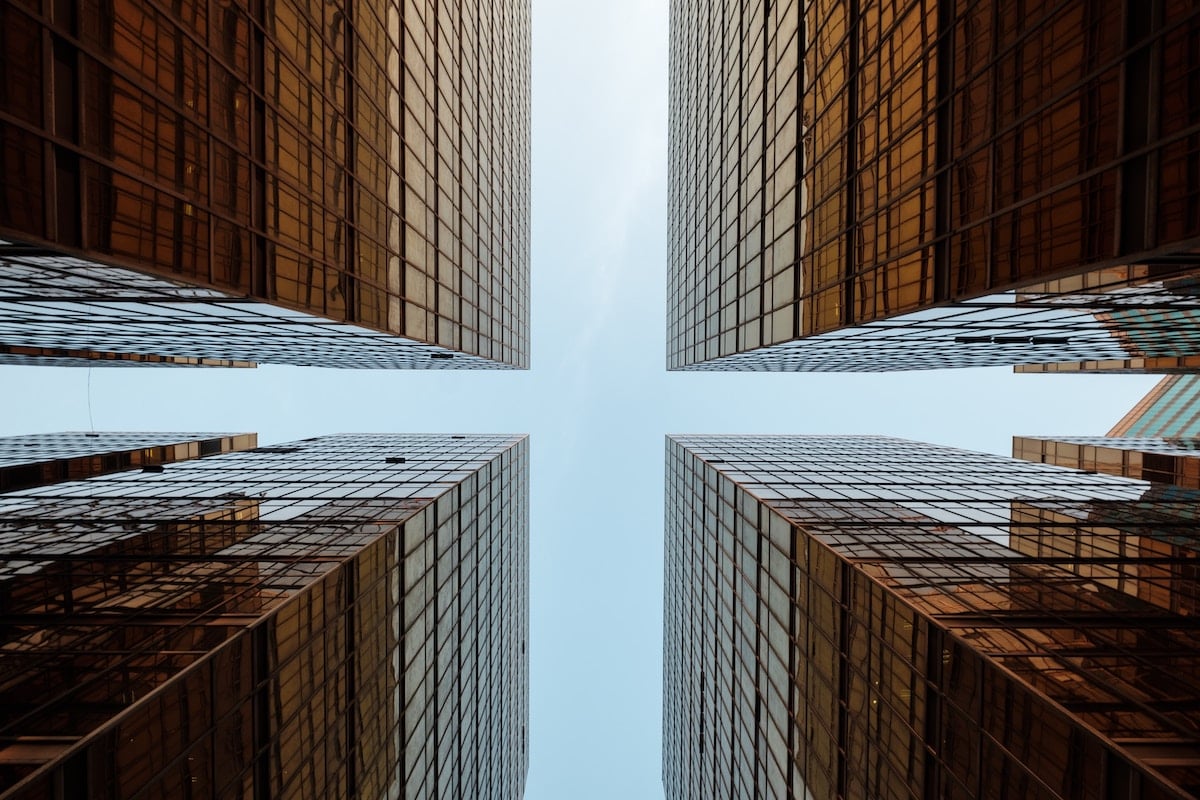
Shot with a Fujifilm X-T2. 10mm, f/8, 1/45 s, ISO 200. Photo by The Creativv
5. Choose Colors That Support the Mood
Color theory gives you a way to compare palettes. Start with the colors already in the scene, then choose your background, viewpoint, clothing, or props around them.
On a traditional red-yellow-blue color wheel, complementary colors sit opposite each other. Examples include blue and orange, red and green, and yellow and violet. A blue wall behind an orange object gives you a clear color contrast.
Triadic colors are three hues spaced evenly around the wheel. Red, yellow, and blue form one such combination on that traditional wheel. Try giving one color the largest area and using the others as smaller accents.
An analogous color scheme uses neighboring hues, such as yellow, yellow-orange, and orange. This can be a starting point for a palette with less hue contrast. The building photo below is an example to study.
No palette guarantees a pleasing photo. Brightness, saturation, and the amount of each color also affect the result. For a softer look, try reducing saturation selectively rather than making every color equally pale.

6. Separate the Subject From the Background
Gestalt theory includes principles about how we organize what we see. For photography, the “figure to ground” relationship is a useful way to think about the subject and the background.
Look for a difference in tone, color, or shapes that helps the subject read clearly. A dark silhouette against a pale wall is one example. A white background is another option when you want very little surrounding detail.
Check where objects overlap. A branch that appears to grow out of a portrait subject’s head can be removed from the composition by changing your viewpoint. You can also keep background detail when it explains the subject’s setting.

Shot with a Sony a7 III. 42mm, f/5.6, 1/250 s, ISO 100. Photo by Ilham Putra
7. Choose How Much of the Picture Is Sharp
Depth of field is the range of distance that appears acceptably sharp. A shallow depth of field can help separate a portrait subject from a blurred background. A deeper zone of sharpness can suit a landscape or a scene where the surroundings matter.
With an adjustable-aperture lens, try a wider aperture, such as f/2.8, as a starting point for shallow depth of field. A wider aperture means a lower f-number. Aperture, focal length, and focusing distance affect the result, so one setting will not work for every scene.
Place more distance between the subject and background when you want stronger background blur. Focus carefully on the detail that matters, such as the nearer eye in a portrait. If parts of the face are too soft, use a smaller aperture and check again.
The bokeh effect concerns the look of the out-of-focus areas. Soft blur can give portraits a dream-like quality, but blur alone does not make a picture aesthetic. Keep enough detail to communicate your subject.
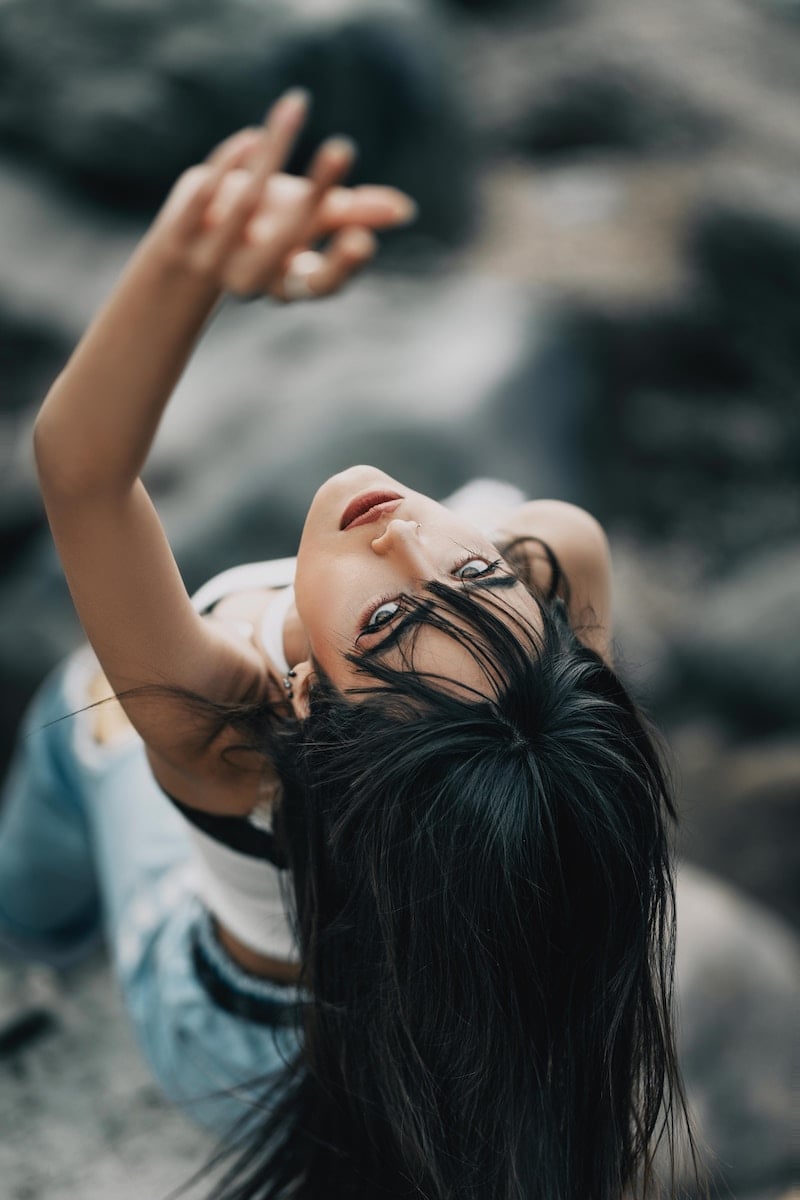
Shot with a Sony a7R IV. 85mm, f/1.4, 1/100 s, ISO 100. Photo by Amir Rostami
8. Look for Rhythm and Repetition
Rhythm can come from recurring shapes, colors, or spaces. Look for rows of seats, windows, trees, or objects on a shelf.
Use repetition to connect the frame, then decide whether an interruption would help. An empty chair in a row or one different-colored window might become the focal point.
Compare a straight-on view with a view from one end of the row. The first emphasizes the repeated arrangement; the second can show how it continues into the distance.
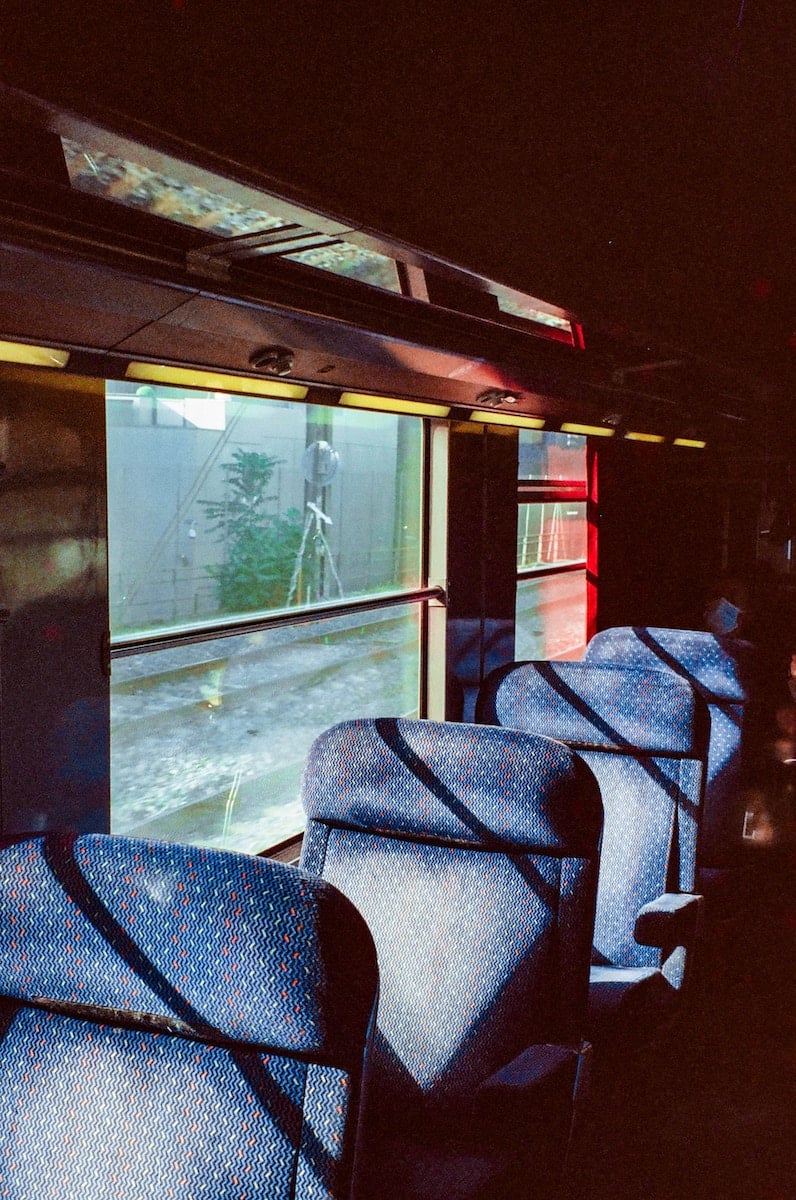
Film photo taken by Valentin Antonini
Tips for Creating a Personal Aesthetic
Look for choices you enjoy repeating. A consistent collection can grow from a shared subject, palette, lighting approach, or editing process. It can also change as you try new ideas.
9. Develop Your Technique
Experiment while you’re working on your photography development. Then repeat a small project with one variable changed each time, such as camera position or aperture. Compare the results before deciding what to keep.
Your type of camera might be a DSLR, mirrorless, 35mm, or phone camera. Learn the controls available on it. The camera settings you choose should support the picture you want to make.
For example, an aperture can control how much depth is sharp, while shutter speed affects whether movement is frozen or blurred. Adjust for the light and subject each time. A recognizable look does not require identical exposure settings in every photo.
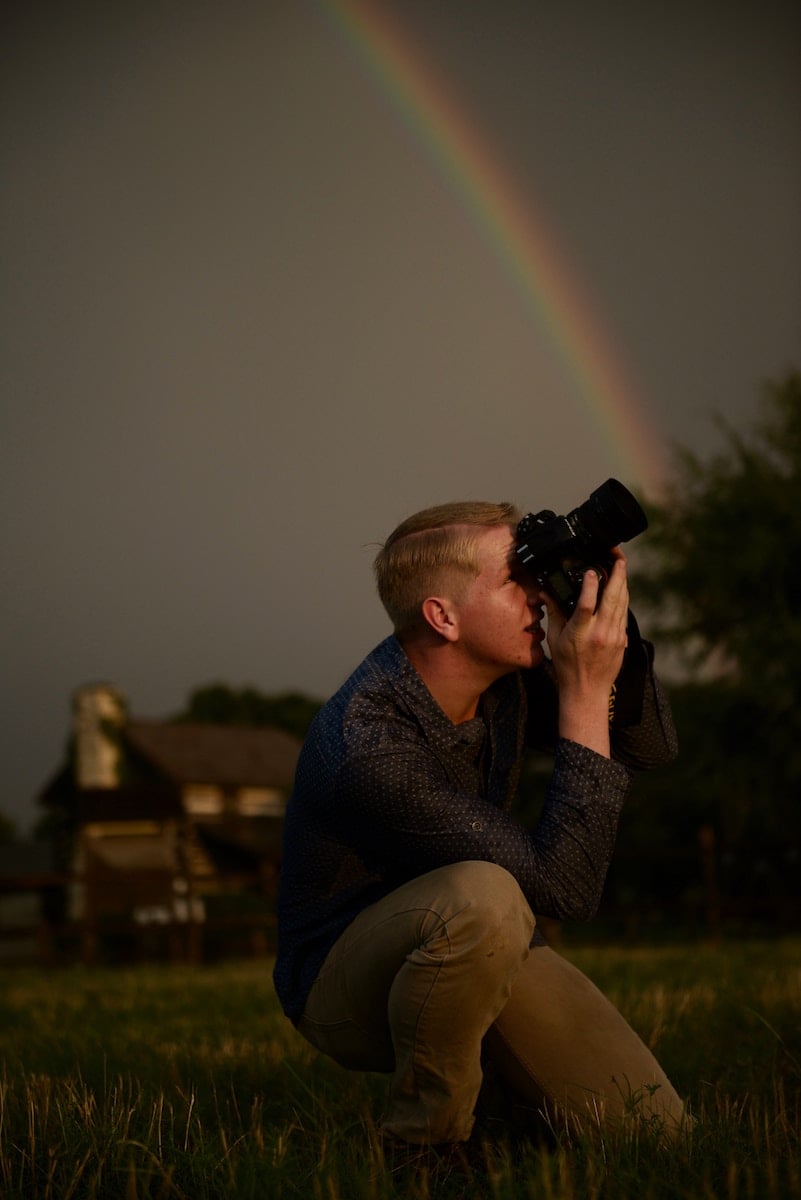
Shot with a Nikon D800. 70mm, f/2.8, 1/1600 s, ISO 640. Photo by Stephen Wheeler
10. Use a Consistent Editing Process
Choose the changes that support your intended look. You might prefer gentle photo editing, strong contrast, or a limited palette. Keep a few finished reference images so you can compare new edits with the result you want.
Start by checking exposure and white balance. Then consider contrast, color, and crop. Review skin tones and important bright areas before saving the image.
You can use Photoshop, Luminar Neo, Adobe Lightroom, or another editor you know. Choose a workflow you can repeat rather than a new tool for every photo.
Lightroom presets can be a starting point. They apply saved adjustments, which you can then change to suit the individual image. Different lighting may need different exposure or white balance adjustments even when you want a consistent final look.
Keep notes on your decisions. If you work in Photoshop, shortcuts can speed up repeated tasks. Judge consistency by the finished photos, not by whether every slider has the same value.

Photo by Glenn Carstens-Peters
11. Choose Light That Fits Your Picture
Lighting affects the shapes, colors, and shadows in a photo. Choose it for the result you want, then observe how it changes as you move the subject or camera.
For gentle shadow edges, try diffused window light or an overcast sky. For defined shadows and graphic shapes, try direct sunlight or a small, bare flash. Both soft and hard light can support an aesthetic.
Golden hour can offer warm, low-angle light when the sun is visible. It is one option for natural light, not a requirement. Look at portraits by Rosie Matheson and describe the shadows and colors you see before deciding what to try yourself.
Artificial light gives you another way to shape a scene. For a cinematic aesthetic, compare the light on your subject with the light in the background. Neon signs can be part of a noir effect; see Louis Dazy for visual inspiration.
You can also experiment with direct flash photography for pronounced shadows. Compare work by Carianne Older when exploring a glamor look. Review the shadows and color relationships in your own pictures to decide what you want to repeat.

Shot with a Fujifilm X-T4 APS-C mirrorless. 55mm, f/4, 1/320 s, ISO 400. Photo by Brian Lundquist
12. Look at Your Work as a Collection
Group your photos and view them together. Look for repeated subjects, colors, contrast, and framing. Which decisions connect the images? Which one feels out of place, and why?
Choose a small set for a particular project. You can edit them to fit your aesthetic or leave some out when they interrupt the sequence. You can also start a separate series when an image suggests a different direction.
Keep the original files. Selecting a consistent portfolio does not require deleting work or abandoning other styles you enjoy.
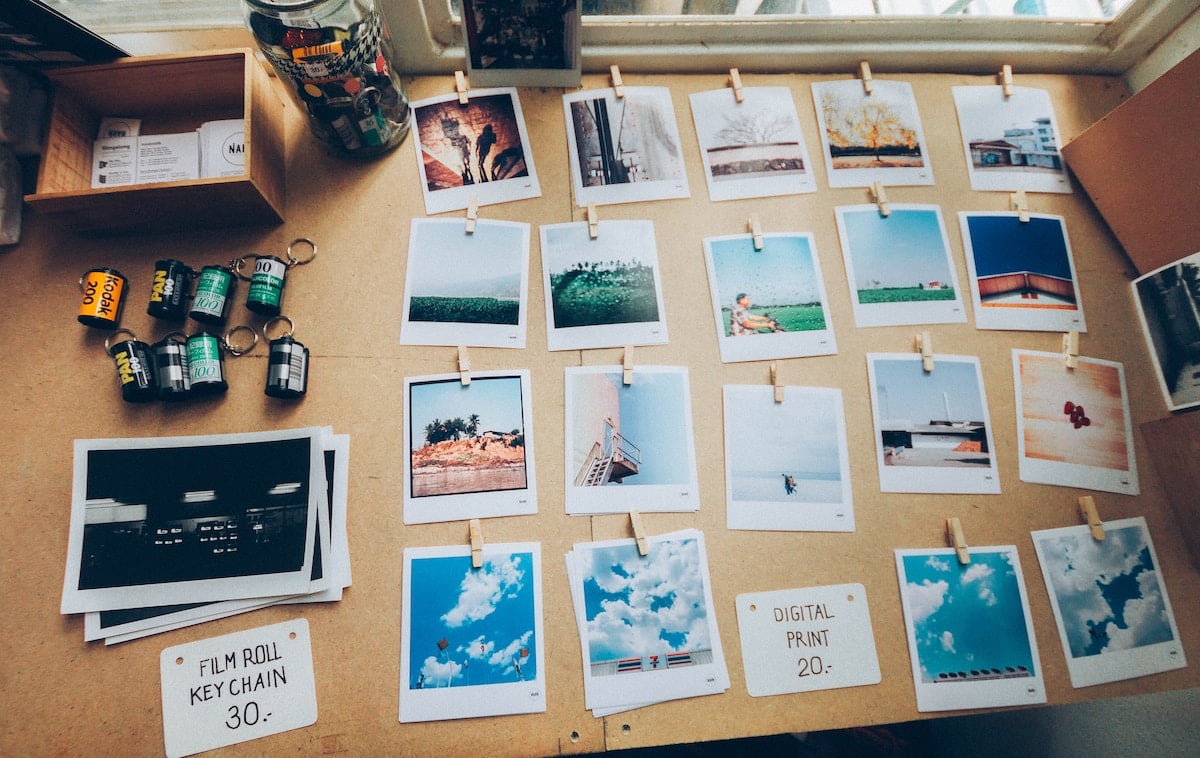
Photo by Soragrit Wongsa
13. Plan for Where the Photos Will Appear
Consider the final display before you crop. A photo can lose its main subject or a useful leading line when it is fitted into a different shape. Leave room around important details when you expect to make several versions.
For a social platform, preview the current feed and profile crops before posting. Display formats can change, so check the result instead of relying on one permanent aspect ratio.
With your own website, think about how images work at both desktop and phone sizes. You might organize different projects into separate galleries rather than forcing every photo into one look.
For prints, consider the final dimensions, viewing distance, and any cropping needed. Check how to prepare the file and the requirements of your chosen print service.
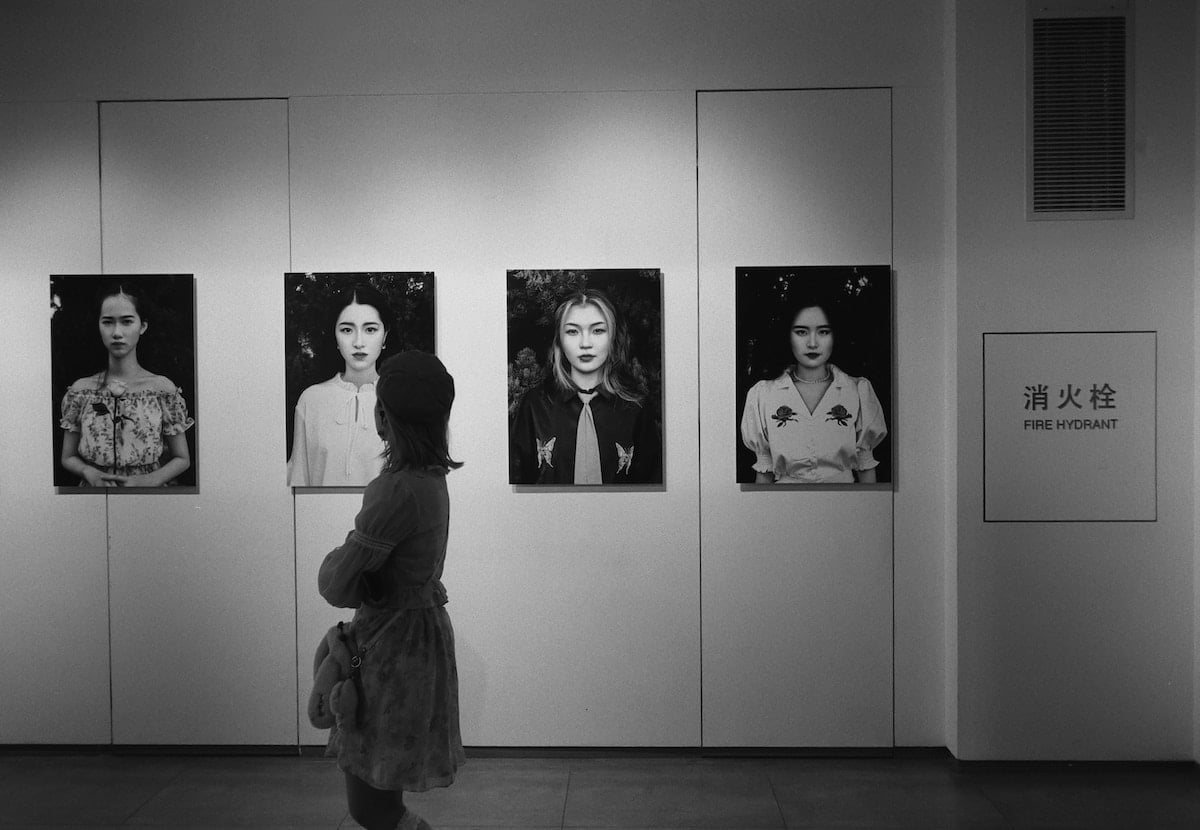
Shot with a Leica M-A. Photo by 烧不酥在上海 老的
Conclusion: Aesthetic Pictures
Aesthetic photography starts with choices about how a picture looks and feels. Decide what you want the viewer to notice, then use composition, light, color, focus, and editing to support that idea.
Try photographing one subject with three small changes: a different viewpoint, different light, and a different crop. Compare the pictures and name what changed. Repeating choices you like can help you develop a personal aesthetic over time.
You need to hone your craft and be consistent in your practices. And as your photography style develops, so will your photography aesthetic. If you’re starting your journey with aesthetic photography, try out our Effortless Editing course. It will teach you the key techniques of professional editing in Lightroom.